
What we'll cover
Share with your community!


Get Free Consultation


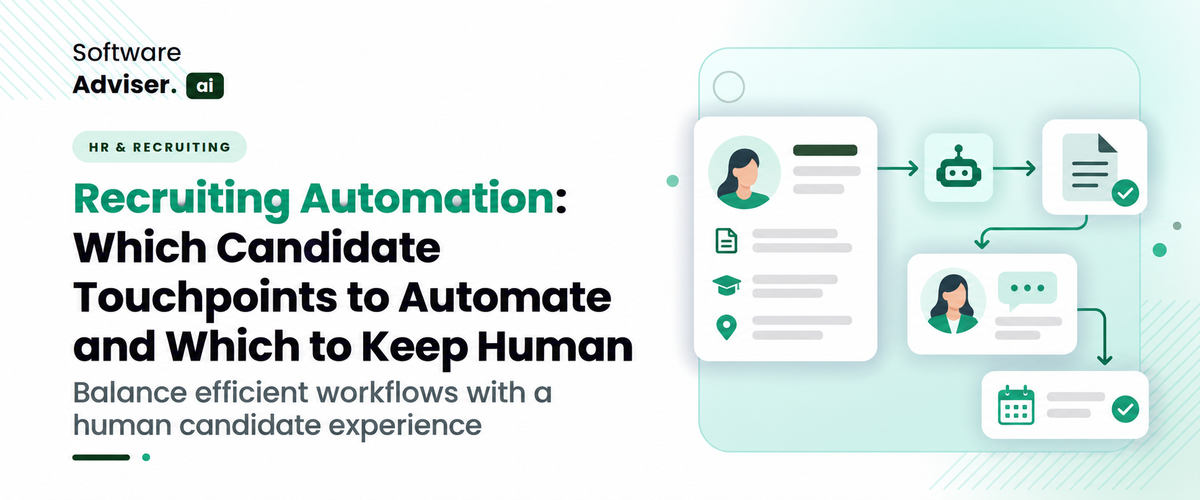
Recruiting Automation: Which Candidate Touchpoints to Automate and Which to Keep Human
 Dokas mile
Recruiting teams spend hours reviewing applications, coordinating interviews, answering candidate questions, and sending follow-up emails. Much of this work is predictable and therefore a prime candidate for automation. But hiring is more than a series of activities. Candidates want to be listened to, know where they stand, and know that someone is fairly assessing their skills.” That presents a real-world challenge for employers: what parts of recruiting should be automated, and where should a recruiter step in?
Recruiting automation can reduce admin work, keep communications consistent, and enable hiring teams to manage more candidates. But automating every interaction can make the hiring process feel impersonal, especially when a candidate needs feedback, clarification, or a thoughtful explanation of a decision. The best way is to automate the repetitive coordination and leave the meaningful conversations and consequential hiring decisions in the hands of humans. Here’s how to draw that line, and how recruitment software can help.
What Is Recruiting Automation, and Why Does It Matter?
Recruiting automation is the use of software to automate repetitive tasks throughout the hiring process. These tasks can include collecting applications, organizing candidate information, sending status updates, scheduling interviews, and managing hiring workflows, depending on the platform.
Most traditional recruiting software automates rule-based activities. AI recruiting software can also assist with other functions such as searching candidate profiles, summarizing applications, or helping recruiters find relevant qualifications. Vendors have varying capabilities, so you need to see what each product actually does, and not assume all platforms have the same features.
The main advantage is time. This means recruiters can spend less of their day managing calendars and chasing paperwork, and more time having conversations with candidates and hiring managers.
Automation can help with consistency, too. A well-configured workflow can ensure timely updates, apply the same process to similar applications, and reduce the chances that a candidate gets lost in the weeds because someone forgot to follow up.
But faster processing doesn’t always lead to better hiring. If a workflow is sending unqualified messages, filtering out qualified applicants, or making it hard to get to a real person, then automation can ruin the candidate experience.
Which Candidate Touchpoints Should You Automate?
Repetitive, predictable, and easily quantifiable touchpoints are the most appropriate. They should not necessitate a comprehensive comprehension of a candidate's circumstances or a significant assessment of their qualifications for a position.
1. Application Acknowledgments and Routine Updates
Candidates submitting applications should know the company received them. Automated acknowledgments, when available, can confirm receipt, explain next steps, and provide an expected response window.
Recruiters can also automate routine status updates, like letting applicants know that their application is under review or that an interview invitation is available.
These messages should be the actual recruiting process. Don’t promise a reply in some number of days unless your team can reliably meet that deadline.
2. Interview Scheduling and Reminders
Planning interviews is a lot of people, time zones, and rescheduling. Scheduling tools can offer up time slots, send invites, and remind candidates of upcoming interviews.
A lot of the work is coordination, not judgment, so this is one of the best use cases for recruiting automation.
Candidates should still be able to easily request a different time, ask a question, or explain a scheduling conflict. Automated reminders are helpful, but inflexible scheduling rules can cause unnecessary frustration.
3. Candidate Information Collection
The same things are asked by many recruiting teams from applicants, such as contact information, work experience, availability, and required documents.
An applicant tracking system can help organize this data in one central location, which can decrease manual data entry and streamline candidate record management.
Automation should only gather information that is relevant to the hiring process. You also need to be careful with handling access rights and sensitive information, especially when multiple people are involved in the recruitment process.
4. Interview Preparation and Internal Coordination
Automate interview invitations, interview schedules, approved interview instructions and interviewers’ feedback reminders for recruiters.
A structured workflow makes sure everyone is prepared on time and reduces the wait time between interview rounds.
Allow interviewers to ask relevant follow up questions. It should allow for a meaningful conversation, and not become a rigid script for the interview.
5. Routine Recruitment Reporting
Recruitment teams need to know how many applicants are entering the pipeline, how long positions are open and where candidates are dropping out.
Recruiting software can track workflow data and generate reports about these activities. This takes away manual spreadsheet work and lets managers see where things get stuck.
The figures are still to be interpreted. For example, a high number of applicants may not mean a job description is attracting the right candidates. For quality of hire, recruiters need to look at activity metrics from the past.

Pro-tip
Automate one repetitive touchpoint, for example, interview reminders. Track time saved, missed appointments, and candidate feedback before scaling automation to other stages.
Which Candidate Touchpoints Should Stay Human?
Automation works well when a process follows clear rules. Human involvement becomes more important when a conversation requires empathy, context, negotiation, or a decision that can significantly affect someone's career.
1. Initial Conversations With Shortlisted Candidates
A recruiter can automate the first acknowledgment, but a conversation with a promising candidate deserves personal attention.
Candidates may want to understand the role, team structure, reporting relationships, or expectations for the first few months. Recruiters should be ready to answer those questions based on the actual position rather than relying on generic templates.
Personal outreach also gives candidates a chance to discuss their experience in their own words. That context may be valuable when their resume does not fully explain their skills or career path.
2. Evaluating Skills, Experience, and Potential
Software can help organize applications and highlight qualifications that match a job description. However, a match score should not become an unquestioned hiring decision.
A candidate may have relevant transferable skills that a screening rule does not recognize. Another applicant may use different terminology to describe experience that closely fits the role.
Recruiters should review the evidence, check whether screening criteria relate to the job, and provide appropriate human oversight when AI supports candidate evaluation.
Employers should also examine whether automated screening produces unfair outcomes. This matters because historical hiring data and poorly designed criteria can reproduce existing biases.
3. Interviews and Follow-Up Discussions
Interview scheduling can be automated. The interview itself should remain a genuine exchange between the candidate and the hiring team.
Candidates may ask about team culture, career development, workload, or management expectations. Interviewers need to listen, clarify answers, and explore relevant examples instead of simply moving through a fixed set of questions.
The same principle applies after interviews. Automated reminders can help collect feedback from interviewers, but assessing that feedback and deciding what happens next requires human judgment.
4. Rejections and Sensitive Candidate Conversations
Rejection notifications are easy to automate, but the message should reflect the stage and circumstances of the application.
A brief, respectful email may be appropriate for an early-stage applicant. Someone who completed several interviews may reasonably expect a more personal message, particularly if the company previously promised feedback.
Recruiters should personally handle sensitive questions, requests for clarification, and situations where a candidate has invested considerable time in the process.
No applicant should be left without an update simply because the recruiting team relies on an automated workflow.
5. Salary Negotiations and Offer Discussions
Recruiting software can prepare offer documents, send reminders, and track approvals. It should not replace meaningful discussions about compensation, responsibilities, start dates, or other employment terms.
Candidates may have questions about benefits, flexibility, relocation, or growth opportunities. Recruiters need to understand company policies and communicate what is genuinely negotiable.
A human conversation can also identify concerns that might otherwise lead a candidate to decline an offer. The goal is to reach a clear agreement, not merely move a record to the hired stage.
How Do You Decide Whether a Touchpoint Should Be Automated?
Not every recruiting task fits neatly into an automated or human-only category. Some work best with a combination of software and recruiter oversight.
Use the following framework to assess each touchpoint before adding it to an automated workflow.
|
Evaluation question |
Automate when... |
Keep human involvement when... |
|
Is the task repetitive? |
It follows a predictable process. |
Each situation requires a different response. |
|
Does it require empathy? |
The message is routine and factual. |
The candidate needs reassurance or personal attention. |
|
Does it affect a hiring decision? |
Software organizes information or supports review. |
Someone must interpret evidence or make a consequential decision. |
|
Can errors be corrected easily? |
Mistakes are visible and simple to resolve. |
Errors could unfairly affect a candidate or damage trust. |
|
Does the candidate need flexibility? |
Standard options meet most needs. |
The candidate needs an exception or individual discussion. |
For example, an automated system can send an interview invitation and reminder. If the candidate replies that they need an accommodation or an alternative arrangement, the workflow should make it easy for a recruiter to respond.
The objective is not to remove people from the process. It is to reserve their time for work where their involvement makes a meaningful difference.
How Can Recruiting Software Support This Balance?
Choosing the right recruiting software can make it easier to separate administrative automation from decisions that need human attention.
Look for Practical Workflow Controls
A useful platform should let you configure communication triggers, scheduling rules, approval steps, and candidate status updates. Check whether you can adjust these workflows to suit different roles and hiring stages.
An AI Applicant Tracking System can help centralize applications, track candidate progress, and coordinate recruiting activities. Before choosing one, confirm which features are included and whether your team can customize its workflows.
Evaluate AI Features Carefully
If you're considering AI Recruiting Software, ask how it uses AI and what level of control recruiters retain.
Useful questions include:
- Can recruiters review and override AI-generated recommendations?
- Does the vendor explain how candidate rankings or screening results are produced?
- Can your team audit outcomes for potential bias?
- What candidate information does the system collect, store, and share?
- Can you configure human review for sensitive or high-impact decisions?
The answers will help you distinguish useful automation from features that introduce unnecessary risk.
Connect Recruiting With Onboarding
The candidate experience does not end when someone accepts an offer. New hires still need documents, instructions, access to relevant systems, and clear communication before their first day.
An AI Employee Onboarding Software category can help you explore tools for managing parts of this transition.
Automate routine paperwork and reminders, but keep personal welcome messages, role expectations, and conversations with managers human. These early interactions can help establish trust and support employee engagement.
How Can You Measure Whether Recruiting Automation Is Working?
The right metrics show whether automation improves the hiring process without making it less personal. Track a combination of operational results and candidate experience indicators:
- Time to schedule: How quickly can your team arrange interviews after deciding to move a candidate forward?
- Time to hire: Does automation reduce delays across the hiring process?
- Candidate response rates: Are applicants engaging with messages and invitations?
- Interview attendance: Have reminders helped reduce missed interviews?
- Candidate feedback: Do applicants find communication clear, timely, and respectful?
- Recruiter workload: Are recruiters spending less time on administration and more time on meaningful interactions?
- Screening quality: Are qualified candidates progressing through the process, and are screening outcomes being reviewed for potential bias?
Establish a baseline before changing a workflow, then compare results over a reasonable period. A faster process is useful only if it maintains appropriate screening standards and gives candidates a fair opportunity to participate.
Do You Know?
A candidate who accepts an offer is not yet fully through the hiring journey. Clear communication between offer acceptance and the first day helps prevent avoidable confusion during the transition.
Conclusion
Recruiting automation works best when it removes unnecessary administrative work without removing the human side of hiring. Application acknowledgments, interview reminders, document collection, and routine reporting are strong starting points. Interviews, sensitive conversations, salary negotiations, and consequential hiring decisions need meaningful human involvement. Before investing in new software, map your current hiring process and identify where delays occur. Automate predictable tasks first, build clear escalation paths, and measure both efficiency and candidate experience. The best recruiting process is not the one with the fewest human interactions. It is the one that makes each interaction count.
FAQ's
Recruiting automation uses software to handle repetitive hiring tasks, such as tracking applications, scheduling interviews, notifying candidates, and reporting on recruitment.
Start with high-volume, predictable tasks such as application acknowledgments, interview scheduling, reminders, and routine candidate status updates.
No, AI recruiting software can assist with administrative work and candidate information analysis, but human judgment remains important for interviews, sensitive conversations, and hiring decisions.
It can improve response times, reduce scheduling delays, and provide consistent updates when workflows are configured correctly.
Look for customizable workflows, reliable candidate tracking, clear reporting, appropriate data safeguards, integration options, and human oversight of AI-supported decisions.
A manager of a distribution company with forty employees spends every second Friday comparing paper sign-in sheets to badge swipes, finding discrepanc [...]
Dokas mile
For decades, creating an animated video meant embracing a slow, repetitive grind. Artists sat at desks or drawing tablets, meticulously tweaking detai [...]

David N. Wilks
A typical pharmacy will experience a massive shift to digital by 2026. The changing needs for healthcare and the continued decline in margins are lead [...]