
What we'll cover
Share with your community!


Get Free Consultation


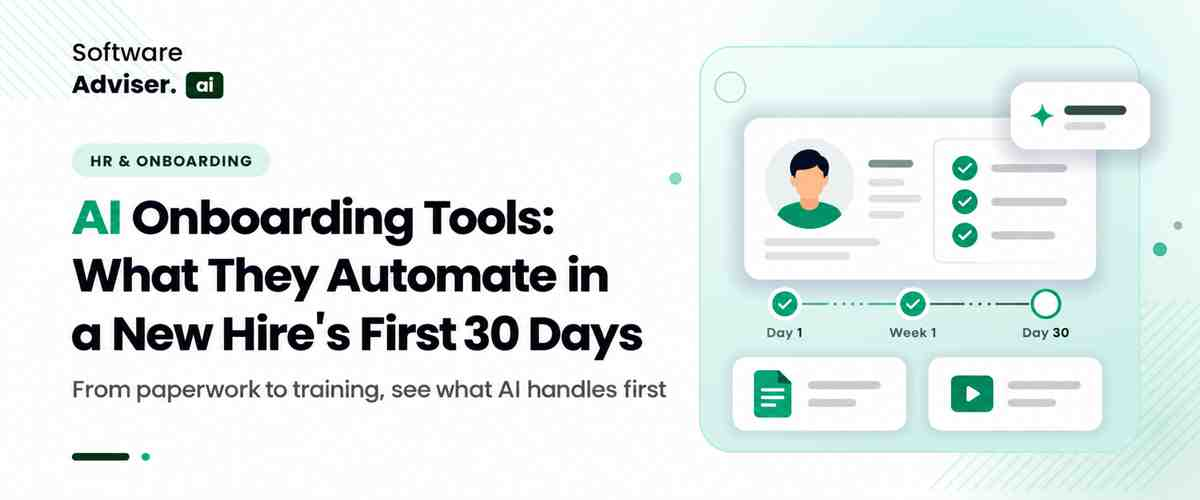
AI Onboarding Tools: What They Automate in a New Hire's First 30 Days
 Dokas mile
Most HR teams looking at AI onboarding tools already have a process. It just lives in too many places: an offer letter in one system, tax forms in another, an IT ticket queue, and whatever the hiring manager remembers to do. The practical question is simple: what do AI onboarding tools automate, and what should stay with people?
According to Gallup, just 12% strongly agree that their organization does an excellent job with their new hires. This difference is important when you make a decision on what to automate. Let's look at how AI can help a new hire in his first 30 days, what tasks should still be handled by humans—and what factors should be taken into account before selecting a platform.
 Looking For AI employee onboarding software? Check Out Software Advisor. AI list of best AI employee onboarding software in USA for your business.
What Are AI Onboarding Tools?
AI onboarding tools are software applications designed with AI capabilities to assist in handling tasks, information, communication, and learning during the onboarding process of employees. They can respond to employee queries, provide information summaries, suggest training, craft individual messages, and identify incomplete onboarding tasks by the platform.
They may work inside an existing human resources information system (HRIS), a learning management system (LMS), or collaboration tools such as Microsoft Teams.
For example, a new marketing employee might receive a role-specific onboarding checklist, find the company's brand guidelines through an AI assistant, and get recommended training based on their responsibilities.
AI is not necessarily part of all automated onboarding features. If a person has a start date, then 3 days prior to that date, their welcome email is sent according to a defined rule. Language Processing is used to understand a question and then generate a relevant answer, using an AI assistant that responds to a question based on approved internal documents.
What Do AI Onboarding Tools Automate?
They automate the repetitive, high-volume work around onboarding, not the relationship-building:
- Paperwork and checklists: sending forms and chasing what is missing (onboarding checklist automation)
- Questions: an AI onboarding assistant answers “How do I enroll in benefits?” from the handbook
- Training: onboarding training automation assigns and sequences courses by role
- Access requests: routing laptop, email, and software requests to IT
- Follow-ups: nudging new hires and managers, then summarizing check-in feedback
There are two layers that should be separated. Employee onboarding automation with rules is based on pre-programmed rules: If a person accepts an offer, there should be a list of tasks to perform and an email to send. The AI layer will help where the fixed rules fall short, e.g., to understand an open text question written in natural language, to select training for a specific role, or to read the open text sections in a survey for patterns. There are many products marketed as AI which may be predominantly of one type (chatbot), so enquire from vendors which functions are AI enabled.
How AI Onboarding Works During the First 30 Days
The first month is a helpful time-frame to plan automation since employees' needs evolve over time. A new hire must have access and documents before getting started. In the first week they should be oriented and given answers. Later, they require role-specific direction, direction, and more clear-cut expectations.
|
Stage |
Automated Task |
Trigger |
Human Involvement |
|
Before day one |
Digital forms, welcome message, access requests |
Offer marked accepted in the HR system |
HR confirms details; IT approves access |
|
Days 1–7 |
First-week schedule, assigned courses, policy questions |
Start date |
Manager welcomes the hire and sets priorities |
|
Days 8–14 |
Role-specific learning paths, overdue task reminders |
Course progress or a missed deadline |
Manager reviews progress and coaches |
|
Days 15–30 |
Pulse surveys, milestone reminders, feedback summaries |
Day 15 and day 30 marks, survey replies |
Manager and HR act on flagged concerns |
Before Day One: Paperwork, Welcome Messages, and Access Requests
Preboarding begins after an employee accepts an offer and continues until their first day.
HR can use AI onboarding tools to gather necessary data, clarify forms, draft welcome emails, and mark incomplete tasks. A workflow can trigger an IT request, alert the hiring manager or schedule an orientation when the employee record is at a specific point.
Let's say a software company is looking to recruit customer success specialist. Upon HR's confirmation of the joining date, the system will send the employee a checklist, inform IT to create necessary accounts and provide information about the orientation schedule. Finally, an AI assistant can provide answers to common questions regarding the first-day schedule based on company approved information.
However, the software should not independently approve identity documents, grant unrestricted system access, or make employment decisions without the necessary checks and authorization.
The goal is simple: help the employee arrive ready to start, rather than spend the morning chasing paperwork and login details.
Days 1-7: Orientation, Training, and Employee Questions
The first week often introduces more information than a new employee can remember. Company policies, team structures, security requirements, and job responsibilities all compete for attention.
An AI onboarding assistant can reply to a common question about paid time off, expense processes, internal tools, or any document belonging to the company. It can be synced with an approved knowledge base and can automatically route staff to the appropriate policy without them having to trawl through various folders.
Onboarding training automation can also tailor the required courses and suggest learning materials for the role of the employee. A new sales rep may get on-boarded with CRM training and product documentation, while a software engineer may get on-boarded with instructions for the development environment and security training.
AI can make information easier to find, but it should not replace a manager's introduction to the team, a colleague's practical guidance, or conversations about how work gets done.
Do You Know?
Microsoft documents an onboarding-agent architecture that can connect an AI agent with HR systems, learning platforms, and other business applications. This illustrates how an onboarding assistant can coordinate information and workflows rather than operate as a standalone chatbot. The actual capabilities depend on the integrations and permissions configured.
Days 8-14: Role-Specific Learning and Task Follow-Ups
By the second week, employees usually need to move beyond general orientation and start learning the work itself.
AI employee onboarding can help facilitate this transition by suggesting appropriate training, summarizing internal documentation and highlighting gaps in learning activities. It can also enable managers to view the onboarding tasks which are still open.
For example, a new account manager might need product training, a walkthrough of the customer relationship management system, and guidance on escalation procedures. This could be suggested by an AI-powered learning platform, and the system could also alert students to complete missing modules.
This is where personalized employee onboarding can be useful. Employees in different roles do not need identical learning paths, and experienced hires may need less introductory material than people entering a new field.
AI suggestions should not replace an approved learning plan, but should be supplemented by a learning plan as approved by the manager. A system should never presume that an employee doesn't need a course because they have previous experience or taken a similar course somewhere else.
Days 15-30: Check-Ins, Feedback, and Progress Tracking
The third and fourth weeks are a good time to check whether the onboarding process is working.
Automation can help you schedule milestone reminders, gather feedback from the employees and provide a summary of outstanding tasks for HR or the manager. Some systems are capable of identifying these recurring problems, such as employees toting up the same problem as missing access or a lack of training resources.
Assume that three new employees come on board and state they are unable to use the same internal app. A progress dashboard can display the recurring blocker, giving IT a means to investigate the problem rather than have to solve each report individually.
AI can also help summarize feedback from a new hire survey. However, a manager should discuss the results with the employee rather than treating a generated summary as a complete picture of their experience.
By day 30, the objective is to be able to know what the employee has accomplished, what things he or she still struggles with and what is required of him or her next. The first month is a milestone, not that all employees will be 100% functional by a specific date.
You may also check— How AI Is Improving Employee Onboarding for US Companies in 2026 Benefits of AI Onboarding Tools for HR Teams
The benefits of AI onboarding tools depend on how well they fit the existing process. When implemented carefully, they can offer several practical advantages.
- Less repetitive administrative work: Automated reminders, document-status tracking, and task routing reduce the need for HR staff to follow up manually on every activity.
- Faster access to information: An AI onboarding assistant can help employees find approved answers to routine questions without waiting for an HR representative to reply.
- More consistent onboarding: Standardized workflows help ensure that employees receive the right forms, training, and instructions. Teams can still adapt the process to different roles and locations.
- More relevant learning: AI can recommend resources based on job responsibilities and learning needs, making training easier to navigate.
- Better visibility: HR and managers can identify overdue tasks, repeated IT issues, and gaps in the onboarding process before they become larger problems.
Limitations and Risks of AI Onboarding
AI onboarding tools can introduce problems if businesses deploy them without appropriate safeguards.
- Incorrect answers: An AI assistant may misunderstand a policy or provide outdated information. Connect it to current, approved documents, test common questions, and provide an easy way to contact HR.
- Employee data privacy: Onboarding records can include personal, financial, and employment information. Limit access to what each tool needs, review vendor data-handling practices, and avoid sending sensitive information to unapproved AI services.
- Unnecessary automation: Too many automated messages can overwhelm new hires. Set priorities and send reminders only when they help employees complete an important task.
- Integration and access errors: A disconnected HR system or incorrect permission can leave tasks incomplete or expose information to the wrong person. Test workflows before rollout and require authorization for sensitive actions.
- Overreliance on AI: Automated summaries may miss context, and employee feedback should not be reduced to an unverified score. Use AI to highlight issues for review, not to make unsupported judgments about an employee.
Organizations can use the NIST AI Risk Management Framework to guide them in managing AI risks throughout the AI system lifecycle. The principles of reliability, accountability, privacy, and human oversight are applicable to onboarding applications.
How to Choose AI Onboarding Tools
Start with your existing stack. Onboarding automation tools should connect to your HR system, payroll, IT ticketing, and the chat app people already use.
Then check the details that differ between vendors:
- Can it tailor tasks by role, location, and state, since tax and leave forms vary?
- Does it show sources for AI answers and let HR edit them?
- What security documentation does the vendor provide, such as a SOC 2 report?
Consider the advantages and disadvantages of AI employee onboarding software, the cost per employee, and test it out in one department at a time. However, if you're still doing your research on categories, a tour of employee onboarding software can give you an idea of the variety of platforms that exist, from simple checklist programs to comprehensive HR suites.

Pro-tip
Before you pick a platform, trace one person's journey who has recently joined the company from accepting an offer to day 30. Note the task(s), owner(s), system(s) and where delay occurred. Utilize that map when performing vendor demonstrations, to test your process rather than using a generic feature check list.
Conclusion
Onboarding tools powered by AI can assist HR teams with organizing paperwork, providing answers to common questions, customize training, and monitor progress during a new employee's initial 30 days. Value in their use lies not in replacing all human interaction but in eliminating the friction.
Start with repetitive tasks that have clear rules and measurable outcomes. Keep sensitive decisions and meaningful employee conversations with people, and review the system's accuracy, privacy, and performance regularly.
A well-designed onboarding process gives new hires what they need when they need it, while giving HR and managers a clearer view of where support is still required.
FAQ's
Yes, partly. AI can handle document collection, employee questions, training recommendations, and task reminders. HR and managers still handle approvals and personal support.
Start with repetitive, trackable tasks: sending forms, collecting documents, assigning training, and sending reminders. Keep sensitive decisions and support conversations with people.
Yes. AI can recommend learning materials based on a person's role, skills, and progress. Managers should review the recommendations.
The main risks are inaccurate answers, exposed employee data, poor integrations, and too much reliance on automation. Approved data sources, access controls, and human review reduce them.
Traditional software manages forms, checklists, and reminders. AI onboarding tools add natural-language answers, summaries, and personalized recommendations.
Managing a small enterprise today requires wearing multiple hats, but the digital shifts of this year are completely transforming how local companies [...]

David N. Wilks
Marketers send billions of emails every year, yet teams still spend hours manually segmenting lists, guessing optimal send times, and deploying static [...]
David N. Wilks
Almost every AI tool now has a free version, which is both a gift and a trap. The gift is obvious: you can test powerful software without spending a c [...]