
Best Workflow Management Software in
Are you looking for Workflow Management Software for your Business in ? SaaS Adviser brings you the best Workflow Management Software to ease your worries. In order to make your work smooth and swift, SaaS Adviser has compiled a list of the best software available. Compare the Best software features, pricing, free demo, and trial to select the best Workflow Management Software for your organization.
 Researched and Written by Akash Patel
Top 3 Featured Softwares


List of Top Workflow Management Software

Get Free Consultation


WhiteVision BV is a Dutch software company specializing in automation solutions to streamline and simplify invoice and document management processes. Founded in 2005, the company h...
View Profile

What is Rippling?Rippling is an all-in-one workforce management software that unifies HR, IT, and finance functions on a single platform. It enables businesses to manage payrol...
View Profile

Supportbench is a present-day B2B helpdesk and customer relationship management (CRM) software designed to streamline customer service operations. It offers equipment for case mana...
View Profile
Cerri

Enterprise Project Portfolio Management Software
Cerri provides simple yet powerful team collaboration and project management solutions to improve project workflow, and align teams towards common goals.
View Profile

ClickUp is a comprehensive, all-in-one productivity platform designed to streamline work management for individuals and teams across industries. It centralizes project planning...
View Profile

What is Freshservice? Freshservice is a cloud-based IT service management (ITSM) solution developed by Freshworks that enables organizations to modernize and streamline their IT...
View Profile

Wrike is a powerful cloud-based project management and collaboration software designed to streamline workflows, improve team productivity, and enhance visibility across project...
View Profile

Homebase is a comprehensive workforce management solution designed for small businesses. It aims to simplify employee scheduling, time tracking, and team communication while helpin...
View Profile

Smartsheet is a cloud-based work control and automation platform designed to help businesses plan, tune, and execute tasks successfully. It combines assignment control, collaborati...
View Profile

Apollo.Io is a practical sales intelligence and engagement platform designed to help companies generate leads, automate outreach, and decorate sales performance. It allows entry to...
View Profile
What is Paycor? Paycor is a cloud-based HR and payroll platform designed to help businesses manage people, pay, and compliance from a single system. The Paycor system combines p...
View Profile

The best thing about Kissflow is that it is very user-friendly and can be integrated with other software and applications easily. Kissflow is an automated workflow software whic...
View Profile

Process Street is a cloud-based task manager that helps users with diverse business solutions. It contains different useful features, such as business process management, quality m...
View Profile
smartsheet CMMS
Increase Productivity With This Powerful CMMS
Smartsheet's Computerized Maintenance Management System (CMMS) is a cloud-based platform designed to streamline maintenance operations and enhance productivity. It offe...
View Profile

What is Spine HR and Payroll?Spine HR and Payroll is an HR control and payroll automation software program that facilitates organizations' control of attendance, depart, performanc...
View Profile

YOOBIC
By YOOBICCheck How YOOBIC can help to automate Indian Business. SaaSAdviser provide their list of features, pricing, Free demo and Comparison with the best alternative
View Profile

Keka HR Payroll Platform is a comprehensive human resources and payroll management software that streamlines employee onboarding, attendance, performance reviews, a...
View Profile

Priority Matrix
By AppfluenceCheck How Priority Matrix can help to automate Indian Business. SaaSAdviser provide their list of features, pricing, Free demo and Comparison with the best alternative
View Profile

Mobile2b
Business Process Management & Workflow Automation Platform
Mobile2b is a German-based technology company that specializes in mobile enterprise applications, workflow automation, and IoT (Internet of Things) solutions. The company develops ...
View Profile

Tallyfy is an efficient workflow management software that helps its users streamline approval and decision workflows to enhance the process of the organization. The software is a...
View Profile

Table of Content
What is Workflow Management Software?
The Workflow Management Software is a computerized program that manages, monitors, and automates the daily operations in an organization. It lessens the workload on the hand, enhances communication and makes deadlines not to be mixed up. A properly organized Workflow Management System enables groups to map processes, track the progression of the processes and restructure promptly whenever priorities change. Companies have been combining these tools with software for task management in most instances to strike the right balance between efficiency and flexibility. It streamlines the working environment by centralizing approvals, documents and notifications both in small teams and large enterprises. Finally, the Workflow Management Software provides a business with a clear outline of how to simplify business operations and obtain the desired outcome.
1. Future Trends in Workflow Management Software
This is because technology and the shift in business requirements are rapidly changing the landscape of the Workflow Management Software. The workflow management software market will increase by USD 13.4 billion in 2025 and USD 158.6 billion in 2035 at a CAGR of 28.0. Being conscious of the future trends assists organizations to be competitive, agile, and efficient:
-
Role of Artificial Intelligence
Artificial intelligence is becoming more popular in automating repetitive work, setting a priority on workflows, and proposing improvements in the processes. The use of smart algorithms is able to decrease the amount of manual work and improve cross-team decision-making processes. The assignment of tasks is also possible through AI where the appropriate task is carefully assigned with the appropriate individual at the appropriate time.
-
Predictive Analysis in Workflow Management
Predictive analytics can assist in predicting bottlenecks, insufficiency of resources and delays in processes. Through historical analysis, organizations will be able to make plans in advance and enhance the efficiency of the workflow. This strategy reduces risks, facilitates the planning of the project and makes the project execution easier.
-
Emerging Technology and Innovations
Low-code platforms, mobile workflows, and intelligent automation are some novel technologies transforming the way businesses are being conducted. These technologies enable more expedient implementation and flexibility to evolving demands. Organizations that implement new technology are able to grow operations at a high rate and act accordingly when the market changes.
-
Compliance and Security Features
Workflow systems are incorporating high-tech security controls and audit trails with more stringent regulations in place. This safeguards sensitive data and the processes are up to the standard. The improved level of security also helps to minimize the operational risks and keep the customer trust.
-
Integration with Other Business Systems
The business systems should be integrated with CRMs, ERP systems, and small business document management software to be able to maintain a consistent flow of data. Organizations will gain greater efficiency, co-operation and proper reporting in different departments. These integrations contribute to the removal of duplication of work and the unification of the operations to make appropriate decision-making.
2. Challenges in Workflow Management Software
The most developed Workflow Management Software may experience challenges to efficiency and usage. Being aware of such challenges makes organizations plan better and have smooth operation:
-
Lack of Clear Processes
The absence of clarity in processes can also see duplication of work or dropping of processes. The lack of clarity on responsibilities slows the work, makes it less productive, and difficult to monitor the progress.
-
Resistance to Change
he employees tend to resist new systems that work with the systems they know well. To overcome this barrier it is necessary to have proper training, gradual onboarding and demonstration of some tangible benefits of new Workflow Tools.
-
Limited Tools and Technology
Organizations with aging or simple solutions have trouble automating and reporting. By adopting powerful platforms such as the best enterprise business process management software in united states, the process of managing the organization will be enhanced and performance will be improved.
-
Poor Communication
Transparency and information centralization can create errors, inability to meet deadlines, and frustrations in the team. A combination of the best team collaboration software and properly built workflow system including real time updates and common dashboards can assist in assuring the alignment of everyone and keeping tasks on track.
-
Scalability Issues
The workflows that are performing well with small groups might not be effective as the company expands. Rigid systems constitute bottlenecks, delays in approvals and restricts the company to expand its operations effectively.
-
Monitoring and Optimization Challenges
Managers do not easily detect inefficiencies in the processes without sophisticated tracking and analytics. The productivity and decision-making become challenging because of the continuous improvement.
3. Best Workflow Management Software in USA
1. Zoho
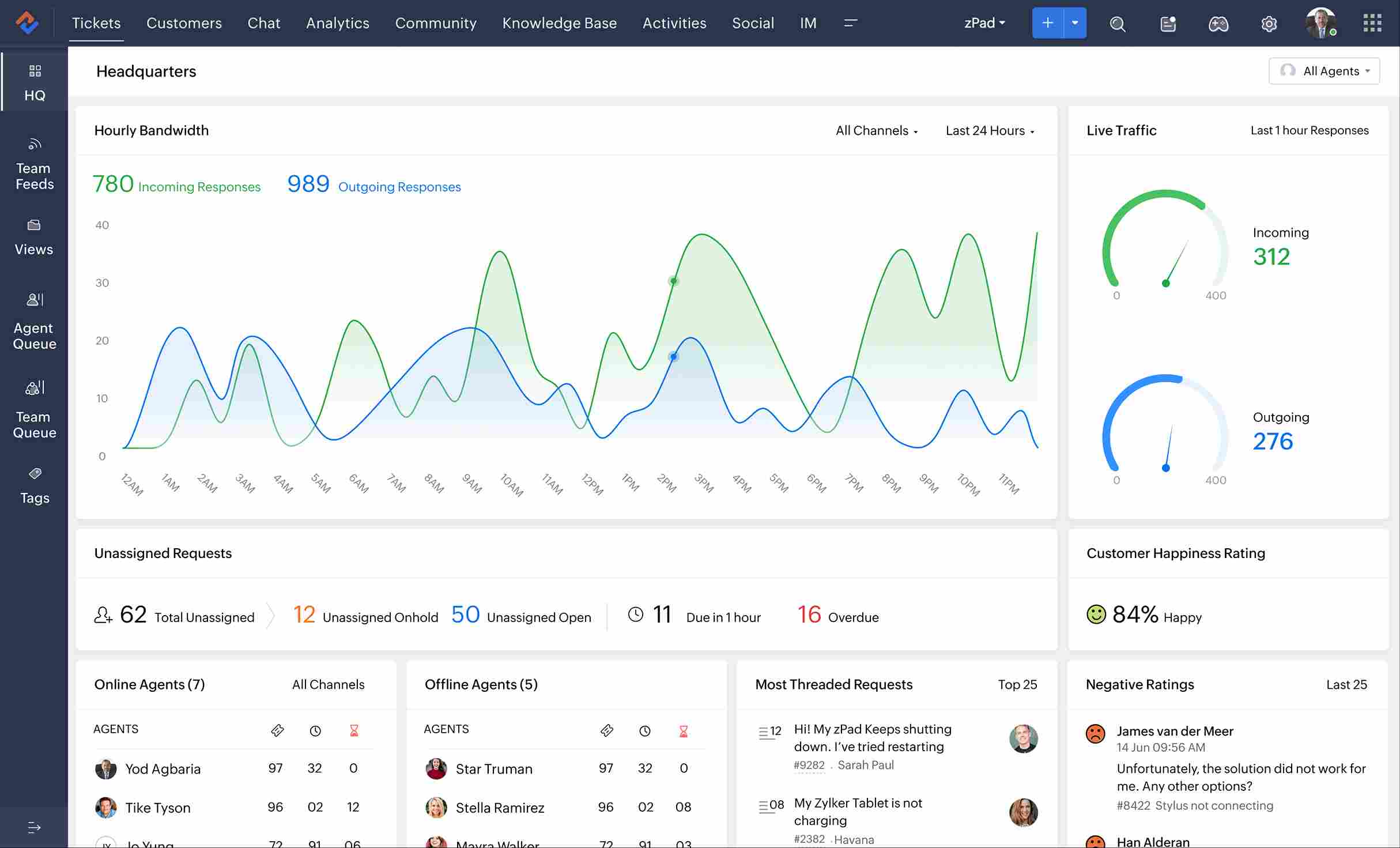
Zoho Creator is a model-less workflow management software which allows businesses to automate operations and create custom applications without extensive coding. It fits perfectly well in small to medium sized teams that want to integrate well with the Zoho ecosystem.
Key Feature
-
Low-Code App Builder: Allows users to build their own applications with little code and simplifies the development flow.
-
Automated Workflows: Allows business processes to be automated and minimizes the number of people who handle the process.
-
Multi-Platform: This is access to applications multi platform or in multiple devices making it flexible and easy to access.
-
Role-Based Permissions: Gives more specific control to user access, which increases security and data integrity.
-
Combination with Zoho Suite: Easily combines with other Zoho software to create a coherent business environment.
Pros
Easy to use interface that is non-developer-friendly.
It can be integrated completely with other Zoho applications.
Cons
-
Learning curve may be needed to operate advanced features.
-
Little customization compared to a few competitors.
Pricing: Begins $14/user/month at an annual rate.
2. Cflow
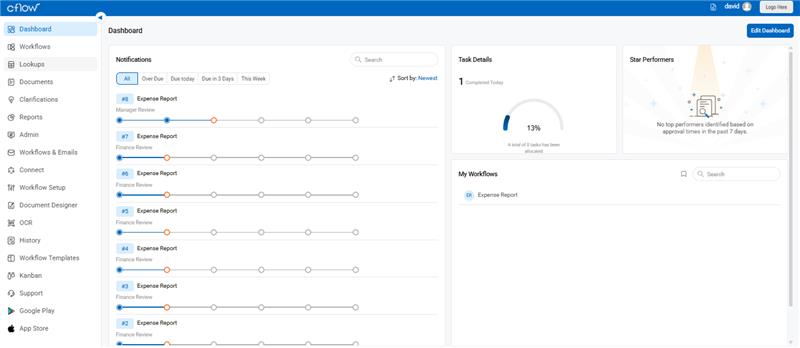
flow is a friendly workflow application aimed at making the workflow easy in terms of approvals and tasks management. Ideal when using small teams or other enterprises that need visual tracking of workflow.
Key Feature
-
Visual Workflow Builder: Visual workflow builder provides an interface that is easy to design and create workflows easily by dragging and dropping.
-
SLA Tracking: The SLA tracking follows service level agreement to be met in time and to be followed.
-
Real-Time Notifications: Delivers real-time notifications to users when the tasks change, and this helps in improving communication.
-
Approval Routing: Automates approval routing of tasks to facilitate decision making.
-
Detailed Analytics: Gives the workflow performance, which facilitates to optimize processes.
Pros
-
Drag-and-drop interface.
-
Affordable pricing for small teams.
Cons
-
Less scalability with bigger companies.
-
Basic reporting capabilities versus a few competitors.
Pricing: $11/user/month for the Joy Plan when billed annually.
3. Wrike
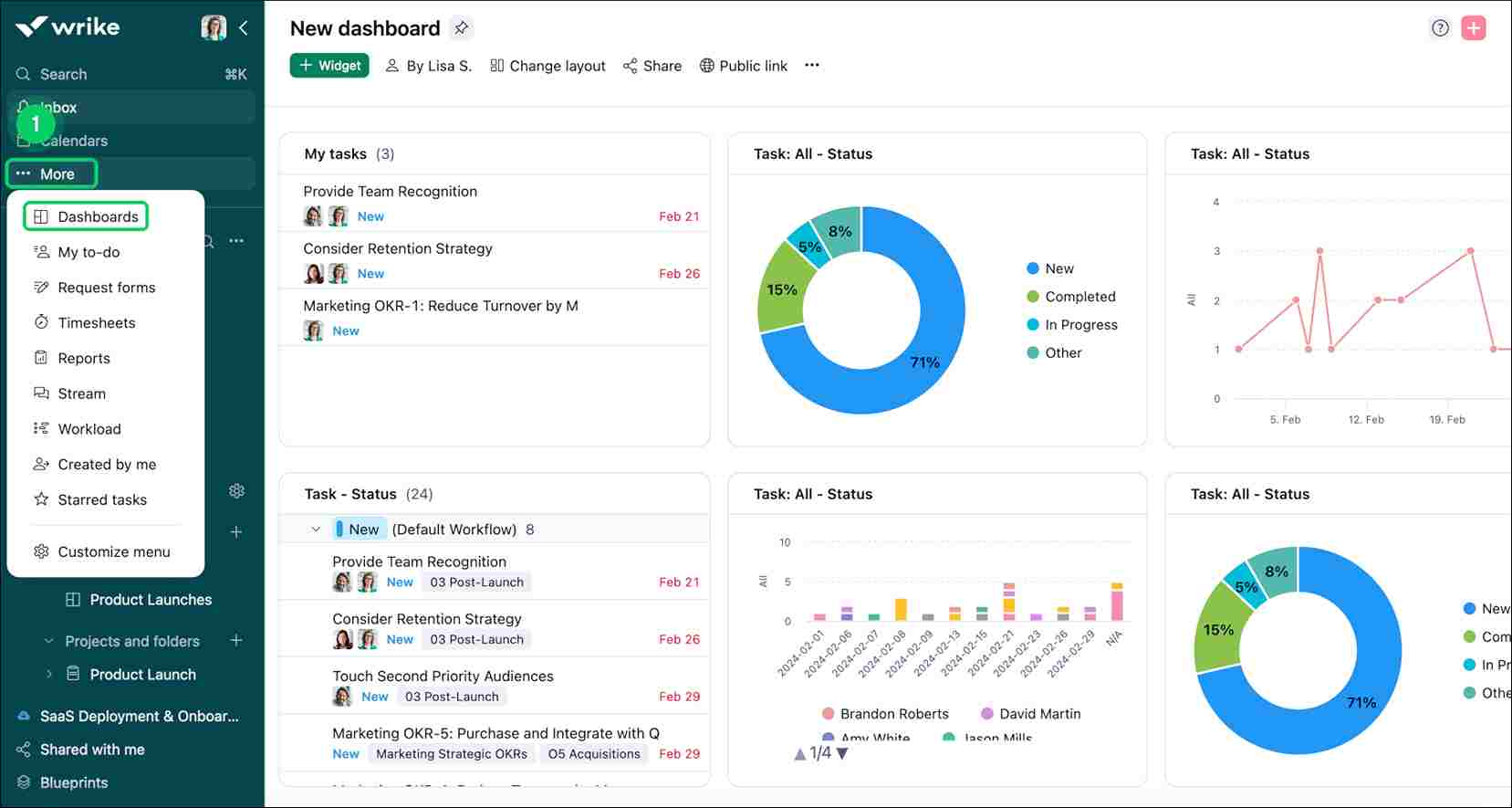
Wrike is a project and workflow management software that is all inclusive of teams of any size. It is outstanding in the arrangement of tasks, visualization of time, and teamwork.
Key Feature
-
Task Management: It helps to create, assign, and monitor the tasks and maintain the orchestrated project implementation.
-
Time Tracking: This enables users to record time taken on activities, which are useful in resource allocation and billing.
-
Gantt Charts: Displays the project schedules and dependencies, which help to plan and schedule.
-
Document Sharing: Allows sharing of files in tasks, which ensures collaboration.
-
Real-Time Collaboration: Enables team members to collaborate and communicate using similar latest tools, improving the teamwork.
Pros
-
Good project management skills.
-
Highly customizable workflows.
Cons
-
Can be complex for new users.
-
Increased levels of prices can be expensive to a small business.
Pricing: Starts at $10/user/month for the Team plan.
4. Kissflow
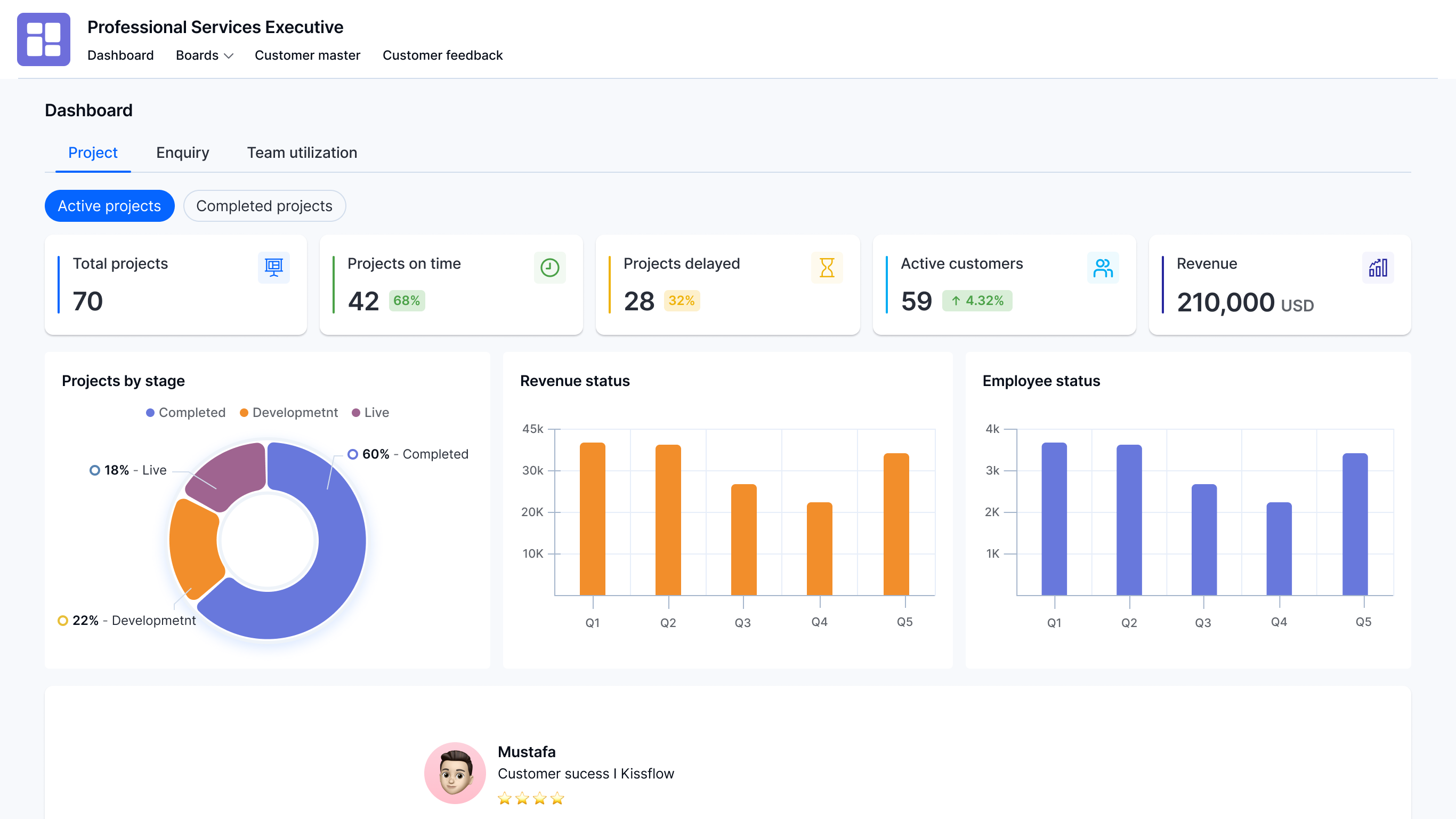
Kissflow is a no-coded workflow management solution that is specifically designed to serve companies that require intricate process automation. It eases the management and reporting of cases.
Key Feature
-
No-Code App Creation: It enables anyone to code-free app creation, democratizing the creation of apps.
-
Workflow Automation: Automates many tasks, which can then be spent on other more strategic activities.
-
Case Management: The case management is in charge of unstructured workflows to offer versatility in the processing of various processes.
-
Reporting & Analytics: Provides data analysis and reporting tools, which can be used in making decisions.
-
Connection to Multiple Tools: It has integration with a vast variety of applications, and there is no problem with data movement between platforms.
Pros
-
Appropriate when dealing with complex businesses.
-
Comprehensive feature set.
Cons
-
Starting price can be too high to be prohibitive to small businesses.
-
May is too many-featured when it comes to smaller teams.
Pricing: Starts at $2,500/month for the Basic plan.
5. Smartsheet
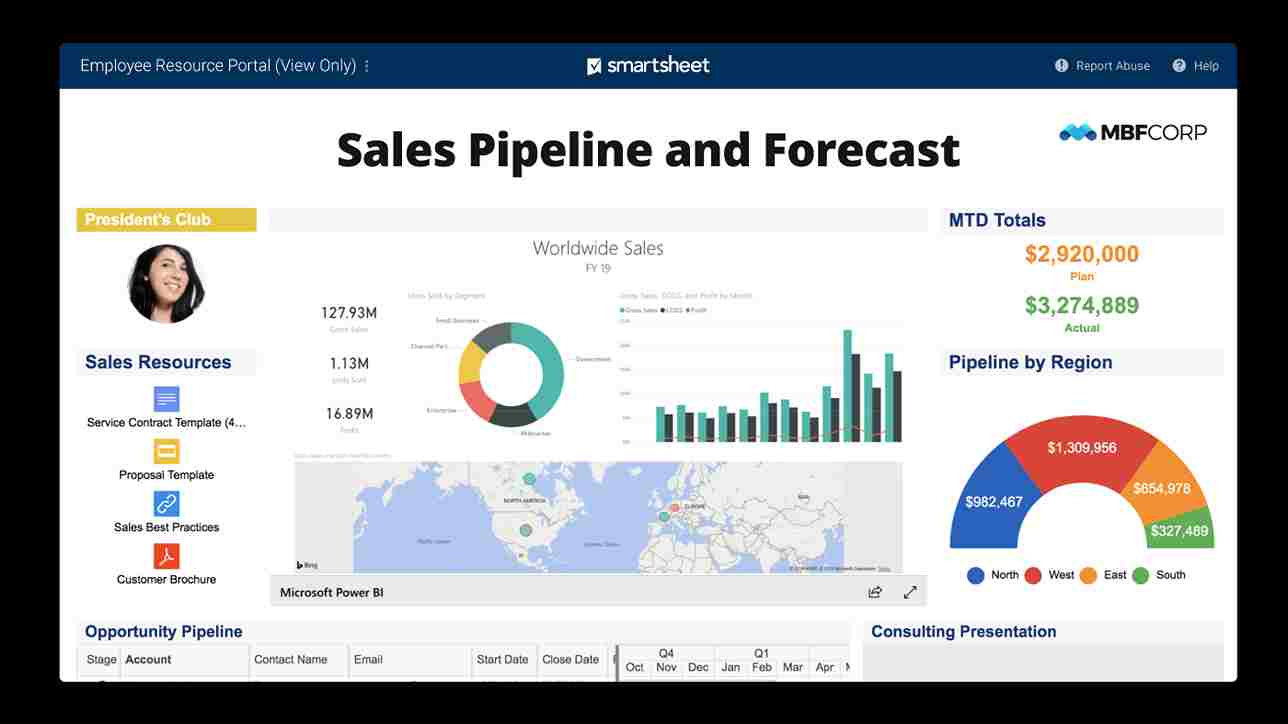
Smartsheet is a grid-based workflow application, which is a mixture of project management and collaboration. It is appropriate in teams that are conversant with spreadsheets and require workflow automation.
Key Feature
-
Grid-Based Project Planning: It is a project planning tool that uses the spreadsheet interface, which is common to many users.
-
Automation: Automates repetitive processes and tasks, which enhances efficiency.
-
File Sharing: Enables users to share files in the platform which facilitates collaboration.
-
Reporting: Prepares reports used to monitor project progress and performance.
-
There is Integration with Third-Party Apps: It will be integrated with other external applications and will add functionality.
Pros
-
Widely used spreadsheet-like interface.
-
Powerful reporting and analytics software.
Cons
-
May also needs training on new users.
-
Price may be increased according to extra features and users.
Pricing: The Pro plan is offered at a starting price of $9/user/month.
4. Benefits of Workflow Management Software
The introduction of Workflow Management Software introduces efficiency, clarity, and quantifiable optimizations to business operations. Key benefits of Workflow Management Software solutions include:
-
Greater Business Insights
Live dashboards and analytics can provide the managers with a clear perception of the running tasks, bottlenecks, and allocation of resources. It assists the companies in making some data-driven decisions and streamline processes to enhance performance.
-
Identifying and Eliminating Redundancies
Workflow mapping points out the duplication or unnecessary procedures that decrease the waste of energy. Teams can save time and resources by getting rid of redundancies and enhance general efficiency and clarity of operations.
-
Building Accountability & Reducing Micromanagement
Allocation of specific duties and monitoring of progress will lead to responsibility. Managers do not have to supervise the employees all the time, but concentrate on strategic objectives, which promotes trust and employee independence in their performance.
-
Greatly Improved Communication
Centralized updates and notifications ensure that teams are updated on a real-time basis. Combination with best mobile forms automation software provides an information flow that would eliminate errors and contribute to inter-departmental cooperation.
-
Easy Integration
The current workflow solutions are easily integrated with the existing software and can easily share data and work together. People in the USA usually turn to the Workflow Management Software in USA that will be integrated into other enterprise solutions to ensure the stability of activities.
5. Key Features of Workflow Management Software
Workflow Management Software are used to simplify the working process and act as a time-saving program and reduce the amount of errors.Its main features that make it indispensable are the following:
-
Intuitive, Simple Workflow Designer
The workflow is graphically mapped through a visual user-friendly interface that does not require any technical expertise. It streamlines complicated processes, which are easier to track and modify tasks in a short time. This facilitates the operations within departments.
-
Drag and Drop From Designing Capability
It is easy to design and promote forms with the drag-and-drop tools. Most enterprises integrate this with best low-code development platform for saas in usa an attempt to tailor workflows, automate repetitive tasks, and conserve time.
-
Support Third Party Integrations
CRM, ERP, and communication apps can be integrated with the platform, ensuring the flow of data. The best Workflow Management Software allows synchronization in real time to minimize redundancy of work and make the team more efficient.
-
Role Based Access Control
The issuance of roles makes sense in that only the entitled users have access to sensitive information. This enhances security, compliance and gives managers the option of control over who is allowed to approve, edit or view tasks.
-
Automated Data Validations
Automated processes assist in keeping the approvals, forms, and entries accurate. It reduces the number of errors made by humans, provides uniformity of results and aids compliance to those businesses with stringent data handling policies.
-
Centralized Workflow Dashboard
a single dashboard will give visibility to outstanding tasks, bottlenecks and approvals. With these kinds of Workflow Management Tools, managers are able to monitor the performance, allocate resources in the most efficient way and make a decision in the shortest amount of time.
-
Cloud Based Platforms
Cloud-based implementation enables their employees to work across workflows at any point, which improves flexibility. In the case of small enterprises, it can be combined with free online project management software in USA, which is affordable to collaborate with and can be easily scaled.
6. Conclusion
Managing tasks and projects becomes way easier with Workflow Management Software. It helps teams avoid repeating work, keeps everything transparent, and ensures nothing gets stuck. These tools link people in real time, centralize approvals and documents, and work well for startups, big companies, or even students. With the help of other applications such as small business document management software, the collaboration becomes much more efficient. It is able to map, automate, and trace the workflows which saves time and minimizes errors. The selection of the appropriate software is dependent on the number of people in your team and the requirements, although it is more feasible to choose a flexible system that would streamline operations and enable the organization to get things going within a shorter time frame.
