
Best Construction Management Software in
Are you looking for Construction Management Software for your Business in ? SaaS Adviser brings you the best Construction Management Software to ease your worries. In order to make your work smooth and swift, SaaS Adviser has compiled a list of the best software available. Compare the Best software features, pricing, free demo, and trial to select the best Construction Management Software for your organization.
 Researched and Written by Akash Patel
Top 3 Featured Softwares


List of Top Construction Management Software

Get Free Consultation


Procore is a leading cloud-based construction management software designed to connect project teams, improve collaboration, and streamline workflows throughout the entire ...
View Profile

Buildertrend is a cloud-based construction management solution that helps remodelers, home builders, general contractors, and speciality contractors with project scheduling and man...
View Profile
Contractor Foreman makes it easier for contractors to manage their work and get things done with ease. Contractor Foreman is a construction management software that offers vario...
View Profile

Autodesk BIM 360 is a part of Autodesk Construction Cloud, which connects workflows, people, and data to help you build better. It assists the user in reducing risk, raising qual...
View Profile

CoConstruct is a software that helps users coordinate their projects by allowing them to keep track of their to-dos, coordinate schedules with the field and office, make selections...
View Profile

Houzz Pro

Software for the Modern Firm
Houzz is an online platform launched in 2009 that serves as a leading destination for home remodeling, interior design, architecture, and landscaping. It caters to both ho...
View Profile

PlanGrid is a Cloud-based Document Management Software that is designed specifically for the construction industry. The tool allows users to quickly access all project-related info...
View Profile

BuildBook
By BuildBook
Buildbook is a construction management software that helps you run better projects, provide better client service, and boost your profits. It makes managing projects and growing ...
View Profile

Knowify is a construction management software that helps businesses with contract jobs, service tickets and work orders. It streamlines the entire sales pipeline, from lead gener...
View Profile

Oracle Aconex is a construction management software built on the Oracle Construction and Engineering cloud. It includes features for logistic management, job costing, maintenance m...
View Profile

CMiC construction management software is a feature-rich construction accounting software that also contains some vital project management features. These features include cost-to-c...
View Profile

E-Builder Enterprise is a cloud-based construction business management solution that is completely integrated and owner-centric. It acts as a single repository for everything fro...
View Profile

Buildxact
A Better Way to Build Starts Here
Buildxact is a cloud-based construction management and estimating software designed specifically for small to medium-sized builders, remodelers, and contractors. Founded in 201...
View Profile

What is Monday.com?Monday.com is a cloud-based Work Operating System (Work OS) designed to help teams plan, track, and manage their projects and workflows efficiently. Its high...
View Profile

ClickUp is a comprehensive, all-in-one productivity platform designed to streamline work management for individuals and teams across industries. It centralizes project planning...
View Profile

Zoho Projects is the trusted project management software for over 200,000 users worldwide. With Projects, you can plan, track, collaborate and automate your way to successful proje...
View Profile

Wrike is a powerful cloud-based project management and collaboration software designed to streamline workflows, improve team productivity, and enhance visibility across project...
View Profile

Sage 300cloud is a business management software that enables users to integrate key business operations like accounting, warehousing,manufacturing, and distributing. The software i...
View Profile

Autodesk Construction Cloud
By Autodesk Construction Cloud
Construction teams are always looking for ways to improve communication and collaboration, while also reducing risk and increasing profits. Autodesk Construction Cloud is a constru...
View Profile

Fieldwire
By FieldwireCheck How Fieldwire can help to automate Indian Business. SaaSAdviser provide their list of features, pricing, Free demo and Comparison with the best alternative
View Profile

Table of Content
What is Construction Management Software?
Construction management software is a cloud-based application that is utilized by contractors, project managers, and construction companies as a means of scheduling, coordinating, and monitoring a project from beginning to completion. Rather than operating numerous spreadsheets, emails, and paper procedures, the team members are able to coordinate schedules, budgets, resources, and documents in one place.
Construction management software programs are industry-specific for the construction industry and may facilitate making it easier for construction management teams to monitor job site activity, work with subcontractors, and meet safety and quality regulations. Whether dealing with a small residential project or a commercial building construction project, construction management software offers a system of visibility to manage your job financially and schedule appropriately.
1. Conclusion
Construction management software is no longer a nice-to-have; it is becoming the backbone of how projects are planned, executed, and delivered in today’s competitive market. The right platform saves time, reduces costly errors, and gives teams the clarity they need to stay on schedule and within budget. Whether you are a residential builder, a large contractor, or an owner managing capital projects, choosing a tool that fits your workflows can transform the way your team works. By looking at features, scalability, and vendor support, you’ll be better equipped to select a solution that drives efficiency and sets your projects up for long-term success.
2. Top 5 Best Software For Construction Management Software In USA
With so many tools available, finding the right construction management software can feel overwhelming. To make it easier, we’ve rounded up five of the best options used in the USA that stand out for their features, ease of use, and real value to project teams.
1. Procore
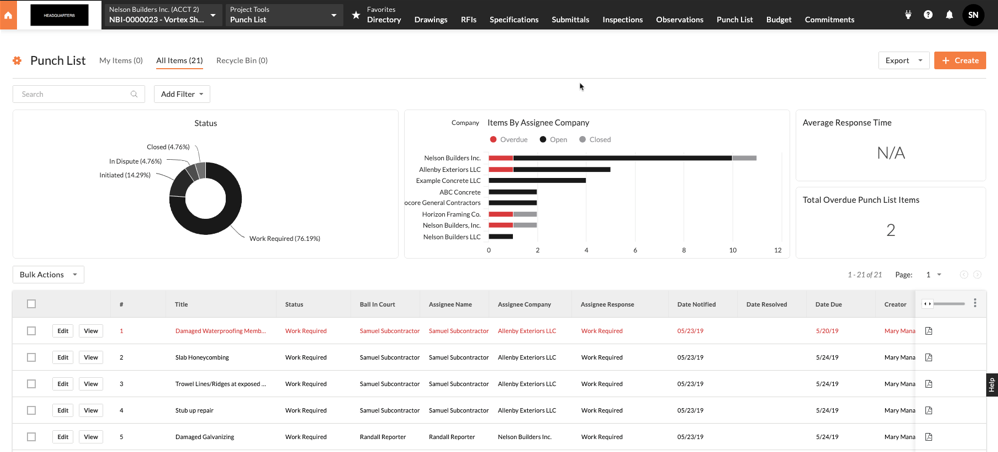
Procore is an enterprise-grade construction management platform that brings project planning, finance, and field collaboration together. Its strength lies in its ability to provide real-time visibility into all phases of the project, enabling teams to remain aligned and progress quickly from design to handover.
Features:
-
RFIs, submittals and punch-list management.
-
Construction financials (commitments, COs, budget tracking).
-
Versioned drawing and document control.
-
Mobile field apps for daily logs and timecards.
-
Large integrations marketplace and APIs.
Pros:
-
Scales well for multi-project enterprises.
-
Excellent document control and audit trails.
Cons:
-
Higher cost and longer implementation cycles.
-
Can be complex for very small contractors.
Pricing: Visit the website for customized pricing
2. Buildertrend
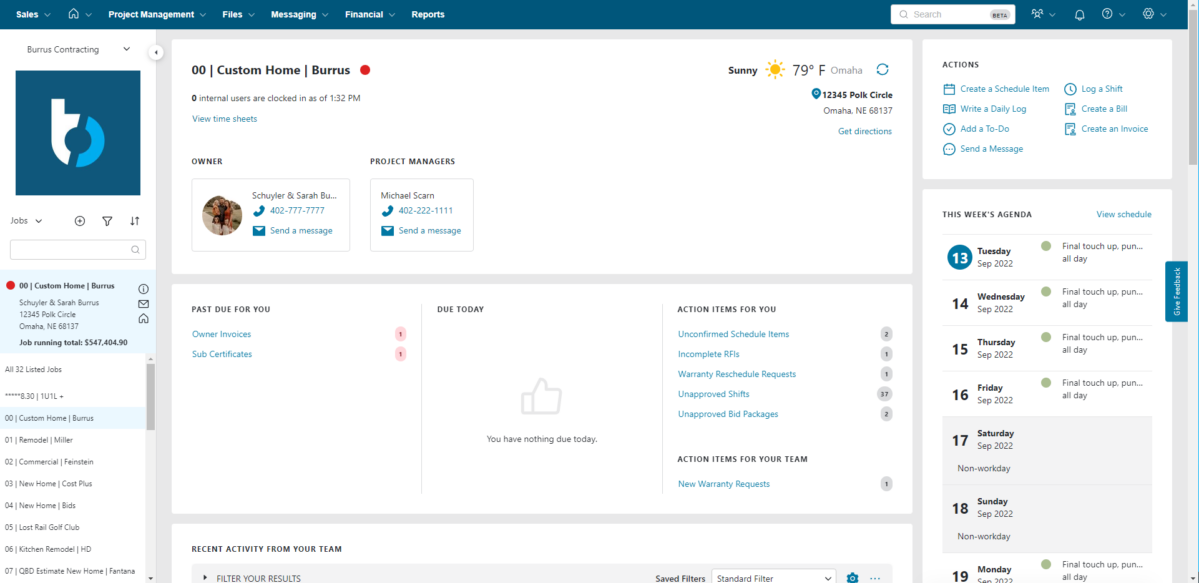
Buildertrend is specifically designed building project management software for residential builders and remodelers, integrating client communication, scheduling, selections, and financial tracking into a single easy-to-use dashboard. It keeps homeowners and contractors on the same page, minimizing confusion and enhancing delivery.
Features:
-
Client portal and selections tracking.
-
Scheduling with Gantt-style timelines.
-
Estimating and proposal generation.
-
Mobile apps for crews and clients.
-
Change order management with quick digital approvals.
Pros:
-
Strong homeowner communication and client-facing UX.
-
Tailored for remodels and single-family workflows.
Cons:
-
Customization options are limited in certain areas like reporting.
-
May lack advanced commercial features.
Pricing: Visit the website for customized pricing
3. Contractor Foreman
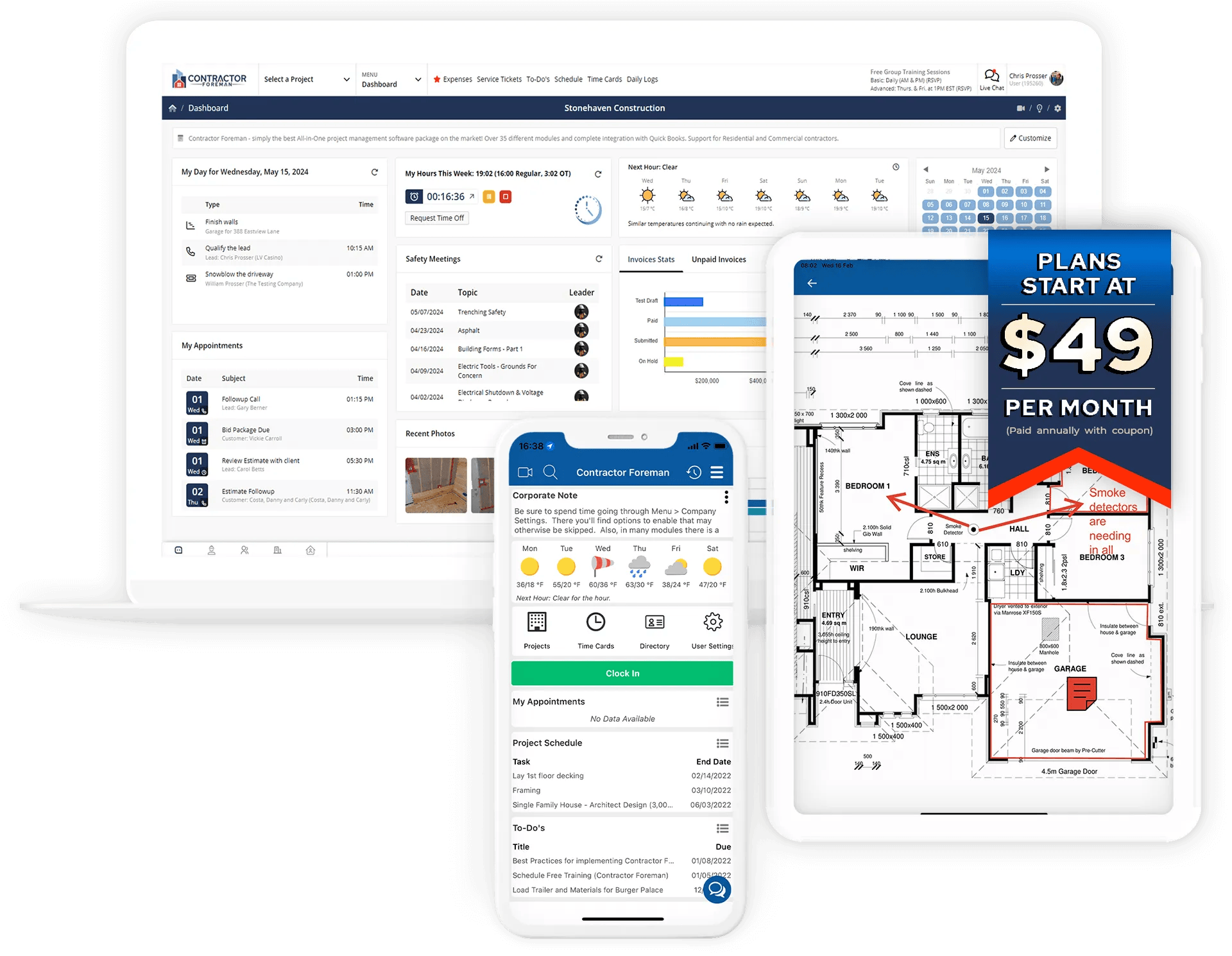
Contractor Foreman is one of the best contractor management software, especially useful for small and mid-sized contractors that require robust construction tools without enterprise complexity. It addresses estimating, safety logs, scheduling, and cost tracking, all at a cost-effective budget, and with seamless adoption.
Features:
-
Estimating and proposals.
-
Project scheduling and dashboards.
-
Change orders, invoicing and billing.
-
Time tracking, safety logs and forms.
-
Mobile apps and basic document storage.
Pros:
-
Frequent updates and improvements based on user feedback.
-
Simple UX that’s quick to adopt in the field.
Cons:
-
Limited advanced reporting and analytics.
-
Fewer prebuilt enterprise integrations.
Pricing: Pricing starts at $49/month
4. e-Builder Enterprise
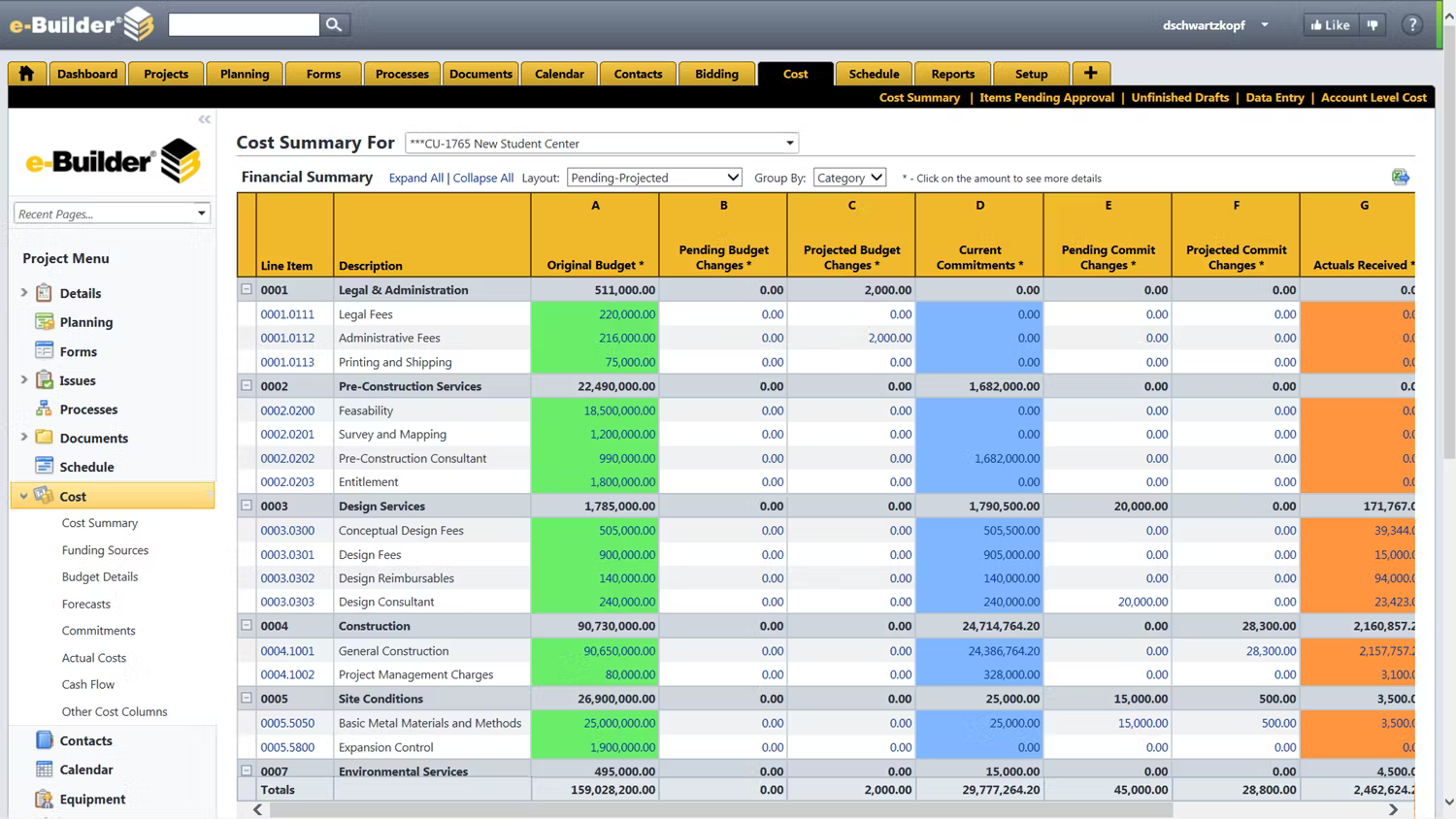 e-Builder Enterprise is a construction management system designed for owner-operators and capital programs handling extensive, multi-project portfolios. It excels in automating processes, monitoring costs, and reporting on performance, simplifying the process of controlling budgets and governance across the board.
Features:
-
Capital program budget and cost controls.
-
Portfolio-level dashboards and reporting.
-
Standardized, auditable workflow automation.
-
Contract, procurement and change management.
-
Compliance tracking and document audit trails.
Pros:
-
Excellent for owner-driven capital governance.
-
Strong auditability and compliance features.
Cons:
-
Enterprise procurement and longer deployment timelines.
-
Not suited for small contractor day-to-day use.
Pricing: Visit the website for detailed pricing
5. Wrike
 Wrike is an adaptable project management software tool that construction groups tend to tailor to suit their requirements. Though not specific to the construction industry, its robust task boards, dashboards, and automation templates enable groups to monitor schedules, approvals, and deliverables in a single platform.
Features:
-
Custom task boards, Gantt charts and blueprints.
-
Automation rules and request intake forms.
-
Configurable dashboards and real-time reports.
-
Strong integrations and open API.
-
Enterprise security and granular permissions.
Pros:
-
Highly configurable with strong automation capabilities.
-
Easy integrations with popular apps.
Cons:
-
Lacks native RFI/drawing markup tools without add-ons.
-
Field features like offline timecards require integrations.
Pricing: Pricing starts at $10 user/ month. Also offers a free plan.
3. Latest trends in Construction Management Software
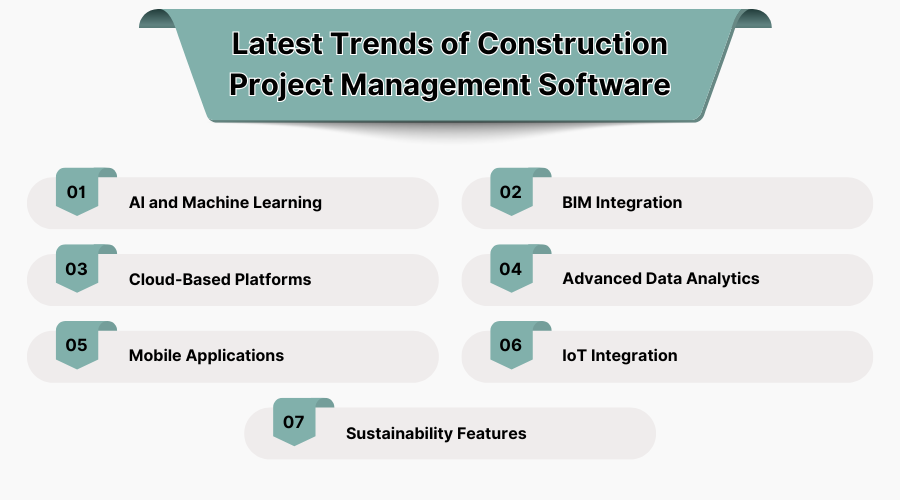
The management of construction projects is evolving rapidly. New technologies in project management software are enabling builders to take control, see more clearly, and find better ways to manage complex work. As per Fortune Business Insights market report, the global construction software market was worth $9.87 billion in 2024. The market is expected to expand from USD 10.76 billion in 2025 to USD 21.04 billion by 2032, registering a compound annual growth rate (CAGR) of 10.1% between forecast periods.
1. AI and Machine Learning
AI facilitates project risk predictions, schedule optimization, and even automates routine tasks. Machine learning gets better over time, and project planning becomes smarter and more effective. All this reduces guesswork and gives the manager more confidence in their decisions.
2. BIM Integration
Project management software now usually comes with Building Information Modelling (BIM) built in. This direct way makes it easier for everyone in your team to work together on the design, reduces conflicts, and makes sure everyone is on the same page from the start of the project till the end.
3. Cloud-Based Platforms
Cloud solutions offer accessibility to data and project files anywhere. Teams can remotely access, share updates in real-time, and remain on the same page, working without delays. Such liberty is especially needed for hybrid or multi-location teams.
4. Advanced Data Analytics
Modern dashboards surpass simple reporting, providing drill-down analysis and forecasting. By this, project owners and managers can act preemptively rather than spending their time continuously putting out fires.
5. Mobile Applications
Mobile apps bring project management to the field. Employees can upload images, report problems, or verify schedules right from their phones, providing immediate visibility. This keeps field and office teams fully connected without extra paperwork.
6. IoT Integration
IoT sensors are also being utilized to monitor equipment usage, material status, and site conditions. Inputting this real-time data into project management software enhances logistics, safety, and real-time decision-making.
7. Sustainability Features
These contemporary platforms now incorporate monitoring of energy consumption, waste minimization, and green compliance tools. These ensure businesses achieve sustainability objectives while maintaining costs within check. Eco-friendly tracking is becoming an essential requirement for contemporary builders.
4. Key Features Of Construction Management Software
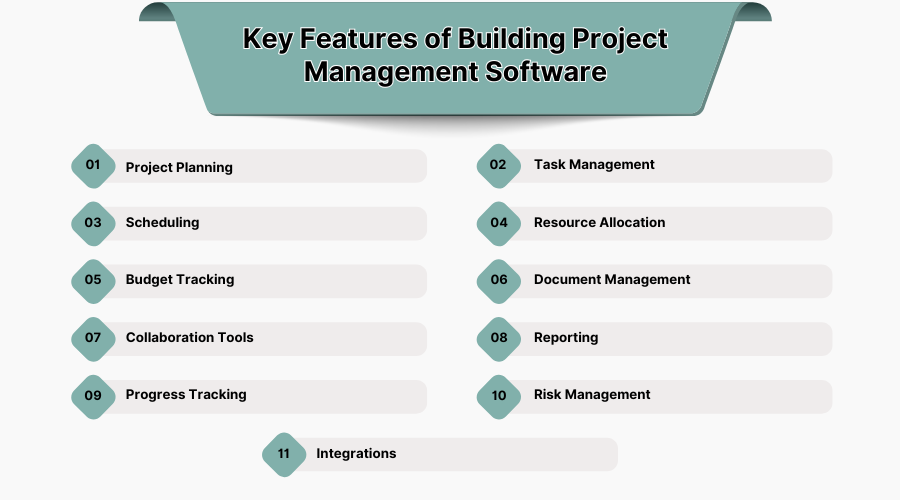
Modern project management software construction is more than being a simple task list. It integrates scheduling, budgeting, and collaboration elements so teams can manage sophisticated building projects in one central location.
1. Project Planning
Sets the basis for the entire project by defining scope, timelines, and deliverables. Good software divides complex projects into workable steps. It makes sure that everyone begins with a shared direction and clear expectations.
2. Task Management
Task management allocates responsibility with deadlines, dependencies, and attachments, providing managers with real-time insight into bottlenecks. Clear expectations keep subcontractors on schedule and prevent delays.
3. Scheduling
Scheduling tools offered with this technology, like Gantt charts, critical path analysis, and mobile scheduling, will keep the staff on track. By monitoring lead times and crew calendars, one can save time and avoid bottlenecks.
4. Resource Allocation
Resource allocation secures labor, equipment, and materials efficiently allocated to projects. It avoids overbooking, costs less, and maintains smooth execution.
5. Budget Tracking
Budget tracking allows for the comparison of estimated versus actual costs while managing change orders and spending. This safeguards profit margins and earns the trust of owners.
6. Document Management
Document management places plans, specifications, and photographs in a single, secure location with version control. Project teams collaborate using the most current files, eliminating rework and compliance concerns.
7. Collaboration Tools
Collaboration tools keep the office staff, crews in the field, and subcontractors connected in real time. Instantaneous updates and shared information eliminate the chance of miscommunication between them. Integrated chat and commenting functionality helps problems get resolved quickly and keeps work moving.
8. Reporting
Reporting capability, like dashboards and earned value values, brings real-time insight to decision-makers. Owners and stakeholders are given the transparency they need with reports that can be made customizable, and time is conserved by automated exportation.
9. Progress Tracking
Progress tracking through daily logs, photo timelines, and percent-complete tracking provides an auditable trail of project activities. These records not only improve handovers but also prove valuable in handling claims.
10. Risk Management
Risk management functionality, such as issue logs, safety reporting, and alert automation, enables teams to spot and resolve risks in advance. Managers can avoid costly delays by staying ahead of problems that become cumbersome before they become major issues.
11. Integrations
Integrations make sure the software does not exist in its bubble. With accounting, HR, BIM, and field tool APIs and connectors, the platform is a collection of all project data in one central hub. Integration reduces double entry, saves time, and allows for information flow between teams without any hiccups.
5. Challenges Of Construction Management Software
While the benefits of construction project management software are clear, using it effectively requires more than just installation. Knowing where difficulties can occur ensures companies can handle them before they grow.
1. Data Integration
Construction companies usually have several systems for activities such as accounting, HR, and design. Integrating a new project management tool with all of them is not always seamless. If integration is not up to the mark, it leads to redundant work or incomplete data, which hampers efficiency.
2. Complex Project Dependencies
Construction work involves a lot of moving pieces, with activities closely linked together. When one slips, several others can go awry. The software needs to be able to manage those dependencies well, lest teams get lost and behind schedule.
3. User Adoption
Even the perfect system is wasted unless people use it correctly. Ease of use, training, and reliability of communication are essential, as resistance from staff can inhibit the advantages of digital project management.
4. Adaptability to Change
Construction environments change quickly, whether it is scope changes, design changes, or unexpected delays. If the software cannot adapt and change with it, teams are left opting for spreadsheets or cumbersome workarounds.
5. Data Security
Since project data, funds, and contracts are stored within these applications, security is paramount. Breach or misuse of data can result not only in financial loss but also in loss of client trust.
6. Stakeholder Communication
It is not always easy to get all owners, contractors, and field crews in sync. When the system does not provide clean, real-time feeds, communication gaps will result in errors, rework, or delayed deadlines.
7. Specific Workflow Needs
Each firm approaches projects differently. A software that works flawlessly for one company may not fit another's customized workflows, leading to inefficiency or expensive customizations.
8. User interface complexity
If the platform is too complicated, teams might not use it or might only use part of its functionality. Learning curve can scare users away and negate the efficiency gains promised by the software.
9. Cost and Implementation Barriers
Lastly, the cost of licenses, training, and installation can be exorbitant. Small businesses, especially, can be deterred by the initial cost and time required for complete implementation.
6. Criteria For Choosing The Best Construction Management Software In The USA
It is not enough to just look for construction project management software with a lot of cool features; you also need to pick one that works well with your team's workflow. The optimal pick should be easy to use, work with other tools, and be able to grow with your business so that it can handle projects of all sizes without causing further problems.
1. Ease of Use
Choose a solution that your field foremen and office admins can learn and master quickly, as how well they learn and adapt to it daily is more crucial than features with unnecessarily fancy names. Easy-to-use interface and robust mobile apps reduce errors, speed onboarding, and keep your crew able to utilize the system in the field and in the office.
2. Scalability and Governance
Select a construction management platform that will support your business growth from small renovation projects to multiple ones. It should offer user permissions, audit logs, and centralization of admin controls. Additionally, a pricing structure that allows you to scale up without unexpected costs with cost-effective plans. Make sure the provider offers multi-project reporting and centralized master data.
3. Project And Financial Integrations
An excellent software for construction management aligns with your accounting, estimating, and payroll systems so that commitments and costs are always in equilibrium. Look for pre-built connectors or open APIs to avoid expensive one-time integrations. Test an end-to-end transaction during evaluation to confirm the flow between the office and finance.
4. Mobile & Offline Capability
Field crews require trustworthy apps that can work offline and sync when service becomes available again, and that is where construction mgmt software becomes incredibly useful. Offline forms, uploading pictures, and time tracking are must-haves for in-the-field sites. Inspect sync settings and conflict resolution so data changes do not overwrite essential changes.
5. Document Control & Versioning
Choose a construction management system with strong drawing control: visible version history, authorized access, and markup tools that connect notes directly to plan sheets. Good document control prevents costly mistakes from outdated plans and speeds up submittal and approval cycles. Make sure the system also supports retention and quick search for smooth handovers and audits.
6. Reporting & Dashboards
Modern project management software also allows easy exports and custom dashboards for owners and managers to view schedule, budget, and safety KPIs rather than sort through spreadsheets. You should look for capabilities like continuity, simple automated reporting, and the ability to schedule reporting if necessary for stakeholders. The customizable widgets allow each team member to customize and view the exact information they would like to see for their job.
7. Vendor Support & Implementation
Not all construction management solutions are created equal regarding setup and support. A good vendor provides training, onboarding, and continuing customer success resources to facilitate adoption. Request references from similar-sized companies and demand a transparent rollout plan. Phased implementation with high-impact workflows is usually the best strategy to bring value quickly.
7. Benefits Of Construction Management Software
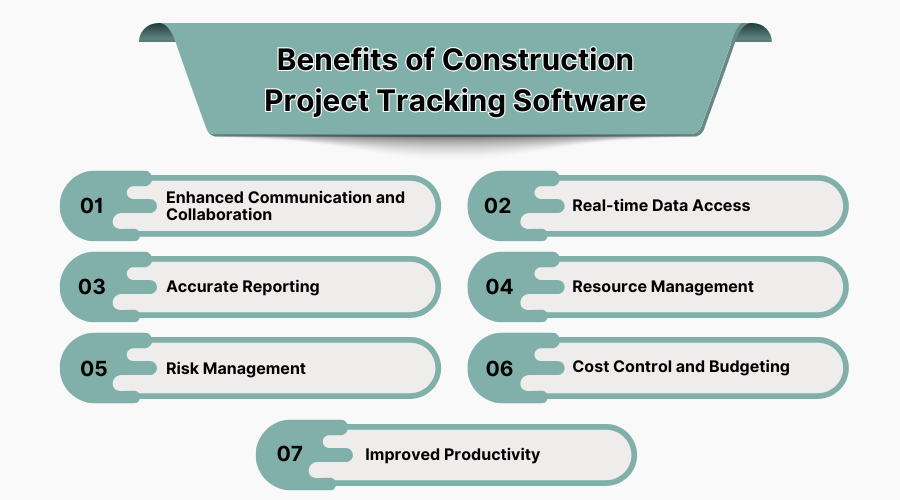
Through construction management tools, owners and contractors are able to have real-time access, minimize miscommunication, and remain within budget and schedule.
1. Enhanced Communication & Collaboration
Construction project tracking software makes collaboration easier for teams. With messaging tools, file sharing, and updates in the software, field workers and office workers can communicate instantly. This means they do not have to wait as the project progresses on-site. This will allow for less confusion and smoother productivity.
2. Real-Time Data Access
With building project management software, data from the project is instantaneously available, so decisions are not delayed. Whether it is checking schedules, budgets, or progress, managers and teams can respond promptly with the most current information at hand. This type of visibility keeps projects on schedule and eliminates delays.
3. Accurate Reporting
By using construction project management software, automated rollups from cost modules and schedules provide accurate metrics without too much manual labor. This reduces reconciliation errors and gives stakeholders clean, consistent views of project status. Consistent variance analysis builds trust with owners and makes monthly reporting much easier.
4. Resource Management
Linking crew schedules, equipment, and materials through construction software programs helps teams balance workloads and prevent bottlenecks. When utilization across multiple projects is visible, managers can redeploy resources more intelligently. This reduces downtime and ensures critical activities remain properly staffed.
5. Risk Management
Centralizing issue logs, safety records, and change controls in construction computer programs makes it easier to spot and manage risks early. Documented project histories also strengthen claims and insurance cases. By detecting risks sooner, teams can cut down on cost and schedule impacts.
6. Cost Control & Budgeting
Using project management software for construction industry, change orders and forecasts are integrated into one workflow. This makes it easier to monitor committed costs and predict overruns before they become a problem. Linking contracts to actual expenses closes the loop between field changes and accounting, protecting margins and keeping owners fully informed.
7. Improved Productivity
By eliminating repetitive work and approvals, construction software management allows project managers to prioritize higher-value decisions. With fewer manual handoffs, there are faster approvals and less rework. Greater productivity is not only the result of saved time but also of reducing expensive errors. Choosing a system that doubles as the best field service management tool keeps field workers and back-office staff in sync with each other, promoting smoother coordination and avoiding delays.
