
What we'll cover
Share with your community!


Get Free Consultation


AI in Payroll: The Smart Way to Save Time, Cut Costs, and Improve Accuracy
 Dokas mile
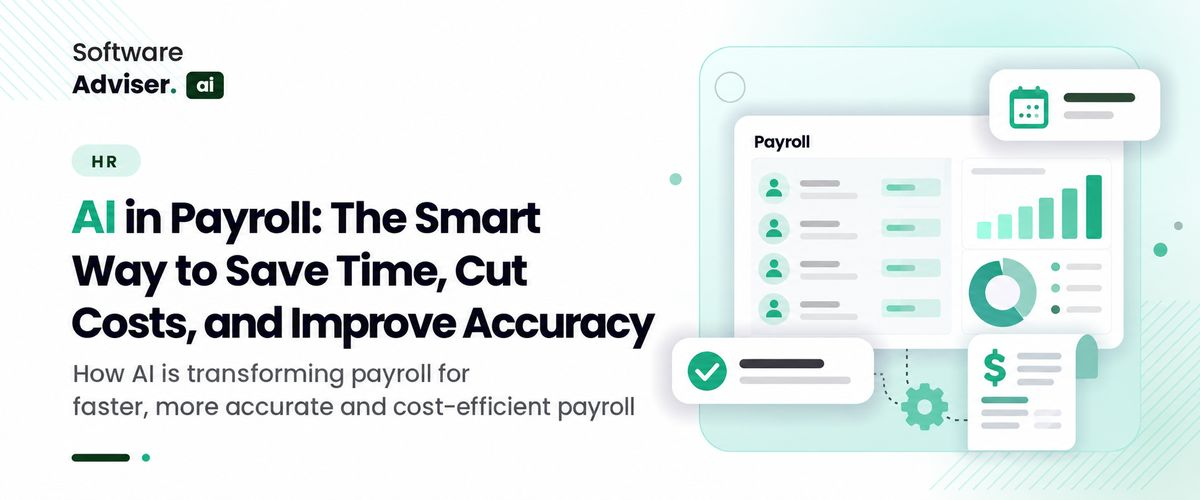
Each payroll run looks routine until a small mistake changes everything. Missed overtime rule. Late tax filing. Wrong deduction. Compliance mistakes can cost your team time and leave employees shortchanged. Payroll teams already live with this pressure. On average, companies make around 15 corrections per pay period, and a single fix can cost close to $291 once you count the staff time spent tracking down what went wrong.
 Looking for AI Payroll Software? Check out Softwareadvisor’s List of the Best AI Payroll Software in the USA for Your Business.
This is where AI in payroll has started to change the math. Instead of relying only on manual reviews and fixed rule sheets, payroll platforms now use machine learning to flag mistakes before they reach a paycheck, keep pace with shifting tax rules, and take repetitive data entry off a payroll team's plate.
How AI in Payroll Works Once It's Running
AI in payroll isn't one single feature you switch on. It's a set of machine learning and pattern-recognition techniques layered on top of a payroll system's existing calculations. A traditional payroll engine follows fixed rules: multiply hours by rate, apply a tax table, subtract deductions. AI in payroll adds a second layer on top of that math.
It studies the usual payroll pattern for a company, department, or individual employee and draws attention to anything that breaks it, say, an unusually large overtime total or a deduction that differs from the previous pay period. That might mean an overtime total far above normal, a deduction that differs sharply from the previous pay period, or a tax code inconsistent with the employee’s work location. Older tools such as robotic process automation take a narrower approach: they repeat predetermined steps faster than a person can.
AI payroll systems learn from past payroll records. That lets it flag unusual results even when nobody has written a rule for that exact case. Many systems also use natural language processing for HR chat tools, so employees can ask about a paycheck or benefit deduction without submitting an HR ticket.
Where Payroll Teams Notice the Difference First
The theory is useful, but most payroll teams care about where this actually shows up in a normal week. Three areas tend to change first once AI in payroll tools is introduced.
Catching Errors Before They Reach a Paycheck
Time and attendance data is where most payroll errors start, whether that is a missed punch, a shift logged twice, or overtime that wasn't approved. AI-based validation checks this data against historical patterns and flags entries that look off before the payroll run is finalized, rather than after an employee notices a shortfall in their bank account.
This matters because payroll errors are expensive to fix after the fact. Catching a mismatch during the review stage, rather than after the pay run has already gone out, avoids that cost entirely.
Keeping Up With Multi-State and Multi-Country Tax Rules
Tax laws are always evolving, and they vary by state and country (and even more when you compare country tax rules). A payroll team with employees in multiple states. A business operating AI global payroll in different countries must stay on top of dozens of tax jurisdictions, where rates, limits, and deadlines change several times a year.
That’s where this is particularly helpful: if you have a remote or distributed team, one missed local tax change can impact multiple paychecks simultaneously. It’s not a substitute for having a payroll guru who knows compliance inside and out. But it can dramatically reduce the amount of manual research your team needs to stay up-to-date.
Giving Employees Answers Without a Support Ticket
A large share of HR and payroll tickets are simple questions: why did my paycheck change, when will my bonus post, how much was withheld for benefits? Chat-based tools connected to payroll and AI HR systems can answer these directly from an employee's own pay data, cutting down the volume of repetitive tickets that land on a payroll team's desk.
This doesn't replace a human payroll contact for genuinely complicated questions, but it does handle the routine ones automatically.
What Better Accuracy Actually Saves You
Time and money. Two factors typically driving interest in AI for payroll. By manual, we mean someone is manually reviewing timesheets, applying tax rules manually (or with spreadsheets), and fixing reconciliation issues post-payment. When you automate the validation phase, you not only save time; you eliminate errors reaching a live paycheck, where your actual costs are incurred.
Some payroll technology vendors report that companies using automated, AI-assisted payroll systems see fewer compliance issues and error rates compared with manual processes, though the exact improvement will vary by company size and how messy the underlying data already is.
The savings aren't only financial. Late or incorrect paychecks have a direct effect on how employees feel about a company; research on payroll trends has found that a notable share of employees would consider leaving a job after just a couple of payroll mistakes. Fewer errors, in other words, is also a retention issue.
Do You Know?
Research from Ernst & Young found that companies average around 15 payroll corrections per pay period, and a typical fix costs close to $291 once staff time is included- a cost that AI-based validation in payroll is specifically designed to catch earlier.
Small Business Payroll and Enterprise Payroll Aren't the Same Problem
A ten-person company and a thousand-person company run into different payroll problems, even though both are technically doing the same task. An AI payroll for small business tool usually needs to be simple to set up, affordable, and able to handle a founder or office manager doing payroll alongside a dozen other responsibilities. The value there is mostly in reducing manual tax calculation and catching basic errors without requiring a dedicated payroll specialist on staff.
An AI enterprise payroll platform is solving a different problem: reconciling payroll across departments, business units, sometimes multiple legal entities, and often multiple countries at once, particularly for teams already relying on an AI global payroll setup across regions. At that scale, the anomaly detection AI in payroll systems becomes more valuable simply because manual review of every discrepancy isn't realistic when a company is processing thousands of paychecks each cycle.
Enterprise systems also tend to integrate more deeply with HR, time tracking, and expense platforms, since payroll data at that scale rarely lives in one place. The actual tech involved is comparable either way. What scales is the amount of configuration/integration/management your organization truly requires. Something to consider before selecting an offering built for a business far larger (or smaller) than yours.
What to Check Before Adopting AI in Payroll
AI in payroll tools is not a replacement for payroll expertise, and a few practical concerns are worth working through before adopting one.
Data privacy - first and foremost. When it comes to payroll data, you're dealing with super sensitive information like bank details, tax ID numbers, and salary info. That's why it's crucial to understand exactly how a vendor handles, secures, and limits access to that sensitive data before you even think about signing up.
Integration is the second. AI-based validation only works well when it has access to accurate time tracking, HR, and benefits data. A tool that isn't properly connected to the rest of your systems will end up flagging false positives, or worse, missing real errors because it's working from incomplete information.
Oversight is the third, and probably the most overlooked. AI in payroll systems is good at flagging anomalies, but a person still needs to review and resolve what gets flagged. Most implementation problems start when teams treat the technology as fully autonomous rather than as a second set of eyes.
Finding AI Payroll Software That Fits Your Process
Not all AI payroll software is created equal - some are built to tackle specific problems, while others are trying to do just about everything. A company that handles payroll all in-house will probably want to focus on tools that do a great job with validation, tax automation & employee self-service.
A company that outsources part of its payroll function may get more value from AI payroll outsourcing platforms, which combine automated processing with a managed service layer for compliance and filing.
Businesses that also want the accounting side handled together with payroll, rather than as a separate system, tend to look at AI payroll accounting tools that reconcile payroll entries directly against the general ledger. Many of these tools also integrate with AI HR platforms, which is worth checking if HR and payroll data currently live in separate systems.
Whichever category fits, it's worth requesting a trial period with your own historical payroll data rather than a generic demo, since anomaly detection is only as useful as the patterns it's trained to recognize, and every company's payroll data looks a little different.

Pro-tip
Before you roll out this fancy AI payroll tool to the whole company, try running it in parallel with your old process for a pay cycle or two. It really is the fastest way to see whether it's actually doing the job & catching genuine errors or just raising false alarms.
Conclusion
AI in payroll isn't just a separate tool that gets added on to what you're already doing, but rather a layer of really smart pattern recognition that you can just bolt onto your existing payroll process. It's looking over the timesheets, tax calculations, and all those deductions to catch all the tiny errors that you'd be likely to miss by doing it all by hand. The end result is mainly fewer corrections in the end, a faster processing time, and a lot less time spent scrambling to track down tiny mistakes after a pay run has already gone out. Now it doesn't mean you never need anyone on the payroll or compliance side of things, but it does change the way they spend their time & focus: less time painstakingly checking everything, more time actually making informed decisions.
Related Reads:
- AI Payroll Anomaly Detection: Catching Overpayments Before the Run Closes
- How AI Payroll Accounting Software Simplifies Tax Calculations
- AI Global Payroll Software vs. Traditional Payroll: Is It Time to Switch?
- How to Implement AI HR Chatbot Software in Your Workplace
- The Future of AI in Global Payroll Software: What Businesses Need to Know
FAQ's
It successfully detects possible errors, but it's essential for an individual to examine and validate the results. Think of it as an extra level of oversight, not a replacement for payroll management.
Both options exist. AI payroll tools tailored for small businesses focus on easy installation and fundamental error identification, while enterprise versions tackle the challenges of overseeing multiple entities in various countries.
Standard automation operates on established rules, whereas AI in payroll incorporates pattern recognition to identify unusual entries, even in cases where there are no specific rules addressing those situations.
Some AI payroll accounting tools reconcile payroll entries with the general ledger automatically, though this depends on the specific platform you choose
The primary issue is inadequate integration with time tracking or HR data, as anomaly detection performs effectively only when it has precise and comprehensive data for comparison.
Look at how those two usually get compared, and something comes out: maximum writes. They set the functions facet with the aid of the facet in tidy co [...]

David N. Wilks
Small businesses get attacked more often than most owners assume. Verizon's data puts the number at nearly four times the rate of organizations with o [...]
David N. Wilks
The e-commerce landscape in 2026 is hyper-competitive. With online sales projected to surpass $8 trillion globally, running generic email blasts is a [...]