
Best Project Management Software in
Are you looking for Project Management Software for your Business in ? SaaS Adviser brings you the best Project Management Software to ease your worries. In order to make your work smooth and swift, SaaS Adviser has compiled a list of the best software available. Compare the Best software features, pricing, free demo, and trial to select the best Project Management Software for your organization.
 Researched and Written by Akash Patel
Top 3 Featured Softwares


List of Top Project Management Software
Get Free Consultation


Zoho Projects is the trusted project management software for over 200,000 users worldwide. With Projects, you can plan, track, collaborate and automate your way to successful proje...
View Profile

What is AFAS Software? AFAS Software is a Netherlands-based ERP (Enterprise Resource Planning) platform that helps organizations manage their essential business operations withi...
View Profile

Quickbase

Meet Quickbase AI! The future of dynamic work is now
Quickbase connects your current systems with important contributors to assist your team in minimizing risk, cutting down on waste, and minimizing unforeseen expenses. The appropria...
View Profile
What is Monday.com?Monday.com is a cloud-based Work Operating System (Work OS) designed to help teams plan, track, and manage their projects and workflows efficiently. Its high...
View Profile

What Is Clockwise? Clockwise is an AI-powered calendar management and scheduling platform designed to optimize how individuals and teams spend their time by intelligently organizi...
View Profile

ClickUp is a comprehensive, all-in-one productivity platform designed to streamline work management for individuals and teams across industries. It centralizes project planning...
View Profile
Cerri
Enterprise Project Portfolio Management Software
Cerri provides simple yet powerful team collaboration and project management solutions to improve project workflow, and align teams towards common goals.
View Profile
.jpg "Profit.co")
Profit.co
OKR Software to Execute Your Strategy with Precision
What is Profit.co?Profit.co is a comprehensive OKR (Objectives and Key Results) and performance management platform designed to align organizational goals with measurable outco...
View Profile
Wrike is a powerful cloud-based project management and collaboration software designed to streamline workflows, improve team productivity, and enhance visibility across project...
View Profile

Smartsheet is a cloud-based work control and automation platform designed to help businesses plan, tune, and execute tasks successfully. It combines assignment control, collaborati...
View Profile

Asana is a cloud-based project management software designed to help teams organize, track, and manage their work efficiently. It streamlines workflows, improves collaboration, ...
View Profile

What is Trello?Trello is a flexible, web-based project management tool that helps individuals and teams organize their tasks visually. Based on the Kanban method, Trello uses b...
View Profile

What is BasecampBasecamp is a popular project management and team collaboration tool designed for simplicity. It helps businesses organize tasks, communication, and files in on...
View Profile
Microsoft Project is a powerful project management tool that is simple and easy to use. It is designed for enterprises and businesses of all sizes and includes project scheduling a...
View Profile
What is Teamwork?Teamwork is a challenge management and collaboration software program designed to help teams prepare duties, control initiatives, and enhance productivity. Ide...
View Profile
What is ProofHub?ProofHub is an all-in-one project management software and collaboration software.It helps teams plan, collaborate, and deliver projects more efficiently.U...
View Profile

Hive is an intelligent productivity platform that helps companies all over the globe enhance their productivity levels in real-time. Admins can leverage the platform to revolutioni...
View Profile

Notion Second Brain
By Notion Second Brain
Second Brain is an all-in-one digital system that helps you capture and manage knowledge, projects, notes, and events, all in one place. No more jumping between different tools t...
View Profile

Adobe Workfront is a digital solution that helps you streamline your processes, boost productivity, and manage your work in a better way. By providing you with a structured way to ...
View Profile
ProjectManager.com is an award-winning online project management tool that features powerful time-tracking and collaboration capabilities. With real-time visibility, managers can...
View Profile

Table of Content
What Is Project Management Software?
Project Management Software is an online application that aids teams to organize, plan, and execute projects more effectively. It integrates such functions as work tracking, file sharing, scheduling and coordination of teams and makes teamwork easier and more transparent. Whether it is a college project or a corporate campaign, it will make sure that all the tasks are on schedule and deadlines are achieved.
A project management system enables project managers to delegate duties, track progress and manage unforeseen changes without losing track of schedule. It is also a common application with the best workflow management software by many teams to simplify approvals and automate repetitive processes. In the modern world, project management software can be the key to the success or failure of a project, especially in a busy and dynamic setting.
1. Conclusion
Selecting the appropriate Project Management Software is the key to the success of any team or organization. It concentrates the planning, collaboration and tracking enabling projects to stick to the schedule and stay within the budget. The current platforms provide scheduling of tasks, managing resources, reporting dashboards, and integrations that make them more productive and less prone to errors. Organizations can select the solution that fits well in their workflows by looking at team requirements, scalability, security and ease of use. Through the right tool, teams are offered enhanced coordination, accountability and efficiency and by the end of it all the project is completed successfully without the wastage of resources in addition to reducing risks.
2. Related Articles of Project Management Software:
- Project Management Software in USA: Key Features and Benefits for Modern Teams
- 6 Essential Features of Project Management Software
- Time Tracking Solutions: The Key to Efficient Project Management and Accurate Payroll
- List Of Best Project Management Software In USA
- What is LOE? How Used in Project Management?
- 8 Project Management Software Benefits: Why Use It?
3. Challenges With Project Management Solutions
1. Scope Creep
Scope creep is one of the largest obstacles in any project as more features or tasks are added without a corresponding change in timelines or resources. The top project management tools may fail miserably unless there is a process in place that can effectively handle the changes.
2. Communication Issues
Lack of effective communication usually results in confusion, redundancy or lack of time to meet deadlines. Although today project management software provides chat and collaboration opportunities, groups still require systematic communication rules to prevent misunderstanding.
3. Resource Constraints
The scarcity of staff, tools or funds may impede the development of the project. Software solutions such as software project management software are useful to monitor the resource assignment, although the practice must be supported by good planning and adaptability due to the real world issues.
4. Unclear Goals
The absence of clear goals in projects leads to drifting, which makes projects delay and pull in the wrong direction. Clear goal-setting in project management systems make teams to remain focused and make everyone aware of his responsibilities.
5. Poor Risk Management
Risks may also bring down even the most carefully planned projects since they are not predicted and prevented. Risk tracking and contingency planning are quite essential and some of the most popular project management software have risk assessment tools that deal with it.
6. Lack Of Accountability
Without the delegation of roles and responsibilities, the tasks might go down the drain. The project management platforms have accountability mechanisms that aid in tracking the task deadlines and the accountable personnel.
7. Inadequate Team Skills
Complex projects might require more technical information or expertise that may not be available in the teams. Part of the gaps can be addressed through training and exploiting project management SaaSs, but development of skills is necessary.
8. Complex Dependencies
Task dependencies may result into bottlenecks where a delay in one activity spreads into others. These difficulties are easier to learn and deal with through workflow visualization and dependency mapping in project management systems.
4. Top 5 Project Management Platforms In USA:
1. Clickup
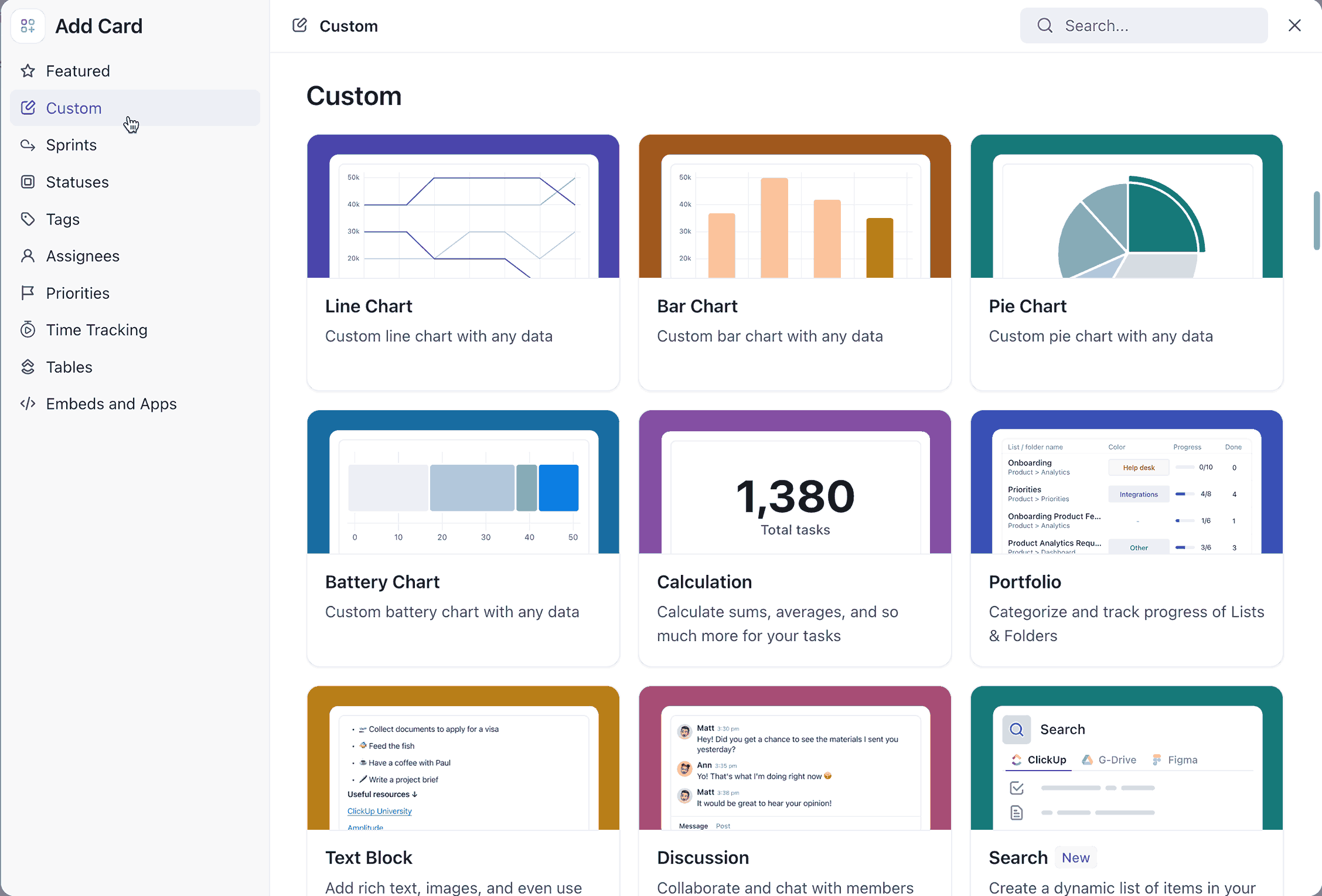
ClickUp is a project management tool that can be used by teams of any size and is scalable to all-in-one. It has centralization of tasks, goals and workflow in a single location with high customization preferences. It is very flexible and hence can be used to handle personal to-do items and the complicated enterprise projects quite effectively.
Key Features:
-
Customizable Views: Allows a choice of different views such as List, board and Gantt to fit the various project needs.
-
Time Tracking: Time tracking is built-in to keep track of the duration of tasks.
-
Docs and Wikis: Post and share documents in the platform.
-
Automations: Establish automated processes to minimize manual processes.
-
Integrations: Can be connected to many third-party applications to become very functional.
Pros
-
Flexibly tailored to diverse processes.
-
Provides a free plan with considerable features.
Cons
-
Complexity in the interface for new users.
-
There are higher-tier plans that only have access to some advanced features.
Pricing
-
Free Forever: 60MB storage, unlimited tasks, basic functions.
-
Unlimited Plan: $7/user/month, which includes unlimited integrations and dashboards.
-
Business Plan: 12/user/month, which includes pro features such as personal documents and sprint reporting.
-
Enterprise Plan: Enterprise pricing, which is customized to large organizations with extra security and compliance options.
2. Asana
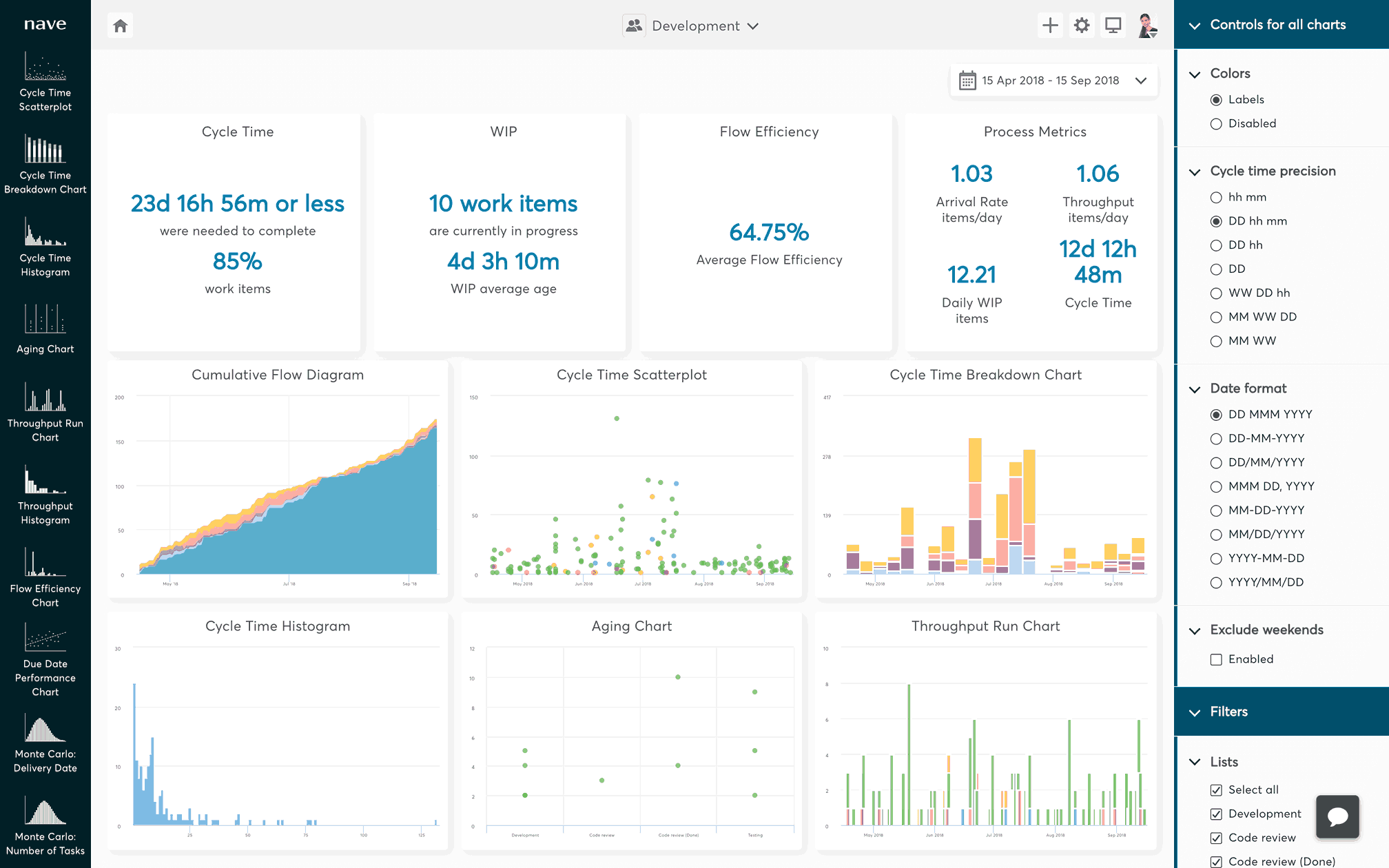
Asana makes work easier to teamwork by assisting users in arranging, planning, and monitoring work in real-time. It provides task lists, boards, and timelines which help keep the teams focused on priorities. Asana is also known to have a clean interface that enhances interdepartmental visibility and minimizes communication gaps.
Key Features
-
Task Management: Plan tasks due dates, assignees and priorities.
-
Timeline View: See the project timelines using Gantt charts.
-
Goals Tracking: Establish and track company-wide goals.
-
Workload Management: Balance the workloads of the teams to avoid burnout.
-
Integrations: integrates with Slack, Google Drive and Microsoft Teams.
Pros
-
Easy to use interface that can be used by both large and small teams.
-
Powerful reporting and analytics.
Cons
-
Twenty-seven to twenty-eight lines of low-tier plan customization.
-
It can be costly when used by bigger teams.
Pricing
-
Free basic functions with small teams or individuals.
-
Starter: $10.99/user/month (paying on an annual basis), with timeline view and basic reporting.
-
Premium: On-demand: $24.99/user/month (annually), which includes goal tracking and advanced reporting.
3. Trello
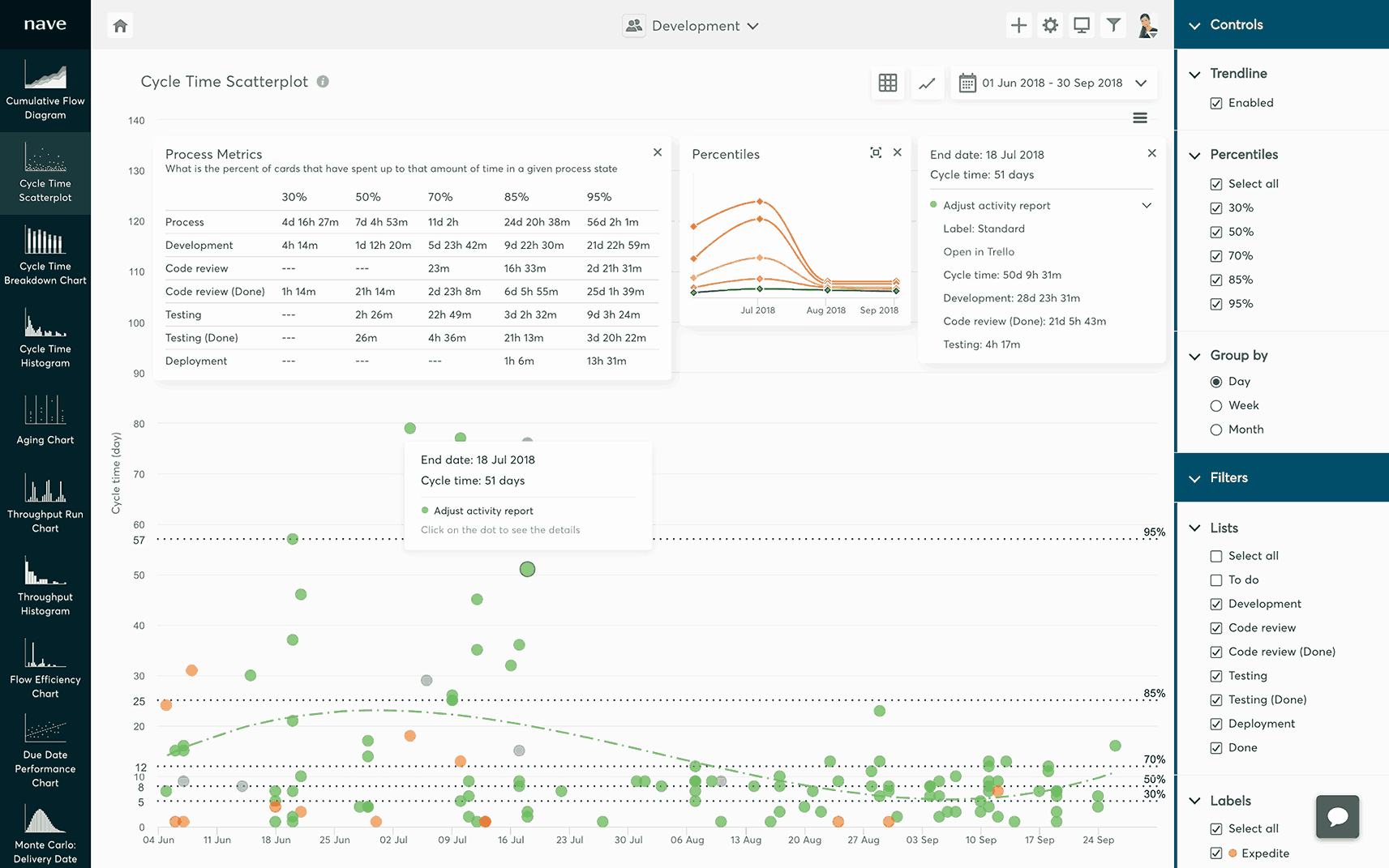
Trello is a project management tool that allows simple drag and drop Kanban board usage. It is ideal in small groups and individuals who believe in a simple workflow that is card-based. The platform makes organizing work more productive with automation tools and a natural integration with such applications as Slack and Google Drive.
Key Features
-
Board & Card System: Visual board and card system task management.
-
Automation (Butler): Automate monotonous procedures in custom commands.
-
Power-Ups: Add functionality by integrating with other products such as Slack and Google Drive.
-
Calendar View: See tasks and deadlines on a calendar.
-
Team Collaboration: Share boards and collaborate in real time.
Pros
-
Ease of use, particularly for novices.
-
Pricing that is flexible and has a powerful free version.
Cons
-
The free version has a few features.
-
May does not have complex project requirements.
Pricing
-
Free: Basic features on its own or on small teams.
-
Standard: $5 USD/user/month (annually), includes endless boards and improved automation.
-
Premium: This one costs $10 user a month (billed yearly), with more views and better security options.
4. Wrike
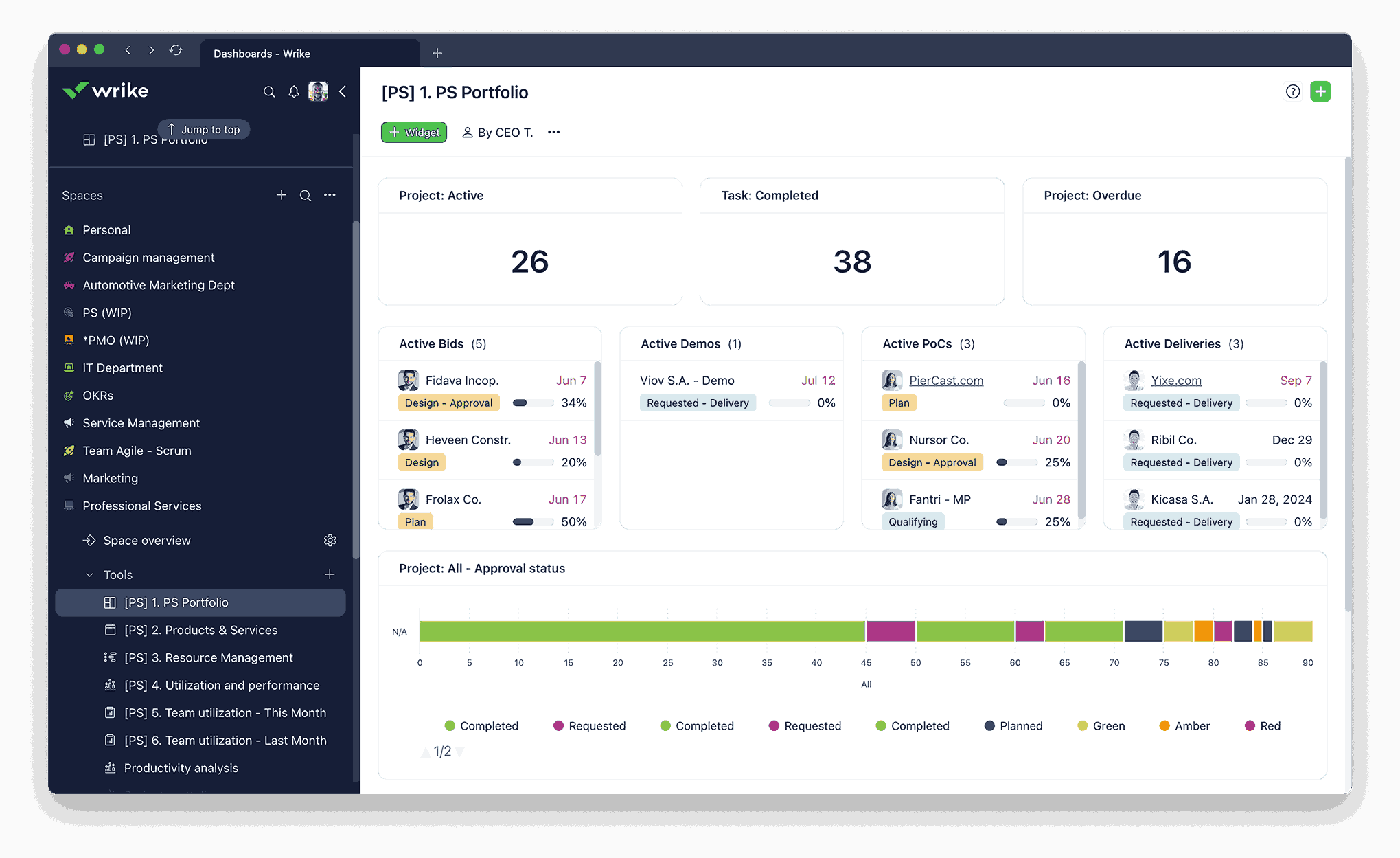
Wrike is an effective project management and collaboration software designed to serve medium and large businesses. It provides highly developed project management, assignment of resources and live reporting. Its intelligent automation and the Gantt chart functionalities keep the teams on track and within the deadline effectively.
Key Features
-
Task Management: delegate, assign and monitor.
-
Time Tracking: Keep track of time spent in tasks and projects.
-
Document Collaboration: collaborate and share documents within the platform.
-
Custom Workflows: Develop workflows that meet project requirements.
-
Resource Management: Be able to assign resources and workloads most efficiently.
Pros
-
Appropriate for teams that need project details.
-
Provides free plans to small teams.
Cons
-
The interface may be intimidating.
-
Higher-tier plans can also only offer some more sophisticated features.
Pricing
-
Free: Small team basic functions.
-
Team: $10/user/month, time tracking, and some reporting.
-
Business: $25/user/month, and it includes custom workflows and advanced reporting.
-
Enterprise: Custom pricing, add-ons of extra security and compliance.
5. Monday.Com
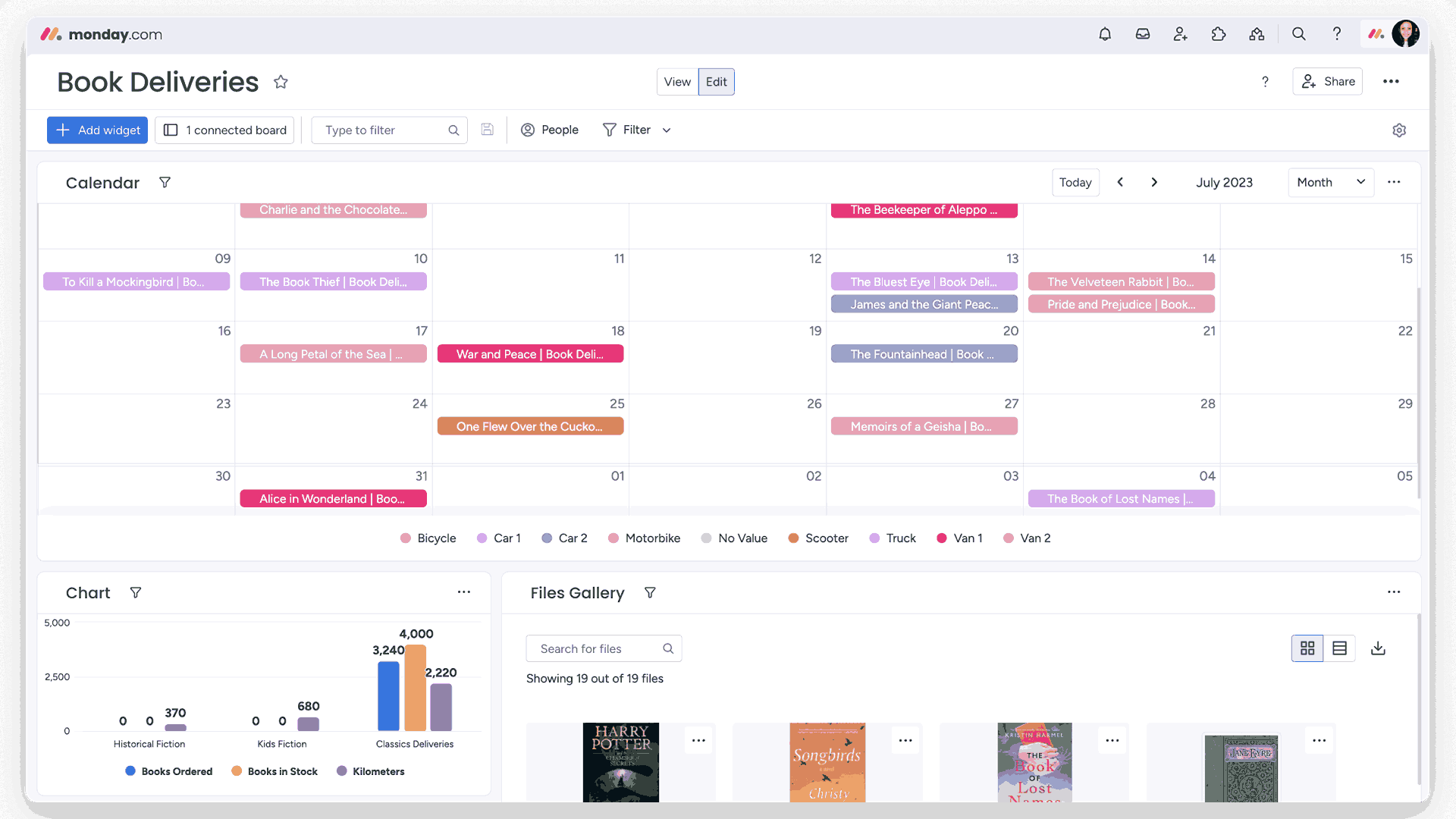
Monday.com is a colorful and visually friendly interface resulting in an easy time tracking projects and communicating with the team. It enables the users to make customizable dashboards of various workflows. It is highly automated and can be easily integrated to simplify complicated projects into interactive timelines.
Key Features
-
Visual Dashboards: Build dashboards to measure project metrics.
-
Automations: Automate processes.
-
Time tracking: In-built time tracking of tasks and projects.
-
Collaboration Tools: Share files and communicate and collaborate in the platform.
-
Integrations: Integrates with applications such as Slack, Google Drive, and Microsoft Teams.
Pros
-
Very graphic interface, and thus simple to monitor the project progress.
-
Provides a free option for personal or small teams.
Cons
-
Some advanced features require higher-tier plans.
-
Pricing can be on the higher side for larger teams.
Pricing
-
Free: Simple functions with individuals or small teams.
-
Basic: $9/seat/month (paid yearly), is 3 boards and 200+ templates.
-
Premium: $12/seat/month (charged annually), includes timeline view and calendar view.
-
Pro: $19/seat/month (yearly), includes such extra functionalities as time tracking and personal boards.
-
Enterprise: Custom pricing, with advanced security and compliance.
5. Essential Features In A Project Management System Software
Project Management Software in USA assists contemporary teams to plan, track, and collaborate in one platform smooth. Good tools help to make the implementation of the project very easy, organize teams and have clear pictures of workloads and timelines. They are task tracking, reporting and collaboration but they also enable managers to identify bottlenecks at the early stages and ensure that everything is put in place in good time.
1. Task Scheduling
Task scheduling is also important in ensuring that project management software is efficient in order to maintain the organization of the team. The use of deadlines, prioritizing, and monitoring progress makes sure that each task is not neglected and projects pass their path to the end successfully. More sophisticated scheduling applications will also have the ability of sending reminders and aid visualization of workloads.
2. Resource Management
Resource management is important to the success of the project. Personnel-wise to equipment, a Project Management Platform enables the managers to distribute resources in the best way possible, track use, as well as avoid bottlenecks. It also aids in the prediction of the future project resource requirements.
3. Time Tracking
The time tracking helps teams to record hours correctly used on activities. This is an invaluable feature in enhancing productivity, detection of inefficiencies, and production of precise project timelines. It is common to have tools that combine both time tracking and reporting dashboards to have a clear picture of what is being done.
4. Collaboration Tools
Our contemporary teams are in need of smooth teamwork, particularly during remote or hybrid work arrangements. In-built chat, file sharing, as well as comment are features that enable teams to interact faster, thus cutting down delays and improving team co-operative efforts. Most popular project management software nowadays is characterized by collaboration tools.
5. Reporting Dashboards
The visual dashboards give real-time information about the performance of a project. Managers are able to track the progress, detect risks, and see the milestones all at a glance. Complex data will be simplified toward better decision-making with customizable charts and metrics that are found in comprehensive dashboards.
6. Project Planning
The project planning assists in the planning of all the movement of the work. Subdivision of goals into stages and identification of dependencies make it so that the team members are on the same page. It is also easy to change timelines in case of difficulties due to a systematic plan.
7. Budget Tracking
It is important to keep projects on budget. Budget tracking tools enable managers to track costs, predict cost, and compare the planned and actual expenditure. There are also platforms that are built with financial software to give a complete view of project finances.
8. Workflow Management
An effective workflow is one that guarantees smooth flow of activities. Workflow management solutions are used to automate repetitive workflows, minimize errors made by people, as well as ensure consistency in projects. Project management system software has the ability to be adopted by many teams.
6. Benefits Of Having a Project Management Software:
Project Management Software creates order, transparency and responsibility in all phases of a project. It can be about planning and scheduling or about collaboration, but a trusted PM software makes it easier and helps the teams to remain on track of reaching a shared objective.
1. Enhanced Collaboration
The team members are able to communicate updates, documents and feedback with ease on a single platform. This will do away with confusion that comes about due to scattered communication and enhance coordination among departments. Teamwork is also facilitated through most of the tools that have real-time editing and commenting, thus being faster and transparent.
2. Improved Planning And Scheduling
When the timelines and milestones are clear, the managers are able to come up with well planned plans, which will minimize delays. The scheduling tools are automated to ensure a change in priorities without affecting the entire project flow. This makes sure that dependencies are brought under control and deadlines kept within reach.
3. Effective Task Delegation
The delegation of tasks becomes easier with no one being left without knowing his or her duties. Aspects such as the allocation of work, and prompts make work distribution equitable and effective. This openness also contributes to realizing the underutilized or overworked team members at an earlier stage.
4. Centralized Data Access
All information pertaining to the project such as files, progress reports and communication are in one platform and this prevents data loss and enhances accessibility to all the team members. The existence of a single source of truth also enhances accountability and will help save the precious time wasting on updates.
5. Resource Management
Monitoring of the available resources will avoid unnecessary consumption and will also ensure equal distribution of the manpower and budget. It also simplifies the future project forecasting. The correct resource planning reduces burnout and contributes to the stable team output.
6. Budget Tracking
Managers are able to track the expenses in real time and also compare the expenses with the planned budgets. Such financial transparency prevents spending more and helps to control the costs better. Most of the sophisticated tools also give cost report to predict a financial trend.
7. Risk Management
Risk issues can be identified early and mitigation plans can be made in advance by the teams. In-built reporting applications provide information that minimises chances of significant setbacks. Risk tracking in real time can be used to make sure that minor problems do not escalate to those that will stall a project.
8. Improved Communication
It has a built-in chat, notifications, and discussion boards that allow maintaining a transparent environment in which all members are informed. It is also incorporated in many teams with the help of the best task management software to enhance productivity and facilitate work-flow. When there is a clear communication, misunderstanding and poor collaboration between the departments are minimized
7. How To Choose The Right Project Manager Software?
The choice of Project Management Software is very essential in ensuring that your projects are in order, on schedule and on budget. The suitable tool is not only an simplifier of working processes but also improves cooperation and responsibility of the working team.
1. Define Your Business Needs
The first step is to make sure you know what issues you require the software to address. Is it to track tasks, manage resources or report better? Specific needs simplify the process of finding the appropriate platform.
2. Consider Your Team's Needs
The workflow of different teams is dissimilar. A resolution that is effective to a marketing team might not fit a development team. Make sure that the project manager software or program you have selected fits in the way your team works and communicates.
3. Determine Your Budget
The prices of software differ. Although there are solutions that suggest low cost of subscription plans, some can involve heavy investment. The budget enables you to know what you can afford but at the same time not to be overwhelmed by decisions.
4. Evaluate Features And Functionality
Find those that will facilitate the handling of tasks, the tracking of progress, and reporting. Project management software solutions that are popular tend to have automation, dashboards, and templates that save them on time and limit manual work.
5. Consider Ease Of Use And Integrations
Your staff should be able to use the software within a short time, and this is achieved by an easy-to-use interface. Also, consider whether the platform can be connected with the tools that are already in use by your team, including email, files, or time tracking software for project management.
6. Assess Onboarding And Security Features
Rigorous onboarding support assists your staff in achieving speed when getting familiar with the product. Security measures such as data encryption, access control and regulation are essential to safeguard sensitive project information.
7. Try Before You Buy
There is a lot of software available in a free trial version or as a demo. The platform can be tested on actual projects to check usability, performance and also whether the platform is actually fulfilling your business requirement.
8. Criteria For Selecting The Top Project Management Software In USA:
1. Collaboration
A useful tool must allow communication to be easily done. The teams should be capable of exchanging updates, files, and feedback in real-time just like the best content collaboration software would provide. An effective team arrangement maintains momentum among all members, and there is no duplication of effort and no missed detail particularly when dealing with an offsite or remote team.
2. Scalability
The platform must be able to run larger teams and ad hoc projects without performance and scalability degradation. With the expansion of the business, the system should not slow down in dealing with more users, projects and data. Scalability guarantees long-term value and decreases the frequency of the software migrations.
3. Monitoring And Reporting
Dashboards and progress report are insightful tools that assist project managers to track the performance and timelines. Visual analytics and KPI tracking are also considered modern tools that enable teams to detect delays early and make decisions based on data that will ensure projects stay on schedule.
4. Integrations
The most appropriate software integrates with email, CRMs, and file-sharing applications to form one workflow. Close collaboration with other productivity applications reduces the amount of manual labor and also makes sure that all data remain related in one ecosystem.
5. Customization
Each team operates in its own way, and, therefore, the tool should be personalized according to your operations and types of projects. Pre-made dashboards, workflow templates and task fields ease the customization of the platform to meet specific organization requirements- enhancing the general user experience.
6. Time Tracking
In-built timekeepers and logs facilitate the tracking of effort and enhance resource planning. Numerous platforms are now capable of being connected to time tracking software to manage projects in order to provide accurate reporting that further assists in estimating the efficiency of the team and the profitability of a project.
7. Budget Considerations
The selected system must not compromise on the basic features just to fit in your budget. In search of clear pricing, scalable solutions, and platforms that can bring the highest functionality within a reasonable price.
8. Security
Data protection is absolutely essential; strong encryption, access control and alignment with such international standards as GDPR are also prerequisites. The other reliable project management solutions are to carry out regular security audits to protect sensitive business data.
