
Best POS Software in
Are you looking for POS Software for your Business in ? SaaS Adviser brings you the best POS Software to ease your worries. In order to make your work smooth and swift, SaaS Adviser has compiled a list of the best software available. Compare the Best software features, pricing, free demo, and trial to select the best POS Software for your organization.
 Researched and Written by Nikita Rao
Top 3 Featured Softwares


List of Top POS Software

Get Free Consultation


SumUp

Smart POS systems to grow your business
What is SumUp? SumUp is a global financial technology company that provides simple, affordable payment solutions for small and medium-s...
View Profile

Lightspeed POS
POS & Payments Platform
What is Lightspeed POS? Lightspeed POS is a cloud-based lightspeed pos system designed to help retail and hospitality businesses manage sales, inve...
View Profile

Square POS is an advanced mobile point of sale processing solution that helps businesses make POS transactions effortlessly. The software’s major selling point is its ease of use...
View Profile

Nuvopos
We make it easy for you
What is Nuvopos? Nuvopos is a modern Point of Sale (POS) software designed to help businesses streamline their sales, inventory, and customer management processes. It offers an in...
View Profile

GoDaddy POS
Meet Smart Terminal, your all-in-one POS system.
What is GoDaddy POS? GoDaddy POS (Point of Sale) is a modern payment and business management solution designed to help small and growing b...
View Profile

Cake POS is a cloud-based restaurant point of sale system that is ideal for bakeries, eateries, pizzerias, restaurants, and cafes of all types. It features a pleasant interactive U...
View Profile

Toast is a customizable POS system designed for restaurants that want to improve their service, operations, and revenue. The solution brings together online ordering, digital and p...
View Profile

Docsie
Enterprise Knowledge Base Software
Docsie is a versatile digital documentation and knowledge management platform designed to streamline the creation, management, and distribution of various types of content, includi...
View Profile

What is TouchBistroTouchBistro is an all-in-one iPad-based point of sale system tailored for restaurants, bars, cafés, and food trucks. It helps streamline order taking, impro...
View Profile

SpotOn is an all-in-one point-of-sale (POS) and business management platform designed to streamline operations for small to medium-sized businesses. Tailored for industries like re...
View Profile

Shopify POS is a POS service that makes it easy for sellers to accept payments from anywhere, whether it's in-store, online, or anywhere in between. This allows businesses and indi...
View Profile

What is HoneyBook? HoneyBook is an all-in-one clientflow management software designed for freelancers, solopreneurs, and small service-based businesses. It helps manage the entire...
View Profile
Salesforce is a cloud-based customer relationship management (CRM) platform that helps businesses manage sales, customer interactions, marketing campaigns, and customer service pro...
View Profile

What is travelperktravelperk is an all-in-one business travel management software designed to simplify corporate travel booking, expense tracking, and travel policy enforcement...
View Profile

Vend POS is a cloud-based Point of Sale software that helps retail businesses manage their inventory, process payments, and create a centralised product catalogue. The software com...
View Profile

Lightspeed is a POS and retail software that strives to offer solutions consisting of point of scale, eBusiness, and payment processing, which helps to extend growing and emerging ...
View Profile

Talech is an advanced order management tool that is ideally suited for all types of businesses, from small to medium to large. Talech's spontaneous device allows you to create an...
View Profile

What is LavuLavu is a restaurant management software that operates as a POS system on iPads. It helps restaurants of all sizes manage orders, track sales, process payments, and...
View Profile
Odoo Point of Sale
By Odoo Point of Sale
Odoo POS is easy to use for any retail company. It is very flexible and can be configured to meet your specific needs. You can easily set up new stores with just an internet connec...
View Profile

Sapaad is a cloud-based Point-of-sale and delivery management system for restaurants that eliminates the need for expensive servers or IT contracts. The platform is scalable to s...
View Profile

Table of Content
With the use of POS (Point of Sale) software, companies are now able to process transactions, manage inventory, and track sales in a more efficient manner. With the automation of billing processes, receipt generation, and payment integration, all financial activities are simplified. Retail businesses, restaurants, and service firms stand to benefit from cloud-based POS systems which offer real-time data access.
Today's point of sale (POS) systems incorporate Customer Relations Management (CRM), employee management, and business reporting under a single symbolic umbrella. The suitable POS software enhances payment security, customer interaction, and business intelligence. Analyze the possible alternatives POS systems in the USA in relation to your business requirements.
1. What is POS Software?
Before cherishing the POS Software in the USA, let’s first understand its core purpose. With the advent of technology, customers can now interact with businesses effortlessly through their systems using point of sale (POS) software.
Cash registers have been transformed into modern-day POS systems that automate payments, sales, and even inventory management. Businesses seek enhanced productivity and superior customer service, which is why they depend on POS systems.
Such systems help streamline processes and remove errors simultaneously. Remote accessibility is possible with cloud-based systems, enabling users to monitor in-store sales at any time. Integral features of POS systems comprise of CRM software, reporting analytics, multi payment methods, and barcode scanning.
Restaurants, e-commerce businesses, retail shops and many other types of businesses utilize POS software to achieve improvement in efficiency. In regards to securely managing transactions, employing a reliable POS system will undoubtedly enhance the performance of any business.
2. How to Choose the Best POS Software?
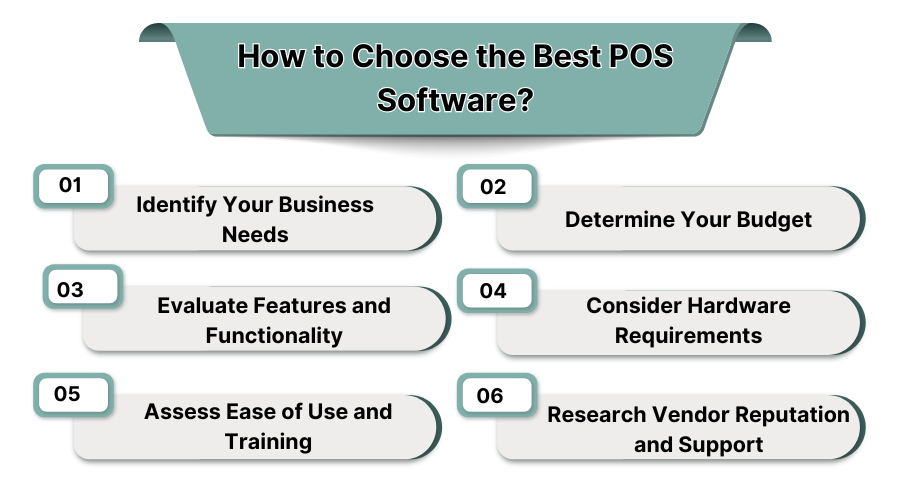
1. Identify Your Business Needs
Evaluate systems, sales methods, and customer touchpoints and pick a POS software tailored to your business sector e.g., retail, hospitality, or service industry. There is also Ipad POS software.
2. Determine Your Budget
Have a work plan that covers software payment, transaction, and hardware budget. Value plan comparisons to guarantee balanced payment plans.
3. Evaluate Features and Functionality
Establish the level of service required for all-inclusive payment plan coverage: credit card processing, inventory control, reporting, and managing other employees.
4. Consider Hardware Requirements
Determine if additional peripherals such as touchscreen, barcode scanners, and receipt printers are needed. Check if the new software will work with the old hardware and peripherals.
5. Assess Ease of Use and Training
An intuitive POS interface offers less training custodians spend greater time owning the system. Use advanced powered software with instructional documentation.
6. Research Vendor Reputation and Support
Review reviews, rankings, check client comments concerning particular providers. Settle on a POS service vendor with an even value for money guarantee and allocate direct client assistance for optimized performance over their lifetime.
3. How Much Does a POS Software Cost?
The cost of POS Software in the USA differs based on features, hardware, and the size of the business. Basic POS software plans often start at $0 to $29 per month, typically with some transaction fees.
Mid-tier solutions charge $50 to $150 per month and offer advanced features such as inventory management and Customer Relationship Management (CRM) tools. Advanced tier enterprise business POS systems are usually $200-$500+ per month, and often include custom integrations and multi-location support.
Card readers are the most basic hardware at $50-$200, and complete POS terminals range from $300 to $1,500. Basic hardware bundles cost $2000 or more, which adds to the overall expenses. While selecting a POS system, businesses must also keep in mind the subscription fee to software, the cost of the hardware, and fees for each transaction done using the system.
4. What are the Key Features of Using POS Software?
1. Inventory Management
Many POS Companies in the USA offer sophisticated systems that track inventory and avoid stock shortages. Product levels are updated automatically and their inventory is also updated in real time. It ensures businesses manage stock without putting in effort manually, thereby, reducing errors in inventory management software.
2. Customer Relationship Management (CRM)
The integration of CRM keeps track of customer's purchases and their preferences. It automates loyalty programs to increase customer interactions. It helps businesses develop effective relationships and retention by serving customers tailored services.
3. Employee Management
With the POS software, the scheduling of shifts and attendance tracking is automated for employees. It tracks employees' productivity and has a secured access control system. Such measures enable safer transaction processes and enhanced employee management to improve productivity.
4. Flexible Payment Option
Payments by cash, credit card and digital wallets are accepted by POS systems. They facilitate easier payment transactions by customers. With contactless payment, these systems speed up checkout and improve user convenience.
5. Reporting and Analytics
Sales report generation and revenue tracking is done by the POS software thanks to its sales monitoring capabilities. Customer behavior is also analyzed for better decision making. Insight into performance in real time is facilitated to help businesses spot trends and opportunities.
6. Marketing Tools
POS systems do customer outreach, manage discounts and also promote them. Marketing efforts are automated to increase interaction and engagement. These systems help businesses promote their products, capture new markets, increase brand awareness and ultimately increase revenue through targeted advertising techniques.
7. Omnichannel Selling
The integration of offline and online sales channels is achieved through POS system software. Inventory is monitored and updated at all sales points, ensuring accurate stock levels at all times. This greatly enhances the quality of service delivery and customer satisfaction.
5. What are the Types of Best POS Software?
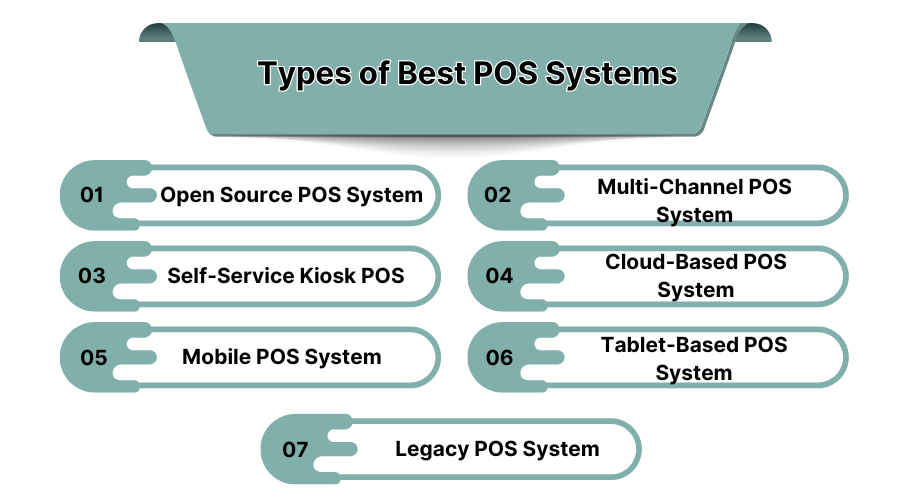
Only 19% of businesses are using POS systems in current times that are less than two years old. Modern POS systems offer many new stunning features. So, it’s worth knowing the types to understand what all is there on offer!
1. Open Source POS System
Open source POS systems allow businesses to edit the software as per their requirements. They can save money, integrate with other industry tools, and have more flexibility; however, they need tech skills for storage, upkeep, and security.
2. Multi-Channel POS System
Multi-channel POS systems allow merchants to control sales from physical stores, the internet, and mobile devices. These systems maintain coherent communication between the state of the inventory, customers, and business operations as a whole which makes them best suited for merchants who sell in-store and online.
3. Self-Service Kiosk POS
This type of system permits customers to order and pay without the need for human interaction. Commonly used in fast food restaurants, these kiosk-style systems considerably reduce waiting times for customers, improve efficiency, and give help to staff with a lowered workload.
4. Cloud-Based POS System
A cloud-based POS system allows users to store their transaction data over the internet. Businesses can view sales reports, inventories, and customer data from different locations. It gives information updates in real-time, backup, and management of business systems remotely. More than one operational location is an advantage.
5. Mobile POS System
Mobile POS systems operate through a smartphone or handheld device, enabling businesses to accept payments wherever necessary. They are mostly used by small businesses, pop-up shops, and delivery services. These systems also help in improving customer satisfaction by providing them with more options while improving mobility and speed of service.
6. Tablet-Based POS System
Tablet POS Systems are a portable, smaller version of cash registers. They provide touch screens, mobility, and effortless interfacing with payment processing, inventory, and customer management through tracking systems; which is why they are popular in restaurants and retail stores.
7. Legacy POS System
An On-Premise Legacy POS System runs an entity’s software on local servers and offers more reliable protection against data breach. It puts more emphasis on security and reliability, but because it has no access to the cloud, remote monitoring is impossible. Businesses that are highly concerned with security, or have a weak internet connection tend to prefer this system.
6. Popular POS Software with Features, Pricing, Pros, and Cons
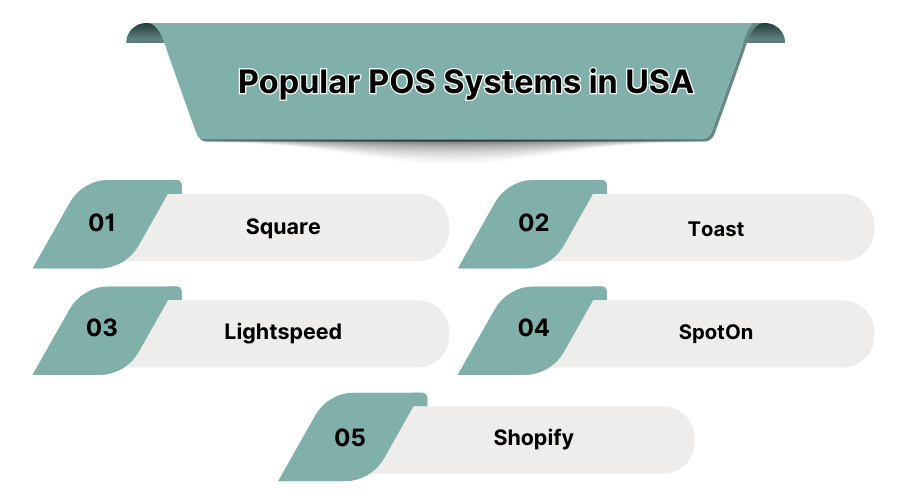
1. Square – Best for Small Businesses
Small businesses, retailers, and restaurants will find Square’s highly adaptable features appealing. It provides them with a free POS app that enables credit card processing, sales tracking, and inventory management. It also helps mobile businesses because of its payment processing and mobile features.
Businesses are better able to plan with Square’s advanced analytics. It provides insights about sales trends. The system’s wide accessibility will help you do easy setup without costly hardware, which makes it ideal for growing companies and startups. Square integrates with third-party apps, providing better customer management and marketing tools.
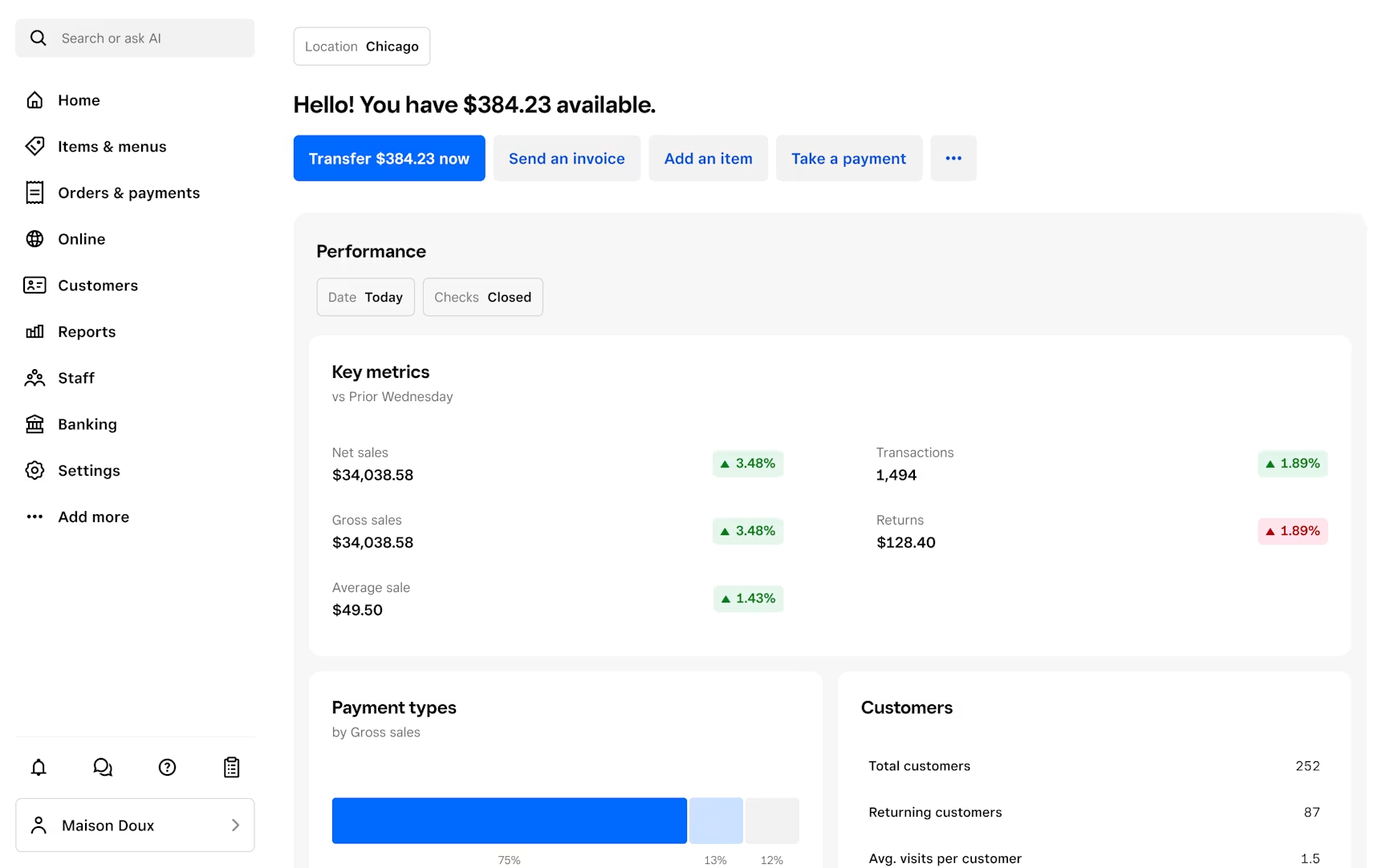 Features:
- Contactless and chip card payments
- Inventory and sales tracking
- Free mobile POS app
- Built-in customer management and analytics
Pros:
- No monthly fees for basic plan
- Easy to set up and use
- Works on mobile devices
Cons:
- Higher transaction fees compared to competitors
- Limited advanced inventory features
Pricing:
- Free basic plan
- 2.6% + 10¢ per transaction
- Custom pricing for large businesses
2. Toast – Best for Restaurants
Toast is a POS system made specifically for restaurants to optimize order processing, customer interactions, and kitchen workflow. It includes features like menu management, digital payments, tableside ordering, and more that promote smoother workflows in restaurants.
Managers can track sales and measure employee productivity with real-time reporting made possible by the cloud infrastructure. Restaurants can also access online ordering and delivery integrations to increase their client pools. Solutions are available for both small cafes and large restaurant chains, making the system very customizable.
Although it comes with proprietary hardware, its tools make it Toast of the industry for food service businesses seeking operational efficiency.
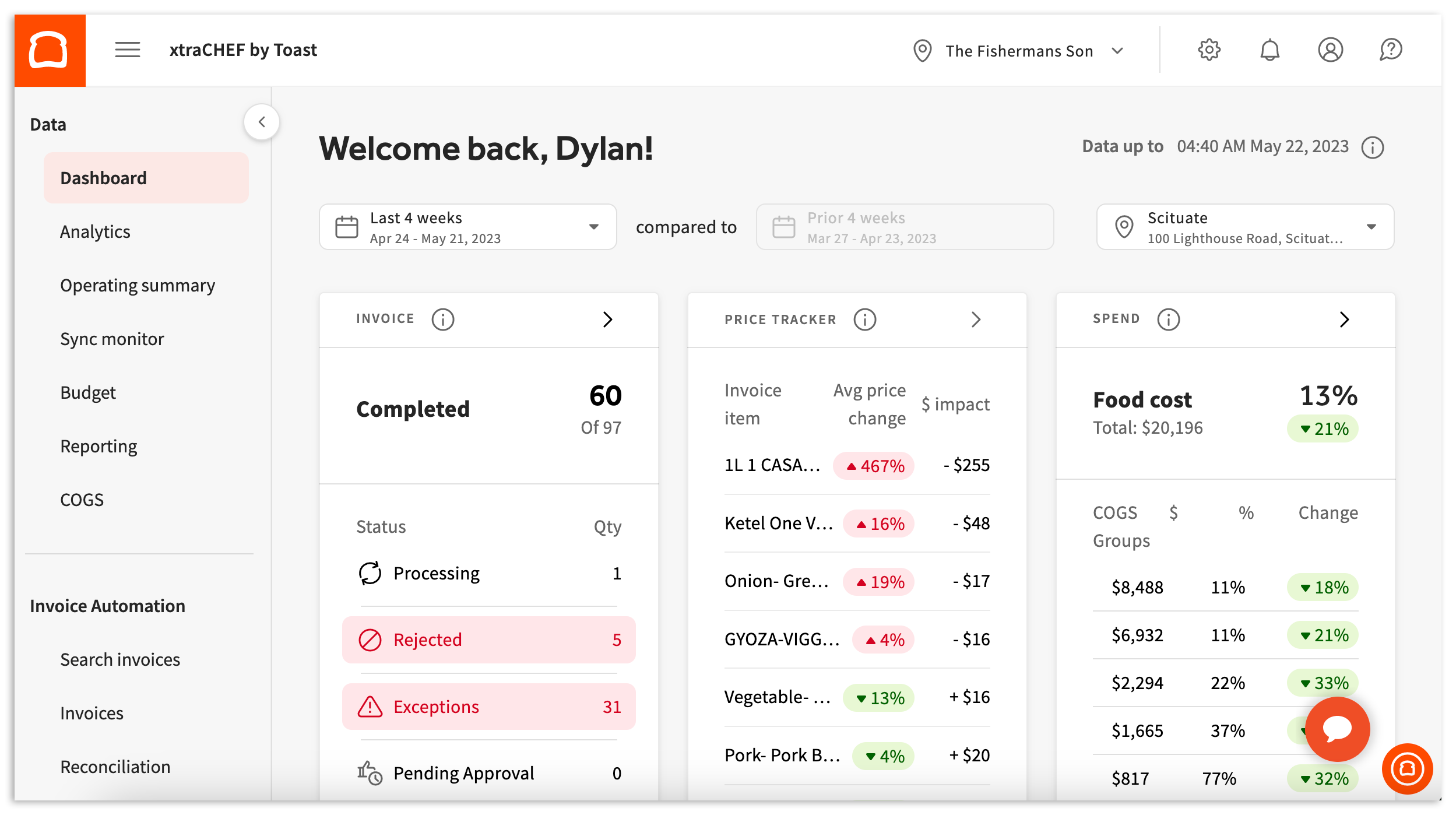 Features:
- Restaurant-specific order and table management
- Online ordering and delivery integration
- Employee scheduling and payroll tracking
- Customer loyalty and marketing tools
Pros:
- Designed specifically for restaurants
- Strong reporting and analytics tools
- Advanced menu customization
Cons:
- Requires Toast hardware
- Higher pricing for premium features
Pricing:
- Starts at $69/month per terminal
- Custom pricing for enterprise solutions
3. Lightspeed – Best for Retail Businesses
As an integrated POS system, Lightspeed caters to the retail sector exclusively. It greatly simplifies the tracking of inventory for different outlets and the customer relationship through automation.
Business operations are streamlined with visibility of real-time inventory levels improving vendor management, purchasing, and stock automation. Retailers are able to manage their stores and their online shops, thus facilitating easier stock management across sales channels. Comprehensive business analytics empower enhanced insights for improved pricing and sales strategies.
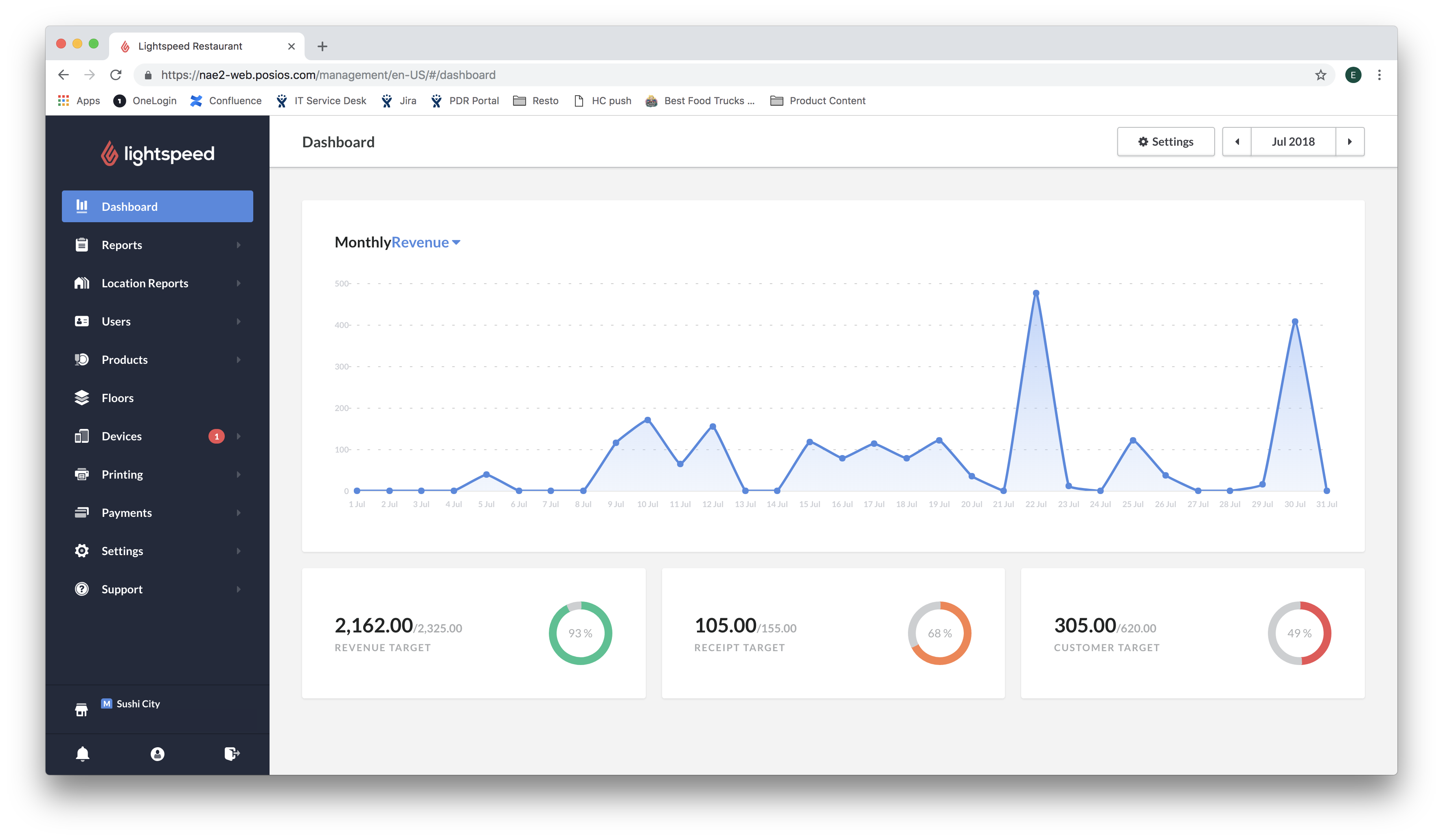 Features:
- Advanced inventory and supplier management
- Built-in e-commerce integration
- Customer relationship management (CRM)
- Real-time analytics and reporting
Pros:
- Strong inventory management tools
- Multi-store and online sales integration
- Customizable reporting features
Cons:
- Can be expensive for small businesses
- Learning curve for new users
Pricing:
- Starts at $89/month per terminal
- Custom pricing for larger enterprises
4. SpotOn – Best for Service-Based Businesses
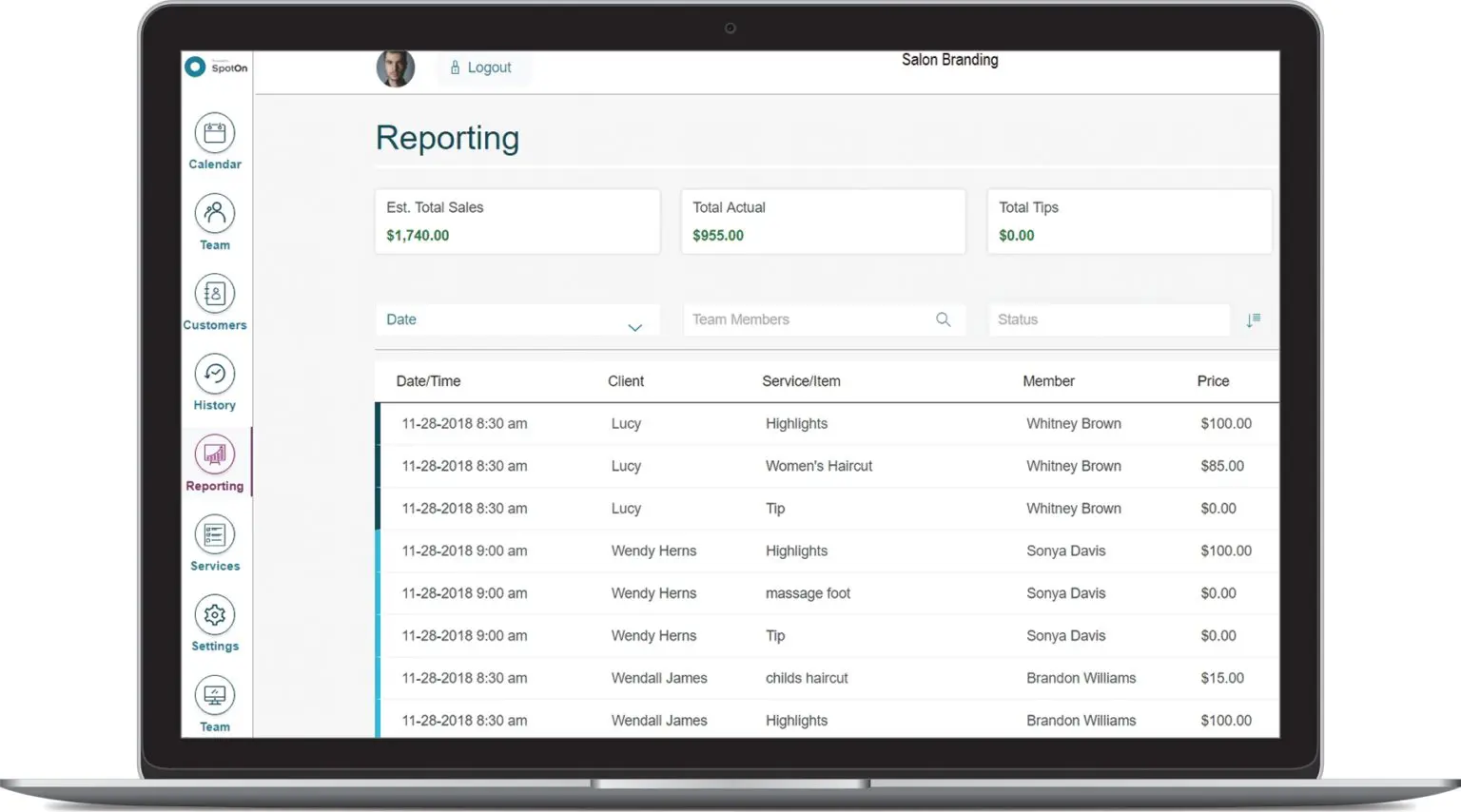
With features for handling payments, marketing, and customer loyalty, SpotOn exceeds expectations as a hospitality business POS system. It aids services businesses in customer retention and organizing appointments.
For small and mid-sized businesses, it is a cost-efficient option since it offers competitive transaction fees as well. Its payroll and employee management integration further makes workflow seamless. Businesses can track sales, customer interactions, and appointments in real time through the cloud system.
 Features:
- Customizable appointment scheduling
- Marketing and loyalty programs
- Secure payment processing
- Employee time tracking and payroll integration
Pros:
- Competitive pricing with low transaction fees
- Strong customer engagement tools
- Easy-to-use interface
Cons:
- Requires a long-term contract for best pricing
- Some advanced features cost extra
Pricing:
- Starts at $25/month
- Custom pricing for additional features
5. Shopify – Best for E-commerce and Retail
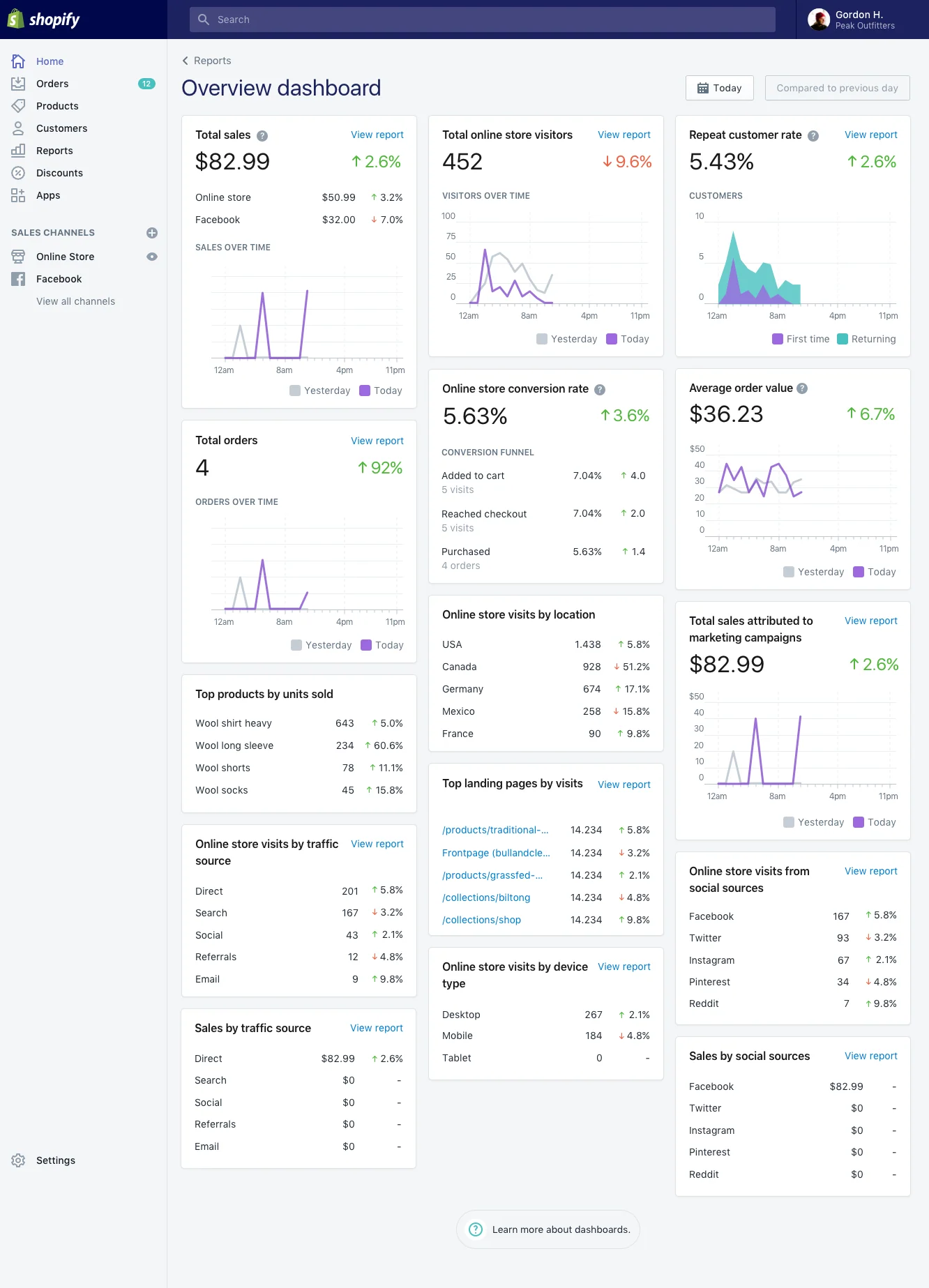
By integrating in-store sales with the Shopify ecosystem, an advanced omnichannel retail experience is achieved. Synchronization of inventory alleviates the difficulty of stock management over multiple locations.
Payment can be made using mobile, online, or in-person methods. Tailored emails and targeted promotions to specific customers are part of customer engagement offered by Shopify POS. It is merged with Shopify e-commerce and therefore perfect for merchants planning to increase their sales.
 Features:
- Unified online and in-store inventory tracking
- Built-in marketing and discount tools
- Secure multi-channel payment processing
- Real-time sales analytics
Pros:
- Ideal for businesses with online and offline sales
- Easy integration with Shopify eCommerce platform
- Flexible payment options
Cons:
- Requires a Shopify subscription
- Limited offline functionality without an internet connection
Pricing:
- Starts at $29/month (Shopify subscription required)
- Advanced plans for high-volume businesses
7. Conclusion
Modern transactions and inventory management as well as interaction with customers are taken to a whole new level with the right POS software, making sure that everything runs smoothly. At SaaSAdviser, we help you compare and choose the most favorable ones with the best pricing, features, and customer reviews provided. Find and try the best-rated POS solutions and get a free demo, and go through the ideal software designed for your business today.
