
Best File Sharing Software Products in
Are you looking for File Sharing Software Products for your Business in ? SaaS Adviser brings you the best File Sharing Software Products to ease your worries. In order to make your work smooth and swift, SaaS Adviser has compiled a list of the best software available. Compare the Best software features, pricing, free demo, and trial to select the best File Sharing Software Products for your organization.
 Researched and Written by Akash Patel
Top 3 Featured Softwares


List of Top File Sharing Software Products

Get Free Consultation


MASV

The Fastest File Transfer for Media
MASV is a cloud-based file transfer platform tailored for professionals and organizations that frequently handle large media files. It is primarily designed for video productio...
View Profile

Google Drive is a file storage portal that enables users to store, access, and share files on the go. It provides centralized administration and data loss prevention, protecting fi...
View Profile

Dropbox Business is a cloud-based file storage and collaboration platform designed to help teams manage, share, and secure their digital content. It enhances productivity by allowi...
View Profile

What is OneDrive?OneDrive is Microsoft’s cloud-based storage platform that allows users to store, access, and share files from virtually anywhere. Integrated with Microsoft 3...
View Profile

What is Apple iCloud?Apple iCloud is a secure cloud storage software and synchronization service developed by Apple Inc. It enables users to store, manage, and access their digital...
View Profile

ShareFile is a cloud-based document management and file sharing software that supports multiple features and channels. With this web-enabled system, you can streamlined your workfl...
View Profile
Box is a cloud content management platform that provides secure collaboration facilities with anyone, over any device and at any time. This platform is used in different industri...
View Profile

Hightail is an app that helps businesses to share files and information among team members securely and efficiently. With Hightail, users can manage creative projects, sync files f...
View Profile
Egnyte is a content management platform that helps you manage, safeguard, and control your most important content across any device, any cloud, and from any location. This platform...
View Profile

FileCloud is a secure file-sharing and sync system that provides businesses of all sizes with accurate digital services. The platform allows users to access, share, and manage...
View Profile
.jpg "Send Anywhere")
Send Anywhere
Real Time File TransferSend Anywhere is an international record transfer provider evolved/operated by using Rakuten Symphony Korea based in Seoul. Send Anywhere continuously increases to deal with in...
View Profile

Slack is a communications and workflow solution designed for teams. Using Slack, you can set up channels, which can be around any theme, project, client or department. You can invi...
View Profile

Onehub is a secure online document sharing and collaboration solution that helps you close deals and delight your clients. With Onehub, you can maintain your existing folder and ...
View Profile

Wire
By Wire
Wire is the most secure collaboration platform, transforming the way businesses communicate at the same speed that founders disrupted telephony with Skype. Empower today’s mobi...
View Profile

SugarSync is a file sharing and collaboration platform that enables you to access and share your images, movies, and files from any folder automatically. It allows you to sync, sha...
View Profile

Pydio Cells is an advanced document sharing platform that provides you complete control over your file sharing settings, merging high speed, granular security, large file transfer ...
View Profile

the user has the option to export all project data. Filesgate is a user-friendly review tool that supports audio, video, and text files. It enables the user to proofread, commen...
View Profile

Citrix ShareFile
By Citrix SystemsCheck How Citrix ShareFile can help to automate Indian Business. SaaSAdviser provide their list of features, pricing, Free demo and Comparison with the best alternative
View Profile

Zoho Docs is a document management and file storage tool that is available both in web-based form as well as in SaaS version. The software can be accessed and run on multiple devic...
View Profile

What is WeTransfer?WeTransfer is a cloud-based totally record-sharing software that permits customers to send large documents over the net without problems. Designed for simpli...
View Profile

Table of Content
Find the Best File Sharing Software
To facilitate collaboration among employees and organizations, they need to securely store, share, and have access to files. Using file sharing software guarantees data exchange between users to be efficient and accessible, hence improving productivity. Users can share documents, media, or even large files and work on them collaboratively in real-time while having different versions controlled.
File sharing platforms allow for cloud-based or hybrid storage models that have encryption features and access privileges aimed at increasing security. Choosing the right file sharing service regardless of its nature helps decrease the risk of business data loss for teams in the office or working remotely. This consequently improves file accessibility across various devices.
Look up the top products and discover the best file sharing software that fits your needs.
1. Top File Sharing Software for File Sharing
1. Google Drive – Best File Sharing Software for Teams
Google Drive's file sharing software enables teams to Share files effortlessly. Access stored files from any place and from any device. With Google Workspace integration, real-time editing and auto-syncing are also available.
Documents, spreadsheets and media files can be stored and shared along with excellent custom security permissions. Businesses that manage enormous amounts of data will find its advanced cloud storage facilities to be of great help.
Features:
✔️ 15GB of free storage, with scalable premium options.
✔️ Real-time document collaboration through Google Docs and Slides.
✔️ Secure file sharing with customizable permissions and encryption.
✔️ Integration with third-party tools and business applications.
Pros:
✔️ Easy-to-use interface with quick file access.
✔️ Seamless collaboration with team members in real-time.
✔️ Strong security measures with two-factor authentication.
Cons:
❌ Limited free storage compared to competitors.
❌ Large file uploads can be slow on weaker internet connections.
Pricing:
Start from $1.99/month for Google Workspace.
2. Dropbox – Best File Sharing Software for Seamless Collaboration
Dropbox is another file sharing software known for its ease of use. Dropbox's special feature allows a user to use multiple devices and still have access to the files from any one of them. It further provides smart content recommendations and integrates with numerous productivity tools guaranteeing increased efficiency for businesses.
Features:
✔️ Smart Sync for automatic file updates across devices.
✔️ Secure file transfers with password protection and expiration links.
✔️ Real-time team collaboration with Dropbox Paper.
✔️ Integration with Microsoft 365 and Zoom.
Pros:
✔️ Fast file syncing across multiple devices.
✔️ Advanced file versioning and recovery options.
✔️ User-friendly interface with drag-and-drop functionality.
Cons:
❌ Limited free storage (only 2GB).
❌ Higher pricing compared to competitors for premium plans.
Pricing:
Starts from $9.99 per month for 2TB storage.
3. WeTransfer – Best File Sharing Software for Quick Content Sharing
WeTransfer is a simplistic and straightforward tool for file sharing. Users can post large files instantly without the hassle of account creation. Its most notable users include creatives, designers and marketers. WeTransfer enables temporary cloud storage to guarantee easy access to users.
Features:
✔️ Quick file transfers without registration.
✔️ Supports large file uploads up to 2GB on the free plan.
✔️ Expiring download links for added security.
✔️ Simple drag-and-drop functionality for easy sharing.
Pros:
✔️ No need for account creation to send files.
✔️ Fast transfers without requiring complex configurations.
✔️ Secure sharing with password protection (Pro version).
Cons:
❌ Files expire after seven days on the free version.
❌ No cloud storage or collaboration features.
Pricing:
Starts at $23 per month with unlimited file transfers.
4. Box – Best File Sharing Software for Enterprise Level
Box is an enterprise-grade file-sharing platform designed for large organizations. AI security, compliance management, and file sharing are only a few of Box's features. Customizing Box for your organizational needs becomes effortless whether or not your team deals with sensitive data.
Features:
✔️ AI-powered security and compliance features.
✔️ Large-scale cloud storage with unlimited file versioning.
✔️ Collaboration tools for enterprise teams.
✔️ Integration with Microsoft 365 and Salesforce.
Pros:
✔️ High-level security and data compliance for businesses.
✔️ Granular file access controls for teams.
✔️ Strong integration with enterprise applications.
Cons:
❌ Higher learning curve for new users.
❌ Premium pricing may not be suitable for small businesses.
Pricing:
Business plans start at $15 per user/month with unlimited storage.
5. Send Anywhere – Best File Sharing Software for Large File Sharing
Professional users aiming to quickly and securely share high-resolution videos, software files, and other multimedia will find Send Anywhere extremely useful. This peer-to-peer file-sharing software specializes in speedy multimedia file sharing of any size, boasting size and speed limitations.
Features:
✔️ Secure, encrypted file transfers without compression.
✔️ No cloud storage required, direct device-to-device sharing.
✔️ Supports large file sharing with no size restrictions.
✔️ Available on desktop and mobile devices.
Pros:
✔️ Fast, reliable file transfer speeds.
✔️ No need to upload files to a server.
✔️ Strong security with encrypted sharing links.
Cons:
❌ Limited collaboration features.
❌ Requires both sender and receiver to be online for P2P transfers.
Pricing:
Free version available. Send Anywhere Plus starts at $5.99 per month with additional security features.
2. Key Features of File Sharing Software:
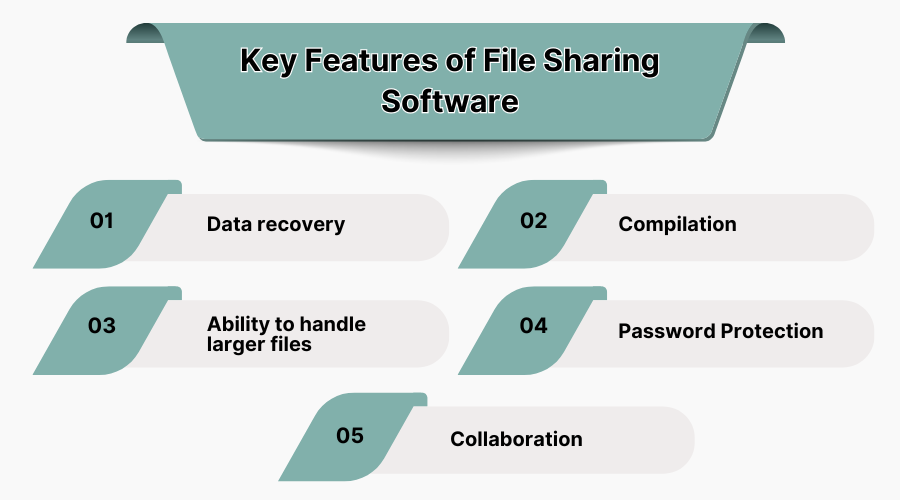
1. Data Recovery
Backup and recovery options are included in the file sharing software in case users need to protect and recover files from system crashes, cyber threats, or accidental deletion. Files can be restored to previous versions ensuring that critical information is being protected and always available.
2. Compilation
The compilation feature allows users to compile documents, images, and videos into file sharing platforms. This also ensures collaboration is made easy because all files are organized and can be easily found at a single location.
3. Ability to Handle Larger Files
The most current file sharing services allow for the exchange of large uncompressed files. This enables the seamless sharing of design projects, high-resolution videos, extensive multimedia files, and other data. Collaboration as well as productivity at the workplace is greatly enhanced.
4. Password Protection
Sensitive documents are safeguarded using passwords by file sharing software which restricts access to only highly authorized individuals. Clients' documents that are confidential and need to be protected from unauthorized access due to data privacy regulations are effectively protected using this feature.
5. Collaboration
File sharing tools now integrate with other collaboration tools, allowing multiple users to work on, comment on and share files simultaneously. Businesses can enhance project management software, file sharing, inter-employee collaboration, and reduce the use of emails with effective file-sharing systems.
3. What is File Sharing Software?
File sharing software is software that permits users to safely transfer, save, and retrieve contracts, files, or any important documents from various devices. Users can freely share files and any other forms of data inside the organization or with outside bodies.
A file sharing tool can have varying levels of security and accessibility as it can be cloud-based or server-based. These tools can be integrated with collaboration platforms which have numerous features like version control and encryption. Be it an office or remote setting, individuals and businesses leverage file sharing platforms to enhance productivity and improve collaboration for effortless teamwork.
As part of the larger global market for file sharing software, the US market for file sharing software was valued at $2.17 billion in 2023 and is expected to reach nearly $3.95 billion by 2030.
4. Why Do We Need File Sharing Software?
File sharing services are important for businesses and individuals who need to exchange files as securely as possible because of the efficiency provided. Teams can work on the same file in real time without facing any physical storage constraints.
Moreover, remote working setups mean that files need to be stored somewhere secure, and file sharing platforms provide that with encrypted cloud storage to protect files from unauthorized access. Reducing the number of email attachments and manual file transfers increases productivity which is something that file sharing software achieves.
Document collaboration where multiple users are able to edit, update, and access files at the same time is now possible. Secure file-sharing options protect against data, breach, leak, or accidental loss which is critical for the finance, healthcare, and legal sectors. To avoid compromise, a good platform needs to be selected so that files are accessible and data safely transferred.
5. Criteria for Choosing File Sharing Software
- Security Features: Data protection policies like end-to-end encryption, access controls, and other regulatory compliance.
- Storage Capacity: There is notable flexibility for adding additional space to meet file storage requirements.
- Collaboration Tools: Editing, updating files, and assigning access levels to users.
- Accessibility: Files can be managed effortlessly from the cloud on any device.
- Integration Capabilities: Integration with business tools such as Microsoft Office and Google Drive.
- Speed and Performance: The rate of uploading and downloading files, as well as transferring data, is dependable and quick.
- Cost and Pricing Models: Comparison between free and premium plans with adjustable parameters.
- Ease of Use: Users can easily navigate the interface, regardless of their experience level, and files are presented in a logical structure.
6. Pros of File Sharing in the USA
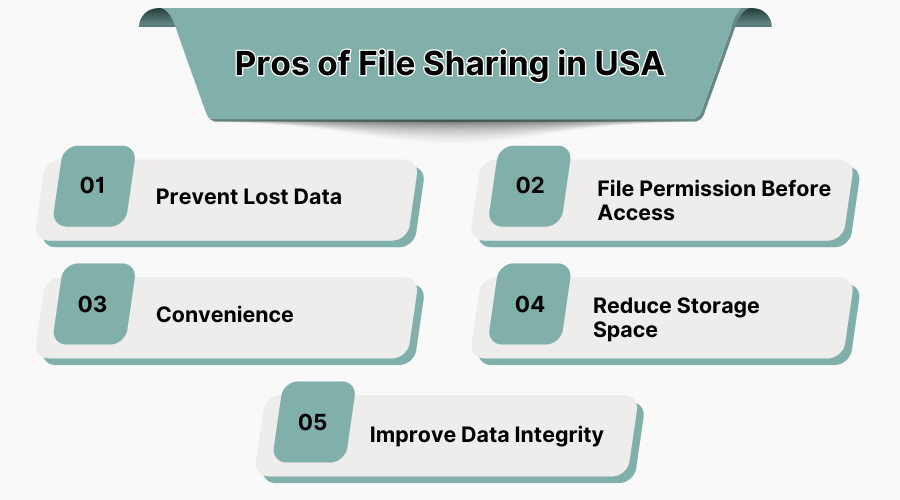
1. Prevent Data Loss
Through the use of specialized software, important documents are automatically backed up to the cloud. It ensures that critical data is not lost due to hardware issues or outdated systems. Users are also provided with version control, which enables users to retrieve older versions of files they need.
2. File Permission Before Access
Shared files may be accessed only after permission is granted, and in some file sharing platforms like admin documents, users can be assigned specific permissions without accessing the content. Businesses can control access based on the user’s role, which safeguards confidential information while still permitting collaboration among the team.
3. Convenience
All businesses and remote employees can access documents and work on them in real-time, which increases workflow productivity or efficiency. Also, work from home employees (WFH) are no longer bound to use physical drives because sharing services enable access from any place, which eliminates the sending and receiving delays associated with emails.
4. Reduce Storage Space
Individuals and businesses no longer need to invest in external drives or large on-premise servers as they do cloud-based file sharing. Without restrictions such as physical space, these cloud systems reduce the expenses connected with maintaining physical storage systems.
5. Improve Data Integrity
File sharing tools guarantee that the information provided to every user and stored in the system is updated, accurate, and consistent.
Version management and automation mitigate redundancy, unauthorized changes, or data compromise allowing an enterprise to stay compliant and enhance operational efficiency.
7. Cons of File Sharing in the USA
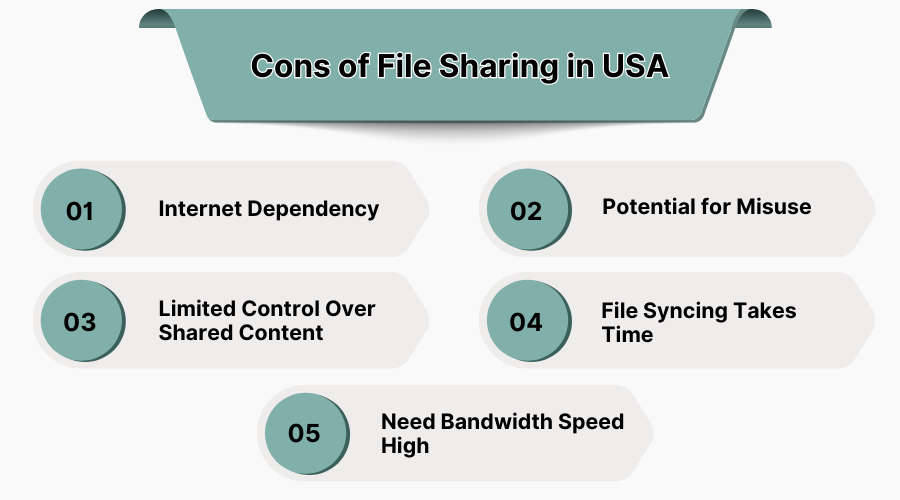
1. Internet Dependency
File sharing software requires consistent internet connectivity. Users lacking internet access may experience delays in fetching, uploading, or sharing vital files, posing a risk to workflow and business processes during offline or remote conditions.
2. Potential for Misuse
Sharing confidential files without proper access control can pose a security risk. Barring proper policies and oversight, employees may, by accident, expose sensitive business or personal information, putting organizations at risk for breaches, leaks or theft of intellectual property.
3. Limited Control Over Shared Content
Controlling the use or distribution of a document that has already been shared externally becomes challenging. Users can share, edit, download, and modify content beyond the usage scope intended for them greatly increasing compliance or unauthorized proprietary information distribution associated risks.
4. File Syncing Takes Time
Users may experience long periods of time required for syncing, especially when dealing with large files or copious amounts of data distributed across different devices. Users may experience delays accessing up-to-date shared files due to slow internet connections, poor cloud storage server speeds or latency.
5. Need High Bandwidth Speed
The upload and download of large files on file sharing platforms necessitates strong bandwidth. Transfers may not complete, and buffering delays or interrupted downloads can happen with slow-speed connections which harms efficiency, especially for media-heavy industries or remote collaboration teams.
8. Conclusion
SaaS sharing software has become a must-have for companies and individuals who value secure and collaborative file sharing. For remote work, enterprise security, or big data transfers, the right SaaS platform guarantees seamless file sharing. Visit SaaS Adviser for the optimal file sharing solution for you.
