
Best Patch Management Software in
Are you looking for Patch Management Software for your Business in ? SaaS Adviser brings you the best Patch Management Software to ease your worries. In order to make your work smooth and swift, SaaS Adviser has compiled a list of the best software available. Compare the Best software features, pricing, free demo, and trial to select the best Patch Management Software for your organization.
.jpg "Shubham") Researched and Written by Shubham
Researched and Written by Shubham
Top 3 Featured Softwares


List of Top Patch Management Software

Get Free Consultation

ManageEngine Patch Manager Plus

Take control of your IT.
ManageEngine Patch Manager Plus is an all-in-one patch management solution for Windows, macOS, and Linux systems, designed to automate and streamline the process of identifying, te...
View Profile
ManageEngine Patch Connect Plus is an advanced third-party patch management solution that enhances Microsoft SCCM capabilities by enabling automated patching for over 300 third-par...
View Profile

What is SolarWinds Patch Manager?SolarWinds Patch Manager is an automated patch management software designed to simplify and centralize the process of keeping systems and applicati...
View Profile

What is Atera?Atera is an all-in-one remote monitoring and management (RMM) platform designed for IT professionals and managed service providers. It integrates essential to...
View Profile

Automox
By Automox
What is Automox?Automox is a cloud-native IT operations platform designed to automate endpoint management for modern organizations. It focuses on simplifying and centralizing the p...
View Profile
Kaseya VSA
By Kaseya
What is Kaseya VSA ? Kaseya VSA is a comprehensive Remote Monitoring and Management (RMM) platform designed for IT teams and managed service providers (MSPs). It enables centra...
View Profile
Ivanti Patch for SCCM
By Ivanti Patch for SCCM
Ivanti Patch for SCCM is a powerful patch management add-on that enhances Microsoft System Center Configuration Manager (SCCM) by enabling third-party application patching. It help...
View Profile

NinjaOne, formerly known as NinjaRMM, is a cloud-based IT management platform designed to help managed service providers (MSPs) and internal IT teams efficiently monitor, manag...
View Profile

ConnectWise Automate's Remote Monitoring feature allows you to monitor your client's networks for issues, including bottlenecks, performance issues, and security threats. This allo...
View Profile
Patch My PC
By Patch My PC
What is Patch My PC?Patch My PC is a software development company that specializes in automating third-party application deployment and patch management for enterprises. It primari...
View Profile

Ninite Pro
We also have a page for screenreader-friendly accessible apps at ninite.com/accessible.
Ninite Pro can be used to manage software in a live web interface. The agent receives commands and sends back updates over a secure connection to Ninite's servers. You can also mar...
View Profile

Acronis Cyber Protect
By AcronisCheck How Acronis Cyber Protect can help to automate Indian Business. SaaSAdviser provide their list of features, pricing, Free demo and Comparison with the best alternative
View Profile

Jamf Pro is an enterprise mobility management software for the Apple platform that provides users with futuristic technologies to manage and protect important data across all devic...
View Profile

PDQ Deploy
Healthy, up-to-date machines — automatically
PDQ Deploy is a software deployment tool that enables companies to deploy custom scripts, update their third party software, and make effective configuration changes. In addition t...
View Profile

Datto Workplace
By Datto Workplace
Datto Workplace is a cloud content and collaboration software that facilitates the MSPs to work remotely with complete protection and security of their data. It offers smart tools ...
View Profile

GFI LanGuard
By GFI LanGuard
What is GFI LanGuard?GFI LanGuard is a comprehensive network security solution that combines vulnerability scanning, patch management, and network auditing capabilities into a ...
View Profile
.png "Ninjaone")
Ninjaone
Automate the hardest parts of IT
NinjaOne is a cloud-native IT management platform designed to streamline remote monitoring and management (RMM) for Managed Service Providers (MSPs) and IT departments. It o...
View Profile

What is Pulseway?Pulseway is a cloud-based remote monitoring and management (RMM) platform that enables IT teams and managed service providers to monitor, manage, and secure th...
View Profile

SnaPatch
Welcome to SmiKar
SmiKar software aims to create tools that make managing a complex development environment easier. With over 30 years of experience in the IT industry, SmiKar has become one of the ...
View Profile

Patchdeck
Patch management made easy.
Patchdeck is a modern cloud-based patch management software designed to simplify and automate patch deployment across servers and endpoints. It helps IT teams keep systems secure b...
View Profile

Table of Content
What is Patch Management Software?
Patch Management Software is an information technology security tool responsible for automating detection as well as testing and applying steps of software patches and updates on IT systems within an organization. This helps an organization to keep systems secure, operational, and compliant with laws and policies on relevant standards. A typical Patch Management System can manage operating systems, applications from other vendors, firmware, and device drivers. Through patch management systems, an organization can remediate security gaps, improve system availability, and reduce the risk of exposure to cyber attacks. These tools allow IT employees to load patches at off-peak times, perform dry runs, and compile compliance documentation.
1. Conclusion
Look no further than Saas Adviser for industry-leading Patch Management Software. The platform helps businesses manage updates, bolster cybersecurity, and sustain compliance effortlessly with their detailed comparisons, up-to-the-minute reviews, and feature analyses. Rest assured, you can select the most appropriate patching tool with expert guidance and optimize your IT infrastructure.
2. Top Trends in Patch Management Software
The patch management market is expected to expand from 2.99 Billion USD in 2025 to 7.27 Billion USD by 2034 with a CAGR of 10.36%.
1. Automation
Automation facilitates the deployment of patches by minimizing manual effort and ensuring uniform updates across systems. Businesses implement automation to enhance their responsiveness, minimize mistakes, and uphold compliance standards while resolving issues more rapidly than patching processes performed manually across numerous environments and endpoints. You can read our blog on the impact of automation for more information.
2. Wider Patching Range
Advanced patch management solutions now offer enhanced coverage for the patching of operating systems, tertiary applications, mobile gadgets, and IoT endpoints. Such uniform patching coverage enables organizations to ensure comprehensive security measures thereby enhancing their IT infrastructure security posture while reducing the attack surface.
3. Unified Security and Endpoint Management
The addition of patch management to endpoint protection tools facilitates the creation of a consolidated dashboard for updating and watching security issues. This consolidation enhances visibility and operational efficiency, improves reporting accuracy, and reduces overlap in cybersecurity management frameworks within organizations regardless of their size.
4. DevOps Integration
Managing patches within DevOps workflows guarantees no development cycles are interrupted with alterations. Security updates can be automated within CI/CD pipelines allowing for accelerated vulnerability remediation without comprising code integrity, regulation, or agile deployment and maximized system uptime across environments.
5. Ransomware Protection Drives Policy Driven Patching
Ransomware attacks drive organizations to implement policy-based patching that schedules updates according to threat levels. Automating patch cadence adjustments by risk provides businesses with reduced exposure and improved endpoint resilience while enforcing governance frameworks that minimize the likelihood of malicious exploitation.
3. Best Practices for Effective Patch Management Software
1. Automate Where Possible
Reducing manual work with automated patch management eliminates effort and significantly improves responsiveness to breaches. Automated patch management enhances system consistency and error mitigation and allows for the reallocation of IT personnel to more complex undertakings, thus improving operational effectiveness and security preparedness.
2. Implement a Risk-Based Patching Strategy
Shifting focus to exploitability for prioritization expedites meeting security requirements since this approach mitigates exposure to high-severity risks while achieving resource optimization. An organization can more efficiently align its patching cadence with operational impact, threat intelligence, and business priorities.
3. Test Patches Before Deployment
Systematic preemptive patch validation ensures crash-free, compatible deployments with production systems. Rollout guarantees enhanced system uptime and enhances operational trust. Proper testing ensures unplanned downtime or disruptions are mitigated while maintaining operational continuity.
4. Regular Update and Review Patch Management Policies
Information technology is often dynamic, requiring policies to be updated. Regular reviews help ensure that organizational needs, industry nuances, security threats, as well as schedules and prioritization methods, are all in sync helping organizations to proactively manage new vulnerabilities.
5. Maintain Clear Documentation
Documentation describes keeping records of activities related to patches, scheduling, testing, and audits which supports governance, boundary construction, and operational transparency. It aids an organization in dealing with issues and risk management processes and enables informed decisions concerning technology and security investments.
6. Foster Collaboration Between IT and Security Teams
Activation of effective patching strategies depends on the alignment and integration of IT operations with cybersecurity functions. Together, the teams can ensure quick identification of vulnerabilities, proper prioritization of patching strategies, and execution of common objectives and shared responsibilities toward secure updated systems.
4. Best Patch Management Software in USA
1.ManageEngine
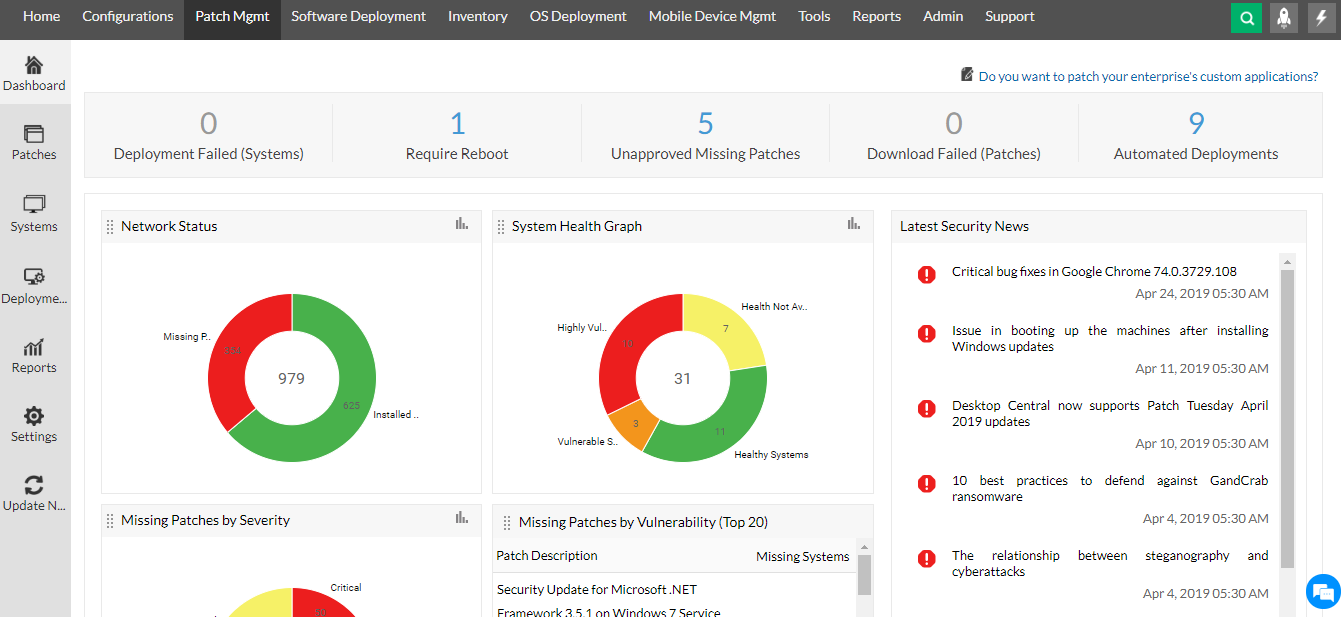
ManageEngine Patch Manager Plus is a robust solution that supports automated patching for Windows, macOS, and Linux systems. It scans, detects, tests, and deploys patches, helping IT teams maintain system security and compliance without disruptions.
Features:
-
Cross-platform patch management
-
Automated testing and deployment
-
Centralized dashboard with real-time patch status
-
Supports third-party application patching
-
Role-based access control
Pros:
-
User-friendly dashboard with extensive visibility
-
Reliable automation for large enterprises
-
Integration with ManageEngine ecosystem
Cons:
-
Initial configuration can be complex
-
Limited free version capabilities
Price:
-
Starts at $245/year for 50 endpoints
2. Atera
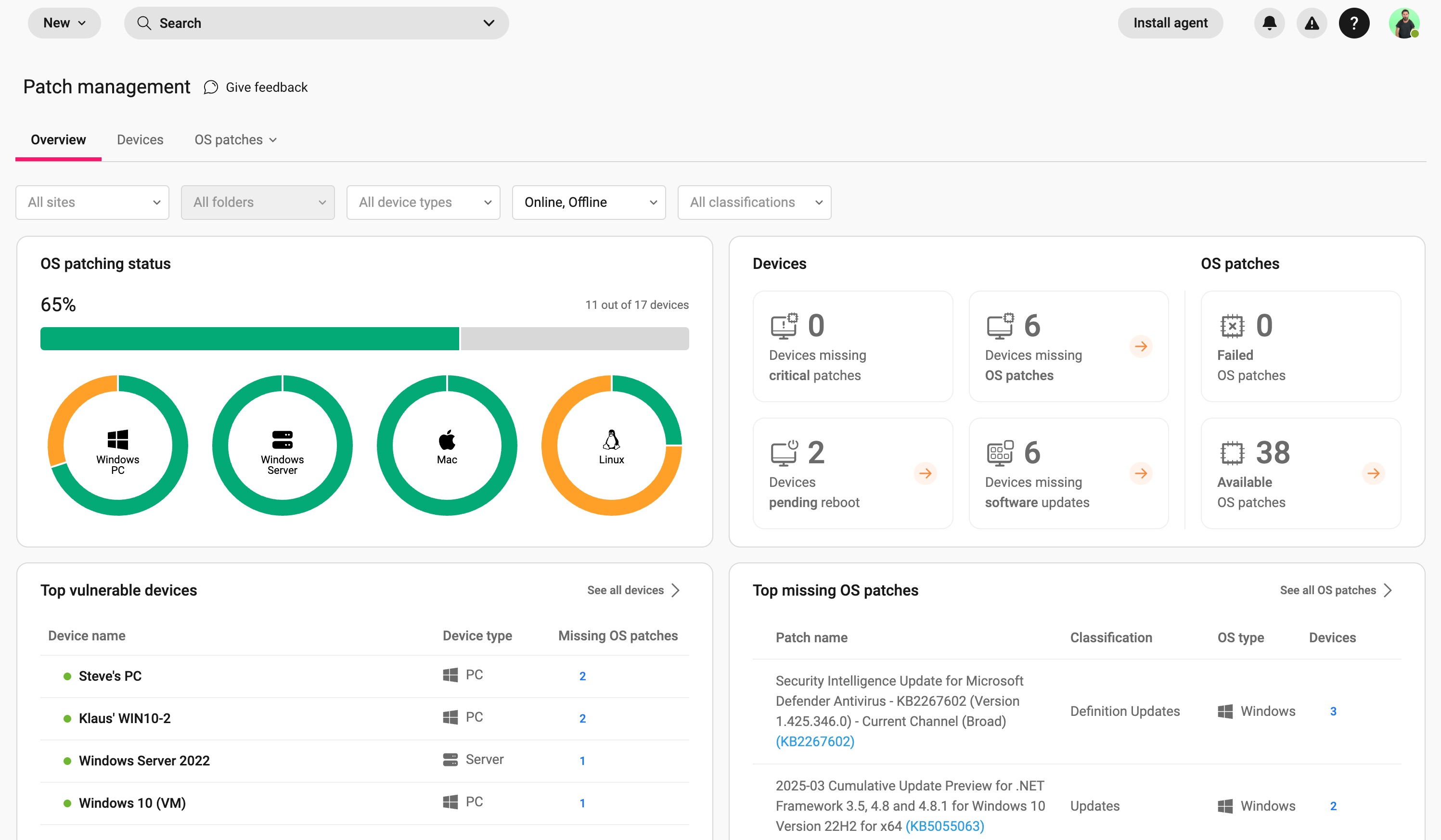
Atera offers an intuitive, cloud-based platform combining RMM, PSA, and patch management. It is ideal for MSPs and IT teams looking to streamline operations and automate patching without investing in multiple tools.
Features:
-
Real-time patch monitoring
-
Custom patch approval workflows
-
One-click deployment
-
Script library and automation
-
Cloud-based remote access
Pros:
-
Unlimited devices per technician pricing
-
Unified tool for IT management
-
Seamless third-party integrations
Cons:
-
Advanced reporting needs improvement
-
Limited customization in alerts
Price:
-
Starts at $99/month per technician
3. NinjaOne
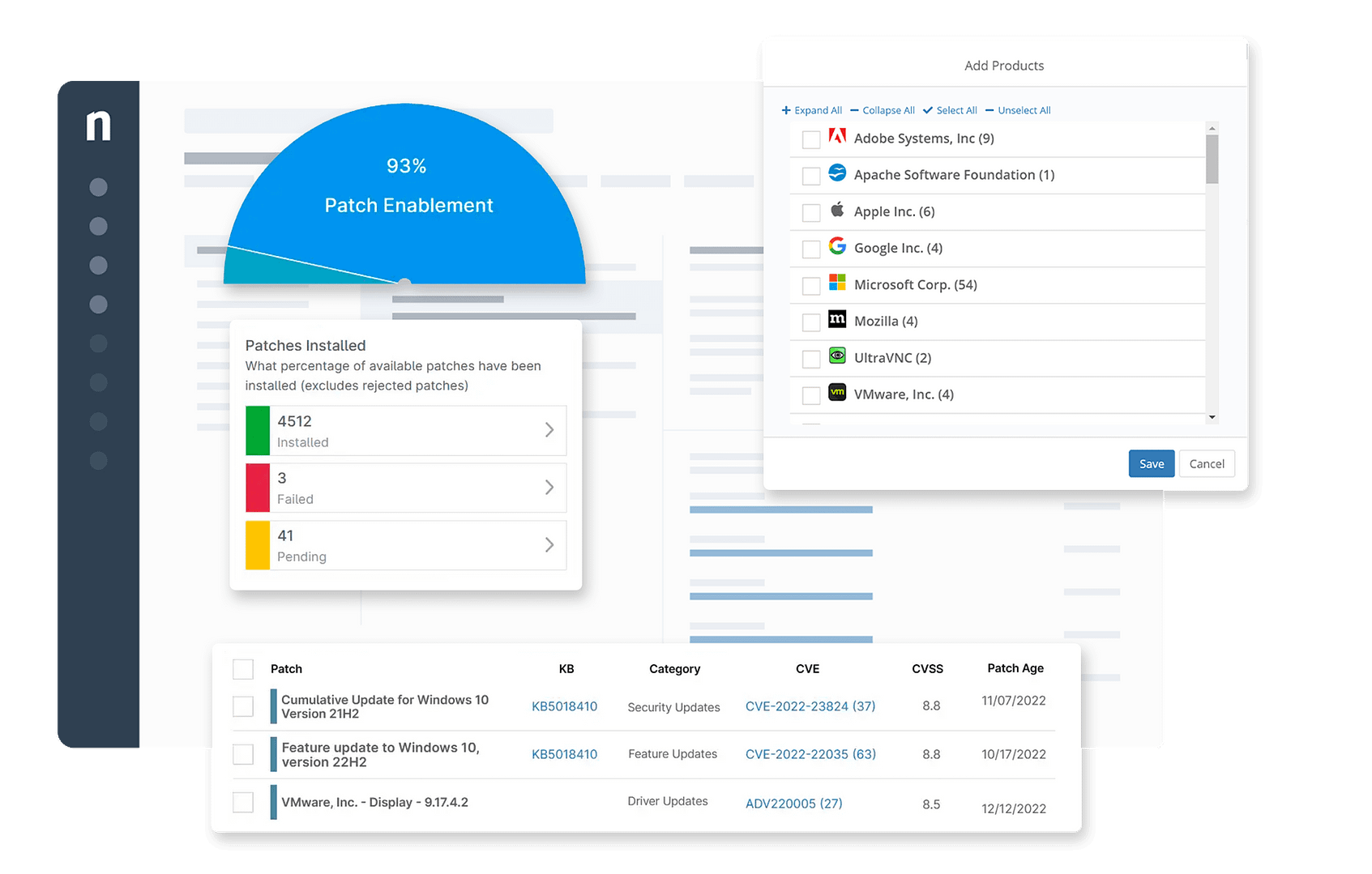
NinjaOne delivers a fast, modern patch management experience focused on visibility and control. It is perfect for IT pros who need simplified patching across multiple OS platforms without sacrificing depth or automation.
 Features:
-
Automated patching for Windows and macOS
-
Real-time reporting and alerts
-
Custom patching schedules
-
Approval workflows
-
Device health monitoring
Pros:
-
Easy to use and deploy
-
Strong customer support
-
Detailed compliance reporting
Cons:
-
Lacks Linux support
-
Pricing not publicly disclosed
Price:
-
Custom quote upon request
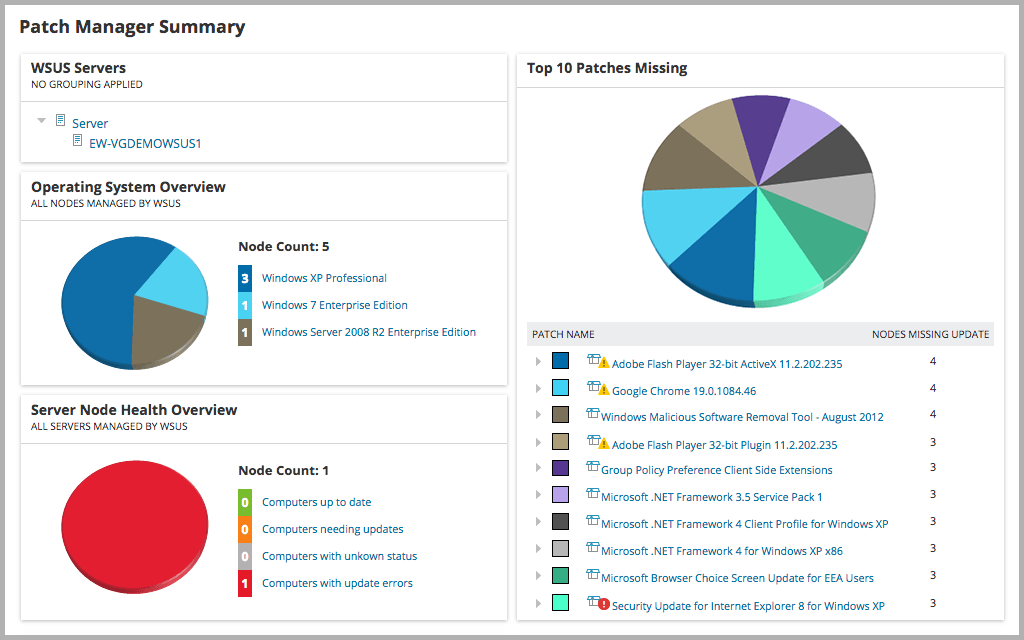
4. SolarWinds Patch Manager – Best for Microsoft Ecosystems
SolarWinds Patch Manager is built for businesses that rely heavily on Microsoft environments. It simplifies third-party patching through SCCM or WSUS integration, offering automation and control over software vulnerabilities.
Features:
-
Integration with WSUS and SCCM
-
Third-party patch support
-
Pre- and post-deployment scripts
-
Intuitive dashboards and scheduling
-
Reporting for audits and compliance
Pros:
-
Ideal for Microsoft-based IT infrastructure
-
Customizable patch workflows
-
Extensive library of third-party apps
Cons:
-
Windows-focused (limited macOS/Linux support)
-
Higher learning curve
Price:
-
Starts at $1,932 per license (1-year maintenance included)
5. Ivanti
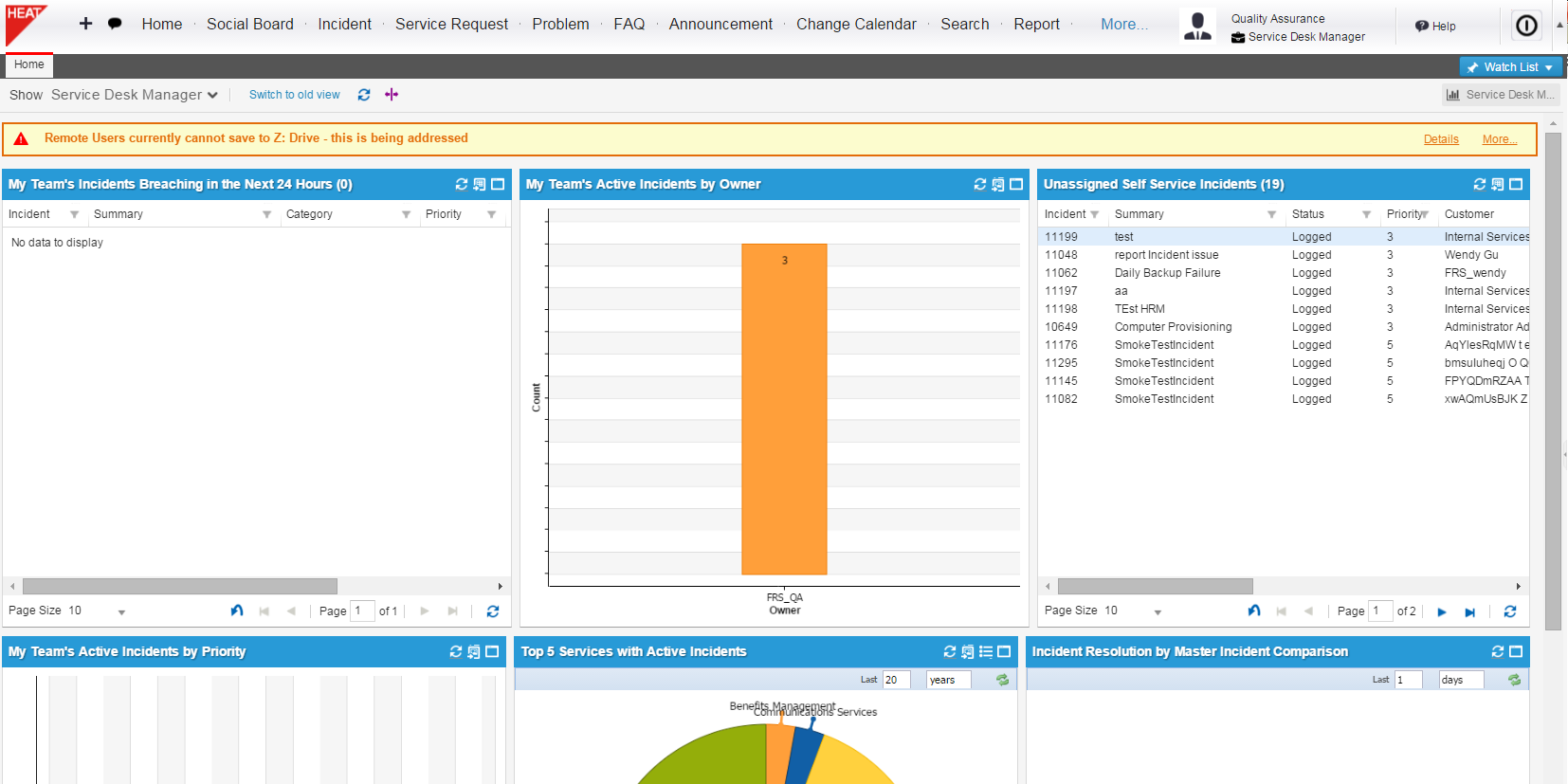
Ivanti offers a highly scalable patch management solution with broad endpoint coverage. It delivers real-time visibility, extensive OS and third-party app support, and integrates with broader IT security solutions.
-
Real-time patch compliance
-
Supports Windows, macOS, Linux, and apps
-
Predictive patching intelligence
-
Risk-based vulnerability prioritization
-
Cloud and on-premise deployment
Pros:
-
High scalability for large enterprises
-
Strong analytics and security integration
-
Comprehensive third-party support
Cons:
-
Expensive for small businesses
-
Requires proper training for full use
Price:
-
Custom pricing based on endpoint volume and features
5. Key Features of Patch Management Software
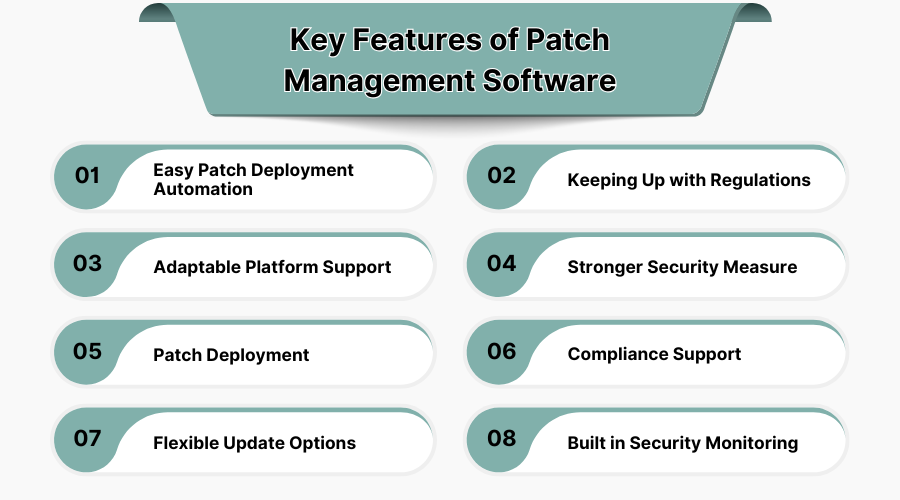
1. Easy Patch Deployment Automation
With automated patch deployment systems, there is no need for manual labor. This method also guarantees that updates are done on time, minimizes mistakes, and increases efficiency. It enhances productivity for myriad devices and applications as well as organizational system management.
2. Keeping Up with Regulations
Patch management tools help maintain regulatory compliance by applying relevant cybersecurity changes and audit-ready report documentation. Patch management helps businesses comply with HIPAA, PCI-DSS, and GDPR standards by ensuring patches are applied as legally and industry-defined secure intervals scrubbed continuously and reliably as required.
3. Adaptable Platform Support
Tool patches support different operating systems, applications, and environments including Windows, Linux, MacOS, and virtual infrastructures. Their cross-platform compatibility aids asset-diverse organizations in centralized management and streamlined updates across departmental and device artificial intelligence units, using a single point of control.
4. Stronger Security Measure
Patch management expeditiously mitigates vulnerabilities in software, firmware, and driver patch management components weakening cyber defense. Blockade exploitation threats eject invading malware and exploits in their attempts before they sandbox secure unprivileged regions and render harm.
5. Patch Deployment
Advanced patch management software offers immediate, scheduled, or phased rollouts, as well as flexible deployment options that include rollback features if default performance or compatibility issues arise post-deployment. Deployment scheduling, testing, and rolling out software updates across systems is known as patch deployment.
6. Compliance Support
The system automates and ensures all required patches have been applied within the deadlines and accordingly compliant with external legal boundaries. Regulations on precision patch recording are provided by the tool in comprehensive detailed reports.It supports audits beyond counter-checks, tracks patch history and processes, as well as aligning systems with policies and external compliance requirements in regulated industries. You can use compliance management software for the same.
7. Flexible Update Options
Tools also provide manual, automatic, and selective patching that serve diverse business operational needs, enabling grouping devices by role and department. This further facilitates tailored patch management strategies per endpoint while reducing disruption or interference with system operations and performance during patch deployment.
8. Built-in Security Monitoring
Real-time monitoring of vulnerabilities, failed updates, and compliance gaps with internal set security boundaries ensures swift intervention with critical patching issues and post deployment security threats within the patch lifecycle.Security dashboards provide actionable insights with patch management intelligence to help IT proactively resolve issues. Alerts and notifications guarantee efficient responses to patch lifecycle security threats.
6. Steps to Implement Patch Management Software
1. Establish Asset Management
Start by finding all systems, applications, and devices connected to the network. Keeping an up-to-date inventory of assets ensures that no critical endpoint is missed during patch deployment and assists in grouping devices by role, hierarchy, and platform for streamlined patch management implementation. You can use asset management software for the same.
2. Prioritize Vulnerability
Classify the vulnerabilities based on the severity, importance of the system, and the business impact. Assess which patches should be prioritized using CVSS scoring coupled with real-time threat intelligence to mitigate the most pressing risks and limit system exposure or data loss.
3. Remediate Vulnerabilities to Reduce Risk
Implement patches and mitigation strategies in accordance with the prioritization schedule. Validate patch stability in test environments prior to deployment to ensure operational integrity. Encourage teams to remediate known vulnerabilities in a timely manner to reduce the attack surface and defeat weaponized exploitation cycles.
4. Measure the Success of Your Vulnerability Management Program
Monitor patch adherence benchmarks alongside patch compliance gaps and unresolved metrics. Analyze process performance to identify the root cause of the slowdown or failure and refine subsequent patching rounds utilizing iterative feedback for sustained advancement.
5. Develop Partnership and Support
Strengthen cooperation between IT, security teams, and software vendors. Allocate responsibilities, delineate escalation paths, and equip managers with the proper training to handle patch management. This support structure enables streamlined cross-department patch rollouts as well as accelerated incident response times.
7. Lifecycle of Patch Management Software
1. Develop Inventory
As with other processes, the initial stage in patch management is developing a comprehensive inventory comprising all the organization's hardware, software, and network components. This inventory permits organizations to efficiently keep track of system updates, version control, and security exposures in diverse environments simultaneously. You can use inventory management software for the same.
2. Identify Patches
Using developed inventories, the system scans for unpatched assets and outdated patches. This step encompasses gathering vendor updates, performing critical vulnerability assessments, and apportioning patches for remediation for sustained cyber threat protection and software performance optimization.
3. Classify and Prioritize Patches
Not all patches are equally critical. Business impact, exploitability, and severity ratings influence the prioritization. Mitigation of high-risk vulnerabilities impacting sensitive systems takes precedence, ensuring patch implementation and risk tolerance balance exposure windows optimally.
4. Test Patches
Patches undergo evaluation in smaller groups in a pre-production environment before wide-scale implementation. This process ascertains trust in the patch’s expected outcomes concerning application and workflow restraints, ensuring business operations continuity without conflict.
5. Deploy Patches
Patches are applied after they have been thoroughly tested on the designated systems. They can be applied in stages, automatically administered, or applied during designated maintenance windows. This step assures that updates are performed in an orderly fashion without system downtime, interruptions to users, or catastrophic failures in vital systems due to patch activities.
6. Document the Patching Process
The documentation of various steps that comprise the patch management lifecycle is important from a compliance, auditing, and optimization perspective. These records should indicate what patches were applied, their respective test results, which systems were affected, defined rollback plans, and relevant timestamps. This promotes transparency and responsibility among IT and security divisions.
