
Best Document Control Software in
Are you looking for Document Control Software for your Business in ? SaaS Adviser brings you the best Document Control Software to ease your worries. In order to make your work smooth and swift, SaaS Adviser has compiled a list of the best software available. Compare the Best software features, pricing, free demo, and trial to select the best Document Control Software for your organization.
 Researched and Written by Akash Patel
Top 3 Featured Softwares


List of Top Document Control Software

Get Free Consultation


FileHold is a smart document management software solution that can handle tens of thousands or millions of documents with ease. With FileHold, you can transform paper and electroni...
View Profile

LogicalDoc is a document management application that helps organizations organize and store all critical documents effectively at one place. Its smart tagging feature helps reduce ...
View Profile

OnlyOffice is a document management solution that is ideal for enterprises of all sizes, from small to medium to large. OnlyOffice provides an entire productivity suite with docume...
View Profile

DocuWare provides a secure and digitized way for users to access their information from anywhere, at any time, and from any device. This allows users to focus on their work and be ...
View Profile

M-Files is a document management platform that offers a variety of features to help businesses take care of their content and documents. With M-Files, documents can be transformed ...
View Profile

Adobe Acrobat DC (Document Cloud) is a powerful PDF management software developed by Adobe that allows users to create, edit, convert, sign, and share PDF documents seamlessly acro...
View Profile
DocsCloud

By DocsCloud
DocsCloud is a web-based software platform that helps you create web forms and generate documents from templates. You can also manage and get documents digitally signed, host docum...
View Profile

DocuSend
By DocuSend
DocuSend is a software that can be used to automatically send out invoices, billing statements, and letters. With DocuSend, there is no minimum commitment or data requirement. All-...
View Profile
OnTask
By OnTask
OnTask is a document and form management software that allows users to transform tedious paperwork into efficient digital processes. OnTask is powered by Accusoft, and provides an ...
View Profile

Google Docs is a free Web-based tool that allows you to create, edit, and store documents and spreadsheets online. Any computer with an Internet connection and a full-featured Web ...
View Profile

Dropbox Business is a cloud-based file storage and collaboration platform designed to help teams manage, share, and secure their digital content. It enhances productivity by allowi...
View Profile
.png "Zoho WorkDrive")
Zoho WorkDrive helps companies create a central repository, collaborate over files securely, automate business processes with over 1000 integrations, and minimize context switching...
View Profile

Papercloud Document Management System
Papercloud simplifies your paperwork, enhances security, and saves you time – so you can focus on running your business.

SmartDocuments
Automate document creation using smart templates

Table of Content
Find the Best Document Control Software
In engineering, healthcare, and construction, as well as many other industries, document control software is vital for businesses that require handling a large volume of documents. This software regulates the entire document lifecycle from creation to archiving as well as complies with legal and internal organizational regulations.
Automation of workflows, revision monitoring, and accelerated access to vital information all stem from centralizing document storage. This software guarantees that all documents are current, secure, properly archived, and collection-documented.
Document control software maintains order in interdepartmental tasks by providing simple multi-user document handling features such as approval procedures, audit trails, versioning, and more. Productivity boosts, error decreases, and enhanced compliance after such software implementation demonstrate its importance.
1. What is Document Control Software?
Document control software is largely defined as solutions that automate the storing, managing and tracking of documents within a company. Such automated technology allows a company to manage its document storage system, restrict information to be accessed to particular staff members, and maintain compliance with legal requirements.
Other common features include document versioning, audit trails, automated workflows, and document approval systems. As document management systems, they ensure that documents are secured, up-to-date , readily accessible and information is centralized.
Companies that deal with large volumes of data such as contracts, regulatory documents, and other technical documents greatly benefit from this service. With document control software in place, companies can better manage collaboration, enhance business productivity, and greatly reduce the risk of mistakes linked with manual document handling.
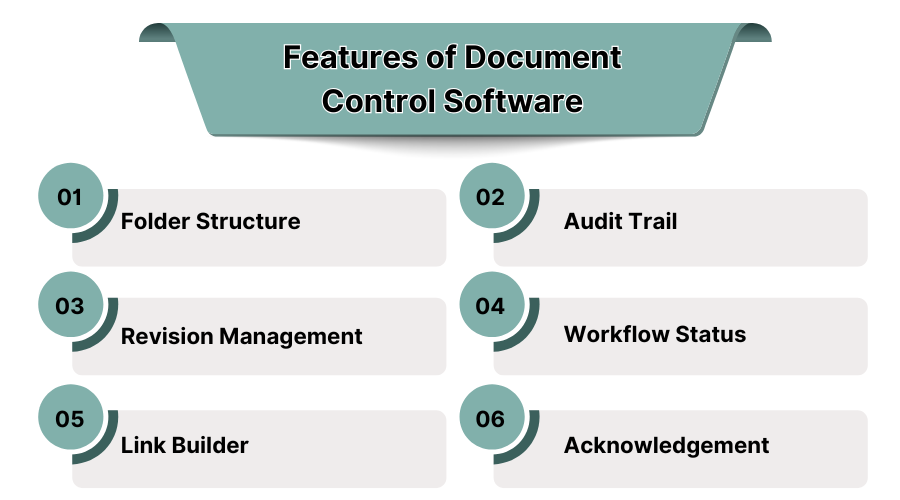
2. Features of Document Control Software
-
Folder Structure
Document control software usually makes use of a systematic folder arrangement for the effective storing and organizing of documents. This makes document retrieval convenient as users can search documents by type, department, or project.
With customizable folder systems, users can design effective document storage systems that fit their organization and ensure there is logical and systematic filing of documents.
-
Audit Trail
An audit trail is a core attribute in document control systems that records all activities performed on a document like who viewed, edited, or approved one. This record aids in safeguarding the accuracy of documents as well as the responsibility for documents, maintaining a record of the document's history and changes.
The audit trail is useful for companies that have compliance standards such as those in the pharmaceutical or financial sectors. You can also use audit software for the same.
-
Revision Management
Revision management keeps track of changes to the document so that all users can have the correct version of the document. This function captures every change to a document and saves prior versions for reference. It eliminates the possibility of confusion caused by obsolete documents and guarantees all users accurate information.
-
Workflow Status
Often, document control software integrates with workflow management systems in such a way that the progress of a document within approval processes is tracked. A document is configured with its workflow status which allows a user to see the current step in the workflow, whether it is review, approval, or finalization.
This feature often provides assurance that documents are dealt with in an orderly manner and all team members are synchronized with the document’s progress in the workflow. Also, you can use workflow management software to efficiently manage it.
-
Link Builder
With the link builder feature, a user can create hyperlinks within a document so that appropriate external documents can be referred to easily. This is a helpful tool for long documents so that references can be made without bloating the document with too much text, though excessive text is cleaned up. Furthermore, the links can be embedded to improve the accessibility of the document.
-
Acknowledgement
The acknowledgment feature is one of the components that make any document control system a complete system that allows actively managing documents.
In this case the users are required to confirm they have received, read, and understood the document. This feature guarantees much more compliance with critical documents and they expect all important stakeholders to update acknowledgment as well as create a legal record of document receipt.
3. Benefits of Using Document Control System in USA
-
Improved Workflow
Manually controlled workflows are streamlined within document control systems as they automate the procedures of document creation, approval, and distribution. Employees spend less time searching for a given information because documents are organized and controlled. In addition, employees can focus on their daily tasks without interruptions.
- Better Collaboration
Management of documents is stored and centralized which leads to effective document control systems, and through this, user participation is encouraged. This feature greatly facilitates communication as it can now take place through various administrative boundaries. Users who have comments can post them instantly and send them without limit, and they will be considered in the decision that is made.
- Enhanced Security
Out of all the factors, the foremost of them is an extreme sensitivity to risks in documents. Document control systems offer extremely strict security methods like user authentication, encryption, capturing specially assigned access into roles and document prevention.
These methods reinforce that active editing and view permissions are only granted to specific documents greatly locked in under marked lower access. Secure document storage ensures authorized personnel are the only ones able to edit documents mitigating the breach of sensitive information.
Document control systems offer secure storage of documents as shields set to defend from unauthorized access. To enhance security, you can use cybersecurity software.
-
Improved Compliance
Various business fields have regulatory requirements that govern document management processes. To aid manual operations, regulations need features like audit trails, secure document versioning, and secure storage. Such as maintaining and tracking compliance records, document control software assists organizations to meet them without incurring expensive fines or penalties.
-
Reduced Storage
Paper filing, using local servers, and other traditional document management processes need significant physical resources and incur periodic upkeep expenses. Also, the internal filing cabinet wouldn’t be accessible by everyone.
With document control software, businesses can store documents in electronic formats which offers multiple benefits. Furthermore, cloud-based solutions remove storage space restrictions entirely by offering document filing cabinets that are securely placed off-site, while also being easily reachable.
-
Disaster Recovery
In the unfortunate event of a fire or hardware failure, document control software ensures that documents will not be lost. With automatically stored documents in secure cloud environments or backups, an organization can quickly recover essential files, suffer little downtime, and get back to business. This mitigates the risks of suffering serious consequences from losing vital data.
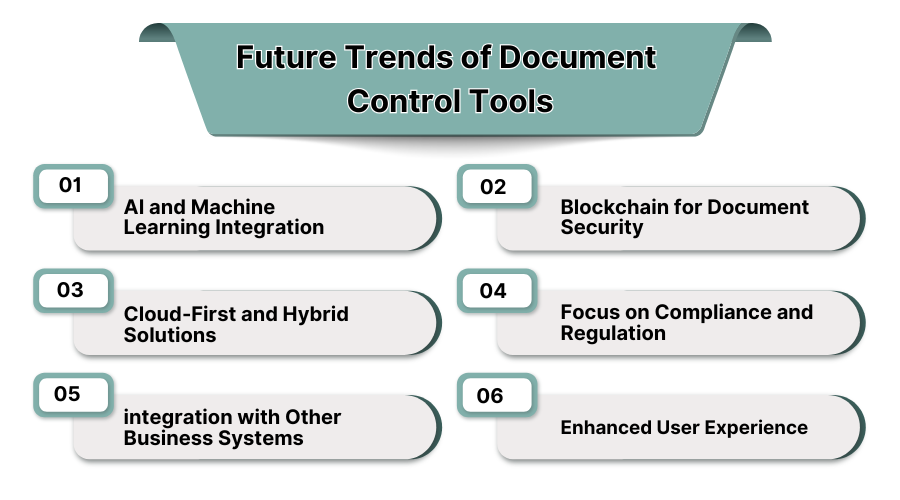
4. Future Trends of Document Control Tools
-
AI and Machine Learning Integration
Because of the progress in AI and machine learning, control of documents is becoming smarter at the same time. Advances in AI enable the software to independently classify documents, detect errors, and even propose changes.
Besides, AI has the capability of predicting the needs of users in the future and automating certain document management processes based on usage patterns, thus increasing efficiency in document management. You can read our blog on machine learning software.
-
Blockchain for Document Security
The promising features of blockchain technology for secure and tamperproof document management have made it an area of research.
With blockchain, the storing of document records is done on a decentralized and distributed ledger, providing enhanced security, transparency, visibility, immutability, and traceability, which is key for regulated industries that document management transparency.
-
Cloud-First and Hybrid Solutions
A lot of document control systems are being developed with cloud support. This is because these solutions are easier to maintain and administer, more scalable, more accessible, and even more affordable.
As companies move to cloud-first strategies, hybrid solutions that integrate cloud and on-premises storage are emerging. With this, organizations can maintain control over sensitive documents while taking advantage of the collaboration the cloud offers.
-
Focus on Compliance and Regulation
Description control features are bolstered—this is becoming more pronounced due to changing regulatory requirements. In the future, tools will assist businesses in meeting shifting compliance with tracking and reporting as the evolution of industry standards enhances domain features. Work in legal, finance or document management compliance sectors will particularly manage in regulated business.
-
Integration with Other Business Systems
Document control software optimization will align with other business systems like customer relationship management, enterprise resource planning, or project management for enhanced productivity and effortless flow of work. Interfacing these alignables with the other business processes and operations enhances document collaboration from all departments within the organization.
-
Enhanced User Experience
With the ease of making interfaces simpler and more intuitive, other document control systems are expected to join mobile and user satisfaction priorities. Enhanced navigational improvements will be a manner that requires little to no modification training. These attributes will include fast responsiveness to users as well as adaptability to all using devices.
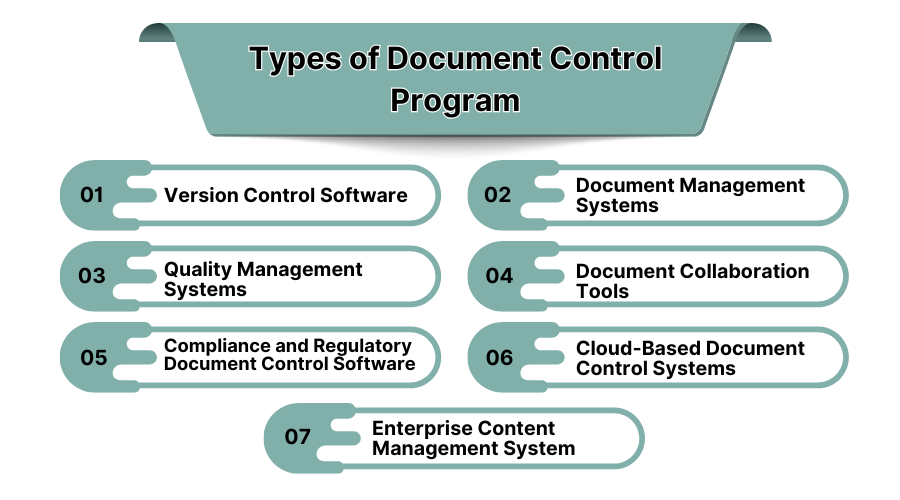
5. Types of Document Control Program
-
Version Control Software
Software for version control enables tracking of various document edits over great lengths of time. Users are able to save different versions of documents, making it simple to go back to older versions if they choose to. This is especially beneficial in places where collaboration is done as it is immensely helpful in multi-person document editing (MPDE) systems.
-
Document Management Systems
Document Management Systems (DMS) are fully integrated computer system packages for dealing with the problems of organizing, storing, and managing documents in electronic form. Other features of these systems include indexing, retrieval of documents, and control of access to such documents so that only authorized users can retrieve documents.
-
Quality Management Systems
Quality Management Systems (QMS) include the capability to control documents within the system. These systems tend to focus on ensuring that quality documents are adequately controlled and managed to be compliant with the legal requirements.
-
Document Collaboration Tools
Document collaboration tools enable different users to work on documents at the same time. It allows editing, comments, and control of different versions of a document simultaneously which makes it simpler to work on documents by teams even when they are in different places.
-
Compliance and Regulatory Document Control Software
Document control processes which are compliance focused permit companies to handle documents specific to their industry. Such tools usually contain audit trails, document authorization, and secure storage as documents are maintained for compliance purposes.
-
Cloud-Based Document Control Systems
Cost effectiveness, remote accessibility, and scalability are some of the advantages offered by cloud based document control systems. These systems securely store documents in the cloud enabling users to access the documents from anywhere while ensuring data security and backup.
-
Enterprise Content Management System
An Enterprise Content Management System (ECMS) is an all in one solution that integrates all data types of an organization including documents, emails, and other multimedia resources. Such systems offer document control within content management systems allowing businesses to structure, store, and disseminate information efficiently.
6. Top 5 Best Document Control Solutions in USA
1. Healthcare Compliance Software
Healthcare compliance software helps organizations manage regulatory documents, patient records, and compliance workflows. These systems are designed to meet the specific needs of healthcare providers, ensuring that sensitive documents are secure and compliant with healthcare regulations like HIPAA.
Features:
-
HIPAA-compliant document management
-
Secure storage and access control
-
Workflow automation for compliance tasks
Pros:
✔️ Tailored for healthcare industry
✔️ Easy access to regulatory documents
✔️ Automates compliance tracking
Cons:
❌ Limited integration with non-healthcare systems
❌ Can be expensive for smaller organizations
Price:
Contact for pricing.
2. QT9 QMS
QT9 QMS is a comprehensive quality management system that includes document control capabilities for managing quality-related documents, procedures, and reports.
Features:
-
Document version control
-
Secure document access
-
Audit trails and reporting
Pros:
✔️ Effective for managing quality documents
✔️ Easy integration with other quality management tools
✔️ Strong compliance features
Cons:
❌ Limited customization options
❌ Can be complex for new users
Price:
Starting at $75/month.
3. Digital Business Transformation Suite
This suite provides document control solutions as part of a broader digital transformation strategy. It offers document management alongside workflow automation and business process management tools.
Features:
-
Document storage and retrieval
-
Automated workflows and approvals
-
Integration with ERP systems
Pros:
✔️ Supports end-to-end digital transformation
✔️ Seamless integration with business systems
✔️ Scalable for large organizations
Cons:
❌ High upfront costs
❌ Complex implementation
Price:
Contact for pricing.
4. monday.com
monday.com is a flexible work operating system that offers document management features alongside project and workflow management tools. It’s used by teams to collaborate on documents and track progress.
Features:
-
Document storage and sharing
-
Task and project tracking
-
Collaborative workspaces
Pros:
✔️ Highly customizable workflows
✔️ Easy to use and intuitive interface
✔️ Integration with a variety of tools
Cons:
❌ Limited document control features compared to specialized systems
❌ May require additional customization
Price:
Starting at $8/user/month.
5. Procore
Procore is a construction management software that includes document control features to help manage project documents, contracts, and specifications.
Features:
-
Document versioning
-
Real-time collaboration
-
Integration with project management tools
Pros:
✔️ Tailored for the construction industry
✔️ Real-time document sharing and collaboration
✔️ Easy integration with other construction management tools
Cons:
❌ Limited use outside the construction industry
❌ High cost for small businesses
Price:
Starting at $375/month.
7. Conclusion
Document control software is very important in the management, security, and compliance of business documents. Applications like Healthcare Compliance Software and QT9 QMS, as well as monday.com, greatly enable organizations to improve document workflow processes in a streamlined manner, promote collaboration, and achieve compliance. Explore the best document control software available on SaasAdviser and book a free demo today!
