
What we'll cover
Share with your community!


Get Free Consultation


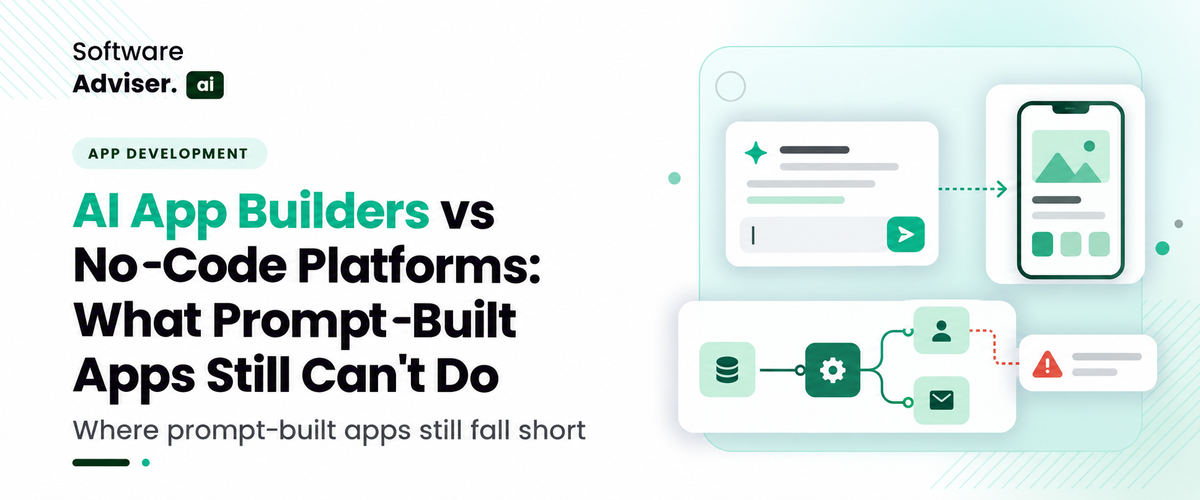
AI App Builders vs No-Code Platforms: What Prompt-Built Apps Still Can't Do
 Dokas mile
Building an application used to require a developer, a defined technical specification, and enough time to turn both into a working product. AI app builders have changed the starting point. Describe a dashboard, customer portal, internal tool, or workflow in plain English, and an AI system can generate an interface and, depending on the platform, some of the underlying application logic. The first version can appear in minutes. Getting it ready for real users is a different task. A prompt-built app may look complete while missing important details such as permission checks, reliable data handling, error recovery, or integration behavior.
 Looking for AI App Builder Software? Check out Softwareadviser.ai’s List of the Best AI App Builder Software in USA for Your Business.
 Traditional no-code platforms address some of these needs through visual workflow editors, reusable components, and explicit configuration. They have limitations of their own, especially when requirements fall outside their supported features. So, when should you use an AI app builder, and when does a conventional no-code platform make more sense? The answer depends on what the application must do after the first successful preview. Here is how to evaluate the differences before committing to either approach.
What Is an AI App Builder, and How Does It Differ From a No-Code Platform?
An AI app builder uses natural-language prompts to generate application components. Depending on the product, it may create frontend layouts, backend functions, database structures, API connections, or deployment configurations.
A conventional no-code platform generally lets you assemble applications through visual editors, predefined components, data models, and automated workflow rules. Some platforms also support custom code or AI-assisted generation, so the two categories increasingly overlap. The main difference is how you define and control the application.
With an AI app builder, you might ask for a customer portal with a login page, account dashboard, and support request form. The builder generates an initial implementation that you can refine through additional prompts.
With a visual no-code platform, you may configure the same screens, connect data sources, define actions, and specify access rules using its interface. Neither approach eliminates technical decisions. They change when those decisions are made and how much control you have over the implementation.
What Can AI App Builders Do Well?
AI app builders are particularly useful when you need to test an idea, replace a small manual process, or create an early working version without writing every component from scratch.
1. Turn Requirements Into a Working Prototype
A prompt can describe the main screens, fields, actions, and user journey. The builder can then generate a prototype that stakeholders can review instead of discussing a static mockup. For example, a sales operations team could request an internal dashboard that displays leads, assigns account owners, and shows follow-up dates. The generated version gives the team something concrete to test before investing in a more complete implementation.
2. Generate Repetitive Application Components
Forms, tables, navigation menus, basic validation, and dashboard layouts follow familiar patterns. AI can generate these components quickly, reducing the amount of initial setup work. You still need to inspect the output. A form that accepts input is not necessarily validating it correctly, and a dashboard that displays sample records is not necessarily connected to persistent business data.
3. Help Teams Explore Different Solutions
Early requirements often change once people interact with a working application. Prompt-based iteration makes it easier to test alternative layouts, add fields, or adjust a workflow before finalizing the design. Some builders also support code editing, version history, or source-code export. Others restrict editing or deployment to their own environment. Check the specific product's capabilities before assuming you can move the generated app elsewhere.
What Can Prompt-Built Apps Still Struggle With?
A convincing preview does not prove that an application is reliable, secure, or ready for a production workload. The biggest limitations usually appear at the boundaries between components and systems.
1. Complex Business Logic and Edge Cases
A prompt may describe the normal workflow clearly while leaving unusual cases undefined. Consider an order management app. A request to let employees approve orders sounds straightforward, but the implementation must account for approval limits, duplicate submissions, canceled orders, partial fulfillment, and changes made by other users.
The same problem occurs with financial calculations, inventory updates, and customer account permissions. Generated logic may handle the expected path while failing under less common conditions.
Write explicit acceptance criteria before adding more features. Test invalid inputs, repeated actions, missing data, and interrupted workflows instead of judging the app only by its normal path.
2. Database Design and Data Integrity
A useful application needs more than screens and forms. Its data model must represent relationships, enforce constraints, and preserve consistent records when several users interact with it.
For example, a customer portal might connect accounts, users, invoices, and support tickets. A poorly designed model can duplicate customer records, associate tickets with the wrong account, or allow an invoice to reference a nonexistent customer.
Review the schema, primary and foreign keys, required fields, uniqueness rules, and transaction behavior. If the app supports concurrent updates, test what happens when two users change the same record.
Prompt-built database structures should be treated as implementation proposals until they have been reviewed against the actual business requirements.
3. Authentication, Authorization, and Security
Authentication confirms who a user is. Authorization determines what that user can access or change. An application needs both.
A login screen alone does not establish that its permissions are correct. For example, a salesperson should not automatically gain access to every customer's records simply because the interface hides certain pages.
Check server-side authorization, session handling, secret management, input validation, and access to sensitive records. Review dependencies and configuration for known vulnerabilities, too.
The review should include direct API requests, not just browser navigation. If a user can access a restricted record by changing an identifier in a request, hiding the relevant button has not protected the data.
4. Production Integrations and API Reliability
A generated app may display data from a sample API without handling the operational problems that appear in a live integration.
Real integrations need authentication, request validation, rate-limit handling, timeouts, retries, and useful error messages. Some workflows also require idempotency, which prevents a repeated request from creating duplicate transactions.
Webhooks introduce additional concerns. Events may arrive more than once, arrive out of order, or fail to reach the receiving system. A reliable implementation needs appropriate verification, deduplication, and recovery behavior.
When evaluating an AI App Builder Software, check whether it supports the APIs, authentication methods, background jobs, and deployment controls your application requires.

Pro-tip
Before connecting an AI-generated app to real customer data, test it with separate user accounts and attempt to access records each account should not be allowed to see.
How Do AI App Builders and No-Code Platforms Compare?
The differences become clearer when you evaluate both approaches against actual delivery requirements rather than the speed of the first build.
|
Evaluation area |
AI app builders |
Conventional no-code platforms |
|
Initial development |
Generate an initial app from prompts |
Assemble screens and workflows visually |
|
Custom logic |
Depends on code access and generation capabilities |
Depends on built-in logic and custom-code options |
|
Data modeling |
May generate schemas or connect supported data sources |
Often provides visual data models and configured relationships |
|
Integrations |
Depends on supported APIs, connectors, and generated code |
Depends on available connectors, API actions, and platform limits |
|
Debugging |
May use prompts, logs, generated code, or built-in testing tools |
May use visual debugging, workflow histories, and platform diagnostics |
|
Portability |
Depends on source export and runtime dependencies |
Depends on export options and platform-specific components |
|
Governance |
Requires appropriate testing and controls for the chosen deployment |
May offer centralized permissions and administration, depending on the product |
|
Best initial fit |
Prototypes, internal tools, and quickly tested ideas |
Repeatable business workflows and apps built around supported components |
These are general tendencies, not guarantees. Some AI app builders offer full code access and deployment flexibility, while some no-code platforms provide strong enterprise controls and custom-code extensions. Compare the specific products against the same requirements before deciding.
Which Technical Requirements Should You Validate Before Launch?
The application should pass several checks before it handles real business operations.
API Contracts and Integration Behavior
Document each integration's endpoint, authentication method, request format, response structure, and error behavior. For REST APIs, verify how the app handles HTTP status codes, pagination, timeouts, and rate limits. Test failed requests and expired credentials. An integration that works only when every service responds correctly is not ready for production use.
Data Access and User Permissions
Map each user role to the records and actions it should be allowed to access. Verify these rules at the server or data layer, not only in the interface. For multi-tenant applications, confirm that one customer's data cannot be retrieved by another customer through direct requests, search filters, or shared resources.
Deployment, Monitoring, and Recovery
Find out where the application runs, how configuration is managed, and how updates reach production. You should know how to inspect logs, monitor errors, roll back a faulty release, and restore data if something goes wrong. Check whether the platform supports separate development, testing, and production environments. If it does not, establish another safe way to validate changes before exposing them to users.
Ownership and Exit Options
Ask whether you can export the source code, database records, and configuration. Review licensing, hosting restrictions, proprietary dependencies, and the effort required to migrate the application. A low initial build cost can become expensive if your team cannot maintain or move the app when requirements change.
When Should You Choose an AI App Builder or a No-Code Platform?
The right choice depends on the application's complexity, the team's technical skills, and the consequences of failure.
Choose an AI App Builder When You Need to Test an Idea Quickly
An AI app builder may suit prototypes, internal dashboards, lightweight request forms, and early versions of a product. It can also help experienced developers generate routine components and explore alternative implementations.
Before proceeding, confirm that the builder supports the required data model, integrations, code access, and deployment target.
Choose a No-Code Platform When the Workflow Fits Its Components
A conventional no-code platform may be a better fit when your team needs repeatable processes, visual workflow management, standardized connectors, and centralized administration.
For example, a department that needs a request approval app tied to existing business systems may benefit from a platform with established connectors, role controls, and workflow history.
The fit depends on the platform's actual capabilities. Complex integrations or unusual business rules may still require custom development.
Use a Hybrid Approach When Requirements Extend Beyond the Builder
Some teams use an AI app builder to generate the initial interface and then refine the code, backend, or integrations with developer tools. Others build the main workflow in a no-code platform and use custom services for specialized logic.
An AI Agent Platform may also be relevant when the application needs AI agents to call tools, retrieve information, or execute multi-step tasks. However, an agent platform is not automatically a replacement for an application builder or a secure backend.
For a hybrid implementation, define which system owns the data, where business rules execute, and how failures are handled across components.
How Should You Evaluate App Builder Software Before Buying?
Do not compare tools using a single prompt or a polished demonstration. Test each candidate with a small but representative business requirement. Use the same evaluation exercise for every product:
- Build a realistic workflow. Include multiple user roles, connected records, validation rules, and at least one external integration.
- Test failure scenarios. Submit invalid data, repeat requests, disconnect an integration, and attempt unauthorized access.
- Review the generated implementation. Check code access, database design, API behavior, logging, and the ability to test changes safely.
- Measure the total cost. Include subscriptions, usage limits, hosting, integration charges, developer review, maintenance, and migration.
- Confirm the exit path. Establish how you can export data and code, preserve business records, and move to another environment if necessary.
A useful comparison should record which requirements each product meets, which require workarounds, and which cannot be supported. That gives your team a stronger basis for procurement than the time needed to generate the first screen.
Do You Know?
Two apps can have nearly identical interfaces but very different reliability. Database constraints, server-side permissions, and recovery behavior often determine whether an application can safely support real users.
Conclusion
AI app builders have made application development faster, but prompt-built apps still have limitations when it comes to complex business logic, data security, integrations, and long-term maintenance. No-code platforms offer more structured tools for building and managing workflows, while AI app builders can speed up prototyping and early development. The right choice depends on your project’s complexity, technical requirements, and growth plans. Before choosing an app builder, test its capabilities, review its limitations, and confirm it can support your needs beyond the initial build.
FAQ's
An AI app builder generates application components from natural-language prompts, while a conventional no-code platform primarily uses visual editors, predefined components, and configured workflows.
Some can support production applications, but readiness depends on security, testing, data integrity, integration reliability, deployment controls, and the specific platform's capabilities.
Neither category is inherently more secure; security depends on implementation quality, platform controls, configuration, and ongoing maintenance.
Yes, when the builder supports the required APIs, connectors, authentication methods, and data formats.
Evaluate code and data portability, security controls, API support, debugging tools, deployment options, scalability, and total ownership cost.

Modern email marketing has moved a long way beyond primary merge tags and static weekly newsletters. Today, scaling overall performance requires deepe [...]

David N. Wilks
Managing staff requests for an expanding company sometimes seems like going against an ongoing stream of messages. Often, HR directors waste time answ [...]
Dokas mile
Here's the thing about picking an AI project management tool in 2026: the feature lists barely matter. What matters is whether the tool's whole approa [...]