
What we'll cover
Share with your community!


Get Free Consultation


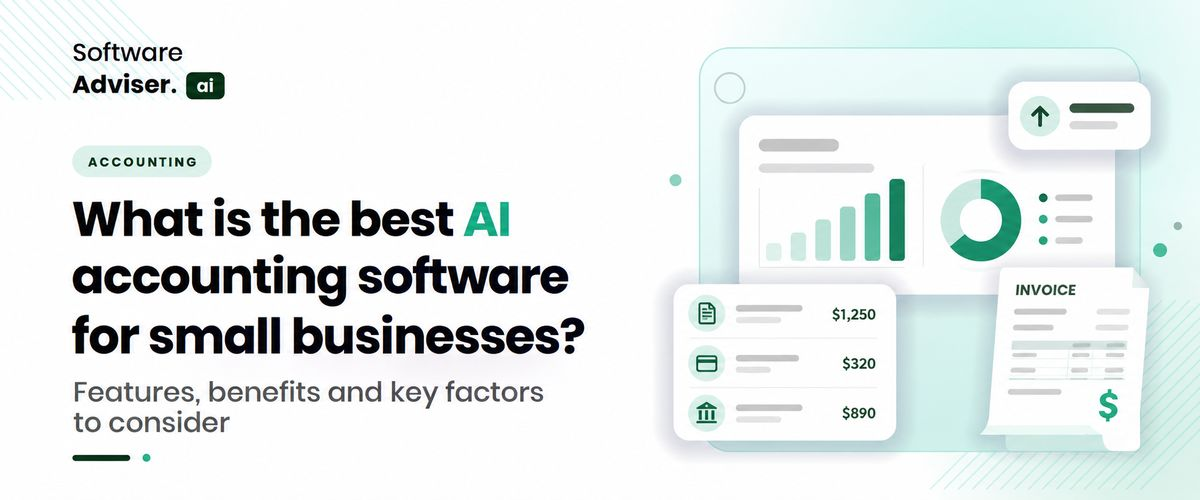
What is the best AI accounting software for small businesses?
 Dokas mile
Most small business owners don't sit down and decide to buy "AI accounting software." They decide they're tired of reconciling a bank feed at midnight, or they miss a tax deadline because a receipt got lost somewhere between a truck cab and a filing cabinet. The software decision comes after that frustration, not before it. That's worth keeping in mind, because the accounting software market in the US is crowded enough that picking based on features alone usually leads to overbuying. This guide walks through AI accounting software category by category: payroll, invoicing, expenses, broader business management, and ERP, so you can match the tool to the actual problem instead of the other way around.
Key takeaways
- QuickBooks Online and Xero remain the default AI accounting software choices for most US small businesses, with Zoho Books as the budget-conscious alternative.
- Payroll, invoicing, and expense tracking are often better solved with dedicated tools than by stretching one platform to cover everything.
- AI ERP software only makes sense once inventory, manufacturing, or multi-entity operations enter the picture; most small businesses don't need it yet.
What "AI Accounting Software" Actually Covers
The term gets used loosely. Some vendors mean a chatbot bolted onto an existing product. Others mean genuine automation: transaction categorization that improves over time, anomaly detection that flags a duplicate invoice before it gets paid, or cash-flow forecasting built from your actual bank history rather than a template. Real AI accounting software in 2026 tends to do three things well: it reduces manual data entry, it catches errors before a human would, and it surfaces insights you'd otherwise need a bookkeeper to dig out manually. None of that replaces an accountant. It just changes what the accountant spends time on.
One thing owners often miss during setup: the AI features only get useful once there's enough transaction history for the software to learn your patterns. The first month or two usually still needs manual review, even with a well-regarded platform.
AI Accounting Software: The Core Platforms
For general bookkeeping, tax prep, and financial reporting, three names dominate US small business conversations.
QuickBooks Online is still the most widely used option, and its Intuit Assist feature handles automated categorization, invoice drafting, and basic financial insight generation. Its main advantage isn't the AI itself; it's the ecosystem. Most accountants already know it, and it connects to hundreds of other apps, so switching costs for your bookkeeper are close to zero.
Xero competes closely on functionality and has built out JAX, its own AI assistant, to automate reconciliation and routine financial tasks. Businesses with international vendors or multi-currency needs tend to prefer it over QuickBooks, partly because its bank reconciliation handling is a bit more forgiving.
Zoho Books is the value play. It costs less, integrates tightly with the rest of the Zoho suite, and its Zia assistant covers similar categorization and insight features. The tradeoff is a smaller accountant network; if your CPA has never touched Zoho, expect a short learning curve on their end too.
AI Payroll Accounting Software
Payroll is where a lot of small businesses get burned, and it's rarely because the math is wrong. It's because a tax filing deadline slips, or a new hire gets misclassified, or a state filing requirement changes and nobody notices until a penalty letter arrives. AI payroll accounting software earns its keep by catching these problems before they become expensive.
Gusto is the standard recommendation for small US teams. It handles payroll runs, tax filing across all 50 states, and benefits administration, with AI-powered checks that flag likely errors a pay rate that looks off, a missing tax form, a compliance gap before the payroll run finalizes. It's not the cheapest option, but the support quality tends to matter more than price once you've had one bad payroll cycle.
For businesses already paying for another payroll provider, Roll by ADP is worth a look. It's built around a conversational interface: you run payroll or adjust hours through a chat-style app rather than clicking through menus, which sounds like a gimmick until you're doing payroll from a job site on a Friday afternoon. Patriot Software and OnPay serve the same role for businesses under 25 employees that want something closer to bare-bones and cheap.
AI Billing and Invoicing Software
Invoicing sounds like the simplest category here, and for a while it was. AI billing and invoicing software now does more than generate a PDF; it can draft recurring invoices, flag overdue accounts before they become collection problems, and match incoming payments to the right invoice automatically.
FreshBooks remains the go-to for freelancers and small service businesses, largely because its invoicing, time tracking, and basic expense tracking live in one place without much setup. Zoho Invoice is the free alternative and makes sense if you're already inside the Zoho ecosystem for books or CRM. Square Invoices fits businesses that already process card payments through Square; the invoicing piece rides on top of infrastructure you're already paying for.
The real question to ask before picking one isn't which has better AI. It's whether it talks to your accounting software without a manual export-import step. A lot of invoicing tools look great in a demo and then create a second, disconnected ledger that someone has to reconcile by hand every month.
AI Expense Management Software
Expense tracking used to mean a shoebox of receipts and a bookkeeper who dreaded the 28th of every month. AI expense management software changed that mostly through better OCR: a photo of a receipt gets read, categorized, and matched to a card transaction automatically, without anyone typing a dollar amount into a spreadsheet.
Zoho Expense covers the basics well: receipt scanning, approval workflows, multi-currency support, and a price point that works for very small teams, especially if you're already running Zoho Books. Ramp takes a different approach: it issues corporate cards with built-in spending controls, so out-of-policy purchases get blocked before they happen rather than flagged after the fact. Its core platform is free, which matters for cash-conscious startups. Expensify is the more established name, known for its SmartScan receipt capture and its usefulness as a first expense tool for businesses that have never had one.
Something worth knowing before you commit: the AI accuracy on receipt scanning varies a lot by vendor and by how messy the receipt actually is. A crumpled gas station receipt still trips up even the better tools occasionally. Budget for some manual review in the first few months, not zero.
AI Business Management Software
Somewhere between "just accounting" and "full ERP" sits a category built for businesses juggling sales, projects, and finance without a dedicated ops team. AI business management software tries to replace the stack of five disconnected tools most small businesses accumulate over time: a CRM here, a project tracker there, invoicing somewhere else.
Zoho One is the broadest option, bundling more than 45 apps under a single login, which makes it attractive if you want one vendor relationship instead of five. Agiled takes a narrower but deeper approach, natively combining CRM, project management, invoicing, and client portals, useful for service businesses that want fewer integrations to babysit. Bitrix24 stands out on pricing, since it charges per organization rather than per seat, which matters once a team grows past a handful of people.
The tradeoff with any all-in-one platform is depth. These tools are rarely the best at any single function compared to a specialist tool, but they save the time and errors that come from moving data between five separate systems. Whether that tradeoff is worth it usually depends on how much internal admin capacity you actually have.
AI ERP Software
Most small businesses will never need this category, and that's fine. AI ERP software becomes relevant once you're managing inventory across locations, running manufacturing operations, or coordinating multiple business entities under one umbrella situations where accounting software alone stops giving you an accurate operational picture.
Odoo is the common entry point because it's modular: you activate the apps you need and skip the rest, which keeps costs down for a business that's ERP-curious but not ERP-ready. Acumatica targets growing small and midsize businesses specifically, with AI features spread across financial management, distribution, and project accounting, and a pricing model based on resource usage rather than per-user fees, which can work in your favor if you have a lot of occasional users. Microsoft Dynamics 365 Business Central leans on Copilot for natural-language reporting and automation, and makes the most sense if your business already runs on Microsoft 365.
The mistake to avoid here is adopting ERP software too early because a sales rep made a compelling case. If your current AI accounting software and a couple of point tools are handling your operations fine, an ERP migration is mostly going to cost you months of implementation time for capabilities you're not using yet.
How to Choose Without Overbuying
Start with whichever function is actually causing pain right now. If payroll errors keep happening, fix payroll first; don't buy a platform that also handles ERP-level inventory planning you don't need. If your books and your invoicing tool don't talk to each other, that disconnection is probably costing more time than any AI feature is saving you.
A pattern worth watching for many businesses assume a bigger, more expensive platform will solve problems that are actually process issues: nobody categorizing expenses weekly, invoices going out inconsistently, payroll data entered by hand into two systems. Software helps with all of that, but it doesn't fix a process nobody follows.
Conclusion
The right AI accounting software for a small business is rarely the one with the longest feature list. It's the one that fixes whatever's actually broken messy payroll, slow invoicing, expense chaos, or disconnected tools without dragging in complexity you'll pay for and never use. Start narrow, get the core books right, and only add AI business management or ERP layers once the size of the business actually demands it.
FAQ's
QuickBooks Online is the safest starting point for most US small businesses, mainly because of how easily accountants can pick it up.
Most general accounting platforms offer payroll add-ons, but dedicated AI payroll accounting software like Gusto typically handles compliance and tax filing more reliably, especially across multiple states.
Yes, if it saves you from manually tracking overdue invoices, the automated reminders alone tend to pay for the subscription in recovered cash flow.
Once you're managing inventory across more than one location, running manufacturing, or operating multiple entities, standard AI accounting software stops giving you a complete picture.
No. It removes manual data entry and catches obvious errors, but someone still needs to review categorization and handle judgment calls a receipt scanner can't make.
If you are a small or medium-sized US laboratory wanting to modernize without all the enterprise baggage, CloudLIMS is your best AI-ready option. Scis [...]

David N. Wilks
The digital marketing landscape has undergone a monumental shift. Relying on basic, linear email sequences is no longer enough to stay competitive. To [...]
David N. Wilks
A typical small-to-midsize US medical practice runs on 8 to 12 separate software platforms. One handles scheduling. Another does billing. Patient remi [...]