
Best Web Analytics Software in
Are you looking for Web Analytics Software for your Business in ? SaaS Adviser brings you the best Web Analytics Software to ease your worries. In order to make your work smooth and swift, SaaS Adviser has compiled a list of the best software available. Compare the Best software features, pricing, free demo, and trial to select the best Web Analytics Software for your organization.
 Researched and Written by Akash Patel
Top 3 Featured Softwares


List of Top Web Analytics Software

Get Free Consultation


It always monitors the sites frequently and keeps them in workable condition. Uptime Robot is a web-based software that is designed to monitor the sites frequently to check wheth...
View Profile

Shutterstock
Fresh, high-quality content for everyShutterstock is a worldwide modern technology leader that supplies an innovative platform for high-grade possessions, tools, and services. Individuals, groups, and enterprises can ...
View Profile

Squeezely

By Squeezely
Squeezely is a customer data platform that helps professionals with the personalization and enrichment of collected data to benefit their business. It grants the user full contro...
View Profile

Fathom is a reporting and financial analysis tool that is easy to use and developed to handle all business performance requirements. This tool offers a collection of in-depth analy...
View Profile

Mezmo
MEZMO LOGANALYSISMezmo, formerly LogDNA, is an observability platform to manage and take motion on your data. Mezmo affords a telemetry pipeline to accumulate, transform, and direct telemetry r...
View Profile

SAP Customer Experience
By SAPWhat is SAP?SAP is a leading ERP software that helps businesses manage their finance, supply chain, HR, and customer operations in one platform. It supports real-time data, automat...
View Profile
Neverinstall
By Neverinstall
Neverinstall is an intuitive application running platform that enables large teams to run desktop applications in their own browsers. The platform can be used to run multiple apps ...
View Profile
NETSTOCK
By NETSTOCK
NETSTOCK is an inventory management software that offers enterprises insights that help them to maximise their inventory investment. With this software, users can see all of their ...
View Profile

CB Insights
MARKET INTELLIGENCE PLATFORMThe CB Insights market intelligence platform assesses millions of information indicate provide real-time info on startups, VC companies, & extra. Development is determined by t...
View Profile
.jpg "Microsoft Bing Video Search API")
Microsoft Bing Video Search API
Microsoft 365Every organization has a task. What's ours? To empower every person and each organization to reap greater. We agree with technology can and have to be a force for desirable and...
View Profile

riyo.ai
Unleash the true potential of your websiterioy.ai is an innovative and comprehensive platform designed to help businesses effectively Optimize user experience, Drive growth and Enhance digital customer experiences.
View Profile

YouPic is an online platform that allows you to socialize, manage and share high-quality images with people. It is a platform that unleashes the creative photography side in you....
View Profile

pdfDocs
By pdfDocs
pdfDocs is a PDF management application that can be used to generate, collate, edit, annotate, and redact content in real-time. It can also be used to save, email, and print docu...
View Profile

Marketing Miner is a cloud-based SEO software that helps you in keeping your online presence prominent. This SEO software can help users spot potentially attractive queries of se...
View Profile

LeadLander
By LeadLanderCheck How LeadLander can help to automate Indian Business. SaaSAdviser provide their list of features, pricing, Free demo and Comparison with the best alternative
View Profile

Axolo
Axolo is a Slack & GitHub/GitLab integrationAxolo is a Slack & GitHub/GitLab integration. With Axolo, tech teams can collaborate on pull requests seamlessly. Each pull request creates a temporary Slack channel where all ...
View Profile
New Relic
All-in-one observability.
The world’s first-rate engineering groups depend on New Relic to visualize, examine and troubleshoot their software program. New Relic One is the maximum powerful cloud-prima...
View Profile

Winspire Business Central
End-to-End Business Automation Solutions
What is Winspire Business Central?Winspire Business Central is a cloud-based ERP system designed to streamline business operations. It integrates various functions such as fina...
View Profile

KeyStocks
End Of Day Software
What is KeyStocks?KeyStocks is a powerful technical analysis and stock charting platform designed specifically for Indian traders. With advanced features like automatic trendli...
View Profile
EXPLO
Embed AI analytics and data sharing for your product
Explo is a modern embedded analytics and dashboarding platform that allows companies to share data and insights with their customers seamlessly. Designed for product and d...
View Profile

Table of Content
What are Web Analytics Tools?
Web analytics software and site analytics tools are influential platforms that assist in tracking, quantifying as well as comprehending how the visitors behave in your site. They present significant data of traffic origin, visitor behaviour, page performance, and conversion rates.
Companies that adopt web analytics tools will make better, factual decisions that enhance user experience, build marketing strategies, and enhance ROI. The web analytics market is expanding rapidly - it is projected to grow to USD 6.26 billion in the year 2025 and to skyrocket to USD 20.09 billion in the year 2032 and has a positive CAGR of 18.1%.
Web analytics tools will also give you the best chance to identify the trends, the competition performance, and potential growth. These tools are not only optional but a necessity to remain competitive in an online market that is rather competitive among various businesses of all sizes.
1. What Are the Key Features of Web Analytics Tools That Drive Business Growth?
1. Traffic And Audience Reports
-
Visitor Data
Analytics tools monitor traffic in your site, such as page views, duration of session and bounce rates. This serves in tracking the popular content and possible problems.
-
Audience Demographics
The platform reveals visitor demographics through age and gender information and shows their locations and preferred interests. The collected data enables businesses to develop marketing plans and content strategies that match individual customer needs.
-
Traffic Sources
Get to know the method through which your visitors arrived in your site: are they search engines, social sites, direct traffic or referral links? This knowledge aids in simplifying the marketing channels.
-
Device Information
Websites Analytics toolsl offer information on the devices and browsing devices your audience would be using, so that your site is configured to suit all platforms.
2. User Behavior Analysis
-
Heatmaps
Graphs to reveal where users are clicking, scrolling, and hovering on your pages. This will aid in the engagement of the user and optimization of page layouts.
-
Session Recordings
Watch the user sessions of individuals to see how they interrelate, including possible challenges in the user experience.
-
Funnel Analysis
Trace the user actions leading to the completion of a desired task, e.g. a purchase or sign-up, to understand where users can be dropped and find the best conversion paths.
-
Retention Analysis
Determine the sensitivity of your site in terms of user retention over time, which shows the success of your tactics in terms of content and user experience.
-
Event tracking
To evaluate the performance of interactive elements, monitor particular user behavior, such as button clicks or form submissions.
3. Conversion And Experimentation Tools
-
Conversion Tracking
You can establish objectives to monitor user behavior, e.g. purchases or sign-ups, to determine how well your site performs in the context of business requirements.
-
A/B And Multivariate Testing
Test the various formats of your web pages to find out which formats work best, and hence, they will result in increased user engagement and conversions.
-
Ecommerce Analytics
In the case of online stores, monitor product movement, sales history, and consumer actions to make the most of the inventory and marketing efforts.
4. Reporting And Data Visualization
-
Customizable Dashboards
Design a customized dashboard with the most valuable metrics in your business that can give a quick insight at a glance.
-
Real-Time Reporting
Get access to recent information about user activity, thereby being able to make timely decisions and react to new trends.
-
Advanced Segmentation
Compare statistics of different groups of users such as new and returning visitors or regions to gain a better insight into the way the audience works.
-
Predictive Analytics
Make projections of what will happen tomorrow according to what has already happened to make decisions and strategize in advance.
5. Technical and integration features
-
Data Integration
Integrate your web analytics with other business applications, such as CRM tools or digital marketing attribution software, seamlessly to create a single data ecosystem.
-
API Access
Get access to raw data using APIs to support custom reporting or integration with other applications and gives it flexibility and scalability.
-
Privacy And Compliance Tools:
The analytics must be implementing privacy-related functionality (e.g. data anonymization and user consent management) in a legally-compliant way (e.g. the GDPR).
2. What Are the Hidden Benefits of Web Analytics Tools That Boost Performance?
Using web analytics platforms can reveal insights that go beyond basic website tracking. Here’s how they can truly boost your business performance:
1. Understand Your Audience
You see who visits your site, what they want, and how they interact with your pages. Best website analytics tools make it easier to divide audiences to engage them smarter. The knowledge of demographics, interests and behavior patterns will enable you to create messages that are really high-impact. It is also useful in forecasting trends and predicting customer needs.
2. Improve Website Performance
Find out slow pages, broken links or high-exit pages with web page optimization software- make your site faster, smoother and easily accessible. Site optimization maintains longer visitor time and lowers the bounce. This is because your site is competitive and efficient due to constant monitoring.
3. Optimize Marketing Campaigns
The platform includes a built-in marketing campaign management system which helps you identify effective advertising channels to optimize your budget distribution. The analytics system reveals which channels produce the most revenue so you can track your most successful marketing initiatives. A/B testing strategies serve as an additional method to enhance both user interaction and conversion rates.
4. Increase Conversions
Monitor visitor action to see what is driving sales, sign-ups or downloads and optimize your site to increase the conversion rates. You can enhance the user journey in terms of analysis of funnels, and points of drop-off. Minor changes influenced by information can cause substantial revenue growth.
5. Drive Data-Driven Decisions
AI to evidence-based strategies. The web analytics platform enable the provision of clear metrics in order to make business decisions with confidence. This saves both on expensive errors and also resources are utilized effectively. Goals can be oriented towards outcomes that can be measured in teams.
6. Personalize User Experiences
Present personal customized information and deals through insights into visitor preference and behavior. Individualized experiences are longer-lasting to users. Satisfaction and loyalty are enhanced by recommendations, dynamic content, and specific promotions. This further promotes repeat-visits and lifetime value.
7. Enhance SEO and Content Strategy
Use search engine monitoring software and analytics information to understand what pages are being ranked high and what content are people reading and what to do to improve those pages. Search behavior is important in search optimization with regard to keywords and content organization. It is always possible to enhance content in order to be ahead of rivals.
8. Measure ROI
Monitor the progress of marketing activities, web modifications and search engine optimization to realize actual returns on your investment. Analytics indicate what strategies are working and what should be changed. The clear ROI metrics allow justifying of the budgets and planning growth in the future.
9. Identify Growth Opportunities
The leading web analytics solutions enable businesses to monitor website behavior patterns which helps them discover new methods to expand their audience base and generate additional revenue streams. The analytics system reveals both existing market segments and their corresponding target audiences. Your business growth strategy becomes proactive through these decisions which help you maintain market leadership.
3. How Does Web Analytics Tools Work Behind the Scenes to Boost Business Insights?
Website analysis enables the business to make more intelligent decisions, enhance performance, and grow in the most effective way possible using the best tools. The following is their working behind-the-scenes:
1. Collect Visitor Data
A website analytics tool is a tool that uses tracking codes or cookies to obtain data on every visitor. These are considered to be pages, time spent on the site, clicks and referrals. The data allows you to know your audience and their interaction to your content.
2. Process and Organize Data
The data obtained are then compiled into reports which are structured. This will enable firms to identify trends, patterns, and abnormalities with ease. Advanced analytics can also break the visitors down into behavioral, demographic, and device segments to have a more profound understanding of the visitors.
3. Measure Key Metrics
Web analytics applications are used in the measurement of crucial metrics such as traffic sources, the bounce rates, and the conversion rates. The best SEO software also tracks the performance of the key words and the rankings of the pages and health of the site to drive optimization..
4. Generate Actionable Insights
These tools bring out what is not working and what is working by analyzing the data. Companies will be able to determine the top performing pages, poor campaigns, and pain points of visitors. This equips the marketers to make informed enhancement.
5. Support Data-Driven Decisions
The correct understanding would allow the companies to streamline the web design, content, and advertising campaigns. The analytics tool of website assists in focusing on what will lead to engagement, conversions, and ROI.
6. Enable Continuous Optimization
Web analytics tools will result in constant monitoring, which will enable you to test, purify and optimize strategies as time progresses. The two devices can bring you to two major objectives: they make the websites faster and assist you to make your site more performative.
4. What Are the Top 5 Web Analytics Tools Every Business Should Use?
1. Google Analytics
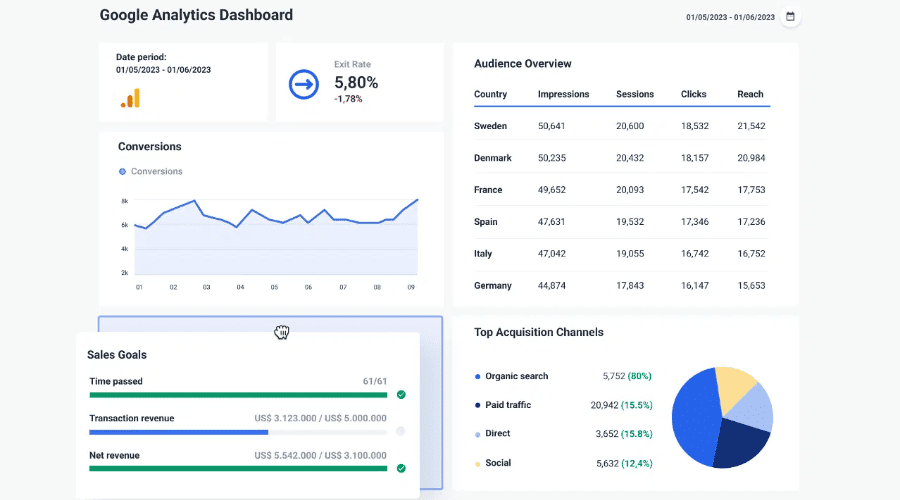
Google analytics is an efficient web analysis software application that enables detailed knowledge of the web traffic, user pattern and marketing performance. It is popular in terms of user interaction tracking on sites and applications and has such functions as audience segmentation, conversion, and real-time reporting.
Top Features:
-
Monitor live user activity on your site.
-
Analyze user demographics, interests, and behaviors.
-
Set up goals to track specific user actions.
-
Monitor product performance and sales.
-
Optimize ad campaigns based on analytics data.
Pros:
-
No subscription and full functionality.
-
Integration with other Google services.
Cons:
-
Sharp learning curve among beginners.
-
Limited support for non-Google advertising platforms.
Pricing: Free plan has the basic functions that can be used in most of the small and medium-sized companies.
2. Adobe Analytics
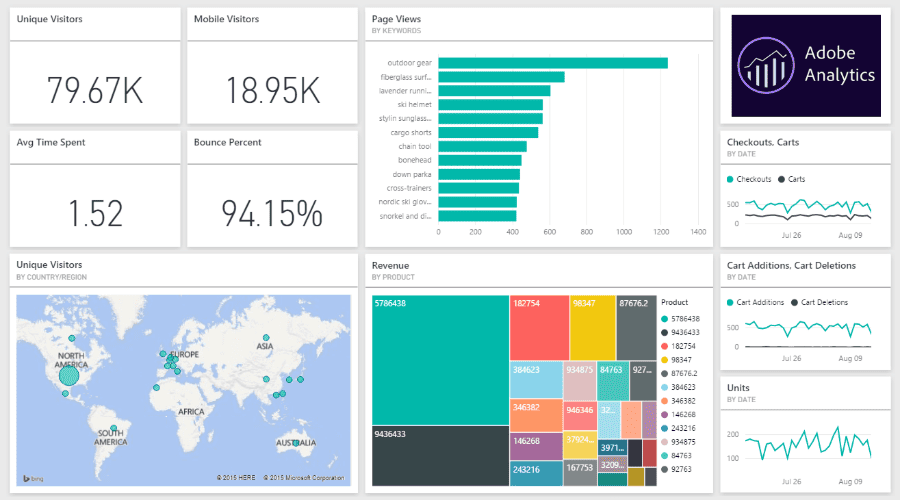
Adobe Analytics is a web analytics solution that is a premium version tailored to meet the needs of the enterprise that would require the capability to perform multiple data analyses. It provides strong features of real-time analytics, predictive modelling and customer journey tracking, which fits best with large companies with intricate data requirements.
Top Features:
-
Get real-time analytics
-
Use machine learning to predict trends
-
Know the influence of other marketing channels
-
Craft reports to business requirements
-
Make use of a set of marketing tools.
Pros:
-
Very scalable and customizable
-
Well-developed support and training materials
Cons:
-
High cost, making it less accessible for small businesses.
-
Requires dedicated resources for implementation and management.
Pricing: The prices begin at a range of $2,000 to 2,500 per month depending on the size of a business (small to medium). For large enterprises, costs can exceed depending on customization and data volume.
3. Google Search Console
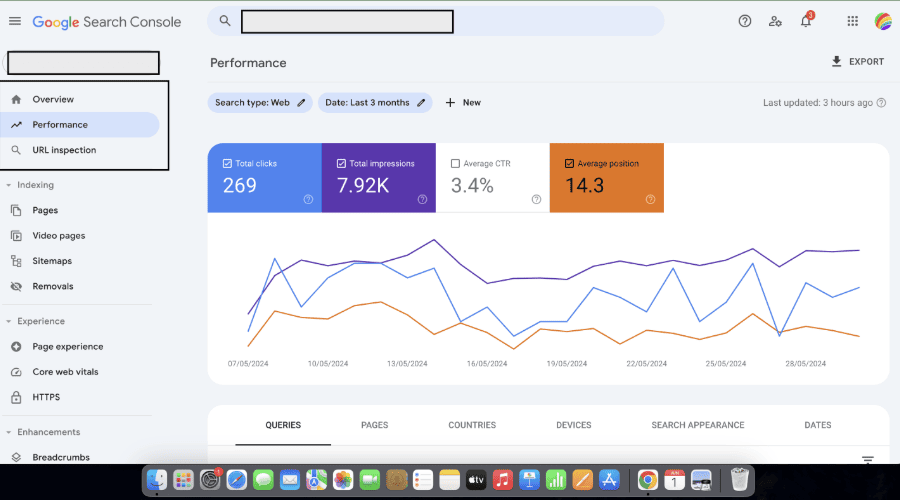
Google Search console is a free analytics services of a website owner to track and maintain the presence of the site on the Google search results. It gives information about traffic in search results, indexing, and possible problems that can be experienced on the site.
Top Features:
-
Analyze clicks, impressions, and average position.
-
Detect and resolve indexing problems.
-
Make sure your web site is mobile.
-
Make Google crawling and indexing your site more effective.
-
Get notified about potential security problems.
Pros:
-
Completely free to use.
-
Direct insights from Google, the leading search engine.
Cons:
-
Only uses Google search information; does not offer detailed analytics.
-
Lacks enhanced features in high end tools.
Pricing: Free.
4. Hotjar
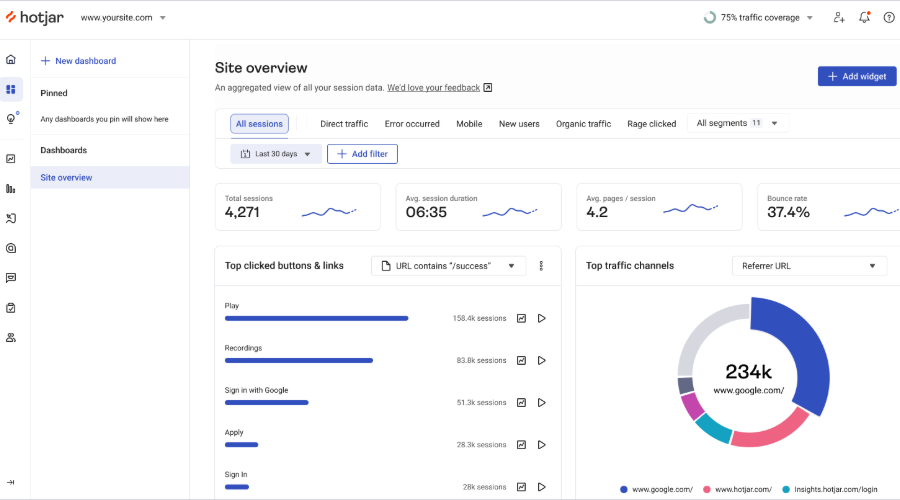
Hotjar is a web-based analytics application that is directed towards user behavior based on heatmaps, recording procedures, and opinion surveys. It comes in handy especially when you want to know how users are using your site and in what areas they are weak.
Top Features:
-
Visualize where users click, move, and scroll.
-
Watch recordings of real user sessions.
-
Identify where users drop off in the conversion process.
-
Collect direct feedback from users.
-
Gather user opinions in real-time.
Pros:
-
Easy to set up and use.
-
Provides visual insights into user behavior.
Cons:
-
Less data storage of the lower level plans.
-
Certain higher-level features are available in superior plans.
Pricing: Free plan has a maximum of 20,000 sessions a month with basic functionalities.Plus Plan starts at $40/month, offering increased session limits and additional features.
5. Mixpanel
Mixpanel functions as a web-based analytics solution which focuses on monitoring user interactions across web and mobile applications. The platform provides essential user behavior and retention and engagement data which benefits both product teams and marketing organizations can use.
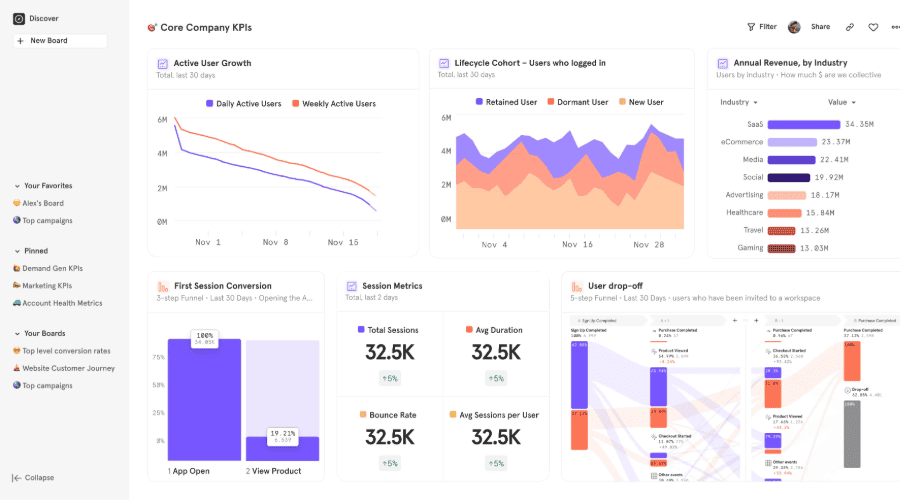
Top Features:
-
Monitor specific user actions within your app.
-
Know user routes and conversion metrics.
-
Measure user retention through time
-
Perform optimally by switching to alternative versions of your app.
-
Reach out to users with personalized messages
Pros:
-
Gives extensive information on user behavior
-
Supports mobile and web-based platforms
Cons:
-
Can become expensive as your user base grows
-
Requires technical setup for event tracking
Pricing: Free Plan Includes up to 1 million monthly events with basic features. For further plans contract sales or visit websit.
5. Conclucion
The best site analytics tools are the ones that can give you full control over the performance of your website. The Best Web Analytics Tools assist you to follow visitor behavior, traffic sources, page optimization, and use of smarter and data-driven decisions to make marketing decisions. They transform raw data into coherent insights and can assist you in increasing the engagement, conversions, and general business expansion.
Are you willing to take your site to the next level? Get the best analytics tools with SaaS Adviser and begin making smarter moves on the digital plane!
