
Best University Management Software in
Are you looking for University Management Software for your Business in ? SaaS Adviser brings you the best University Management Software to ease your worries. In order to make your work smooth and swift, SaaS Adviser has compiled a list of the best software available. Compare the Best software features, pricing, free demo, and trial to select the best University Management Software for your organization.
 Researched and Written by Akash Patel
Top 3 Featured Softwares


List of Top University Management Software

Get Free Consultation


Ellucian's school management or administration software comes with many features that support higher education and admissions. Users of this software can manage a pool of applicati...
View Profile

Fedena is a school management software that comes richly featured with almost all essential school administration features, which can help automating and organizing college and sch...
View Profile

PowerSchool is a software that consolidates everything into one ecosystem that functions differently. The technology is unified at every stage, from back-office to classroom to hom...
View Profile

OpenEduCat
By OpenEduCatCheck How OpenEduCat can help to automate Indian Business. SaaSAdviser provide their list of features, pricing, Free demo and Comparison with the best alternative
View Profile

Campus360plus
Integrated Platform for a Unified Digital Experience for all Stakeholders!Managing an educational institution is anything but just academics, it involves coordinating day-to-day administrative tasks, communication, and resources management. Hence any...
View Profile

HDSchool

A complete School Management System
HDSchool is a complete software that automates the day-to-day activities of educational institutions. Easily control admissions, fees, students, fees with a lucrative parent app.
View Profile

Creatrix Campus
By AnubavamCheck How Creatrix Campus can help to automate Indian Business. SaaSAdviser provide their list of features, pricing, Free demo and Comparison with the best alternative
View Profile

Workday Student
By WorkdayCheck How Workday Student can help to automate Indian Business. SaaSAdviser provide their list of features, pricing, Free demo and Comparison with the best alternative
View Profile

Eduberry
Software BY Unitedworld EdusoftEduberryERP is a flagship product of Umbworld Edusoft is a revolutionary educational ERP that has been specially designed to bring the level of education to the next level. ...
View Profile
Camu Digital Campus
By Camu Digital Campus
Furthermore, technology can be used to facilitate online admissions, course registrations, assessments and outcome-based education. Finally, technology makes it easier to access in...
View Profile

Edumarshal
Gateway to an Intelligent eCampusEdumarshal helps make your grounds an eCampus, with a rich assortment of highlights appropriate for schools, universities, colleges, and other learning and preparing foundations. S...
View Profile

Classe 365 is a cloud-based student information system (SIS) and learning management software (LMS) that is ideal for educational organizations. It combines the features of an LMS ...
View Profile

Online Exam Software
Online Exam or Test Series Software for institutesOnlineXm is an online Education company that has 6+ years of IT/Software Expertise. We provide online and offline software for conducting the online exams and test series for the i...
View Profile

Entab School ERP
By Entab School ERP
Entab School ERP is a cloud-based school management software that automates and streamlines the administrative tasks of a school. The software is powered by machine learning, data ...
View Profile

Jenzabar One
By Jenzabar One
Jenzabar One is a powerful higher education platform that helps educational institutes drive institutional and student success simultaneously. The platform helps schools raise fund...
View Profile

EduSys School ERP is a cloud-based management system for schools that helps to streamline and automate the schools' function. It makes daily activities easy for admin staff, teache...
View Profile

CAMPUSPEDIA
Software BY Aarush Systems
E-Campus Academic Suite is designed for completely managing schools, colleges, institutes, and universities. E-Campus Software ensures better interaction between students, faculty,...
View Profile

Campus 365
Cloud-based School Management Platform
Controlling the operations of a school can be a hard job as a lot of activities happen altogether. In such a situation, School 365 is your answer to your problem as it gives you th...
View Profile

JILIT Campus Lynx
Software BY JIL Information Technology Ltd.Campus Lynx is a highly modular and scalable IRP solution specifically developed in line with the operational requirements of the present-day universities and colleges integrated w...
View Profile

Online school management platforms to assist teachers to achieve the highest student engagement in their classes. Online student performance management evaluation, analysis, and re...
View Profile

Table of Content
What is University Management Software?
University management software, which is typically referred to as a university management system, is a very robust online resource that, on a high level, helps to facilitate the utility of facilitating routine academic and administrative functions within a college or university. Managing student records, course schedules, enrollment, grading and assessment, library and other facility management, human resources, and financial management are among the many features of UMS.
A UMS saves paper and errors and ensures accurate and current data by eliminating tasks such as processing admissions, taking attendance, reporting grades, and producing reports. This simplifies how schools and universities collaborate and operate their businesses more efficiently.
1. Conclusion
In summary, institutions today have powerful options at their disposal to manage growing student populations and changing models of education with all-in-one solution providers on the market. This benefits administrative staff by reducing the time on paperwork, while faculty and staff spend less time on forms and focus on teaching and advising. As we approach 2025 in higher education, it's clear that any university or college intent on staying at the forefront must implement an easy-to-use, sophisticated UMS, ideally cloud-based.
2. Top 5 best University Management Software in USA
Here, we look at five of the top university administration software systems below. For every one of them, we outline its top features, prices, and advantages and disadvantages according to expert reviews and user feedback.
1. Classe365
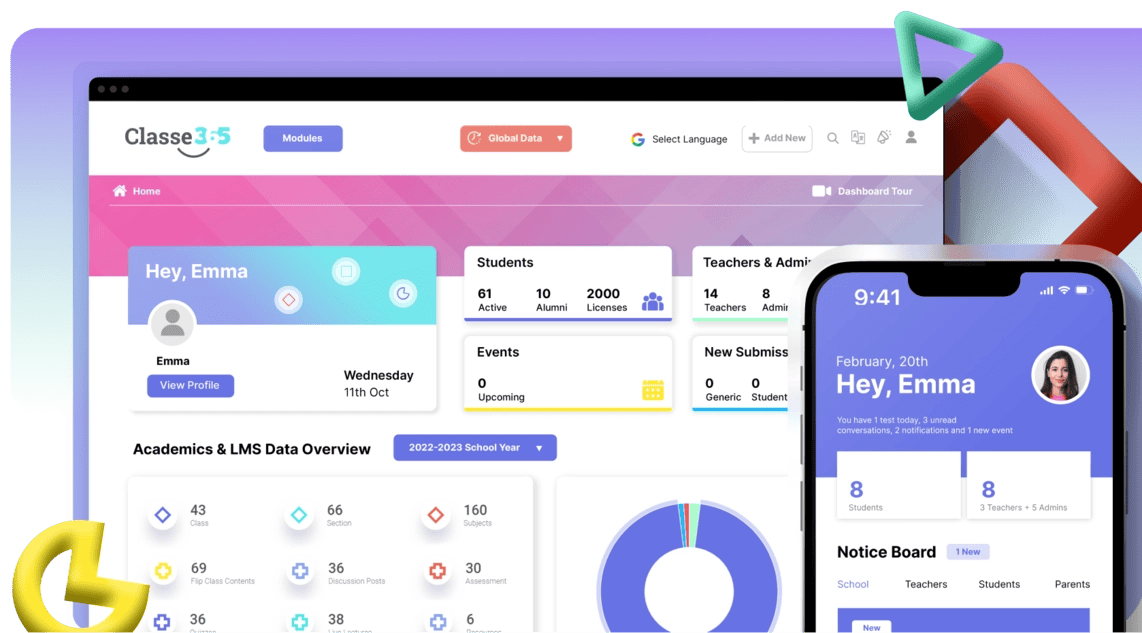
Classe365 is an integrated cloud-based SIS and LMS that encompasses the entire student lifecycle. It includes modules for pre-admissions/enrollment, CRM (such as click-to-call and email follow-ups), SIS (such as student records, gradebooks, and degree audits), LMS (such as self-paced courses, quizzes, and video classrooms), finance/accounting (such as grants, scholarships, and billing), alumni management, and even a private social network for campus communities. It integrates with many other apps and has mobile apps for iOS and Android.
Features
-
End-to-end university management platform covering admissions to alumni.
-
Cloud-based system accessible from anywhere with real-time updates.
-
Built-in CRM tools for student engagement and lead tracking.
-
Learning Management System (LMS) integration for online classes.
-
Finance and fee management tools for smooth transactions.
Pros
-
Users appreciate that it has lots of features, ranging from admissions to alumni.
-
The interface is updated and customizable.
Cons
-
Due to the fact that there are so many features, it may take some time learning how to utilize all of them.
-
Smaller schools may be overwhelmed by the number of modules initially.
Pricing: Starts at $100/per month
2. Infinite Campus, Inc.
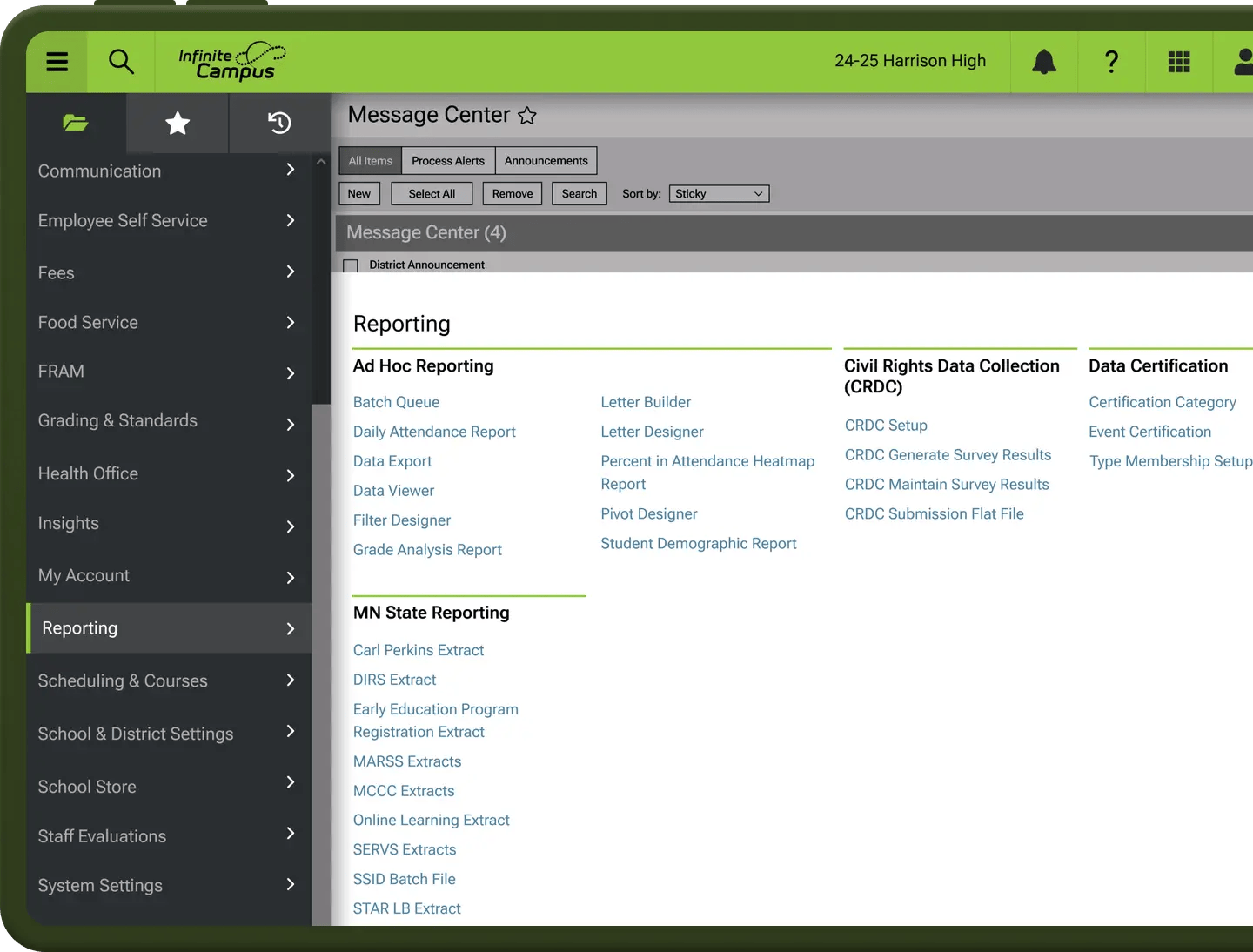
Infinite Campus SIS is a well-developed, cloud-hosted student information system for K–12 and higher-ed districts ranging in size from 30 to 330,000 students. It integrates SIS, operations, and learning functionality to manage attendance, behavior, grades, health information, schedules, and more. It has Tier-4 data center security for high availability.
Features
-
Centralized student information system for higher education.
-
Robust attendance tracking and grading system.
-
Parent and student portals for real-time communication.
-
Curriculum and scheduling tools to optimize course planning.
-
Strong compliance features for US education standards.
Pros:
-
It's a business-level system proven to be stable on large campuses.
-
Real-time access to data and a single database prevent individuals from duplicating effort and entering information twice.
Cons:
-
New users can feel that the interface is old, and they might need training to discover how to use all the features.
-
Budgeting can be difficult because the prices are not transparent.
Pricing: For detailed pricing, visit the website.
3. Anthology
Anthology Student is a cloud-based enterprise and student information system software that concentrates on supporting every student to achieve. It includes enrollment management, curriculum, course scheduling, academic records, student progress tracking, and degree processing modules. It also frequently contains financial aid, faculty workload management, and analytics dashboards.
Features
-
All-in-one solution providing LMS/SIS/CRM features.
-
Analytics driven by AI to enable personalized learning pathways.
-
Efficient admissions and enrollment management.
-
Integrated financial aid and tuition management.
-
Collaboration tools to enhance student-faculty interaction.
Pros:
-
Anthology's strength lies in its capacity to blend academic and administrative information in a form that can satisfy challenging accrediting and reporting requirements.
-
Users frequently appreciate its analytics as being useful for retention efforts. According to one reviewer on G2, professors found it very easy to use and learn.
Cons:
-
It can take an extended amount of time to implement.
-
Training and managing change within the institution are both highly critical.
Pricing: For detailed pricing, visit the website.
4. Canvas LMS
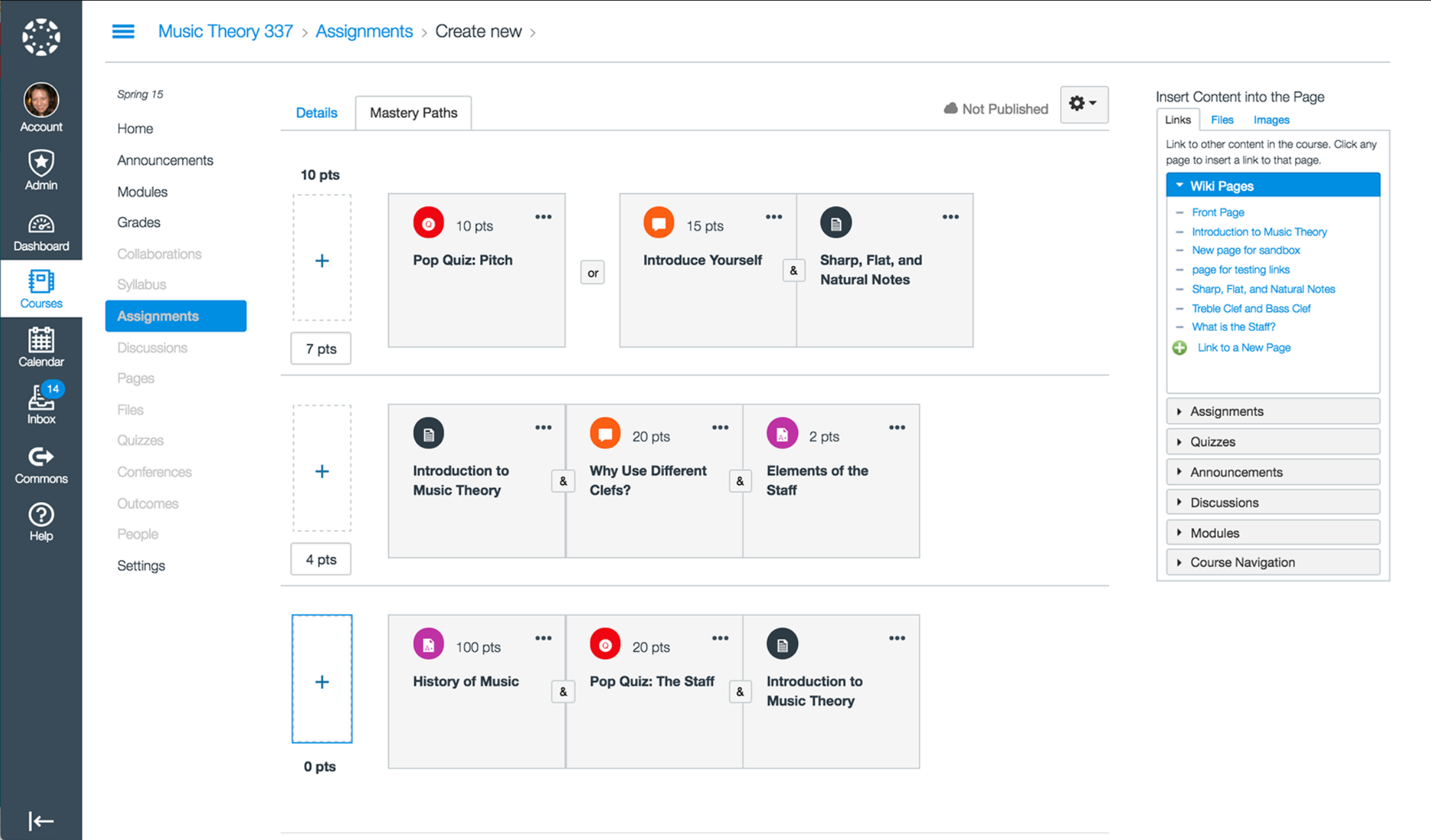
Canvas LMS from Instructure is a widely used learning management system software across a number of universities globally. It is an open-source (AGPLv3) modern platform for presenting course content. Canvas, in its hosted version, has course authoring, a gradebook, discussion boards, quizzes, and multimedia assignments. Since it is open-source, schools can host Canvas at no charge or pay for cloud hosting with SLAs and support.
Features
-
Modern and intuitive interface designed for digital learning.
-
Seamless mobile app for students and faculty.
-
Robust course management with multimedia support.
-
Built-in tools for quizzes, assignments, and grading.
-
Integrates with third-party apps like Google Drive and Zoom.
Pros:
-
The broad availability of apps and sharing materials (Canvas Commons) is also a benefit.
-
Since it's open-source, technologically savvy schools can modify or extend it as needed.
Cons:
-
Individual schools require independent systems for complete administration.
-
Without paying for support, you must have in-house IT skills in order to implement the open-source version.
Pricing: For detailed pricing, visit the website.
5. HDSchool
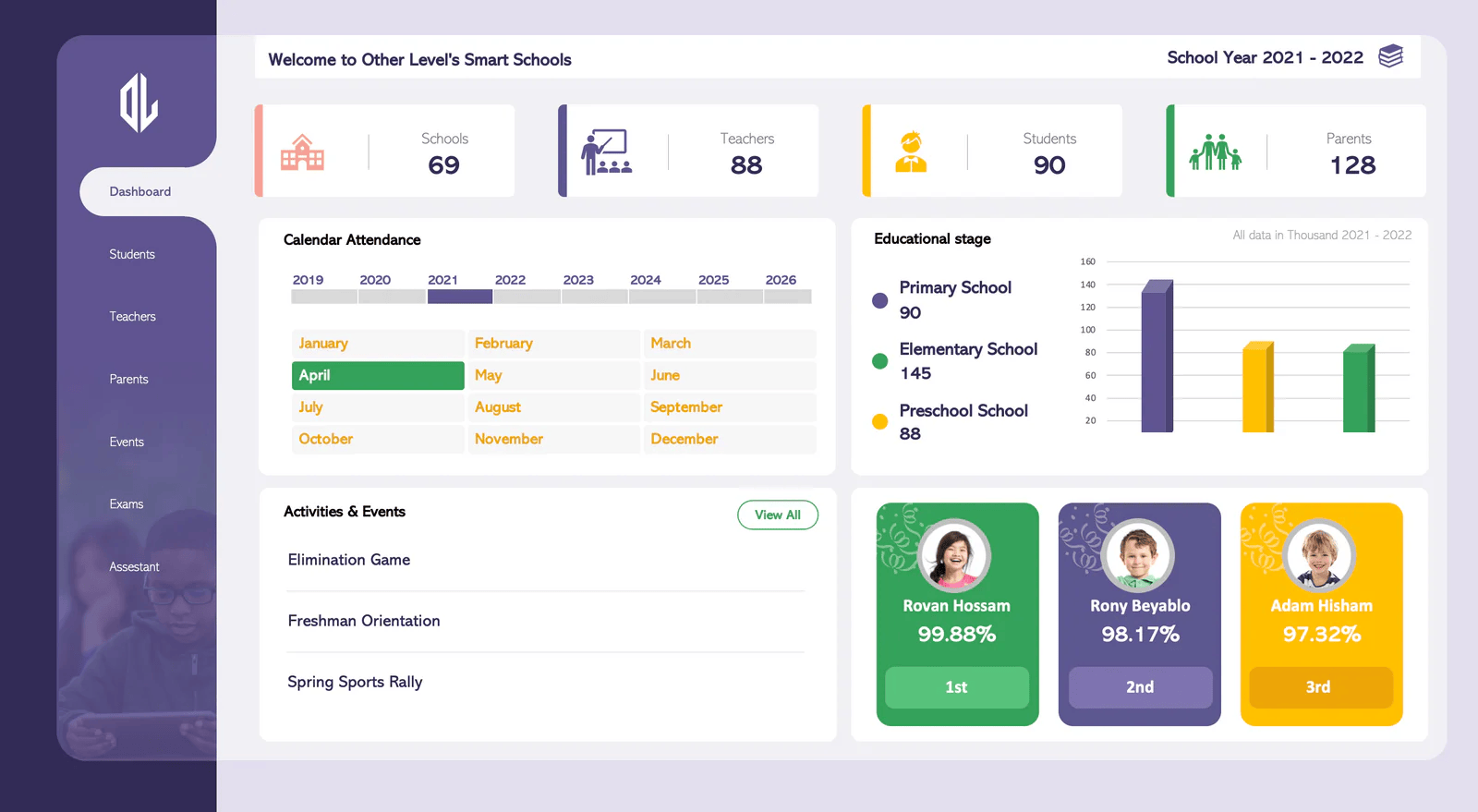
HDSchool is a college and school management software widely used in Asia but usable by any institute. It sends daily campus tasks such as admissions, fee management, attendance, timetables, libraries, payroll, etc., in auto mode. The platform also has simple dashboards to manage fees (installments, fines) and maintain student data. It also contains modules for homework tasks, generating timetables, attendance reports, and customized certificates.
Features
-
All-in-one solution for schools, colleges, and universities.
-
Admission and fee management system with automation.
-
Attendance tracking with biometric and RFID options.
-
Timetable and scheduling tools for efficient class planning.
-
Library and inventory management features.
Pros:
-
Customer feedback commends the simple billing procedures and prompt support teams.
-
The system operates on Windows tablets and accommodates various payment modes for fees.
Cons:
-
It is less established in the US higher ed market, so support will not be everywhere the same.
-
Schools should determine if it will satisfy any compliance or accreditation needs.
Pricing: For detailed pricing, visit the website.
3. Key Features Of University Management Software
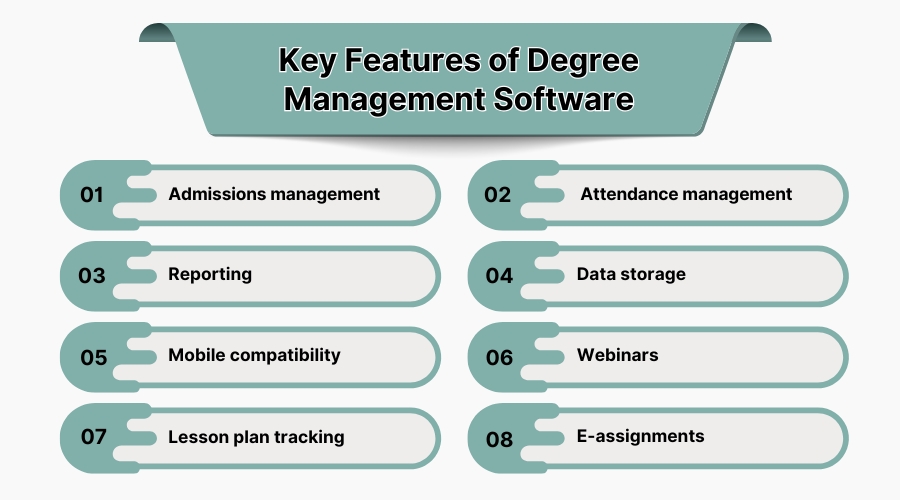
The University Management System Market is expected to experience a compound annual growth rate (CAGR) of 6.72% from 2025 to 2034, growing from USD 7.10 billion in 2025 to USD 12.76 billion in 2034. Most of the degree or university management system software has the following key elements.
1. Admissions Management
Modules to handle online applications, document uploading, fee payment, and automated decisions. A system that holds every piece of a student in one place includes personal details, enrollment history, grades, schedules, and academic transcript. This is the most important part of the system, as it holds every single piece of information on a student. most crucial aspect of the system because it tracks every piece of information on students.
2. Attendance Management
Software that allows you to track who is in class (by day, subject, or student). This might involve items such as biometric or RFID sign-in, mobile sign-in, and reports that aggregate all of the attendance information.
3. Reporting
Teachers' gradebook tools and the ability to easily create reports for transcripts, mark sheets, and analytics. Administrators can obtain information on enrollment trends, exam scores, finances, etc., with good reporting.
4. Data Storage
Cloud data warehousing allows you to store documents (like transcripts and certificates) and records securely. Highly advanced UMS utilizes strong encryption and access restrictions to guard student data.
5. Mobile Compatibility
Students and educators can access the system through their tablet or smartphone by a mobile application or by having the site designed to be responsive. This helps with looking up assignments, approving requests, or checking IDs.
6. Webinars
Integrates with LMS and video conferencing to support webinars, online classes, and electronic homework. Systems may include integrated quiz components, e-assignments, and support for virtual classroom software.
7. Lesson Plan Tracking
For K–12 districts or for districts utilized by teaching departments, instructors should be in a position to create lesson plans, distribute assignments, and monitor grades online. This ensures that the classroom management software is in synchronization with the students' records.
8. E-Assignments
Students are able to submit e-assignments and participate in discussion forums. One queue management solution claims to offer contactless consultations through virtual services. Meaning you are able to book online office hours and lectures using video conferencing applications such as Zoom or Teams. This makes remote and hybrid learning easy, which allows schools to maintain teaching regardless.
In practice, degree management software ought to enable you to manage admissions forms, track attendance, create transcripts, save data to the cloud, manage fees, and communicate simply, all through web and mobile interfaces.
4. Latest Trends Of University Management Software
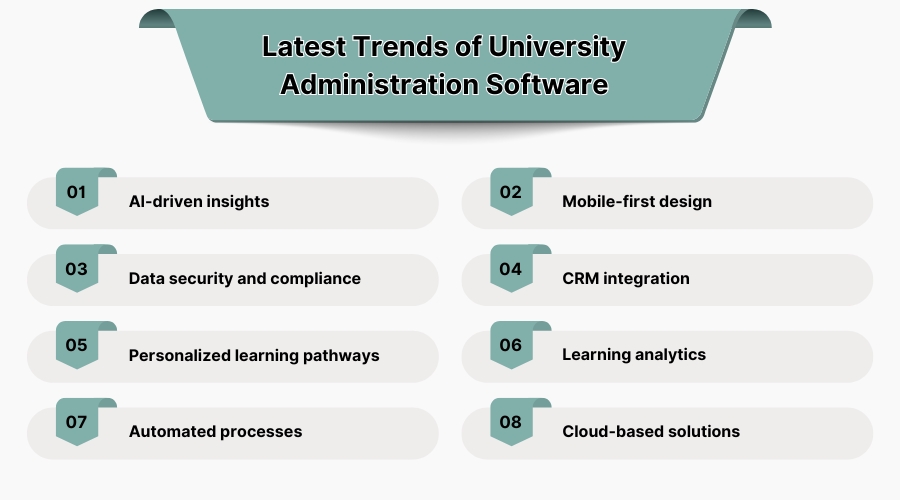
The Most Recent Trends in Software for University Administration. University management software is evolving rapidly. Some of the key trends that are influencing today's solutions include.
1. AI-Driven Insights
More universities are using artificial intelligence in their systems. These AI-based systems create individualized learning pathways and leverage predictive analytics. We believe that by 2025, AI will be used even more in UMS systems for such applications as automated grading, academic advising robots, and student-assistant chatbots.
2. Mobile-First Design
As the majority of students and teachers have smartphones nowadays, today's UMS solutions are designed with mobile devices as the priority. This implies that individuals can do anything on any device through responsive design or native apps. Mobile technologies enable you to receive push notifications about deadlines or announcements, view resources when you lack a proper internet connection, and collaborate on the go through chat and forums.
3. Data Security and Compliance
Data security is a trending topic as companies are ever more often becoming victims of cyber attacks, and privacy regulation is an exploding business. They are attempting to build institutional trust by improving encryption and multi-factor authentication and obtaining compliance certifications (FERPA and GDPR). Blockchain is even being leveraged for secure credentialing, and individuals are examining zero-trust network architectures. Routine security audits and in-built compliance reports will probably be standard requirements
4. CRM Integration
Many UMS packages include Customer Relationship Management (CRM) features for admissions and alumni relations embedded within them. Integration with college CRM packages facilitates easier customization of recruitment and retention efforts. In addition, collaboration features such as Teams/Zoom integration, shared calendars, and project management tools are being included or integrated. This is due to education becoming more collaborative between departments and even schools.
5. Personalized Learning Pathways
AI is taking software in the direction of student-focused methods. This encompasses competency-based and blended learning assistance. UMS systems provide flexible degree audits and personalized curriculum planning to make it simple for students to pursue non-linear courses of study, such as opting for minors or pursuing online certificate programs. Access anywhere and anytime is the emphasis, which is extremely important to students who learn in a non-traditional or hybrid manner.
6. Learning Analytics
Analytics is revolutionizing learning. They employ predictive analysis to assist in keeping students engaged. For instance, the program can mark students who are not doing anything by monitoring when their activity slows down, which can trigger outreach. Data-driven decision-making and long-term trend analysis will be key components of next-generation systems, reports one article.
7. Automated Processes
Automation is increasingly prevalent. The software is increasingly automating routine processes, including creating class timetables, examination timetables, fee bills, and reports. This reduces errors and simplifies the administrators' work. Robotic Process Automation (RPA) is also arriving on campuses to automate the transfer of data from one system to another, which takes place constantly.
8. Cloud-Based Solutions
Nearly all new university systems are cloud-native, and that is the direction in which the IT industry is moving. SaaS deployment means that upgrades occur more rapidly, the system can expand, and IT costs are minimized upfront. It also facilitates easier utilization of additional cloud services, for example, e-proctoring or digital library platforms. The cloud model provides ease of maintenance.
5. Benefits Of a University Management Software
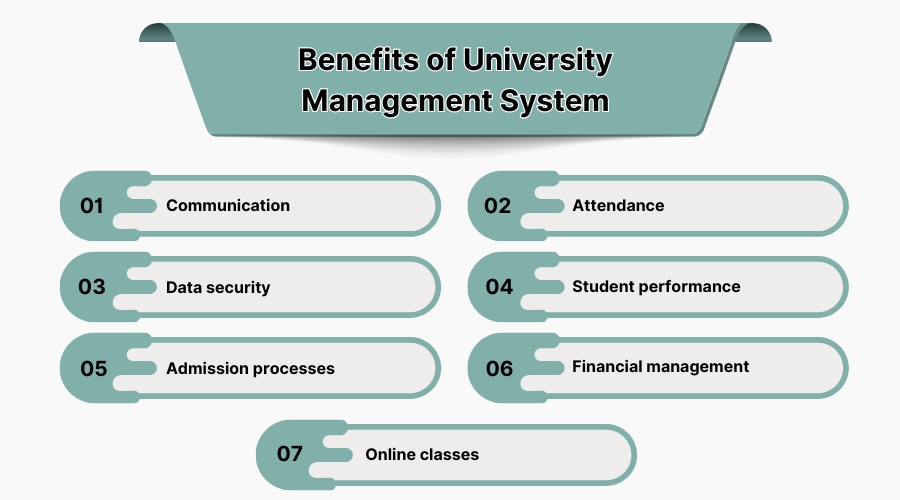
Benefits of a University Management System: An efficient university management system brings many advantages to all stakeholders at the university. Some of the most significant advantages include.
1. Communication
The UMS provides everyone with the same data (grades, schedules, and announcements). Data is collected and offered to students, teachers, and parents. In-system messaging can be used by departments to inform the entire community about policy changes and meetings. Students and staff appreciate reminders so they do not miss anything. Research suggests that schools utilizing these technologies with in-system messaging feel more efficient, accurate, and connected to their students.
2. Attendance
With a click of a button, you can print attendance reports for any subject or for the whole day. You can check students' academic progress even more easily because teachers can enter grades and tests in real time, and the UMS will automatically update their transcripts and progress. Parents and children can visit online to check grades and attendance, which brings them to a level of transparency and collaboration. This timeliness helps identify problems early so assistance can be provided.
3. Data Security
Managing sensitive data such as student information and financial aid data online increases the need for security. Redundant backup and disaster recovery plans ensure that records do not get destroyed. A UMS "ensures data security with strong encryption and prevents data corruption due to human errors" by eliminating spreadsheets and paper forms. Administrators can establish role-based access controls that enable only legitimate users to view specific data.
4. Student Performance
There are even systems that employ predictive analytics to identify students who are on the verge of failing and need assistance before they do so, or to give additional resources to students who are struggling. You can create individualized learning pathways. For instance, high performers can directly able to access superior materials, whereas others can receive warnings about tutoring. One assessment states that UMS features such as degree audit and progress tracking help teachers identify students who need additional assistance with their coursework, thereby leading to enhanced performance.
5. Admission Processes
A cloud-based UMS allows individuals to apply online and streamlines the admissions process. Individuals seeking to attend school can register, submit documents, and pay charges online. The admissions software module verifies forms and flags missing information, which reduces the volume of labor that must be performed manually. Automated payment processing and acknowledgements simplify sign-up. You get to view all your tuition, scholarships, and grants in one place.
6. Financial Management
The system's finance module handles billing, collections, making budgets, and even paying employees. We can have transparent financial reports at any time, making audits and planning easier. Administrators can also manage physical assets and inventory online. Overall, automating accounting and managing resources frees up more time for the finance team and makes fewer errors. Due to this, institutions see sounder financial management and better budgets.
7. Online Classes
Numerous colleges and universities require robust online course delivery, particularly since the pandemic. One queue management solution claims to offer "contactless consultations" through virtual services, meaning you are able to book online office hours and lectures using video conferencing applications such as Zoom or Teams. A university management system is an invaluable resource because it provides so many advantages, including improved communication, greater security, and data-based insights.
6. Challenges Of Software For University Management Software
Some issues with university management software. Even where there are advantages, disadvantages to implementing and utilizing a university administration system exist.
1. Data Security
While a UMS can itself improve overall safety, the downside is that it's centralized and thus becomes a target of an attack. School IT departments will have to make enhancements to their own security infrastructure by means of firewalls, constant patching, and intrusion detection, at least. There is a significant risk and expense of a breach, at $200 per record compromised on average in education. To stay in front of threats, colleges must employ complete security plans, such as the use of the NIST framework.
2. Accessibility Issues
It's not easy to offer to all students, including students with disabilities. Developers have responsibilities to build features like screen readers, videos with captions, and the ability to change the size and color of fonts. Additionally, organizations must offer training and support for academics and staff with a very diverse range of technical skills to help them make the best use of the UMS.
3. Diverse Student Population
The universities have students from all over the world, such as traditional students, adults, international students, part-time students, and so on. Each one has a different set of requirements. The UMS must be capable of serving various kinds of students, program types, and services. Not all will be improved by taking a one-size-fits-all approach. For example, graduate research degree programs might have certain modules (thesis tracking, laboratory bookings) that don't apply to undergraduate programs.
4. Rapid Technological Change
EdTech evolves rapidly. Universities might discover that the UMS they are using requires updating or new features tacked on relatively rapidly (such as mobile apps or AI modules). To remain up-to-date, you must continuously update things and occasionally retrain your employees. New technologies, i.e., blockchain credentials or virtual reality classes, can also emerge, which would demand costly integrations. It's an ongoing task to maintain the IT infrastructure and skill sets at the current level.
5. Integration with Existing Systems
Most campuses already possess old databases and systems. It is difficult to incorporate them into a new UMS. To prevent errors, data migration from various sources (ancient SIS, paper records, spreadsheets) needs to be performed correctly. In case there are issues with compatibility, it might introduce delays or make institutions redo their procedures. It is essential that the API and single sign-on integrate conveniently, but not every vendor offers this.
6. Student Satisfaction
Individuals might not be willing to employ a new system. Individuals accustomed to the way things are normally done might resent change or find the new approach difficult to grasp. It is challenging to get individuals to adopt the UMS when it presents a high learning barrier. For instance, users have complained that some systems require extensive training management software.
7. Budget Constraints
Colleges and universities tend to have lean resources. There are implementation charges, subscription rates, and perhaps additional fees for additional modules or seats with a SaaS UMS. Research in the area indicates that higher spending for technology and IT personnel has resulted in higher tuition and reduced budgets. Schools must adequately justify why the software is worth the investment and possibly phase it in according to how many funds they have.
8. Communication and Collaboration
Unless the system is well established, departments can still work in silos. An effective governance structure will help formalize interactions between faculties and divisions like admissions, academics, and finance. In this manner, rather than "unified" information ending up as disparate pieces.
9. Adapting to Change
The UMS will need to adjust as institutional needs shift. Difficult-to-change systems can become obsolete in no time. Schools should be ready to accommodate future expansion from the very beginning, although ongoing vendor support and modular architecture assist. To make the project a success, you need to know about these problems and plan for them.
7. Criteria for Selecting a University Management Software in USA
In selecting the best university management solution, you have to plan carefully about a couple of things that matter: different departments or programs.
-
Verify the modules and features to ensure the software is up to your minimum requirements and allows you to add or modify things.
-
Consider how well it can integrate with other systems on the campus. It must do so to prevent data silos.
-
It is also crucial that the system can expand with your institution's requirements and support the size of your students and employees.
-
Security and compliance are requirements. Usability and support are also considerations.
-
The interface must be simple to use by students and staff, and the vendor must provide training and good customer support.
Finding the best solution for your university entails undertaking the balancing act of weighing the pros and cons of each competitor based on functions, security, price, and overall usability.
