
Best Team Collaboration Software in
Are you looking for Team Collaboration Software for your Business in ? SaaS Adviser brings you the best Team Collaboration Software to ease your worries. In order to make your work smooth and swift, SaaS Adviser has compiled a list of the best software available. Compare the Best software features, pricing, free demo, and trial to select the best Team Collaboration Software for your organization.
 Researched and Written by Akash Patel
Top 3 Featured Softwares


List of Top Team Collaboration Software

Get Free Consultation


Zoho Workplace

Unified collaboration app for businesses
Zoho Workplace is a digital workspace platform to centralize workspaces, simplify file sharing, and streamline team communication. The unified dashboard brings all your office ...
View Profile

Connecteam
Powerful Hubs, Flexible Pricing
What is Connecteam?Connecteam is a mobile-first employee management software designed to simplify and centralize daily operations for deskless and remote teams. It offers tools...
View Profile

Hiver is a delightfully easy-to-use customer service platform that brings together all your communication channels, apps and data so you can provide stellar support to every custom...
View Profile

zenzap
The All-in-One Team Communication App
Zenzap is a professional team communication app designed to unify messaging, task tracking, calendar/scheduling, and secure data access in a single platform. It is built by Loo...
View Profile
Cerri
Enterprise Project Portfolio Management Software
Cerri provides simple yet powerful team collaboration and project management solutions to improve project workflow, and align teams towards common goals.
View Profile

Docsie
Enterprise Knowledge Base Software
Docsie is a versatile digital documentation and knowledge management platform designed to streamline the creation, management, and distribution of various types of content, includi...
View Profile
.jpg "Salesflare")
Salesflare is a powerful customer relationship management (CRM) software designed specifically for small and medium-sized businesses (SMBs) that thrive on building strong customer ...
View Profile

ClickUp is a comprehensive, all-in-one productivity platform designed to streamline work management for individuals and teams across industries. It centralizes project planning...
View Profile
What is Monday.com?Monday.com is a cloud-based Work Operating System (Work OS) designed to help teams plan, track, and manage their projects and workflows efficiently. Its high...
View Profile

What is Workable?Workable is an all-in-one recruitment software that helps businesses streamline the hiring process from start to finish. It provides tools for posting jobs, tr...
View Profile

Asana is a cloud-based project management software designed to help teams organize, track, and manage their work efficiently. It streamlines workflows, improves collaboration, ...
View Profile

Slack is a communications and workflow solution designed for teams. Using Slack, you can set up channels, which can be around any theme, project, client or department. You can invi...
View Profile

What is Miro?Miro is a cloud-based visual collaboration platform designed to help teams brainstorm, plan, and execute projects in real time. Featuring an infinite digital whiteboar...
View Profile

What is Trello?Trello is a flexible, web-based project management tool that helps individuals and teams organize their tasks visually. Based on the Kanban method, Trello uses b...
View Profile
What is AirtableAirtable is a cloud-based platform that combines the simplicity of a spreadsheet with the functionality of a database. It helps teams organize, collaborate, and man...
View Profile

Microsoft Teams is a great way for groups of 2-10,000 people to collaborate with each other. You can share your thoughts in the form of emojis, stickers, GIFs, or one-to-one person...
View Profile
Webex Teams helps speed up projects by providing team collaboration tools such as Chat, online meet, whiteboard, scheduler, and file allotment. These help users keep moving forward...
View Profile

What is BasecampBasecamp is a popular project management and team collaboration tool designed for simplicity. It helps businesses organize tasks, communication, and files in on...
View Profile
What is Teamwork?Teamwork is a challenge management and collaboration software program designed to help teams prepare duties, control initiatives, and enhance productivity. Ide...
View Profile

Wrike is a powerful cloud-based project management and collaboration software designed to streamline workflows, improve team productivity, and enhance visibility across project...
View Profile

Table of Content
Team collaboration software assists in communication, file sharing, and project management of all teams in a single location, which is more beneficial to workflow and enhanced productivity. No matter the distance of your team, remote or in-office, the best team collaboration tools and software can have your team connected and aligned. These team collaboration platforms make team work easier, whether the team is messaging or tracking activities. Discover top team collaboration tools & software to make work more effective, establish networks and are able to meet the goals more quickly.
1. Conclusion
It does not necessarily have to be difficult to find the appropriate team collaboration software. The appropriate platform can also streamline your teams every-day, keep the projects running, and assist all of you to be connected, both when in the office and when working at home. It is possible to select a solution that fits your team well by favoring features such as tracking of tasks, the management of workflow as well as the smooth communication.
Don’t leave productivity to chance—check out SaaS Adviser’s expert reviews and comparisons to find the collaboration tool that works best for your team today.
2. My Picks for the Best Team Collaboration Tools for 2025 USA
|
Platform |
Best For |
Features |
Pricing + Plans |
|
Real-time messaging & integrations |
Channels for teams, 2,400+ app integrations, file sharing, workflow automation |
Free plan; Paid plans from $7.25/user/month |
|
|
Enterprises using Microsoft 365 |
Video calls, chat, Office 365 integration, file sharing, enterprise security |
Free version; Paid plans from $4/user/month |
|
|
Video conferencing & remote teams |
HD meetings, breakout rooms, screen sharing, meeting recordings, app integrations |
Free plan; Paid plans from $14.99/month |
|
|
Project management & workflows |
Task boards, timelines, automation, reporting dashboards, team progress tracking |
Free basic plan; Paid plans from $10.99/user/month |
|
|
Visual project tracking |
Kanban boards, drag-and-drop tasks, Butler automation, 200+ integrations |
Free plan; Paid plans from $5/user/month |
1. Slack – “Where work happens, conversations flow.”
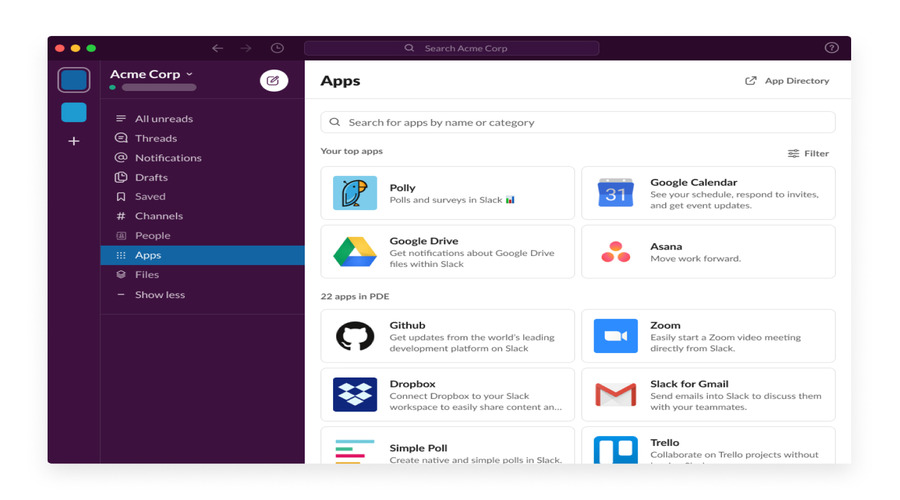
Slack is among the most popular team collaboration tools that are ideal in real-time communication and managing the workflow. It focuses on bringing together a team chat, file sharing, and integrations with thousands of applications. Industries across the board get boosted productivity in teams and enterprises with the help of this work team collaboration software regardless of whether it is a startup or an enterprise.
Features:
- Live instant messaging in structured channels.
- Integrations with 2,400+ apps
- File sharing, history of searchable messages.
- Routine tasks automation.
Pros:
- Good in the rapid communication of teams.
- Wide range of integrations
Cons:
- May be overpowering with a myriad of channels.
- Minimum features in the free plan.
Pricing: Free plan; Paid plans begin with 7.25/user/month.
2. Microsoft Teams – “Connect, collaborate, and achieve more together.”
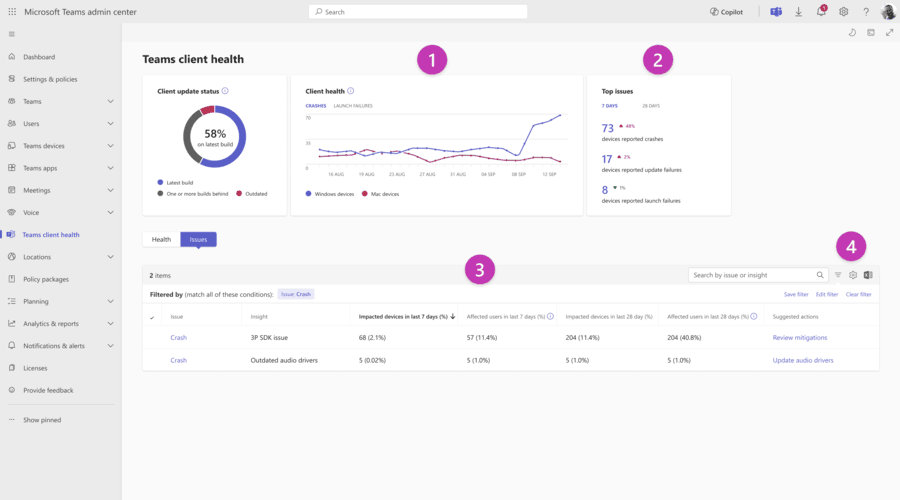
Microsoft Teams is the most popular team collaboration tool, which is integrated with Office 365. With chat, video chats, and file sharing, it can be used by businesses that need high-quality and secure teams collaboration software. Its unified workstation assists employees to work on projects and to increase their productivity.
Features:
- In-board video meeting and chat.
- All-inclusive compatibility with Microsoft 365 applications.
- SharePoint file sharing and OneDrive.
- Well-developed security and compliance.
Pros:
- Perfect in the case of businesses that are already on the Microsoft ecosystem.
- Good video conferencing features.
Cons:
- May are complicated with small teams.
- Storage limits on free plan
Pricing: Free version; Paid plans start at $4/user/month.
3. Zoom – “Bringing people together, anytime, anywhere.”
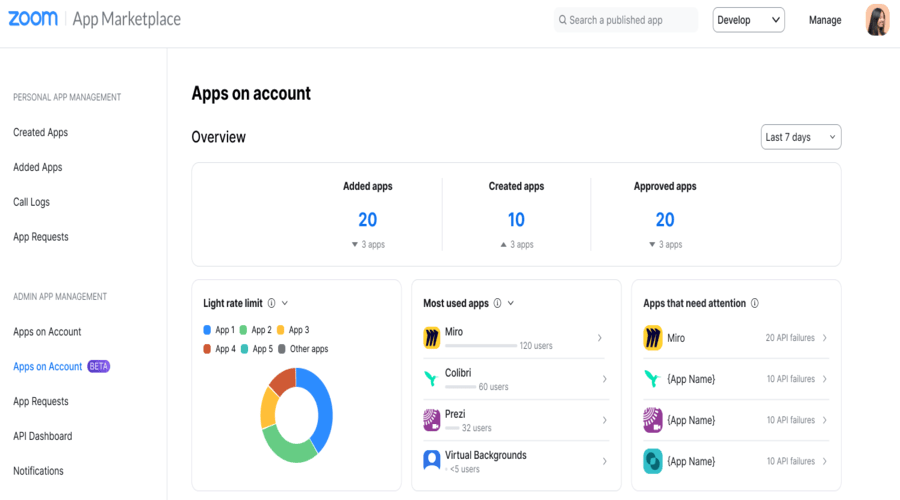
Zoom is a well-known tool for team collaboration that offers smooth video conferencing. It connects teams around the world with HD meetings, breakout rooms, and integrations. Many remote workers, educators, and businesses prefer Zoom because it serves as an effective tool for improving productivity and teamwork.
Features:
- Video conferencing is of high quality.
- Group discussion break out rooms.
- Meeting recording and screen sharing.
- Collaboration Software Integration.
Pros:
- Superior video/audio quality.
- Convenient to use on big meetings.
Cons:
- No cost in case of group meetings up to 40 minutes.
- Security issues of the past.
Pricing: Free plan; Paid plans begin at 14.99/month.
4. Asana – “Organize work. Empower teams. Achieve goals.”
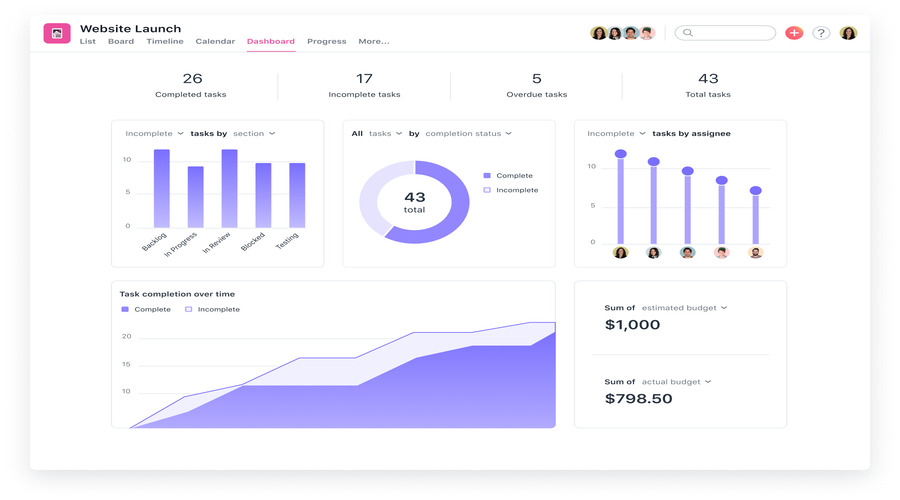
Asana is one of the top team collaboration tools for managing projects and workflows. It helps businesses organize tasks, set timelines, and streamline workflows. As a flexible employee collaboration tool, it enables teams to track progress and reach their goals effectively.
Features:
- Task and project managers' boards.
- Timeline and calendar view
- Repetitive job automation.
- It is reporting and tracking progress.
Pros:
- Good in organizing projects.
- Highly customizable workflows.
Cons:
- Novice learning curve.
- Premium plan is locked and has some advanced features.
Pricing: Free basic plan; Paid plans begin at $10.99/user/month.
5. Trello – “Visualize your projects. Simplify your workflow.”
Trello is an easy-to-use team collaboration app that uses Kanban boards to simplify workflows. It works well for small teams and creative projects. It is one of the best free collaboration apps for visual thinkers who like drag-and-drop features and straightforward project tracking.
.jpg)
Features:
- Project tracking boards in the form of Kanbans.
- Drag-and-drop management of tasks.
- Integration with 200+ apps
- Automation with Butler
Pros:
- Uncomplicated and user-friendly interface.
- Great for visual thinkers
Cons:
- Limited reporting features
- Does not do well on large enterprises.
Pricing: Free plan; Paid plan starting at $5/user/month.
3. Benefits of the Best Team Collaboration Tools
The following are the main advantages or advantages that you need to consider before adopting the Best Team Collaboration Tools in your business:
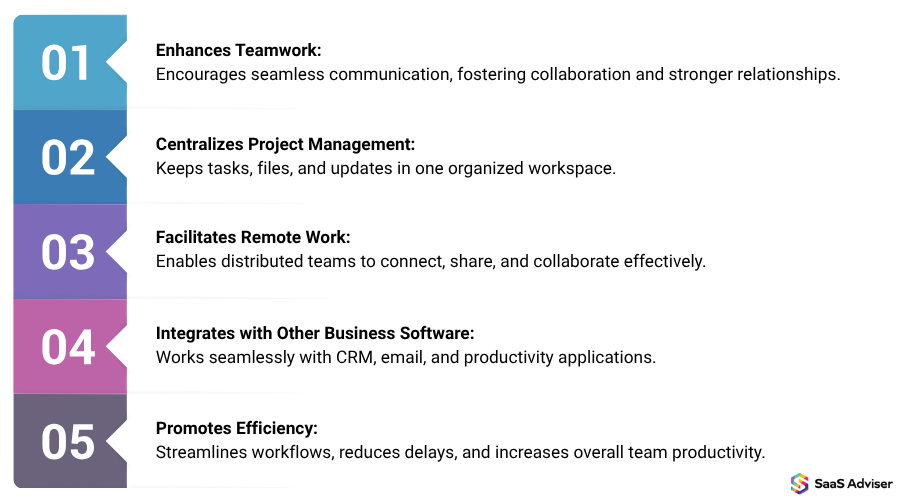
1. Enhances Teamwork
Effective teamwork begins with understanding. The most effective teamwork collaboration platforms will enable team members to email updates, brainstorm, and keep all members on track with team objectives. This ensures that all are on track, there is less confusion, and that there is enhanced departmental teamwork.
2. Centralizes Project Management
No longer random activities or long email in chains. Using such built-in softwares, teams can plan projects and create deadlines and track progress all under a single roof. The best SaaS project management software provides you an insight of what is being done and nothing going through the cracks.
3. Facilitates Remote Work
In the case of teams that are located in different locations, quality remote work software in US is something that is not to be compromised. The best collaboration tools do not consider distance as they provide real-time communication, file sharing, and video conferencing. It is as though your team is always connected and productive regardless of their location of working.
4. Integrates with Other Business Software
The most effective tools do not operate independently. The major teamwork collaboration tools are compatible with CRM, file storage, and additional organizational applications. This simplifies the workflows and reduces wastage of time in switching among tools.
5. Promotes Efficiency
Fundamentally, the most effective team collaboration software is created to conserve time and enhance productivity. These tools enable your team to concentrate on the most important things which can be achieved by centralizing work, overlaps and duplication of work and streamlining communication.
4. Challenges in Best Team Collaboration Tools
1. Lack of training
A team collaboration system can always be as good as the individuals who operate it. Unless the onboarding is conducted, the employees might be confused with functions such as task tracker software or advanced workflow management software. Such inadequate training usually results in the under-use, errors, and frustrations. To beat that, companies ought to invest in clear direction, tutorials, and constant assistance to enable teams to realize the full potential of the tool.
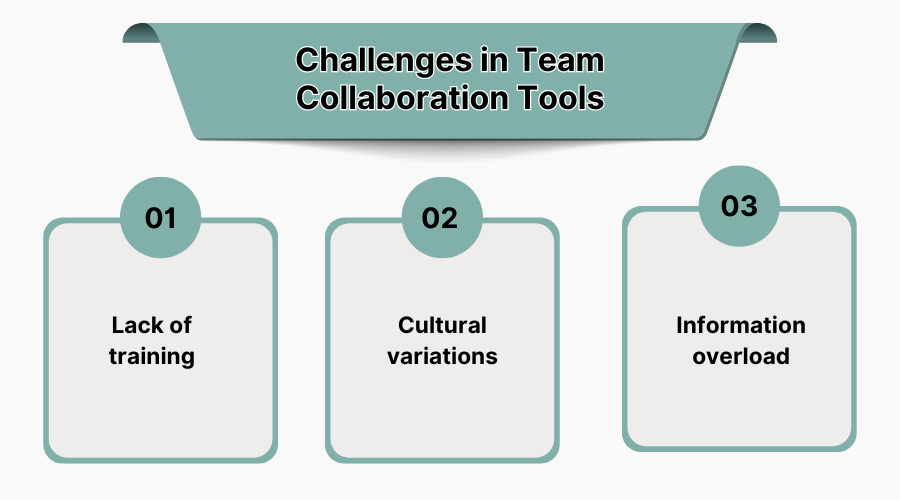
2. Cultural Variations
Cultural differences might become an issue of communication and cooperation among the US companies that operate with international or multi-ethnic groups. What seems to be good teamwork to one group, might not be as such to another group. Even the best team collaboration software will not be able to fill the work style and expectations gaps unless leaders encourage inclusivity. To reduce these obstacles, it is possible to develop effective communication standards and take advantage of the functions of teamwork application tools such as language support or localization.
3. Information Overload
Excessive information is one of the greatest disadvantages of a strong team collaboration system. Team members can be overloaded with constant notifications, project updates, and task alerts and become less productive rather than more productive. When task tracking software or workflow management tools are not configured correctly, a team can spend more time on alert management than on work. The point is to personalize alerts, prioritize their tasks, and maintain the channels of communication as concise as possible, to prevent burnout.
5. Features Of Best Team Collaboration Tools
When choosing a team collaboration system, it’s important to look for features that boost productivity, keep your data secure, and simplify teamwork. Here’s what the best Team Collaboration Tools & Software offer:
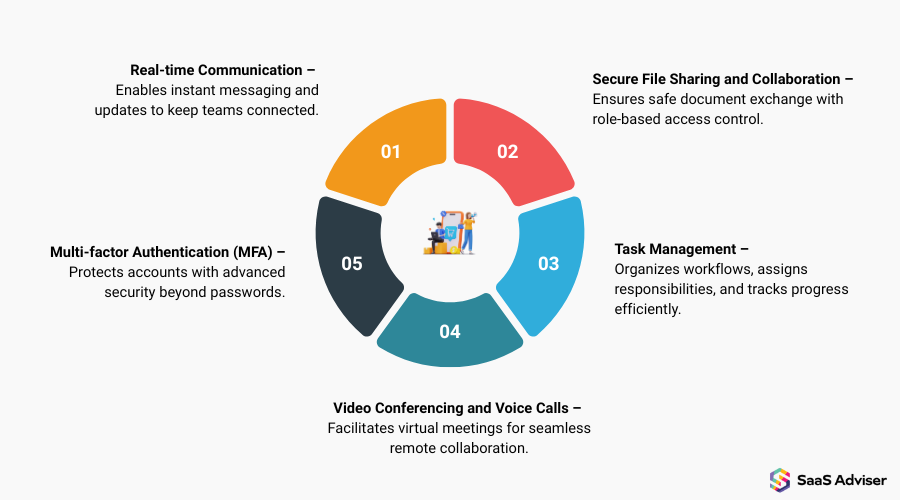
1. Real-Time Communication
Effective teams need instant communication. The most ideal systems will provide you with chat, group messages, and instant notifications allowing your team to provide updates, clarify doubts, and decide without wasting time. Individuals are always on par through real-time communication, and there is no need to engage in an email back-and-forth communication.
2. Secure File Sharing And Collaboration
Your team’s files are valuable—so security matters. Leading workflow management tools provide secure cloud storage, role-based access, and version control, letting multiple team members collaborate on documents without risking data leaks. This keeps sensitive information safe while supporting efficient collaboration.
3. Task Management
An excellent teamwork work system enables you to delegate, monitor, and give precedence to tasks all together. Your team will be able to concentrate on what is important most with inbuilt task boards, deadlines, and a progress tracker. This transparency enhances accountability and monitors the deadlines of projects.
4. Video Conferencing And Voice Calls
Sometimes text isn’t enough. Teams can meet each other virtually because it has integrated video conferencing and voice calls. The tools lessen the friction of meetings, promote engagement and reinforce the team alignment, regardless of the location of the members.
5. Multi-Factor Authentication (Mfa)
MFA provides an additional security measure on your Team Collaboration Tools & Software as it makes the user undergo several verification procedures before being able to access it. This protects sensitive information, as it cannot be accessed by unauthorized people and your team can have peace in mind.
6. Latest Market Trends in Team Collaboration Tools
The software market of the global team collaboration is expanding fast. As per the research, it has been USD 21.79 billion in 2023 and is expected to reach USD 60.38 billion by 2032 with a CAGR of 11.9. This high demand can be traced to the growing demand of effective, safe, and adaptable teamwork solutions within organizations. The following are the major market trends currently defining the market:
1. The Rise Of Mobile-First Communications
Since the use of mobile devices is rapidly growing, mobile-first designs are taking a center stage in collaboration systems. This method will guarantee that teams are able to communicate and work as one irrespective of place, and that improves flexibility and responsiveness.
2. Collaboration And Communication Consolidation
Companies are moving towards the use of integrated platforms, which integrate messaging, video conferencing, file sharing, and task management. This unification simplifies operations and makes the utilization of various independent tools less complicated and complex, which results in the increase of effectiveness and user experience.
3. Diversity And Inclusion In Collaboration
Contemporary collaboration tools are being integrated with capabilities to address a diverse and inclusive workplace. This will involve real time translation, accessibility features and customized interface, which will make sure everyone on the team contributes to their full potential, language and ability notwithstanding.
4. Ai Unlocks
Artificial Intelligence has been integrated into collaboration apps and brings systems such as smart meeting briefs, auto-task distribution, and intelligent analytics. Such AI-based functions promote efficiency through the minimization of manual labor and offerings of insightful actions.
5. Management Styles Align With Team Collaboration Trends
Collaboration tools are changing as management styles shift towards more nimble and decentralized management styles. Such features as flexible permissions, customizable workflow, and real-time collaboration features help the teams to be more autonomous and responsive.
7. What are Team Collaboration Tools?
Team Collaboration Tools & Software refers to electronic tools that will allow your team to collaborate more effectively, regardless of its location. Team Collaboration Software unites communication, project tracking, file sharing and task management under a single roof instead of handling multiple emails, fragmented files and so on.
Such tools ensure everybody is on the same track, limit miscommunication, and simplify the process of meeting deadlines. To the expanding companies, they are critical.
Moreover, this guide has all the information you should be aware of prior to purchasing, which means that you will certainly select the appropriate tool in your team.
8. How to Choose The Best Team Collaboration Tools
The process of choosing the Best Team Collaboration Tools is not merely a matter of the features, but rather a matter of choosing the one that suits your team best. The appropriate right team collaboration application ought to simplify, accelerate, and streamline work. These are the things to keep an eye on before you make your choice:
1. Does It Fit Into Your Budget?
A good tool does not necessarily need to be expensive. Find platforms with scalable plans- in order to begin small and expand later. The best collaboration tools are those that offer great features without any hidden expenses to provide long term value to your team.
2. Does It Help With Team-Specific Tasks?
Each team possesses its own priorities; sales, marketing, design or operations. The most ideal tools are one that can adjust to those needs with the provision of features that fit your daily workflow. A good team collaboration application must make the most common tasks you deal with easier and conserve time and effort to your team.
3. Can It Handle Your Team Size And Work Volume?
An effective tool in a 5 person team is not necessarily going to work effectively with 50 individuals. Search on sites that are scalable, like a small startup or a company that evolves, the software should be able to support the number of users, projects, and data, and not slow down.
4. Does It Integrate With Your Other Tools?
Alternation between various applications is time consuming. Best Team Collaboration Tools should be combined with the tools that you already have, email, CRM, file storage and calendar. Visions of strong integrations keep your team on course and eliminate more processes in your workflow.
