
Best Task Management Software in
Are you looking for Task Management Software for your Business in ? SaaS Adviser brings you the best Task Management Software to ease your worries. In order to make your work smooth and swift, SaaS Adviser has compiled a list of the best software available. Compare the Best software features, pricing, free demo, and trial to select the best Task Management Software for your organization.
 Researched and Written by Divyesh Sureja
Top 3 Featured Softwares


List of Top Task Management Software

Get Free Consultation


Easynote

By Easynote
Easynote is a work and collaboration software that is adaptable to any industry or businesses, irrespective of their size. The software fits in every process, whether it’s proj...
View Profile

Toodledo
By Toodledo
Toodledo is a flexible and multi-functional tool that will improve productivity. Toodledo is more than just a to-do list; it is a set of incredibly powerful tools to increase pro...
View Profile

Futuramo is a collaboration platform designed to help teams manage their work, track time, share tasks, and report bugs effectively. The platform comes with a set of smart tools ...
View Profile

TaskQue is a cloud-based productivity enhancement software that helps you optimize your resource utilization in a way that maximizes productivity with its innovative task assignm...
View Profile

Status Hero
By Status Hero
Status Hero is a work communication tool that turns scattered management data into concise reports. It is a convenient replacement for lengthy meetings, manual work updates and o...
View Profile

Sprintlio
By Sprintlio
Sprintlio is a retrospective and task management tool designed to help modern teams outperform the margin of accountability. If you use retrospective methods like Agile, Scrum, K...
View Profile

Slash
By Slash
Slash is an intuitive daily planner which helps users keep themselves organised and motivated throughout. Users can start planning their day accordingly, by selecting tasks from ...
View Profile

I Done This is a tool that helps you track the progress of various tasks in a project, and keep the team in sync. It is available as a SaaS version, so users can access it and us...
View Profile
It allows businesses to focus on their goals and objectives and work together to achieve them. Clarizen Go is a collaborative work and task management software for all types of b...
View Profile

Taskable
By Taskable
Taskable is an intuitive productivity assistant for business professionals that unifies all of their essential tasks, communications, and files in one place. The solution promise...
View Profile

Brutask
By Brutask
Brutask is a to-do list management tool designed to help small teams streamline daily tasks in a comprehensive manner. The tool comes equipped with a variety of robust features, ...
View Profile

Workweek
By Workweek
Workweek is a productivity app that helps you get more done each work week. You can add due dates and set the status of tasks, so you can easily collaborate with other members o...
View Profile

Snaggly
By Snaggly
Snaggly is a tracking software that allows users to track tasks in a visual way. The tool focuses on intuitive functionality and simplicity of the layout. Project management tool...
View Profile

Fini
By Fini
Fini is a modern task management app for teams that helps in getting things done quickly. By using the app, team members can keep a check on each other’s progress on tasks and ...
View Profile
DayViewer
By DayViewer
DayViewer is an online planner that is easy to use, cross-platform, and lets you plan and organize your time, keep notes, and manage tasks all in one system. The Online Calendar ...
View Profile

Semsto
By Semsto
The Semsto solution is the best fit for small to medium enterprises for managing operations such as recruitment, employee onboarding, payroll, projects, leads, assets, goals, fin...
View Profile
LightTag
By LightTag
LightTag is a text annotation tool that is comprehensive and has entity, classification, and relation annotation facilities. Its interface is optimized to allow users to work faste...
View Profile

Planndu
By Planndu
Planndu is the perfect digital solution for organizing and managing your tasks, boosting the focus, and achieving more in less time. With an efficient schedule, prioritize, and m...
View Profile

Micro Focus GroupWise
By Micro Focus GroupWise
Micro Focus GroupWise is a complete collaboration software solution that includes email, calendaring, and instant messaging. It has a streamlined, web-based administration that a...
View Profile

Trino
By Trino
Trino is a tool that is specifically built for design teams. It is used to manage and schedule tasks among team members to enhance team performance. Trino is a tool that allows y...
View Profile

Table of Content
Keeping track of tasks is crucial for productivity, whether on an individual or team level. The correct software for managing tasks can organize projects, track deadlines, and enable collaboration without difficulty. India has a plethora of choices, but picking the best one can be daunting.
This guide analyzes top task management applications system by system and explains how each one assists in increasing productivity. A freelancer, startup or established business can do more with the right software which increases efficiency, aligns teams, and streamlines workflows. It’s time to see the best task management software in the US to manage tasks like a pro.
1. Future Trends in Task Management System
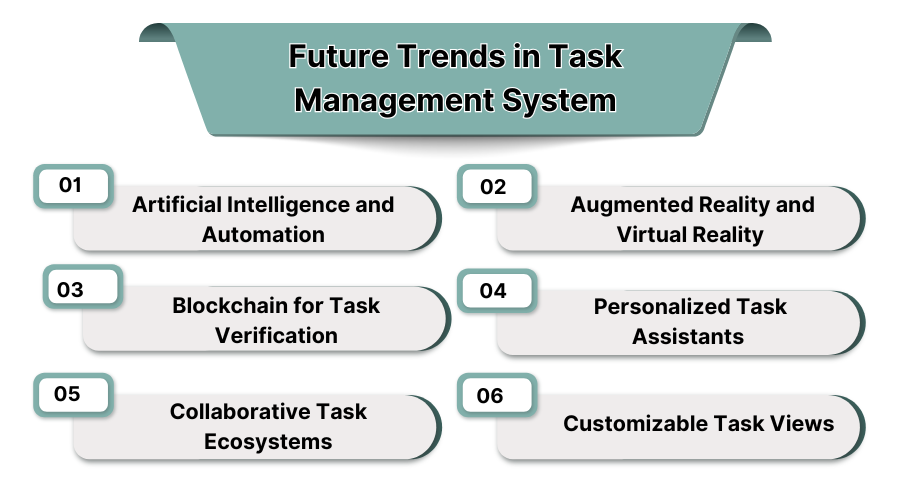
1. Artificial Intelligence and Automation
AI-based task management systems will optimize workflow automation, set deadlines, and suggest item priorities based on analyzed data. Decision-making and manual input will be strengthened due to machine learning.
2. Augmented Reality and Virtual Reality
AR and VR are going to change the way tasks are managed and allocated through the use of powerful project visualization, virtual meetings, and interactive planning tools. People will work together in 3D spaces which will result in proper execution of tasks, decrease errors, better facilitated remote work with real-time virtual task boards.
3. Blockchain for Task Verification
Transparent and secure task logs will be provided by blockchain technology enhancing transparency and security for the tasks that need execution. Approval automation through smart contracts guarantees responsibility and eliminates chances of fraud. A decentralized form of task management will boost the reliability of the processes specifically for compliance and verification dominated industries.
4. Personalized Task Assistants
AI powered personalized task assistants will streamline virtualization of recommendations, automate task scheduling, and notify users about deadlines. These assistants will make it effortless to work, adapt to a user's working approach, increase productivity, and help users to focus on strategic work rather than boring repetitive administrative tasks.
5. Collaborative Task Ecosystems
In the future, completing tasks will be simplified for all businesses because all systems will be consolidated into one. Different departments can share task lists and multi-team workspaces so that everyone can work together as efficiently as possible at all times.
6. Customizable Task Views
These tasks will be easy to manage with custom filters for layout and progress, as well as a personalized dashboard. Task views will automatically adjust according to user preference and priority assigned to make the overall experience much better.
2. How Does Task Management Software Work?
1. Easy Task Assignment
Using management software managers can assign tasks complete with due dates, priorities, and detailed descriptions. Overall, this system organizes workflow and keeps teams on pace to efficiently complete projects.
2. Add and Edit on The Move
With cloud-based tools, users create, edit, and update tasks from mobile and desktop applications without any geo-location restrictions. This ensures remote work is done seamlessly, changes are instant, collaboration is real time, and teams are able to work regardless of where they are.
3. Geo Verified Tasks
Some task management platforms allow a user to complete a task based on their geo-location, which benefits field teams, service based industries, and logistics. This feature improves accountability, enables efficient operations, and eliminates errors for remote workforce management.
4. Real-Time Digital Checklist
Tasks can be checked off through a digital checklist, allowing teams to see the completed step marked. This improves task-tracking precision while enabling the transparency, reliability, and visibility provided by managers on the newer features. It ensures deadlines are met, and work is done to satisfaction.
3. Benefits of Task Management System
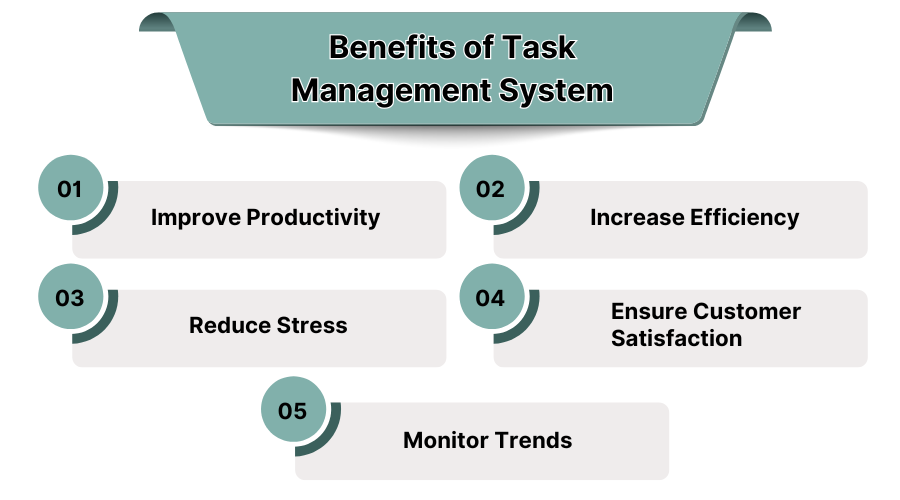
1. Improve Productivity
Dedicated software for task management enables teams to rank work, set timelines and deadlines, as well as automate monotonous and repetitive work. With organized workflows and defined milestones, employees can concentrate effortless manually coordinated efforts while ensuring swift task accomplishment.
2. Increase Efficiency
Management of tasks and even the simplest ones becomes much easier with the use of task automation software such as communication and collaboration software or even simple task trackers. The delays that may take place due to automation of notifications and task tracking, together with the elimination of meetings.
3. Reduce Stress
A well designed structure can accommodate a task management system while effectively facilitating workload, responsibility, and deadline cycle clarity. More manageable tasks enable better dealing with daily life and work reducing the burden on an Heuristic approach.
4. Ensure Customer Satisfaction
Task or activity management improves service delivery by reducing errors and improving workflow visibility while enabling businesses to improve project tracking and deadline management, thus leading to achieving better customer satisfaction together with ensuring that services are rendered in time, leading to even greater satisfaction ratios.
5. Monitor Trends
Through project supervision tools, a manager is able to analyze the progress of each team along with their reporting, timelines and efficacy. This information can then be applied to refine strategies, workflows, identify problem areas, and ultimately contribute towards the robust growth of the business over time.
4. Top Task Management Software in the USA
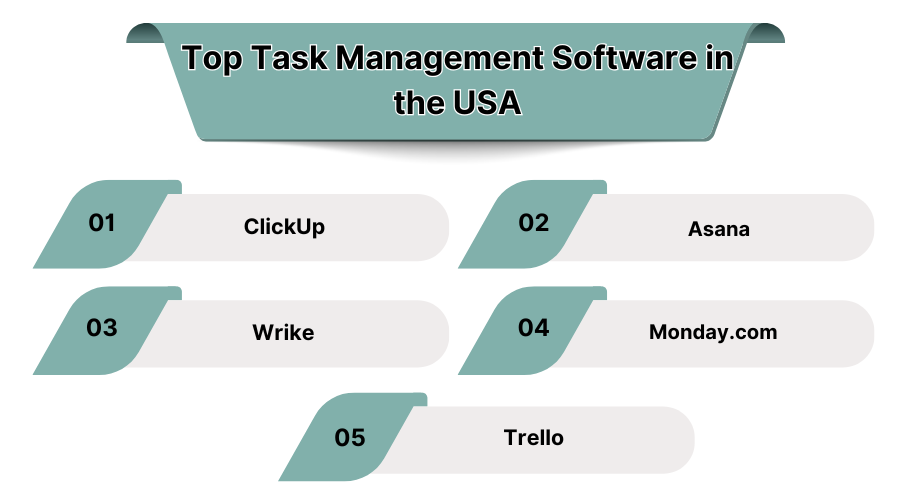
1. ClickUp
This is a versatile task management application that provides automation along with goal and time tracking. It synchronizes with Slack, Google Drive, and other applications. Most appropriate for flexible and scalable team structures. It offers a free version and paid subscriptions for additional features and larger teams.
Features:
- Diverse Workflow Views: Gives users the ability to visualize tasks in lists, kanban boards, calendars, and Gantt charts.
- Time Tracking: Gives a record of the time spent on activities and productivity through the platform.
- Goal Tracking: Teams can set goals and track their completion.
- Integration: Connects with Slack, Google Drive, Microsoft Teams and more, 1,000+ other apps.
- Document Collaboration: Allows team members to share files and edit them in real time while working on the project simultaneously.
- Custom Dashboards & Reporting: Provides analytics, insights, and reports on project performance.
Pricing:
- Free plan available with basic features for task management.
- Starting from $5 per month per user, offers further customization and automation.
- Large organizations get enhanced security, scalability, and in-depth customization options through the enterprise plan.
Pros:
- Offers multiple views with advanced customization which can be used for different project requirements.
- No limitations for individuals, start-ups, or enterprises, making it a real solution for any business size.
- Offers great automation capabilities which reduces the amount of work done manually and improves productivity.
- It is affordable for small businesses as well as big corporations.
Cons:
- Because of the many features available, the platform can be difficult for beginners.
- It requires a lot of time to master, especially for users with no prior experience with sophisticated task management tools.
- Some of the more advanced options such as powerful reporting or AI automation are only available at premium prices.
2. Asana
This is an advanced project management application that allows comprehensive organization of tasks like project tracking and setting priorities. It provides automation, visual boards, and integrations with various other applications. Asana makes it easier for businesses of all scales to manage tasks and work seamlessly together. It has a free version and paid subscriptions for added functionality.
Features:
- Task Assignment & Prioritization: Defines tasks in a given time frame and assigns a level of importance to them.
- Custom Workflows & Automation: Optimizes workflow management through automation and repetitive task elimination.
- Multiple Project Views: Enables greater project visibility with list, board, timeline, and calendar views.
- Integration with Over 100 Apps: Works with business applications such as Zoom, Slack, Salesforce, etc.
- Comprehensive Reporting & Analytics: Provides reports and details regarding project performance.
- Task Dependencies & Milestones: Defines dependencies and milestones, thereby enabling structuring of projects and management of tasks.
Pricing:
- For basic task management, a free plan is provided to small teams.
- Paid plans with automation and additional features start at $10. 99 per user per month.
- Large enterprises benefit from increased data protection, more complex workflows, and specialized customer service solutions to best fit their needs.
Pros:
- Excellent collaborative features ensure communication between team members is easy with advanced and instant updates.
- Automation of workflows makes completing complex tasks easier by reducing the amount of work required and increasing productivity.
Cons:
- There is no internal time tracking feature in Asana, meaning time management must be done through another service outside of Asana.
- Managing multiple projects that contain many tasks can make the interface cluttered.
- Startups and smaller businesses that are on a budget have a difficult time with higher-tier plans as they can tend to be expensive.
3. Wrike
This is an advanced project and task management application tailored for larger corporations that require sophisticated workflow automation. It includes time tracking, collaborative work in real-time, and more advanced reporting. It’s the best for sole remote working teams or enterprises managing complex projects. It has a free version with paid subscriptions offering custom workflows and detailed analytics.
Features:
- Guided and Advanced Task And Project Tracking: Offers personalized dashboards, task assignment, and workload balancing features.
- Gantt Charts and Timeline Management: Assists in comprehending project schedules along with their interrelations for enhanced planning activities.
- AI-Fueled Automated Processes: Employs AI to perform task posturing, document assimilation, and workflow distribution individually or together.
- Seamless Integrations: Enables connectivity to other platforms like Microsoft Teams, Google Drive, and Adobe Creative Cloud.
- Role Based Access Control: Enables security credentials and control to assist team members.
Pricing:
- For dedicated small teams with basic task management requirements, there is a free plan.
- Basic project tracking and automation of workflows begins at $9.80 per month per user in the paid plans.
- Custom security, AI driven automation, and advanced analytics are available in enterprise plans.
Pros:
- Enhanced process automation offers flow redundant tasks shortcut capabilities, enabling teams to focus on managing complex projects with ease.
- Improved task prioritization aided by AI allows efficient workflow optimization and undertaking of important business activities.
- Serves as a robust solution for all business sizes from small teams to large enterprise businesses having myriad projects.
- Users are enabled with advanced reporting and analytics tools for improved project decision-making.
Cons:
- The platform has an adjustment period and may take more time and training for new users.
- Some automation and advanced reporting options are restricted to higher tier subscriptions.
- The basic plan lacks customization at the application level, which may be necessary for certain teams with specialized workflows.
4. Monday.com
This is an intuitive and visually appealing task management application that helps teams plan, track, and automate workflows. It provides templated customization, automation, popular tool integration, etc. Most useful for teams looking to simplify productivity. It offers a free trial with paid subscriptions.
Features:
- Customizable Task Boards: Lets users design task workflows on visual boards, Gantt charts, and kanban boards.
- Project Tracking and dashboards: Offers visual dashboards with progress tracking and performance metrics in real time.
- Seamless Integrations: Works with Slack, Microsoft Teams, Dropbox, Google Drive, and most CRM tools for easier collaboration.
- Time Tracking and File Sharing: Helps monitor work hours and enables document work within tasks for better work processes.
- Mobile and Desktop Access: Offers remote accessibility with mobile apps and cross-platform support for task tracking.
Pricing:
- A free plan is available with basic features for individual users and small teams.
- Paid plans start at $8 per user per month and build automation and integration options.
- Enterprise plan includes advanced security, automation, and dedicated customer support.
Pros:
- The interface is very visual and interactive, which makes it easy to manage tasks.
- Allows integration from other service providers, which helps in linking with other tools.
- Available to all types of businesses from small and mid-sized to enterprise level.
Cons:
- Pricing may be prohibitive to small businesses, particularly during growth phases.
- Greater levels of automated processes and security features require subscribing to upper level prices.
5. Trello
An uncomplicated, card and list based task tracker which enables users and teams to structure and manage their activities through lists and cards. It provides assignment of tasks, drag-and-drop user interface, and integration with external applications. It’s great for freelancers and small teams, and offers free plans alongside premium plans with extra features.
Features:
- Kanban-Style Task Boards: Includes an intuitive interface supporting task organization and tracking through the use of a drag-and-drop feature.
- Customizable Power-Ups: Integrates functionalities with productivity tools like Slack, Google Drive, Jira, and other tools enhancing its available scope.
- Automation with Butler: Reduces manual efforts by automating task assignments, due dates, and notifications.
- Collaborative Workspaces: Makes it possible for teams to comment, file share, and manage tasks in real time.
- Task Checklists & Labels: Includes tagging, color coding, and custom labels for better organization of tasks.
Pricing:
- Free Plan Comes with basic task boards for use by individuals and small teams.
- Paid Plans Start at $5 per user per month for more advanced features.
Pros:
- Simple and intuitive the user interface makes it easy to get started.
- Excellent option for small teams, freelancers, or personal task management.
- Affordable pricing with a free-tier option available for individual users.
Cons:
- Does not include built-in reporting and advanced analytics tools for tracking project progress.
- It is inadequate for multifaceted project management due to its features being limited.
- Only users on premium plans have access to automated and custom features.
5. Conclusion
Task management software improves the automation of workflows and boosts productivity by assigning responsibilities and tracking results. It also improves the organization on a personal and business level, which in turn, decreases errors and wastes. The continued growth of technology will increase the use of AI automation paired with enhanced security technology, which will continue to improve performance within task management systems.
6. Why Do You Need Task Management Software?
Handling multiple tasks manually may lead to confusion and cause deadlines to be missed. With a task management platform, it is possible to organize tasks and collaborate efficiently.
Businesses seek task management tools to automate workflows and improve accountability with less manual follow-up. These tools allow an organization to set priorities, delegate tasks, and monitor productivity in real-time.
A task management software is widely used across industries in the US for project planning, time tracking, and performance analysis. Cloud-based task management systems allow teams to collaborate when remote and ensure tasks are completed seamlessly.
7. What is Task Management Software?
The task management software market grew from USD 1.79 billion in 2017 to USD 4.33 billion by 2023! These special software enables the effective planning, tracking, and completing of tasks for individuals and teams. Responsibilities can be allocated, deadlines assigned and progress monitored all in real-time.
Task management platforms are used by enterprises in the US and around the world, as they encourage better workflow, reduced delays, and increased productivity. With these platforms, automation, collaboration, and reporting activity can be integrated into one service which guarantees the seamless execution of every project.
