
Best Remote Access Software in
Are you looking for Remote Access Software for your Business in ? SaaS Adviser brings you the best Remote Access Software to ease your worries. In order to make your work smooth and swift, SaaS Adviser has compiled a list of the best software available. Compare the Best software features, pricing, free demo, and trial to select the best Remote Access Software for your organization.
 Researched and Written by Akash Patel
Top 3 Featured Softwares


List of Top Remote Access Software
 .jpg "Category Image")
Get Free Consultation

VNC Connect is a remote access software that allows you to connect to a computer anywhere in the world and control it as if you were sitting in front of it. This software is bene...
View Profile

What is Wayk Now Wayk Now is a lightweight and secure remote desktop access and support solution. It allows users to connect to and control remote computers instantly over th...
View Profile

Knock

By Knock
Knock software is a platform that automates workflows with real-time communication. It offers tools to create offices and invite teammates to measure the performance of business....
View Profile

UnRemot is a video-based platform that enables users to do video-chats and collaborate with their team without any calendar invites or meeting URLs. It is different from other vi...
View Profile

ShowMyPC software provides four products that help with accessing home/office PCs from remote locations, conducting meetings, and provide remote support. The software is Windows ...
View Profile
ScreenMeet is a cloud-based remote access software that offers all possible remote support and remote control advantages. This software gives the best screen sharing experience u...
View Profile
Channel.me
By Channel.me
Channel.me software is a Co-browsing platform used to support visitors on your website. The software is used to support visitors on your website through live chat. The software i...
View Profile

With DeskRoll Remote Desktop, you can control remote desktops, send files, and use applications from anywhere, securely and with no need to worry about your network infrastructur...
View Profile

Xage
By Xage
Xage provides secure, managed access to OT, IT and cloud operations with zero-trust security. Xage's remote access allows work to be done away from hazardous environments, with o...
View Profile
Pilixo Remote Access
By Pilixo Remote Access
Pilixo Remote Access is a web-based remote access and control software that is designed using the HTML5 Platform. This software is known for offering the fastest HTML5-based remo...
View Profile
Wurkr is a virtual workspace monitoring solution that helps enterprises streamline individual business processes and allows for on-time collaboration and creativity between remot...
View Profile
Tandem
By Tandem
Tandem software makes it easy to collaborate with your team in one click. You can work together in the same workspace, and have 1-on-1 conversations with your team members. Tandem ...
View Profile

Presence
By Presence
Presence is a software platform used to engage teams with Async Voice Messages. The software offers tools to manage live silent captions and transcribed voice notes. Remote Teams...
View Profile

remonade
By remonade
What is RemonadeRemonade is a modern remote team management and productivity platform built to streamline virtual collaboration.It offers tools for communication, performance t...
View Profile

Echoes
By Echoes
Echoes software is a platform used to make communications more efficient in the office. The software offers voice messages with smart status to measure the workflows. You can coll...
View Profile

Instant Housecall is a remote support solution that allows you to view and control remote PCs and Macs on-demand (with no preinstalled software) and unattended any time. With sessi...
View Profile
Augmented Support
By Augmented Support
Augmented Support is the solution to common frustrations with remote technical support. With Augmented Support, you can improve your response times, first-time-fix rates, and low...
View Profile

Teamflow
By Teamflow
Teamflow is a virtual office platform that allows team members to meet, work and hang out together. It tries to bring back the same work from office vibes by enabling the team me...
View Profile
Upscope
By Upscope
The Upscope web-based remote access tool comes with multiple suitable remote control and support facilities, as well as many diagnostic tools to help early detection of issues th...
View Profile
SpatialChat
By SpatialChat
What is SpatialChatSpatialChat is a virtual cloud communication platform that simulates real-life interactions in digital spaces.It’s used for virtual events, team meeti...
View Profile

Table of Content
Find the Best Remote Access Software in USA
The adoption of remote work has necessitated the use of reliable remote access software to enable secure connections to devices from any location. Whether supervising IT systems, retrieving files, or providing technical support, the most effective remote access software helps to facilitate uninterrupted services.
The global remote access software market is projected to reach $4.696 billion by 2029, up from $2.603 billion in 2024! Now, that’s insane!
In this article, the best remote desktop software is discussed alongside its pros and cons, types, security measures, and tips on how to select the appropriate remote access tools for your specific requirements.
1. Remote Access Best Practices for Keeping Your Network Secure
People and institutions need to take additional precautionary measures to guard against unauthorized access to systems or breaches of confidential data. Adopting best practices makes certain that remote access software can be used without security risks being taken.
1. Use an Endpoint Protection Solution
Utilizing antivirus, anti-malware, and intrusion detection software on remote systems can reduce the chances of cyberattacks, phishing attempts, and malware infections. Furthermore, the usage of remote access tools will also require endpoint protection.
- Make sure that all remote devices have active security monitoring services to detect threats in real-time.
- Use endpoint firewall configurations to prevent unauthorized network access.
2. Always Use a Secure Connection
Protection of sensitive data from cybercriminals can be done using VPNs (Virtual Private Networks) and encrypted remote connections. Secure connections prevent data interception through man in the middle attacks, and unauthorized access to a corporation's server.
- Always enable end to end encryption for sessions of remote desktop software.
- Use Transport Layer Security (TLS) and AES encryption to secure the data.
3. Password Hygiene
Password hygiene alone cannot defend against lack of effort put into designing strong passwords, which remain amongst the most popular password breaches. Pseudo passwords are a way of life to those that are untouchable, for a lack of a better terminology, need to decrease the chances of breach creating policies for passwords.
- Synonyms are able to be used for the term ‘Password’ along with equal case letters mixed with symbols and numerical figures to strengthen it.
- Passwords should be altered in a relevant frequency to enhance the possibility for user security disguised as breach worthy.
- Access to certain services should be forbidden under the same password, with different measures taken for remote accessing software.
4. Use Multi Factor Authentication Whenever You Can
Password protection is not enough these days. For high security remote desktop software passwords, multi-factor authentication, or MFA, enables greater protection through the requirement of another separate password.
- When using MFA, one must also employ 2FA and can do so via body recognition, text message, or even through special applications.
- MFA should be put into place for all sensitive areas of a network to ensure security from unauthorized access.
5. Set up Account Lockout Policies
Brute force attacks enable hackers to guess passwords and infiltrate systems. Often, policies are put in place to automatically lockout accounts after multiple failed attempts to login so that the user cannot continuously try to get into the system. This also acts as an additional layer of security from the client side.
- Set lockout policies to active after 3-5 failed attempts.
- Notify the relevant personnel in case login alerts that seem to be authentic are flagged.
6. Stay on Top of Patches
Regular intervals of maintenance and updates is crucial to fixing issues concerning bugs, security, and the overall effectiveness of remote access software. Using software which is outdated is appealing to cybercriminals, thus why regular updates are necessary.
- Set remote desktop programs to automatically update to mitigate exposure to cyber risks.
- Check all routers and firewalls regularly to update parameters set through VPN, firmware, and other components.
7. Limit Use of the Service
To decrease the chances of getting exposed to cyberattacks, the use of remote access tools should be restricted along with the number of users allowed access to the system.
- Avoid permitting remote entry when it is not required to eliminate the chances of unauthorized access.
- Set up role based access controls (RBAC) to allow approved users only to access the system.
2. Who can Use Remote Access Software?
Remote collaboration is now effortless across multiple sectors thanks to remote access which increases productivity and heightens security. Organizations, IT departments, independent contractors, and academic entities regard these services vital for remote access without limitations.
1. IT Specialists
Helpdesk and IT administrators can service and troubleshoot their clients' desktops from afar using remote desktop access to facilitate updating applications and other IT infrastructure. This practice increases efficiency and reduces response time since there are no longer any requirements for physical attendance.
2. Businesses and Enterprises
Companies have begun to implement Remote Access solutions for file sharing, system monitoring, and employee management Tools to monitor system employees are increasingly used by companies. Setting up remote desktop systems for staff enables Enterprises to securely access their workstations which fosters business continuity and operational flexibility.
3. Freelancers and Remote Workers
Remote workers and freelancers employ remote access software for PC solutions to have the freedom to work anywhere. Work space or physical office space is no longer a constraint in terms of documents and applications access as well as project collaboration.
4. Educational Institutions
Schools and universities use remote access tools for online classes, virtualIT labs, and remote maintenance. Both teachers and students can access course materials and academic software from anywhere and collaborate on projects ensuring learning never stops.
5. Healthcare Providers
Hospitals and medical facilities implement remote access solutions to efficiently store patient records, consult patients remotely, and deploy telemedicine solutions. Remote desktop software that is HIPAA compliant secures sensitive data while ensuring compliance regulations are met.
3. Types of Remote Access Software
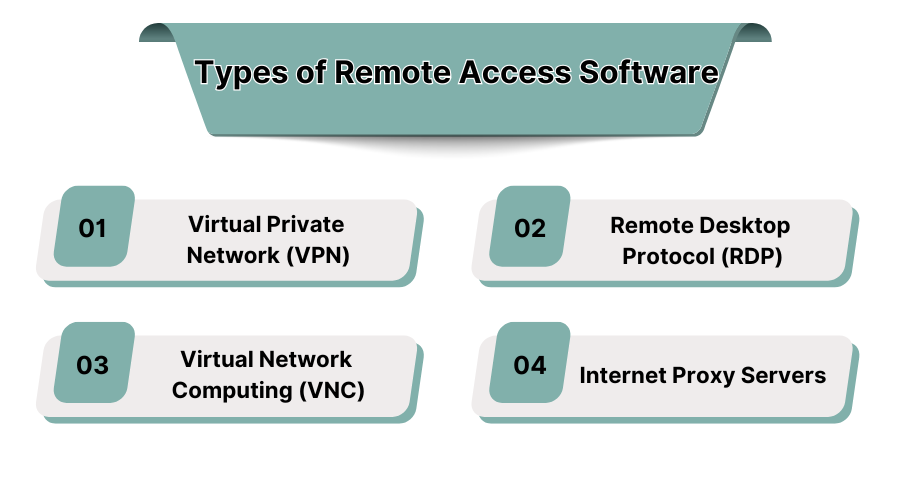
The vast array of remote access tools speaks to certain specific security and connectivity issues. You must select the appropriate solution according to your specific needs and the level of network sophistication.
1. Virtual Private Network (VPN)
VPN software enable access to remote corporate networks by encrypting internet connections. Companies can use VPNs to protect sensitive data and browse without revealing the users' identity. VPNs are essential in business settings where a team operates remotely as it ensures little to no risk to internal systems.
2. Remote Desktop Protocol (RDP)
Drawing from Microsoft expertise, both VNC and VNC Compatibles RDP enables users to connect to Windows-based systems remotely. It is suitable remote desktop software, especially for IT teams. Systems can be made, and screens shared, applications controlled, and all remotely located personnel can be assisted with troubleshooting as well as support.
3. Virtual Network Computing (VNC)
VNC is suitable for remote access to computers and can work across different operating systems. You can control the desktop of a remote computer just like how you’re using it while sitting in front of it. Because of its functionalities, IT specialists often use it for network management and troubleshooting activities.
4. Internet Proxy Servers
Proxy servers are often used as remote browsers to provide secure access to restricted corporate networks by changing the direction of network traffic. Businesses employ proxy-based remote access systems for their employees to improve employee supervision as well as for content filtration and general improvement of cyber security. Also, if you want to provide quick responses to customers, remote support software can assist you.
4. Top Best Remote Access Tools
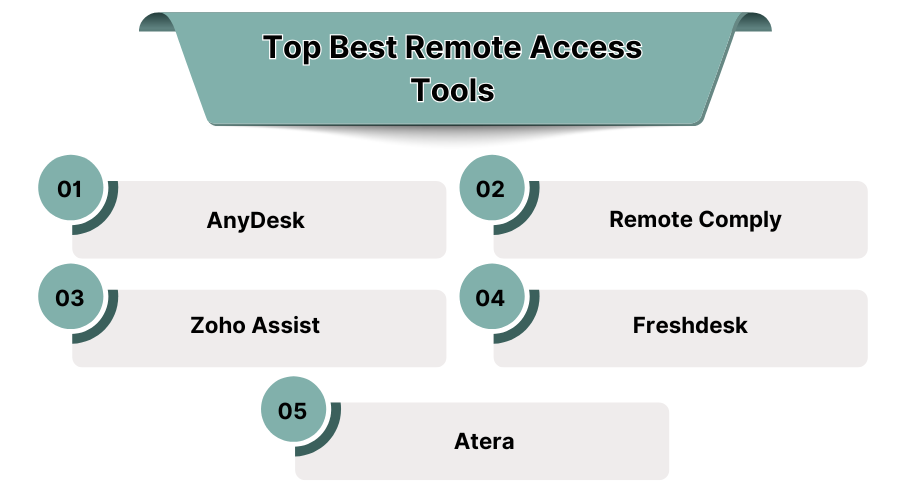
1. AnyDesk
As a remote access program, AnyDesk allows users to conveniently and securely connect to computers and other devices from any location in the world. Utilizing low latency technology guarantees a seamless experience while granting users smooth control even under low bandwidth circumstances. The software includes data file transfer, session recording, and advanced encryption capabilities to ensure robust data security.
Pros:
- The application is lightweight and does not consume significant system resources.
- Guarantees rapid performance along with smooth connectivity under low bandwidth conditions.
- Available on various platforms including Windows Operating System, MacOS, Linux and smartphones.
- Supports secure data transfer with strong encryption to protect user privacy.
Cons:
- The free version has limited features which results in restrictions for business users.
- Might suffer from some connectivity problems in the case of highly restricted networks.
- Response time for customer service inquiries is slow for users on the free-tier subscription.
- Some complex functionalities require additional steps to configure the software.
Pricing: Starts at $9.90 per user/month
2. Remote Comply
Remote Comply offers the solutions to remote access issues that businesses with rigid compliance and security requirements have. Providing session monitoring, access control, and encrypted file sharing, Remote Comply enables regulatory compliance. By enabling businesses to manage secure remote access with reduced risk of cybersecurity threats, Remote Comply is focused on protecting business data.
Pros:
- Remote Comply's advanced security features ensure compliance with industry regulations ensuring no breaches take place.
- Efficient with businesses that operate in highly regulated fields such as healthcare and finance.
- Allows transfer of files under encryption which further enhances data protection.
- Helps with compliance paperwork by providing audit trails and session logging.
- Security is highly scaled with multi-factor authentication (MFA) capabilities.
Cons::
- Advanced security features come with higher pricing which may not be affordable for everyone.
- They are not very clear with their pricing and it requires their direct consultation to know details.
- Their services require a certain level of technical skill for setup and management and thus is not efficient for everyone.
- These services may not be usable with small businesses that concern themselves with lower security issues.
Pricing: Custom pricing available
3. Zoho Assist
Zoho Assist functions as a cloud based remote support solution for IT support teams and businesses which require hassle-free and secure remote access. It permits unattended access, remote troubleshooting, and secure file transfer, offering flawless remote support. Zoho Assist is browser-based meaning there are no or minimal requirements to install extensions and allows connections with other IT management and helpdesk software.
Pros:
- Intuitive user interface which makes ease-of-use remote support.
- Remote access is safe and reliable due to end-to-end encryption.
- No heavy installations allow for more flexible access.
- Supports unattended remote access for several devices.
- Multi-platform support: Windows, macOS, iOS and Android.
Cons:
- Some competitors have more advanced reporting capabilities.
- May not have the sophistication needed for larger corporations.
- Free version limits the amount of sessions and users.
- Does not support built-in remote printing on certain operating systems.
Pricing: Starts at $10 per user/month
4. Freshdesk
Freshdesk is a helpdesk software with an integrated ticketing system and remote troubleshooting capabilities. It helps IT and customer service departments remotely pre-diagnose and resolve issues, which leads to improved turnaround times and customer satisfaction. Freshdesk is particularly beneficial for companies focused on customer service because its remote access feature integrates with support workflows.
Pros:
- Perfect integration with customer support systems that allow for effective pre-diagnosis and troubleshooting.
- Clear and precise remote troubleshooting capabilities aimed at resolving technical problems.
- Improved customer service workflow with a powerful ticketing system.
- Supports email, chat, and phone as multi-channel support options.
Cons:
- Requires Freshdesk help desk integration to unlock full features.
- Not ideal for companies who want a remote access solution without any other integrations.
- Paying more unlocks advanced features which form the higher pricing tiers.
- Compared to other remote support software, it has lesser offline features and capabilities.
Pricing: Starts at $19 per agent/month
5. Atera
Atera is a Remote Monitoring & Management (RMM) software solution that encompasses remote access, IT automation, and network management functionalities. Atera caters to Managed Service Providers (MSPs) and IT support teams by merging remote desktop with automation processes. Its features include an intuitive interface, advanced reporting, and real-time monitoring.
Pros:
- Best suited for dynamic IT teams and service providers because it is scalable.
- Supports numerous third-party integrations, allowing for centralized IT management.
- Routine IT operational processes are automated, hence manual effort is minimized.
- IT service delivery is enhanced with advanced ticketing and reporting systems.
- Cost-effective for large networks, as it allows unlimited devices per technician.
Cons:
- Higher difficulty level for new users, particularly for non-technical staff.
- May be necessary to conduct additional training to use features effectively.
- Some benefits are restricted to higher tier pricing plans.
- Speed of remote assistance may be affected by the network conditions of the user.
Pricing: Starts at $79 per technician/month
5. Conclusion
Determining the best remote access software in the USA entails determining the level of security offered, the convenience of its use, and the value for money. Whether the software needed is for IT support, business activities, or remote work, the right remote access system will ensure effective communication and the safety of sensitive information. If a business is seeking reliable remote access tools, they should request top providers for a free demo.
6. Silos Links :
7. What is Remote Access Software?
Remote access software enables users to connect with a single computer or a network system from different locations. This capability lets IT teams, businesses, and individuals manage systems, troubleshoot issues and even transfer files from remote locations.
In modern remote desktop software, the ability to ensure secured encrypted connections and renders unauthorized access to the account impossible, all without compromising on speed.
8. Why Do You Need Remote Access Software?
Remote access systems are highly essential to businesses and IT teams because they allow high levels of productivity. Such productivity can be achieved by:
- Permitting remote work from anywhere enabling employees to connect with office systems.
- IT Support chat enables troubleshooting in real time via remote desktop connection to the user's computer.
- Ensuring business continuity through backup accesses in case of emergencies.
- Improving teamwork by permitting multiple users to connect to the same system.
9. Advantages of Remote Access System
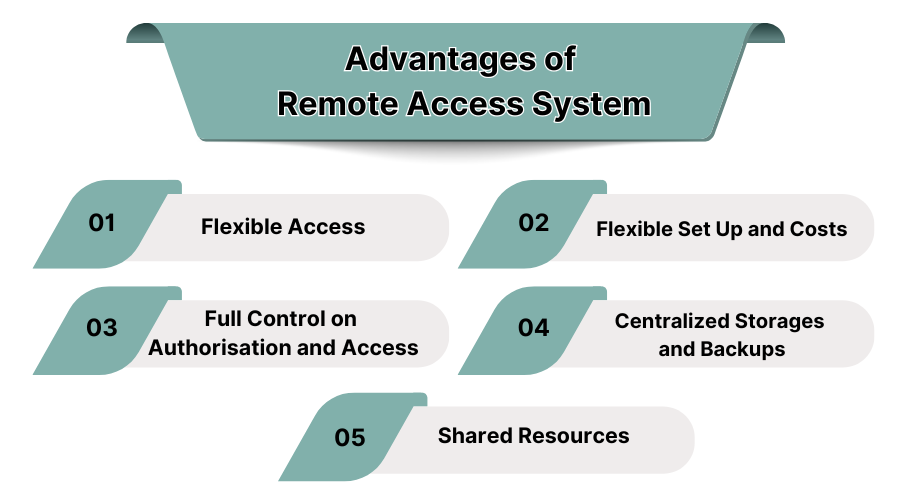
Remote access systems provide numerous advantages as they improve productivity, security, and business operations. Both companies and individuals utilize these systems to automate work processes, access data, and connect remotely. The best remote access software in USA can help you in the following ways:
1. Flexible Access
Users and IT personnel can access files, applications, and the corporate network from any point, which streamlines workflow. This makes it easier for flexible remote teams to work together, increases business continuity, and makes it easier for IT administrators to quickly resolve issues while remotely supervising the systems.
2. Flexible Set Up and Costs
Most remote access desktop services are SaaS, which allows companies to use cloud services that suit their budget and infrastructure. Enterprises, IT service providers, and startup companies are able to access subscription-based remote desktop tools and significantly reduce their hardware outlay. If you have a tight budget, you can check out the best free remote access software, which offers great performance.
3. Full Control on Authorisation and Access
Using remote desktop, admins can assign user roles and restrict the reach of applications and data that they cannot access. In doing so, Remote Desktop helps in managing data breaches, insider threats, unauthorized file changes, and the company's stringent security policies.
4. Centralized Storages and Backups
Businesses can host systems and applications within specific data centers as well as in the cloud. Storing application files on base servers aids in faster retrieval during hardware breakdowns, cyber crimes, or unintentional removals, thus decreasing the data setbacks and ensuring safer data management.
5. Shared Resources
A remote desktop connection can allow for several users to access and work on only one computer. This collaboration helps in system maintenance, updates, and application debugging, and also reduces costs incurred in staffing remote IT units actively through a local office.
All of these greatly improve the information technology capabilities of the company and thus make remote desktop connection software crucial for any business, IT personnel, and remote assignments.
