
Best Note Taking Software in
Are you looking for Note Taking Software for your Business in ? SaaS Adviser brings you the best Note Taking Software to ease your worries. In order to make your work smooth and swift, SaaS Adviser has compiled a list of the best software available. Compare the Best software features, pricing, free demo, and trial to select the best Note Taking Software for your organization.
 Researched and Written by Akash Patel
Top 3 Featured Softwares


List of Top Note Taking Software

Get Free Consultation


Google Workspace

The better way to work
Google Workspace is an intuitive platform that helps teams of all sizes to connect and collaborate with each other and improve their efficiency levels in real-time. It provides an ...
View Profile

Meetgeek
Maximize the value of your meetings & customer calls & hiring interviews
MeetGeek is an AI-powered meeting assistant designed to automate the recording, transcription, summarization, and analysis of virtual meetings. It seamlessly integrates with po...
View Profile

Fathom AI Notetaker
Never take notes again #1 rated AI Notetaker
Fathom is an AI-powered meeting assistant designed to automate note-taking by recording, transcribing, and summarizing online meetings. It integrates seamlessly with Zoom, Goog...
View Profile

Evernote is a popular app that helps users be organized by capturing and prioritizing ideas, projects, and to-do lists. The core idea of the tool is to help users focus on what mat...
View Profile

Notion To-Do
By Notion To-Do
With Notion To-Do, you can add a note to Notion in seconds, collect tasks and ideas easily, and quickly send data to Notion instead of fumbling through Notion folders.
View Profile
Microsoft OneNote is a digital notebook that is easy and efficient to use. It is powered by Microsoft and has smart and powerful tools. It enables the user to create, manage, rev...
View Profile

Google Keep
By Google Keep
Google Keep is a cloud-based note-taking application that helps professionals and individuals capture ideas with voice notes, add images to notes, check tasks off of to-do lists, a...
View Profile

Simplenote is a comprehensive note-taking solution that helps people to make notes on the go. The solution helps users keep their notes synced across all devices in real-time. Th...
View Profile

Joplin
By Joplin
Joplin is a free, open-source note-taking application that can handle a large number of notes. Notes can be organized into notebooks, and are searchable, copyable, and taggable. ...
View Profile

Obsidian
By Obsidian
Obsidian is a powerful knowledge base that runs on top of a local folder containing plain text Markdown files. With Obsidian, making and following relationships is simple. You can ...
View Profile

GoodNotes
By GoodNotes
GoodNotes is the best note-taking app for digital handwritten notes on iPad and iPhone. It was created to solve the problem of taking readable and reusable notes on an iPad. We h...
View Profile
Zoho Notebook is an efficient note-taking app that can be used across devices. With this tool, one can uniquely create different types of notes. Each note card type has been desi...
View Profile

ClickUp is a comprehensive, all-in-one productivity platform designed to streamline work management for individuals and teams across industries. It centralizes project planning...
View Profile

Dropbox Paper is a web-based word processing tool designed to make it easy to keep all your meeting-related information in one place. With Paper's task management tools, you can as...
View Profile

What is Milanote? Milanote is a visual workspace designed to help individuals and teams organize ideas, plan projects, and collaborate creatively. It allows users to collect not...
View Profile

Notability
By Notability
Notability is the perfect place to take your projects to the next level. With the ability to combine handwritten notes, photos and typed text, you can capture every detail. Plus,...
View Profile

Transkriptor
By Transkriptor
Transkriptor is an online transcription tool that automatically transcribes your discussions, meetings, seminars, and interviews for the purpose of documentation. It allows you to ...
View Profile
Google Calendar
By Google Calendar
Google Calendar is a compact online date management tool that helps professionals with their regular schedule planning and monitoring part in a seamless manner. The app facilitates...
View Profile
Notejoy
By Notejoy
Notejoy helps businesses by providing them with a fast and focused workspace through a collaborative notes app platform. This revolutionary platform is rapidly changing the way b...
View Profile

Triqla
By Triqla
Triqla software is a note-taking tool that enables team collaboration for making decisions such as meeting notes, designs, and instructions. The software also allows users to sha...
View Profile

Table of Content
The best note-taking software may take the process of studying, planning, or even daily affairs much more organized. There is too much to overwhelm oneself with features with all the tools out there. The most suitable sites are the ones that are both easy and versatile, which allows you to write, edit and be able to read your work on any of the devices without inconvenience.You can use reliable note-taking software to save time and store your notes whether you are making your class notes. The best notes software is speedy yet very easy to use in the eyes of many.
What Is Note-Taking Software?
Note-taking software is a computerized application that enables you to memorize, store, and review information more effectively than with the help of a pen and paper. It should be able to hold as much as class notes or professional projects so that ideas can easily be stored under a single place and secure. A lot of students and professionals use notes software due to the possibility to work with it on various devices and eliminating the chance of losing valuable information. There are even platforms that one can manage and share files and work together in harmony without losing concentration on what he or she is doing.
1. What Is Advantages And Disadvantages Of Note Taking Software?
Note-Taking Software has become a very necessary item in the life of busy academic and professional life since it is considered the means of organizing ideas, controlling activities and enhancing productivity in the busy academic and professional life today. On the one hand, it has numerous advantages, but on the other, one should be aware of its drawbacks.
Advantages
Easy Organization: Notes-taking software, enables users to organize the notes into folders, tags and sections and therefore, retrieving them is easy and fast. It also does not expose one to the danger of losing valuable information as it happens with conventional notebooks.
Better Accessibility: Cloud integration allows access to notes on numerous different devices, which guarantees the possibility of students and professionals to review and edit the content at any time. It is particularly convenient combined with cloud based productivity software to have a smooth flow of work.
Collaboration and Sharing: Numerous platforms provide a possibility to collaborate in real-time and leave notes that can be edited and commented upon by the group of individuals. Using the best cloud content collaboration software also comes in handy when working in a group, doing research, or during meetings, as coordination is significantly simplified.
Rich Content Support: Users are able to add images, audio, and documents to notes. Such features of note making software permit more detailed learning or project records.
Search and Retrieval: Advanced search operations assist in searching and finding the keywords, phrases, or tags in real time and save time and enhance productivity.
Disadvantages:
Reliance on Technology: The use of note-taking software needs to use a device and in some cases, an internet connection. In their absence, there might be limited access to valuable notes.
Learning Curve: Certain platforms may be difficult to use at the entry level, as a user must learn about formatting options, integrations, and organization functionality.
Possible Distractions: Devices where software is installed can also act as a source of interruptions in the form of notifications, applications or websites that can distract one when studying or working.
Risks to Data Security: Noting privacy risks in the case of not reading the notes in a paper format: the platform should be highly secured in order to prevent the privacy risks. Without appropriate measures the sensitive information can be exposed to danger.
2. Key Features Of Note Making Software
Note-Taking Software has much more than typing. It offers superior tools to arrange, distribute, and regulate information, both personal and professional, in its use. The following are the most important features discussed below:
1. Hierarchical Organisation
Structured Organisation provides user with the ability to use folders, sub-folders and nesting features to arrange notes into various complex information which is easy to navigate. This arrangement is particularly handy in handling research reports, company documentation or project descriptions where explicitness is a concern. The content is kept stratified so that it can be accessed instantly without getting lost.
2. Text Formatting
Formatting features which include headings, highlights, checklists, and tables can be used to make plain notes into structured documents. Using note taking software, a user can highlight important information; get a list of tasks or even compile a business meeting documentation. This enhances the level of readability and no significant thing is missed.
3. Search Functionality
Formatting features which include headings, highlights, checklists, and tables can be used to make plain notes into structured documents. Using note taking software, a user can highlight important information; get a list of tasks or even compile a business meeting documentation. This enhances the level of readability and no significant thing is missed.
4. Cross-Device Syncing
The latest note making applications have cloud support, and the notes are synchronized on the laptop, tablet, and smartphone. Any changes done in one device are reflected on other ones and version conflicts are done away with. To distant practitioners and learners, this will ensure that their productivity is smooth at all times and everywhere.
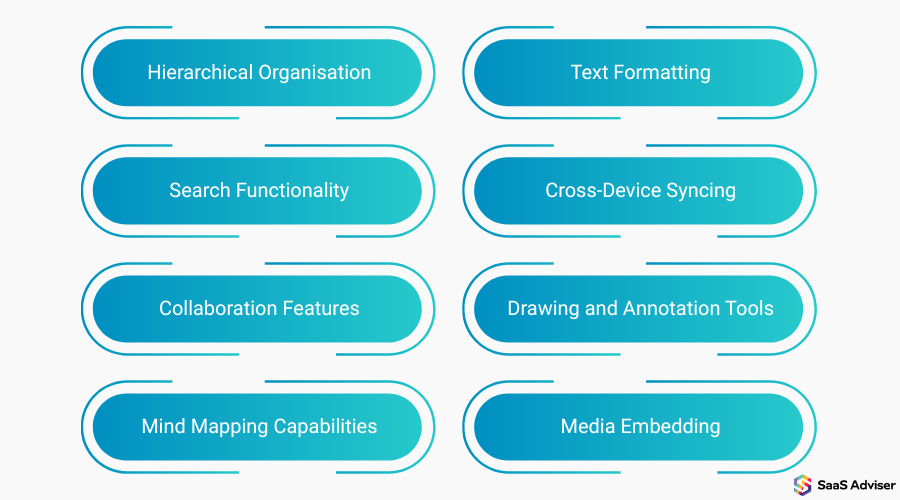
5. Collaboration Features
The best notes software also favors real-time collaboration including co-editing, shared folders, and instant comments. A large number of platforms are already interconnected with calendar software for business, allowing teams to synchronise time, allocate tasks, deadlines in the workspace. This brings about an efficient workflow that is interconnected.
6. Drawing and Annotation tools
In addition to typing, users have the ability to create diagrams and annotate PDFs as well as highlight important material when studying or in meetings. It can be useful to educators, architects, designers, or business analysts who regularly have to visualize and discuss concepts. It introduces inventiveness and transparency to the notes on the computer.
7. Mind Mapping Capabilities
Visual mapping software transforms complicated ideas into systematized diagrams and can be used in brainstorming or planning projects. It can be utilized by the students in subject breakages and the professionals in the strategy formation. Such maps clear up associations between ideas and enhance the retention of ideas in the long term.
8. Media Embedding
Modern notes software enables one to add images, voice records, and documents into notes. This renders the tool flexible in a meeting, lecture or research. The workspace can be more beneficial and enriched by allowing people to store text, visuals, and references in one location.
3. Features Of Best Notes Software
The Modern Note-Taking Software is more than merely a writing tool that merely provides features that ensure the user is organized, can collaborate easily, and can maintain activities without problems. Flexible yet productive platforms are the most appropriate since both students and professionals can use them.
-
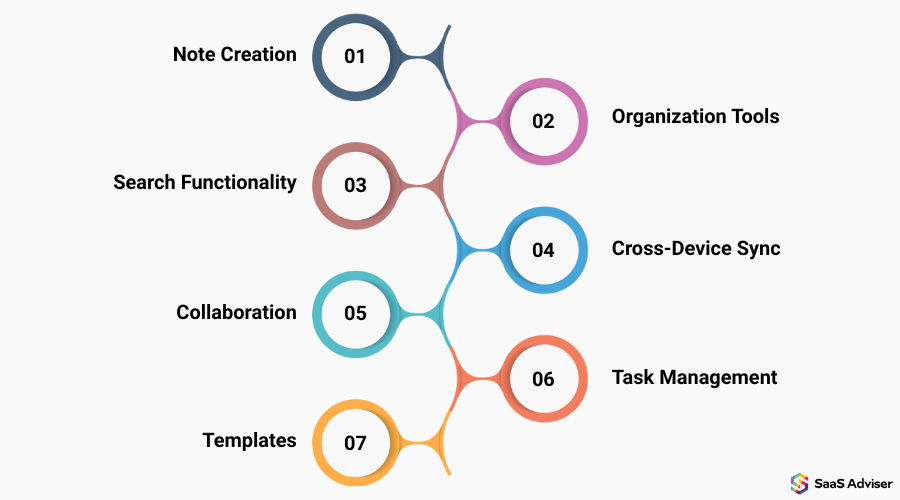
Note Creation
The user is able to make text, checklists, pictures and even audio notes instantly. There is advanced notes software which has formatting features such as headings, bullets and highlights to make the content readable and visually structured.
-
Organization Tools
It is possible to organize notes in folders, subfolders or labels in order to find them easily. This organization will never lose significant information and will find it a lot easier to handle large projects or study content.
-
Search Functionality
Intensive search options provide the user with the ability to quickly find notes using keywords, tags or phrases. This saves time in case of hundreds of entries and information remains in easy reach.
-
Cross-Device Sync
Notes are always up to date on laptops, tablets, and smartphones and allow the continued work or study. Cloud integration guarantees that the changes one does on an electronic device are reflected in other devices.
-
Collaboration
Several users can collaboratively edit, comment and share notes in real time. This, together with software for task management, makes group projects, team planning, and follow-ups of meetings more efficient.
-
Task Management
Inbuilt task lists, reminders and checkboxes are used to assist a user to follow a deadline and also prioritize. These characteristics ensure that the platform is a convenient personal organization system and project tracking system.
-
Templates
Note templates of meeting agendas, project planning or study guides save time, have a consistent format and are pre-constructed. Templates help to increase efficiency particularly in repetitive work.
4. Importance Of Note-Making Software
Note-Taking Software is a significant component of the modern academic and working space that helps people and teams to be organized, efficient, and productive. Its features extend much further than simple writing, changing how information is recorded and distributed, managing it, and the note-taking application market is predicted to expand to 11.11 billion by 2025, which is equivalent to 16.5% CAGR.
-
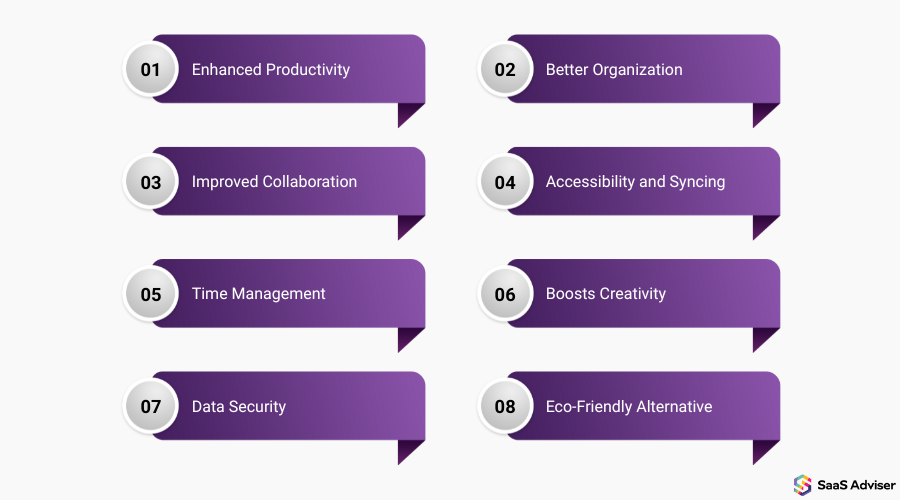
Enhanced Productivity
Users can be able to concentrate on the key activities and not lose ideas with features such as quick note creation, task list and reminders. Mastering the use of note making software can enable the organization of operations and mental organization to be less problematic
-
Better Organization
It is possible to organize the notes into folders, tag them, or arrange them in a hierarchy. This is to make sure that the students, professionals, or researchers can easily find any information without searching through the random documents. It also collaborates with the small business document management software which assists businesses to keep their records and archives in order.
-
Improved Collaboration
Numerous platforms provide the opportunity to share, comment, and co-edit in real-time. Interaction with meeting management software aids teams to organize well and update on developments as well as keeping everyone in line with projects.
-
Accessibility and Syncing
The Notes are updated on laptops, tablets, and smartphones. Their content is accessible to users wherever they are; hence, remote studying or working is smooth. They can be used software for task management to organize tasks in line with their notes and enhance efficiency and workflow.
-
Time Management
The system has built-in reminders, checklists, and tasks trackers that assist the user in planning their day. It minimizes the risks of deadlines and facilitates systematic planning.
-
Boosts Creativity
Varied tools such as drawing, mind mapping, and embedding of media enables users to visualize their ideas, brainstorm, and display information in more interactive forms.
-
Data Security
It is possible to protect digital notes using encryption, passwords or cloud backup. This keeps sensitive information intact as opposed to traditional paper notes which were likely to be lost or damaged.
-
Eco-Friendly Alternative
Replacing the paper notebook, note-making software will help to cut down waste. It is an environmentally friendly alternative to students and professionals that use written documents regularly.
5. Top 5 Best Note Taking Software In Usa
1. Microsoft OneNote
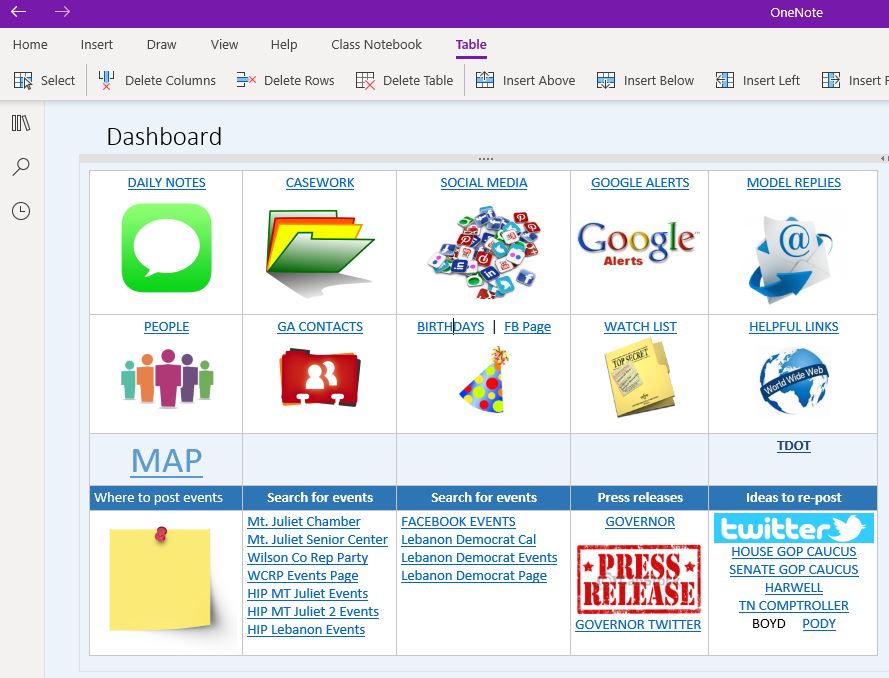
The Microsoft OneNote is an electronic notebook that assists students, professionals, and groups to record, store and share data in a smooth way. It is well integrated with Microsoft 365, and it is an excellent option to people who are already within the ecosystem. It supports text, multimedia and handwritten notes making it suitable in casual and academic applications.
Key Features
-
Multi-Device Syncing: Notice notes on devices and have them synced across all devices.
-
Rich Formatting: Uses text, images, audio, and file attachments.
-
Collaboration Tools: Share notebooks and work collaboratively.
-
Integration with Microsoft Office: Compatible with Word, Excel and Outlook.
-
Handwriting Support: On supported devices, use stylus in writing notes on the hand.
Pros
-
Free when using a Microsoft account.
-
Strong implementation with Microsoft 365 suite.
Cons
-
New users can be clustered with interface.
-
Coordinating problems of certain users.
Pricing:
-
A free version is available.
-
Microsoft 365 Personal offers additional features and benefits at $9.99/month.
2. Evernote
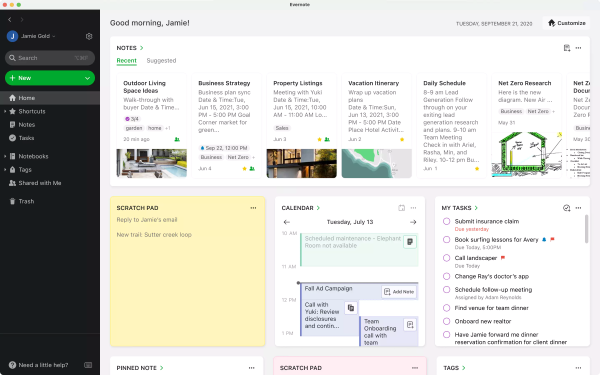
Evernote is the most popular in the note taking software category and is oriented to those users who favor organization. It also enables one to save notes in the form of text, images, voice memos, and web clippings and thus can be used in research and professional work. Its advanced search and OCR technology have made it different among most of its competitors.
Key Features
-
Organize Notes: Divide them into notebooks and tags.
-
Web Clipper: Bookmark web pages into notes.
-
Search Feature: Intense search function with OCR.
-
Task Management: Add to-do list to notes.
-
Cross-Platform Support: It is accessible on different devices.
Pros
-
Excellent search and organization software.
-
Supports multimedia notes.
Cons
-
The free plan is limited in features.
-
Premium plans can be pricey.
Pricing
-
The free plan is available
-
Premium plan costs $10.83 per month and the Business plan is $14.16 per month.
3. Google keep
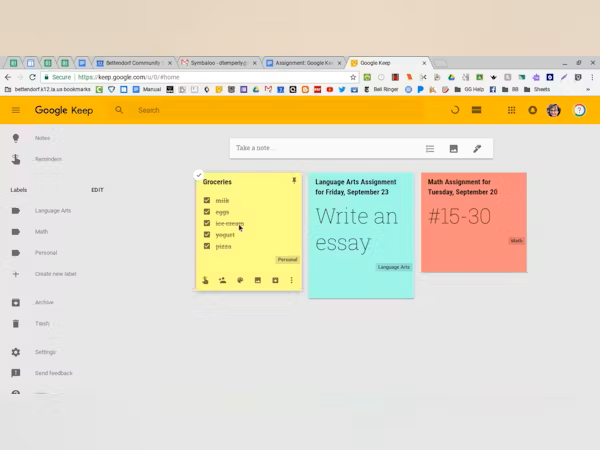
Google Keep is a simple, straightforward note taking application that was made to memorize ideas and keep track of tasks. Its advantage is that it is simple and easily coupled with Google Workspace. Users are also able to record voice memos, add checklists and share notes in real time which makes it a convenient application to personal and professional requirements.
Key Features
-
Quick Notes: Take notes automatically by voice or text.
-
Color Coding: Separate notes with the use of various colors.
-
Reminders: Schedule time or place-based reminders.
-
Collaboration: Share notes with other people to edit them in real-time.
-
Connection to Google Services: connects with Google Drive.
Pros
-
Completely free to use.
-
Easy-to-use and simple interface.
Cons
-
Limited formatting options.
-
Lacks developed an organizational aspect.
Pricing: Free
4. Apple Notes
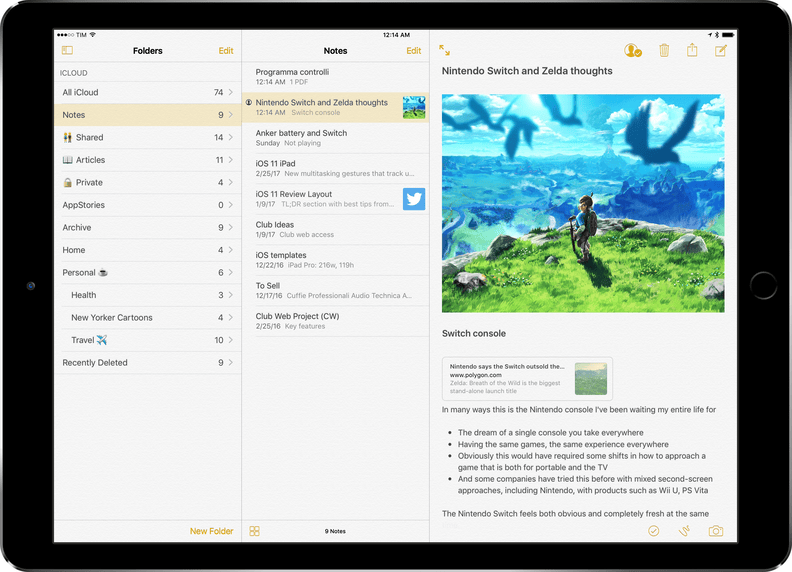
Apple Notes is a native iOS and MacOS note taking application, capable of providing powerful features but free of charge. It enables one to make rich notes that comprise checklists, tables, scanned documents, and attachments. The seamless iCloud syncing ensures that all the notes can be available on the apple devices making it a sure pick among the users of Apple ecosystem.
Key Features
-
iCloud Syncing: Notes on all Apple devices.
-
Rich Text Formatting: Checklists, tables, attachments.
-
Drawing Tools: create and make notes.
-
Password Protection: Keep secret notes.
-
Document Scanning: Scan documents to notes.
Pros
-
Complete integration with Apple ecosystem.
-
Free with Apple ID.
Cons
-
Limited to Apple devices.
-
The simple characteristics of an organization.
Pricing: Free
6. Conclusion
Note-Taking Software is crucial in the modern academic and professional world where people have to organize, manage, and retrieve information in a fast-paced world. It improves the productivity, as it enables to create notes fast, track the tasks and collaborate in real time. Such functions as multimedia support, hierarchical organization, cross-device synchronization, templates allow the notes to be made accessible and versatile, and integrations with task management software simplify workflows. Despite the fact that some of these platforms need to be a part of the learning process or involve using technology, the benefits of better organization, creativity, and environment-friendly options make them essential tools both among students and professionals and team members.
