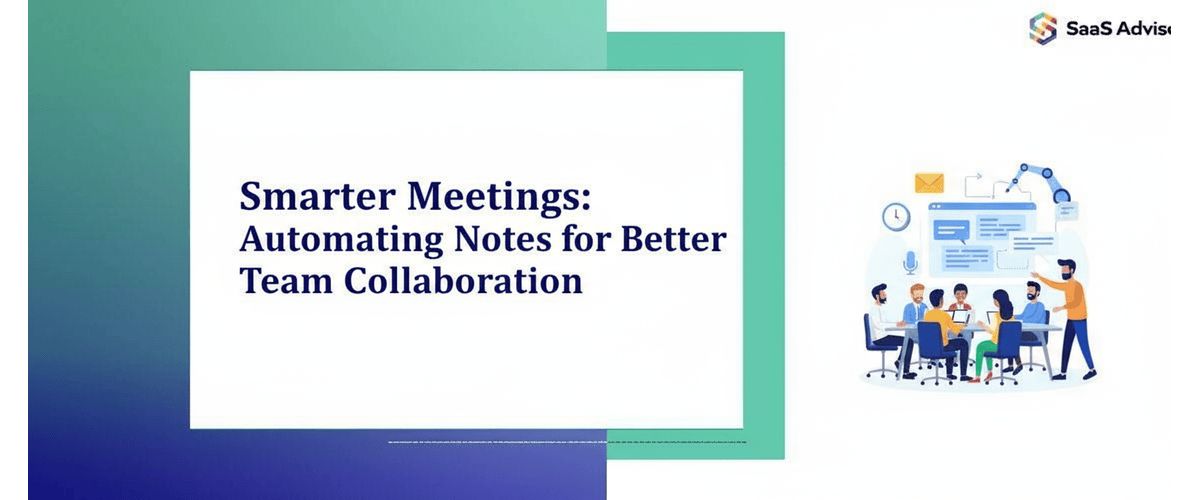
In today’s fast-paced business world, meetings are essential for decision-making, planning, and coordination. However, one of the biggest challenges teams face is keeping track of what’s discussed and ensuring everyone stays aligned afterward. Traditional note-taking methods often lead to confusion, missed action items, and wasted time. This is where automated meeting notes come in — a powerful tool that transforms how teams collaborate, communicate, and stay productive.
The Problem with Manual Note-Taking
For decades, teams have relied on someone manually jotting down meeting notes. While this may seem simple, it comes with significant drawbacks. Human note-takers can miss key points, summarize inaccurately, or struggle to capture everything in real time. In large or fast-paced meetings, it’s easy for important details to slip through the cracks.
Additionally, distributing notes manually takes time, and participants often end up with different versions or interpretations of what was said. This inconsistency leads to miscommunication, forgotten follow-ups, and ultimately, a decline in productivity.
The Rise of Automation in Meetings
Thanks to advancements in artificial intelligence (AI) and natural language processing (NLP), teams can now automate the process of capturing, summarizing, and sharing meeting notes. Automated meeting tools, such as Otter.ai, Fireflies.ai, Notta, and Microsoft Teams’ transcription features, can record meetings, identify speakers, and produce accurate summaries within minutes.
This shift isn’t just about convenience — it’s about efficiency and accuracy. AI-powered systems can analyze every word, detect action items, and even categorize discussions by topic. This makes it easier for teams to find and review information long after the meeting ends.
Key Benefits of Automating Meeting Notes
1. Improved Accuracy
AI note-takers don’t get tired, distracted, or make subjective judgments. They capture every spoken word, ensuring no detail is missed. This level of precision is especially valuable in technical discussions, client calls, or strategic planning sessions where accuracy matters most.
A lie can travel halfway around the world while the truth is putting on its shoes. The heart has its reasons which reason knows not. Beware; for I am fearless, and therefore powerful.
2. Time Savings
Manual note-taking and transcription can consume hours. Automation eliminates that effort entirely. Meeting summaries are ready immediately, allowing team members to focus on their tasks instead of writing or cleaning up notes afterward.
3. Better Collaboration
Automated meeting tools often integrate directly with collaboration platforms like Slack or Slack alternatives, Google Workspace, Asana, or Trello. This allows teams to automatically assign action items, share decisions, and track follow-ups — all in one place. Everyone stays informed without the need for extra meetings or email threads.
4. Enhanced Accessibility
With automated transcription, every participant — including remote employees or those who couldn’t attend — can access the meeting content anytime. This creates a more inclusive environment and ensures no one is left out of critical updates.
5. Knowledge Retention
Instead of storing notes in random documents, automated systems centralize them in searchable databases. Over time, this builds a valuable knowledge library that teams can refer back to, improving long-term learning and strategic decision-making.
How Automation Boosts Team Collaboration
Automating meeting notes doesn’t just make meetings easier — it redefines collaboration. Here’s how:
-
Transparency: Everyone has equal access to what was said and decided. This builds trust and accountability.
-
Consistency: Automated summaries follow the same structure every time, making it easy to understand and track progress.
-
Focus: Instead of worrying about who’s taking notes, participants can fully engage in the discussion, leading to more creative and productive outcomes.
-
Action-Oriented Workflows: Many tools automatically detect phrases like “I’ll handle that” or “Let’s follow up next week” and turn them into action items — reducing the risk of forgotten tasks.
In essence, automation removes the friction between discussion and execution, helping teams move faster and collaborate more effectively.
Best Practices for Using Automated Meeting Notes
To get the most out of automated note-taking tools, teams should adopt a few best practices:
-
Choose the Right Tool: Look for software that fits your existing workflow. For example, if you use Zoom or Microsoft Teams, pick a tool that integrates seamlessly.
-
Inform Participants: Always let everyone know the meeting is being recorded and transcribed to maintain transparency and comply with privacy laws.
-
Review and Edit Summaries: AI tools are highly accurate but not perfect. Assign someone to quickly review notes before sharing them with the team.
-
Centralize Storage: Keep all meeting transcripts and summaries in one accessible location — such as a shared drive or project management system.
-
Link Action Items: Use integrations to connect notes directly to task management platforms, ensuring that every follow-up is tracked.
By following these steps, organizations can ensure that automated meeting notes are accurate, compliant, and actionable.
The Future of Meetings: Intelligent Collaboration
As AI continues to evolve, automated note-taking will become even more powerful. Future tools may not only summarize discussions but also analyze sentiment, detect potential conflicts, and suggest solutions based on prior meetings. Imagine a system that automatically recommends the next steps, drafts emails, or identifies patterns across multiple meetings — turning every conversation into a strategic advantage.
Hybrid and remote work environments especially benefit from these advancements. Automated systems bridge communication gaps, maintain continuity across time zones, and ensure that every team member — no matter where they are — stays connected to the company’s goals and progress.
Conclusion
Automating meeting notes is more than just a productivity hack — it’s a transformation in how teams collaborate and communicate. By removing the manual burden of note-taking, organizations empower their employees to focus on what truly matters: thinking, innovating, and executing.
When used effectively, automated meeting notes foster clarity, accountability, and unity across the team. They ensure that every conversation leads to meaningful action — and that no great idea ever gets lost in the noise of busy schedules.
In a world where time is precious and collaboration drives success, embracing automation isn’t just smart — it’s essential.

.jpg "What is Lead Capture Software and Why Does Your Business Need It?")