
What we'll cover
Share with your community!


Get Free Consultation


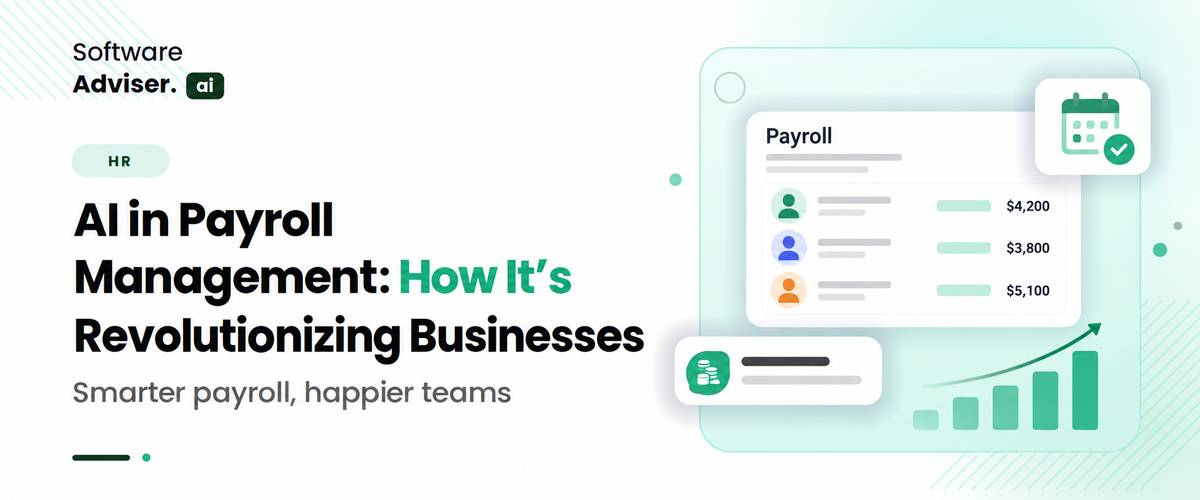
AI in Payroll Management: How It’s Revolutionizing Businesses
 Dokas mile
A timesheet contains an unusual number of overtime hours. A new employee's tax information does not match the expected setup. A benefit deduction suddenly changes. Someone gets paid twice. The process of manually tracking these problems takes several hours because payroll information exists in different systems, including HR, time tracking, benefits, and accounting and finance systems.
 Looking for AI Payroll Software? Check out Softwareadvisor’s List of the Best AI Payroll Software in the USA for Your Business.
Businesses now view payroll as an active workforce data source, which enables them to identify rising labor expenses, compliance risks, and staffing problems before they become major issues. This shift matters more to the people running a business than the people processing its paychecks. Here is what AI in payroll management actually changes at the business level, not just the payroll desk.
What Does AI in Payroll Actually Change?
The primary operation of traditional payroll software relies on rule-based systems. The system receives data about work hours and payment details, deduction information, benefit information, tax information, and employee information to perform its established calculation procedures.
AI in payroll adds another capability: recognizing patterns in that information. For example, suppose an employee normally records five to ten hours of overtime every pay period. Their next submission contains 45 hours.
A conventional system may process the number because it is technically valid. An AI-enabled payroll system, especially when integrated with HR software and multi-country systems, can identify the unusual change and bring it to someone's attention. That difference matters. The technology is not necessarily deciding that the payroll entry is wrong; it is identifying something that deserves a second look.
This makes AI payroll particularly useful for businesses where payroll teams are dealing with large employee populations, frequent changes, multiple locations, or data coming from several connected systems, including HR and multi-country payroll requirements. The same principle can apply to deductions, bonuses, tax withholding, employee classifications, time records, and other payroll inputs.
Do You Know?
Payroll AI is increasingly being used for workflow and data-validation tasks, not just employee chatbots. Current industry research tracks applications including error detection, fraud detection, compliance management, payroll calculations, audits, and trend monitoring.
How Does Payroll AI Find Problems Before Payroll Is Finalized?
One of the more practical uses of payroll AI is anomaly detection. An anomaly is simply something that looks unusual compared with an expected pattern. Payroll teams already perform this kind of checking manually. They look at reports, compare figures with previous periods, investigate unexpected changes, and contact managers when something does not make sense.
AI can perform parts of that review across much larger datasets. Imagine a company with 2,000 employees. Checking every employee's payroll movement against previous periods would be difficult manually. An AI system can scan the data and highlight records with significant deviations.
It might identify:
- An unusually large overtime change
- A sudden salary or compensation difference
- A duplicate payment pattern
- An unexpected deduction
- A change in payroll data that does not match historical records
- An unusual payroll variance within a department
- Missing or inconsistent information between connected systems
The payroll professional still decides what happens next. That distinction is important because an unusual payroll result is not automatically an error. A promotion, annual bonus, commission payment, relocation, or leave adjustment could legitimately create a large difference.
The value of AI is therefore not simply "finding mistakes." It is helping payroll teams decide where human attention is needed first.
Can AI Help With Payroll Calculations and Tax Changes?
Payroll calculations involve rules that can change, and US employers have to account for federal withholding, Social Security, Medicare, unemployment taxes, employee-provided information, and applicable state and local requirements. The IRS continues to publish and update detailed payroll guidance, including annual withholding methods and employer tax requirements.
AI can support payroll teams by helping organize, validate, and identify inconsistencies in the information used during these processes. It can also assist with data validation and payroll workflows when integrated into a broader payroll platform.
But there is an important limitation. AI should not be treated as an independent authority on tax law simply because a payroll platform includes an AI feature. The underlying payroll system still needs accurate tax tables, rules, employee information, and properly maintained integrations.
That is why the strongest use of AI in payroll is often not replacing payroll rules. It is helping people work with those rules more efficiently.
From a Back-Office Task to a Business Signal
For most of its history, payroll has been treated as an execution function: get people paid correctly and on time, and otherwise stay out of the way. AI in payroll management shifts what payroll data is used for. The same information that used to sit in a payroll system purely for processing- hours worked, overtime, department costs, contractor spend- can now be pulled into dashboards that leadership actually looks at between pay cycles, not just after the quarter closes.
This matters because payroll is usually a company's single largest recurring expense. A retailer or a services firm that can see labor cost trending upward in a specific region or department in near real time has a genuine planning advantage over one that only finds out at month-end. AI in payroll management doesn't change what payroll costs. It changes how early a business finds out.
What Can AI Payroll Accounting Do Beyond Paying Employees?
Payroll does not end when employees receive their money. The resulting figures also have to make sense to finance and accounting teams. Payroll information can affect the general ledger, expense reporting, benefits accounting, accruals, and financial reconciliation.
This is where AI Payroll Accounting becomes an interesting extension of payroll automation. Instead of treating payroll and accounting as completely separate processes, integrated systems can help identify differences between payroll records and financial data.
A business needs to evaluate a situation where its payroll costs have suddenly increased beyond what they had planned. The AI system would identify specific areas that caused the change through its analytical capabilities to detect overtime and bonus expenses, employee numbers, and benefit expenditures.
That can turn payroll data into something finance teams can actually analyze rather than simply record. The bigger shift is subtle: payroll starts becoming a source of business information.
Is AI Payroll Useful for Small Businesses Too?
AI is not only relevant to large enterprises. For AI payroll for small businesses, the biggest advantage may be reducing the amount of administrative work handled by a small team.
A growing business may have an office manager, finance lead, or HR generalist handling payroll alongside several other responsibilities. They may not have the time to manually compare every payroll record with previous periods.
For that type of organization, useful AI capabilities may include:
- Identifying unusual payroll changes
- Helping answer routine employee questions
- Checking payroll data before processing
- Supporting employee record updates
- Generating payroll reports
- Highlighting missing information
The needs are different from those of a multinational organization.
A small business does not necessarily need an elaborate AI system. It may benefit more from a payroll platform that quietly removes repetitive checking from a process that is already being handled by a small team.
What Changes When Enterprise Payroll Uses AI?
AI Enterprise Payroll operates in a different environment. Organizations that operate on a large scale maintain thousands of staff members while operating multiple departments and multiple legal entities, complex payment systems, and extensive system connections.
At that scale, the problem is not simply processing payroll faster. It is understanding a large amount of payroll information without requiring people to manually inspect every record. AI can help payroll teams prioritize exceptions.
The system shows payroll administrators only the most important variance records, which include detailed information that explains the difference instead of requiring them to examine every single variation.
This can also make payroll reporting more useful to HR and finance leaders. Instead of only asking whether payroll was processed successfully, organizations can start asking questions about overtime trends, workforce costs, unusual compensation movements, and other patterns within the payroll data. That is one reason AI in payroll is becoming more than a back-office automation feature.
What Should Businesses Be Careful About With AI in Payroll?
The biggest mistake is assuming that adding AI automatically makes payroll more accurate. It does not. AI systems depend on the quality of data that they receive for their operation. The system will create wrong alerts together with useless notifications when time tracking data remains incomplete, employee information becomes outdated, system connections break down, and payroll information shows inconsistent patterns.
There is also the question of human oversight. Payroll is a high-impact business process. An unusual result should be investigated, not automatically changed simply because an AI system identified it.
Businesses need to analyze these particular elements for their assessment process.
- Data quality: Does the payroll system receive reliable information from HR, time tracking, benefits, and accounting?
- Integration: Can the AI capability work with the systems the business already uses?
- Explainability: Can payroll professionals understand why an item was flagged?
- Access controls: Who can see or act on sensitive payroll information?
- Human approval: Which actions require a payroll professional to review them before anything changes?
These questions are more useful than simply asking whether a payroll platform "has AI."
What Does the Future of AI in Payroll Look Like?
The direction of payroll technology is moving toward systems that do more than calculate pay. Current payroll platforms are already introducing capabilities around payroll variance detection, data validation, employee assistance, workflow automation, and AI-supported calculations.
ADP, for example, describes AI capabilities that identify payroll variances and help payroll teams investigate and resolve them, while its 2026 payroll research shows organizations exploring AI across areas such as data validation, error detection, fraud detection, compliance management, and payroll calculations. The next stage is likely to be less about adding an enterprise AI chatbot to payroll and more about connecting AI to the entire payroll workflow.
That could mean a system notices an unusual payroll result, identifies the likely source, gathers supporting information from connected systems, explains the issue to the payroll professional, and prepares a recommended action for review. The person remains responsible for the decision. The software handles more of the investigation. That is a much more meaningful change than simply automating data entry.
A Practical Way to Evaluate AI Payroll Software
Before selecting an AI payroll platform, your team should start by identifying the payroll issues that they currently spend their time addressing.
- If your payroll team repeatedly investigates unusual entries, look for strong variance and anomaly detection.
- If employees send large numbers of routine payroll questions, look at employee self-service and AI HR capabilities.
- If your business operates across countries, examine AI Global Payroll and AI Multi-Country Payroll functionality, especially the system's handling of different entities and payroll environments.
- If finance spends significant time reconciling payroll, examine AI Payroll Accounting and the quality of the accounting integrations.
- And if you are a smaller organization, focus on whether AI payroll for small business actually reduces administrative work without introducing unnecessary complexity.
The right question is not "How much AI does this payroll platform have?" It is "Which part of our payroll process do we want the software to understand better?"

Pro-tip
Before rolling AI in payroll management out company-wide, run it alongside your existing process for one or two pay cycles and compare the two directly. That side-by-side comparison shows how many real issues it catches against how many false flags it raises, which tells you more than any vendor demo will.
Conclusion
AI in payroll management changes more than error rates and processing speed. It changes when a business finds out what it's spending on labor, how much oversight scaling requires, and how exposed the company is to compliance risk at any given moment. The businesses getting the most out of it aren't the ones that automated payroll the fastest. They're the ones that started using payroll data the way they already use sales or inventory data, as something leadership actually looks at before a decision gets made, not after.
FAQ's
No. Despite flagged irregularities and judgment-based decisions needing someone familiar with the business sphere, it alleviates the burden of manual reviews and repetitive tasks.
Yes. AI payroll tools for small businesses are generally priced for simpler setups and don't require a dedicated compliance specialist on staff to get value from them.
Centralized rule engines used in AI global payroll and AI multi-country payroll platforms update tax and labor rules automatically, cutting down the manual research a compliance team would otherwise handle by hand.
Faster visibility into labor costs. Leadership can see cost trends building during a pay period instead of finding out after the books close.
First, data privacy and vendor security policies should be addressed, as payroll data includes sensitive financial information; next comes the tool's degree of integration with current HR and time-tracking systems.
Marketing teams are drowning under a heavy wave of unstructured digital assets. The speed of creative execution forces content departments to manage t [...]
Dokas mile
If you've ever gone into a Target, scrolled through Sephora's app, or waited for a delivery from Amazon, then you have noticed an under-the-radar majo [...]

David N. Wilks
A decade ago, recording your screen meant hitting record, talking for twenty minutes, then spending another hour trimming dead air and adding captions [...]