
What we'll cover
Share with your community!


Get Free Consultation


Advanced Resource Management Software vs Entry-Level Resource Management Software
 Foram Khant
Every organisation depends on its people. The way you plan, allocate, and optimise your people can make all the difference between projects running smoothly and resources being stretched too thin, causing all sorts of bottlenecks, delays and disatisfaction.
For small and medium sized businesses, the solution is often straightforward. A simple entry-level resource management tool does the job by providing a clear, basic view of who is available and when. However, for larger organisations such as global banks like HSBC, international consultancies, or larger firms with more than 100 employees, the challenge is often more complex. Knowing your teams availability is just not enough. Leaders also need visibility and understanding into skills, utilisation, and capacity across entire departments and locations.
This is where advanced resource management software becomes an essential to smooth operations at scale.
The Evolution of Resource Management Software
Back in the day many teams relied on spreadsheets to manage people and projects. These spreadsheets provided a quick way to record names, dates, and tasks, but they were static, clunky and ineffective. As businesses began to scale and adopt more agile ways of working, the cracks became obvious. Teams were double-booked, projects over ran and leadership often discovered problems only after it was too late to fix them.
In response, a wave of entry-level resource management platforms entered the market as a solution. They offered intuitive scheduling boards, drag-and-drop calendars, and simple workload tracking. These tools helped to transform the way small teams operated, freeing them from messy spreadsheets and giving them real and more accurate picture on whos available.
Yet, as companies grow into hundreds or even thousands of employees, the limitations of basic tools also became a problem,. Larger organisations faced more complex challenges including;
-
Coordinating teams across multiple countries and regions.
-
The need to allocate based on specific expertise rather than just available hours.
-
Complying with strict industry regulations.
-
Connecting resource planning with financial forecasting and internal HR systems.
To solve these problems, businesses turn to advanced (A Grade) resource management solutions that are designed from the ground up for true enterprise-scale.
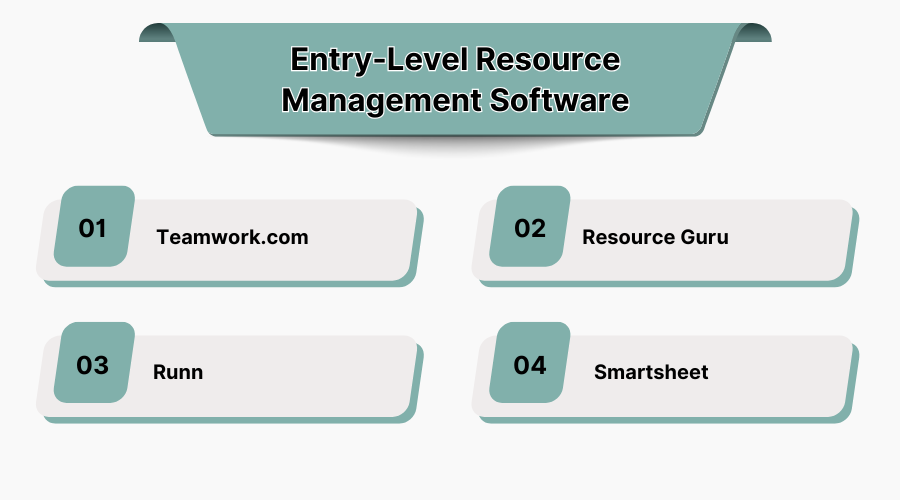
Entry-Level Resource Management Software
-
Teamwork
Teamwork, launched in 2007 in Ireland. It’s a project management tool that happens to include resource scheduling as a bonus. It is particularly popular with digital agencies and marketing teams that need to keep tasks and timelines in sync. Its clean design and task management features make it attractive to small and medium-sized businesses. Slightly harder to use but still very effective.
Strengths: Combines task management with resource planning. Provides time tracking and project collaboration in one platform.
Limitations: Better suited for managing tasks than for complex resource optimisation. Larger enterprises may find it lacks the depth required for global visibility. Also not great for the allocation part (very manual).
-
Resource Guru
Founded in 2012, Resource Guru quickly gained popularity with small agencies and creative teams. Its biggest selling point is simplicity. The interface is clean and user-friendly, making it easy to assign people to projects with a simple drag-and-drop calendar. Managers get a clear view of who is available and who is overbooked, while employees appreciate the transparency.
Strengths: Affordable, intuitive, quick to set up, great for agencies under 50 people.
Limitations: Limited reporting and forecasting capabilities. Lacks deeper integrations with enterprise systems, however. Struggles when teams expand across multiple regions.
-
Runn
Runn is fresher to the market, founded in New Zealand in 2018. It focuses on project forecasting and capacity planning, making it a good option for consultancies and growing businesses that want more than just a basic calendar overview. It is cloud-based and offers simple, clear dashboards that appeal to smaller teams.
Strengths: Strong forecasting tools, easy to implement, flexible for project-based work.
Limitations: Less developed in terms of enterprise integrations and advanced skills management. May not scale effectively beyond 100 users.
-
Smartsheet
Smartsheet, founded in 2005, takes a spreadsheet-style approach to resource and project management. It is widely used across many industries, especially among mid size companies that want flexible, customisable platform without heavy upfront costs.
Strengths: Highly customisable. Familiar spreadsheet-like interface that eases adoption. Strong collaboration features on the most part.
Limitations: As organisations scale, complexity increases and Smartsheet can become more of a hindrance. It is not purpose-built for advanced resource management in our opinion.
For businesses with modest head count (up to 10 maybe) and straightforward project needs, these platforms offer real value. They save time, improve visibility, and support day-to-day operations. The tipping point comes when the business grows to 100+ employees, begins to manage international teams, or requires sophisticated financial forecasting and compliance. At that stage, entry-level tools no longer provide the depth and abilities you need to successfully run a more complex structured team.
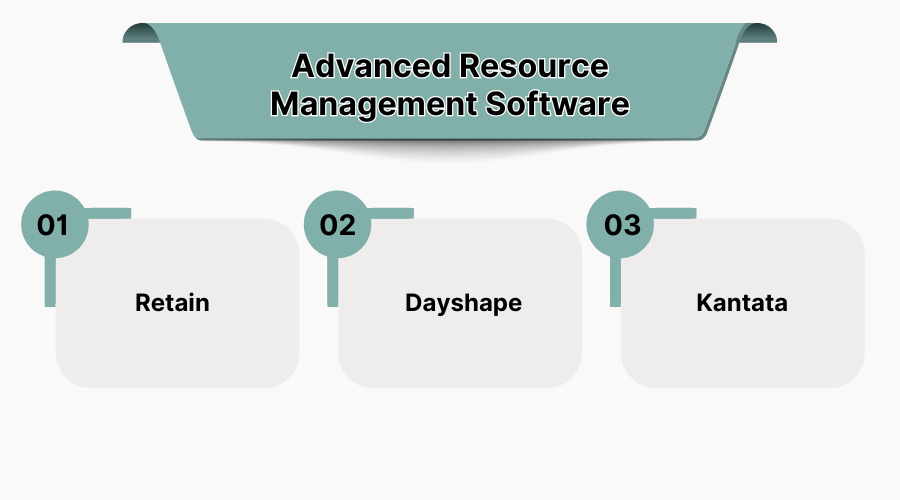
Advanced Resource Management Software
What Makes Software Advanced?
Advanced platforms have been built to deal with some of the complexities we’ve spoke about. They help organisations match people not just by availability but by real life expertise and credentials (Think second languages and specific experience with certain types of projects). They show, in real time, how resources are being used across multiple locations and they integrate seamlessly with finance and HR systems so that staffing decisions are directly tied to business outcomes. And, crucially, they scale without friction.
For large teams the difference is night and day. If you are running a global consultancy with a thousand employees, or managing a bank’s professional services function across several continents, you need to know way more than just “who is free.” You need to know who is best qualified person for the job and how moving resources affects utilisation, and what impact those decisions will have on profitability in the next quarter.
-
Retain
Retain has been helping organisations answer those questions since 1992. The platform is trusted by some of the world’s largest professional services firms and international enterprises. What really sets Retain apart is the way their software blends depth with usability.
One standout feature is their new Skills+ element. This feature enables leaders to allocate staff based on capability, certifications, and career progression rather than simply filling hours. This ensures that the right consultant or specialist is placed on the right project at the right time. The outcome is allowing businesses to improve their delivery quality and better support professional development.
Another strength is real-time visibility tracking via their dashboards. Retain’s dashboards provide a live view of utilisation, project health, and capacity across the business. Executives no longer need to wait for static reports or chase information across multiple systems. They can make confident decisions in the moment, backed by accurate data, again in real time.. That’s they key.
Retain is also designed with enterprise integration at its core. It connects seamlessly with ERP, HR, and finance systems, creating a single version of the truth across your organisation. Combined with robust compliance and security at its core making it an excellent fit for multinational banks, large consultancies, and enterprises where resourcing directly impacts margins.
Most importantly, scaling operations with Retain is effortless. Whether you are managing a hundred employees or ten thousand, their platform adapts to the complexity of your organisation. That is why Retain has become the go-to choice for global names who need to manage their most valuable asset: their people.
Strengths: Skills-based allocation through the Skills+ feature, allowing firms to match people to projects based on expertise, certifications, and career aspirations. Real-time visibility across utilisation and capacity helps leaders make confident, data-driven decisions. Designed for large-scale, international organisations, it integrates seamlessly with ERP, HR, and finance systems and is trusted by global banks and professional services firms.
Limitations: As an enterprise-grade platform, Retain is best suited to organisations with 100+ team members. Smaller businesses may find it more sophisticated than they need, and implementation can require thoughtful planning to get the most from its advanced features. It’s a more expensive option also that many smaller businesses may not have the budget for.
-
Dayshape
Founded in Edinburgh in 2013, Dayshape has built its reputation on AI-powered resource management. It is mainly used by accountancy and consulting firms that need automated scheduling and scenario planning. They use algorithms to match people to projects, which helps optimise utilisation and profitability.
Strengths: Automation and predictive scheduling. Arguably tailored for professional services firms with a strong focus on data-driven decision-making.
Limitations: Can require significant setup to get the most value (This can be a challenge and a trial and error process). Some users may find the level of automation less flexible compared to more configurable platforms.
-
Kantata (formerly Mavenlink)
Kantata, formed in 2022 through the merger of Mavenlink and Kimble Applications, is another leading name in advanced resource management. It positions itself as a professional services automation platform, combining resourcing, project management, and financial tools in one environment. Trusted by major consultancies and global organisations, it is often chosen by firms that need the closest alignment between resourcing and financial performance.
Strengths: Strong financial management features. Robust integrations with enterprise systems. Well suited for large, complex consultancies. A solid choice.
Limitations: Can be more complex to implement and may feel heavy for organisations that do not require a full PSA solution.
Entry-Level vs Advanced: At a Glance
|
Category |
Entry-Level Tools |
Advanced Tools |
|
Best for |
Small and medium businesses, agencies, start-ups |
Enterprises, global teams, 100+ users |
|
Examples |
Resource Guru, Teamwork, Runn, Smartsheet |
Retain, Dayshape, Kantata |
|
Scheduling |
Simple calendars and task assignments |
Skills-based matching and AI-driven optimisation |
|
Reporting |
Basic workload summaries |
Real-time dashboards, forecasting, and analytics |
|
Integrations |
Limited, mostly project tools |
Deep ERP, HR, and finance integrations |
|
Scalability |
Effective for up to 50–100 users |
Designed for hundreds or thousands of users worldwide |
This comparison table makes it clear that the distinction is not just about which tool is “better”, it makes you think about what’s important to your organisation depending on its growth and goals
Conclusion
The choice between entry level and advanced resource management software ultimately comes down to your businesses scale and complexity. For smaller businesses, entry-level tools such as Resource Guru, Teamwork, Runn, or Smartsheet are a smart starting point and have a real place in the market. They provide structure, visibility, and simplicity for teams of up to around fifty or a hundred people.
Once an organisation begins to grow beyond that point, however, the demands and requirements change. Enterprises with international teams, specialist skill requirements, and high-profile clientele need tools that can handle more complexity and moving parts. Advanced solutions such as Dayshape and Kantata step up to that challenge at a decent level by bringing automation and financial integration into the picture.
Entry-level tools focus on basic scheduling, while advanced software offers skills-based allocation, forecasting, and enterprise integrations.
When teams exceed 100 people, span multiple locations, or need deeper insights into utilization and forecasting.
Yes, they are affordable, simple to set up, and ideal for managing up to 50–100 team members.
For larger organizations, yes—advanced tools improve efficiency, forecasting, and scalability, delivering stronger ROI.
Lead Management tools play a crucial function in assisting agencies capture, arrange, and nurturing capability clients in the course of the income adv [...]

Ankit Patel
The incorporation of Generative AI in Healthcare is transforming the way we go about delivering patient care, diagnosing, and treatment. From enhancin [...]
Vaishali
The fact is that automation is not only about scripts or tools. It is a matter of discipline, of doing the right things, doing them in the right way, [...]