
Best Team Management Software in
Are you looking for Team Management Software for your Business in ? SaaS Adviser brings you the best Team Management Software to ease your worries. In order to make your work smooth and swift, SaaS Adviser has compiled a list of the best software available. Compare the Best software features, pricing, free demo, and trial to select the best Team Management Software for your organization.
 Researched and Written by Akash Patel
Top 3 Featured Softwares


List of Top Team Management Software
.jpg "Category Image")
Get Free Consultation

What is Freshdesk? Freshdesk is a cloud-based helpdesk and customer support solution created by Freshworks that enables businesses to manage customer inquiries, complaints, and ...
View Profile

What is Freshservice? Freshservice is a cloud-based IT service management (ITSM) solution developed by Freshworks that enables organizations to modernize and streamline their IT...
View Profile

Connecteam

Powerful Hubs, Flexible Pricing
What is Connecteam?Connecteam is a mobile-first employee management software designed to simplify and centralize daily operations for deskless and remote teams. It offers tools...
View Profile
Wrike is a powerful cloud-based project management and collaboration software designed to streamline workflows, improve team productivity, and enhance visibility across project...
View Profile
Cerri
Enterprise Project Portfolio Management Software
Cerri provides simple yet powerful team collaboration and project management solutions to improve project workflow, and align teams towards common goals.
View Profile
Asana is a cloud-based project management software designed to help teams organize, track, and manage their work efficiently. It streamlines workflows, improves collaboration, ...
View Profile
Notion is an all-in-one workspace designed for note-taking, task management, project collaboration, and knowledge organization. It combines multiple productivity tools—such as do...
View Profile

ClickUp is a comprehensive, all-in-one productivity platform designed to streamline work management for individuals and teams across industries. It centralizes project planning...
View Profile
What is Monday.com?Monday.com is a cloud-based Work Operating System (Work OS) designed to help teams plan, track, and manage their projects and workflows efficiently. Its high...
View Profile

What is Trello?Trello is a flexible, web-based project management tool that helps individuals and teams organize their tasks visually. Based on the Kanban method, Trello uses b...
View Profile

Slack is a communications and workflow solution designed for teams. Using Slack, you can set up channels, which can be around any theme, project, client or department. You can invi...
View Profile

What is BasecampBasecamp is a popular project management and team collaboration tool designed for simplicity. It helps businesses organize tasks, communication, and files in on...
View Profile
What is ProofHub?ProofHub is an all-in-one project management software and collaboration software.It helps teams plan, collaborate, and deliver projects more efficiently.U...
View Profile

Hive is an intelligent productivity platform that helps companies all over the globe enhance their productivity levels in real-time. Admins can leverage the platform to revolutioni...
View Profile
Scoro is a work management software that helps professional service agencies, consultancies and companies to optimize projects, simplify the quotes, automate billing and optimize o...
View Profile
What is Teamwork?Teamwork is a challenge management and collaboration software program designed to help teams prepare duties, control initiatives, and enhance productivity. Ide...
View Profile
What is AirtableAirtable is a cloud-based platform that combines the simplicity of a spreadsheet with the functionality of a database. It helps teams organize, collaborate, and man...
View Profile

What is Miro?Miro is a cloud-based visual collaboration platform designed to help teams brainstorm, plan, and execute projects in real time. Featuring an infinite digital whiteboar...
View Profile
7shifts is a specialized team management software designed for the restaurant industry. The platform offers various tools and features to assist managers and operators in creating ...
View Profile

Zoho TeamInbox
Shared multichannel inboxes for teams
Zoho TeamInbox is a unified inbox for all your communication channels that builds you a transparent work environment and enhances collaboration in teams.
View Profile

Table of Content
What Is Team Management Software?
Team Management Software is a computer program that helps a team plan projects and manage work management and track progress in one location. It improves communication in which the members can easily communicate updates, notes, and files. Task scheduling, reminders and performance tracking are also among the features of many team management applications aimed at making teamwork more efficient. Together with these functions, it is easily integrated with other tools like calendars or time trackers. Combined with the best workflow management software would make sure that each work passes effortlessly through the group of activities without getting lost or postponed.
1. Why Do You Need Team Management Software?
Team Management Software is a tool that is necessary in helping teams organize their work, communicate effectively and deliver projects on time. It keeps all the tasks and notes, and discussions central, and this makes working in a team simple and efficient. Whether the group is working in the office or at home, this tool will keep everyone connected, informed and accountable.
-
Streamlined Communication
Teamwork involves clear communication. A team management application enables teams to share updates, notes and feedback in real-time. It saves time spent in confusion and ensures that all the people remain on the same page without using long message threads or emails.
-
Task And Project Tracking
It is much easier to track the progress when one is able to see everything. Such are the tools that will make you assign tasks, set deadlines, and monitor completion. They may be applied under the most optimal task management software that gives more control to the teams regarding workloads and priorities.
-
Improved Accountability
Accountability is bound to increase when roles and tasks are clear. Every team member is aware of the things he or she should do and at what time. Under team management tools, managers get the opportunity to look at task progress within a short time and see that the tasks are addressed in the right way.
-
Remote Collaboration
Remote teamwork is prevalent in the modern culture of the flexible work environment. Remote working optimally works with the best software that allows cooperation through the maintenance of communication and files within a single space. It is used to keep teams productive regardless of their locations or time differences.
-
Data-Driven Insights
The contemporary teams require information to make intelligent decisions. The systems will provide reports on the manner in which time and effort will be utilized in projects. It can be coupled with a team time management software, which will make the analysis of the performance easier and enhance efficiency.
2. Steps To Choosing The Right Team Management Software
The selection of the appropriate Team Management Software may significantly affect the operations of your team on a daily basis. The appropriate tool will keep the projects on course, enhance cooperation, and conserve time. The following are just some of the tips that should assist you in selecting the one that best suits your team.
-
Identify Team Needs
Begin by knowing what your team would need. Write down the daily difficulties - communication problems, project lag, or time tracking problems. Being aware of your pain points is a plus in locating business team management software tools that work in reality, rather than appear good on paper only.
-
Prioritize Features
Having determined what you require, you need to consider features that matter most to you i.e., task tracking, chat features, or file sharing. Do not end up wasting time putting more tools in it that you are not going to use. The best team management software is one that fits your workflow, and not the most costly.
-
Research & Test
Research widely-known platforms, read reviews, and use free demos when available. The tests will assist you with the interface being easy and coherent with your working style of your team. It is always prudent to experiment with a free team management application before making the ultimate decision.
-
Check Integrations & Scalability
Ensure that your software will work well with other applications you frequently use e.g. email, calendars, or a time tracking application. In addition, consider scaling - choose a platform that will be able to support additional users or projects with the expansion of your team.
-
Compare Pricing & Support
Publish pricing plans. Review the content of every plan and the customer service. A tool is not useful when there is no one to help you when you need them. Find sites that have reasonable prices and quality services, particularly in the case of expanding teams.
3. Factors To Consider Before Buying Team Management Software
It is good to know what your team is working with and what its objectives are before investing in Team Management Software. Each business is unique with its needs and hence the right decision must be one that will be useful, cost-effective and value-oriented in the long term. The following are major aspects that you need to consider before making a decision.
-
Team Size & Needs
Begin with the analysis of your team size and style of work. A simple team management tool can be required by smaller teams, whereas more complex tracking and reporting solutions can be sought by larger organizations. Being aware of the needs of your team, you will know what software to choose that will not complicate growth but help it develop.
-
Ease Of Use
The program must be user-friendly to all persons and not only to technology gurus. A neat dashboard and clear navigation save time as well as the cost of training. The more user-friendly it is, the faster your staff can get down to business rather than learn how to operate the system.
-
Customization
The teams have a different way of functioning. Choose a platform that has the option to tailor workflows, task boards, and notifications. A customized system helps the teams to manage projects in a manner of their liking and improve productivity and flexibility within the departments.
-
Budget
Establish a definite budget and then you set out to compare alternatives. Others have free versions of their team management apps with basic features, and those that are paid include additional features such as automation or file sharing. Don’t spend money on stuff you won’t use - check if what you pay for matches what helps you.
-
Customer Support
Major slowdowns can be saved by strong customer support. Rapid replies are essential, whether it is chat, email, or telephone assistance. There are even some providers that provide 24/7 support to ensure that you work smoothly, making this one of the best SaaS project management software options.
4. Types Of Team Management Software
Different kinds of Team Management Software can be tailored to the needs and work styles of different teams. Others are just to operate in simple everyday jobs and others are full-stack in operating giant projects and enhancing cooperation among team members. The knowledge of these types can prevent you from choosing the wrong one that will fit your team best.
-
Basic Task Management Tools
These are tools that are easy to use and are primarily aimed at assigning, tracking and accomplishing tasks. They are ideal when using small teams or startups, which do not require many features. They are used to make sure that all people are aware of what to do and when to do it, making daily work without any complications or misunderstandings.
-
Comprehensive Project Management Suites
It is a complete spectrum of features in the management of complex projects from planning to delivery. They consist of a timeline, file sharing, and reporting tools. It’s helpful to keep many projects together in one spot - especially if you work with a big group.
-
Collaboration-Focused Tools
These applications allow members of the team to communicate, update one another, and collaborate in real time. They usually have chat solutions, shared dashboards, and file-sharing features. Most of them also combine with the best collaboration software to ensure that teamwork is not difficult in any way.
-
Time & Productivity Trackers
These tools assist in tracking the time spent on every activity or project. They can be used to enhance productivity and the description of work patterns. This information can be used to plan better by teams and also to make sure that deadlines are met without putting undue strain on anyone.
5. Key Features Of Team Management Software
Team Management software has a number of valuable features that assist the team in organizing the work, remaining connected and monitoring the progress easily. All the features are essential to enhance productivity and collaboration, simplify the daily tasks and make them more transparent. Team Management Software Market Revenue was valued at USD 5.3 Billion in 2024 and is estimated to reach USD 12.8 Billion by 2033
-
Task Management And Visualization
It is an aspect that helps the teams to create, delegate, and easily monitor tasks. The visual materials (boards, lists, calendars, etc.) enable all individuals to see what and when something has to be implemented. It possesses a systematic nature of projects and assists employees to be in tune with their responsibilities.
-
Communication And Collaboration
The chat capabilities, commenting, and shared workspaces are integrated and do not require a person to change apps. This keeps them on track and avoids misunderstandings. Effective communication will result in quicker decision-making and enhanced group work.
-
Reporting And Analytics
The reporting tools provide information on how the projects are progressing and in which areas the time is being consumed. Analytics enable managers to make well-informed decisions, and not guesses. It is a characteristic that provides a precise understanding of performance and assists teams with areas of enhancement.
-
Time Tracking
Time tracking is used to keep track of the duration of every task. It can be used to handle deadlines, productivity and workload allocation. This aspect will make projects be completed on time without the needless hassles.
-
Workflow Automation
Repetitive manual work is minimized through automation, which involves the establishment of automatic updates of tasks, notifications, or approvals. It is time-saving, eliminates delays, and allows teams to work on significant work instead of their routine.
-
Customization And Integrations
The teams do not all work in the same way; thus, flexibility is significant. The software can be adapted to particular workflows and systems by changing layouts and task types and connecting with other tools and making it easy to achieve.
-
Resource Management
This aspect aids in the management of the people, time, and tools. This will enable leaders to view the availability of people, monitor workloads, and distribute resources most properly. Even distribution of resources prevents burnout and maintains the existing productivity.
-
Security And Permissions
There is excellent security of vulnerable team information. Permission settings provide the ability to place certain information under the editing of specific people who have permission to do so. It develops trust and prevents company information from falling into the wrong hands.
6. Key Benefits Of Team Management Software
Team Management Software assists teams to work smart by maintaining a clean and clear picture of everything. It also unites the communication, planning, and tracking systems into a single system and makes it easier to keep teams focused and on track towards achieving common objectives. The following are the key advantages that make it useful to any organization.
-
Improved Collaboration And Communication
This software unites all the team members on one platform. All people can post updates, files and feedback in real time, eliminating misunderstandings and lost messages. It keeps all the members in touch, connected and moving towards the same goal.
-
Enhanced Productivity And Efficiency
By being more organized and with more visible tasks, teams can spend less time switching tools. Projects are completed more quickly with the help of automated reminders, organized workflow, and time clocking. Consequently, productivity is boosted without increasing the additional pressure.
-
Better Project Management And Accountability
Managers are able to monitor, track progress and assign duties easily. Conspicuous ownership ensures that all tasks are done in time and by the appropriate individual. The openness serves to develop responsibility and confidence in the team.
-
Support For Remote And Hybrid Work
It provides remote and hybrid teams with connectivity regardless of distance. Different dashboards, products, communication tools, and cloud-based access make coordination smooth. Communication among members of the team is effective even when they are not in the same place.
-
Improved Morale And Reduced Stress
Working teams are empowered and not so overburdened when their tasks are properly organized and there is a lot of communication. Each maintains his/her priorities and deadlines, minimizing the last-minute rush. Such a compromising attitude results in improved morale and healthier work practices.
7. Five Best Team Management Software In The USA
The selection of an appropriate team management software can bring a significant change to the way your team communicates, works and gets things done. These are reliable, flexible, and easy to use tools. Both of them facilitate effective project implementation, responsibility, and harmonious interaction of the teams - perfect in both small and big organizations.
1. Asana – “Organize Work, Achieve Clarity, Move Faster.”
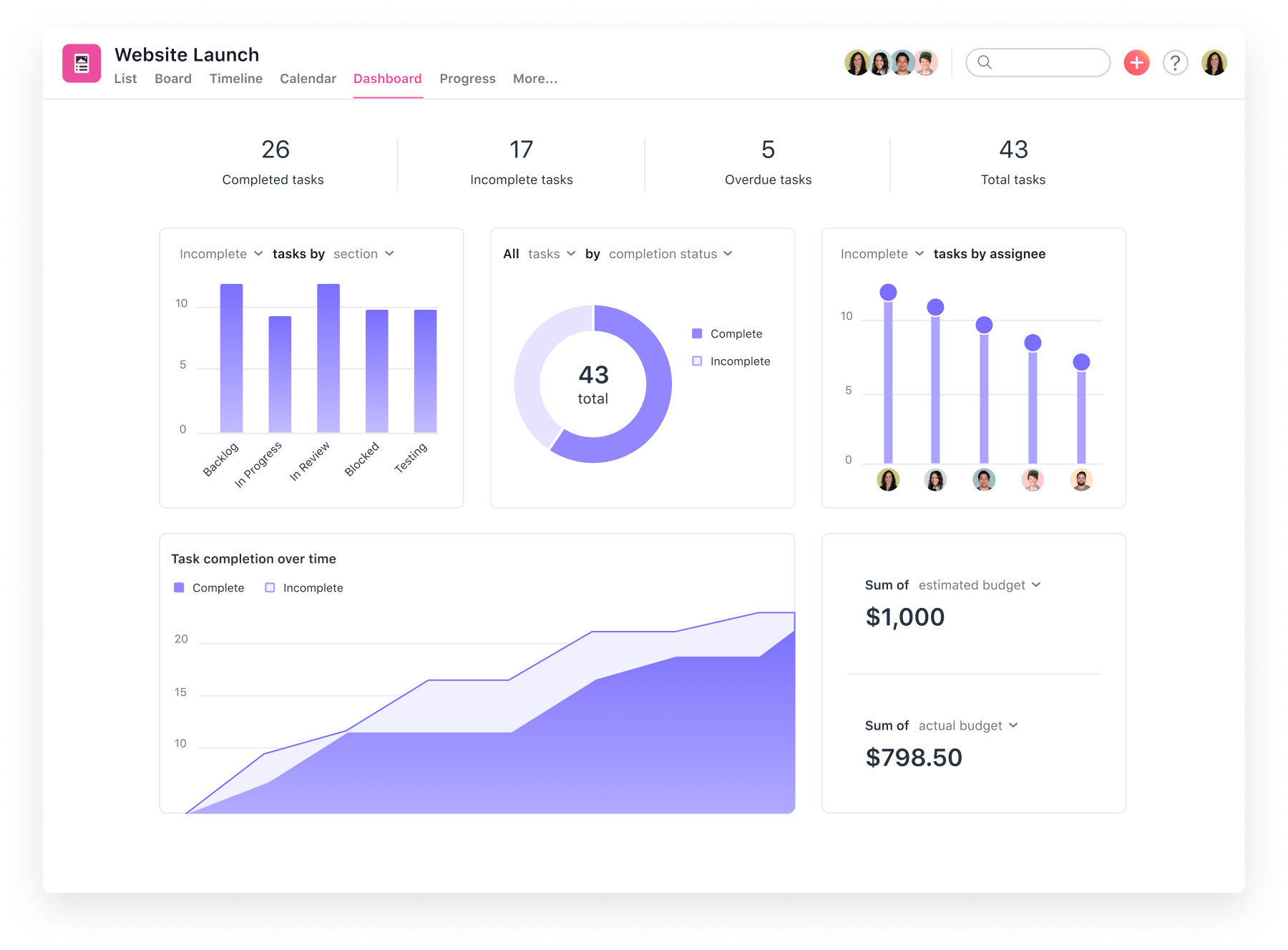
Asana is a top team management system that assists teams in setting out projects, monitoring duties and keeping workflow orderly. It is also famous for having a clean interface and being flexible, which makes it suitable for teams of various sizes. Asana suits well those organizations that desire an organized but graphical way of planning and monitoring progress.
Key Features
-
Visual tracking of work: Timeline and Board view.
-
Dependency of tasks and due dates warnings.
-
Monitoring of goals and work.
-
Quick project templates.
-
Support for the integration with more than 200 popular tools.
Pros
-
Easy to use and alluring design.
-
Good at cross-functional working.
Cons
-
Paid plans are needed to have advanced features.
-
Feel complicated with small teams.
Pricing: Free plan; Premium plan begins with 10.99/user/month (annual billing).
2. Monday.com – “Work Your Way, Manage Anything.”
Monday.com is a flexible project and team management software that enables teams to plan, monitor, and deliver projects flexibly. It integrates graphical processes with strong automation, and it is ideal for both startups and businesses. The tool is appropriate in teams that appreciate customization and real-time co-operation.
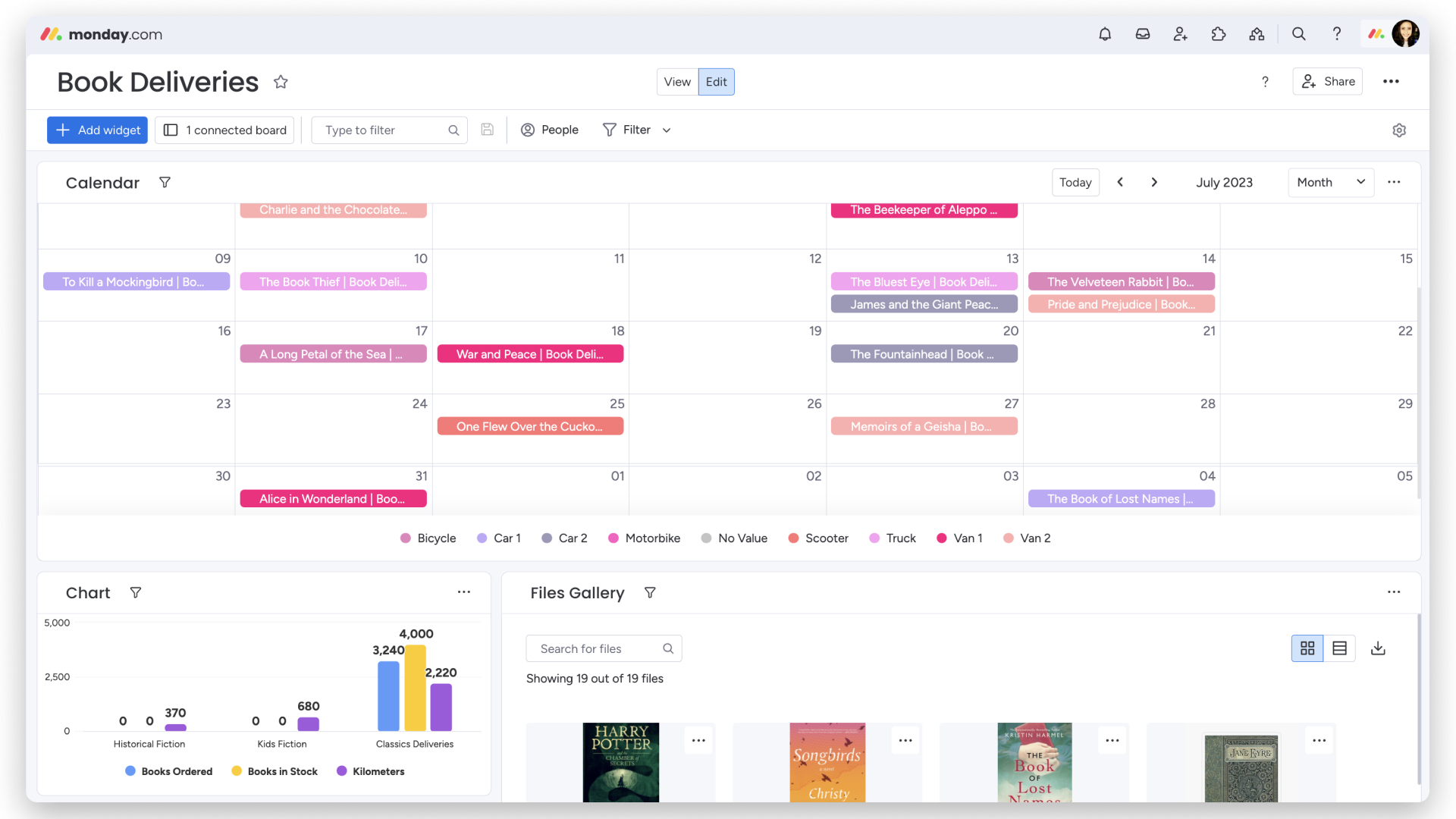
Key Features
-
Personalized dashboards and processes.
-
Repetitive duties automation.
-
Real-time progress tracking
-
Team Communication tools and file sharing.
-
Getting connected to the favorite work apps.
Pros
-
Use of a highly customizable interface.
-
Good at handling numerous teams or departments.
Cons
-
May need time to understand everything.
-
Scaling can lead to an increase in the pricing.
Pricing: Free individual plan; Basic plan begins at $12/user/month (annually).
3. Clickup – “One App To Replace Them All.”
ClickUp is a software that integrates task management, document creation, time tracking and collaboration in a single platform and is an all-in-one productivity platform. It also removes the use of several applications as it is highly customizable and intelligent in its automation. ClickUp works best with startup organizations, remote teams, and fast-paced teams.
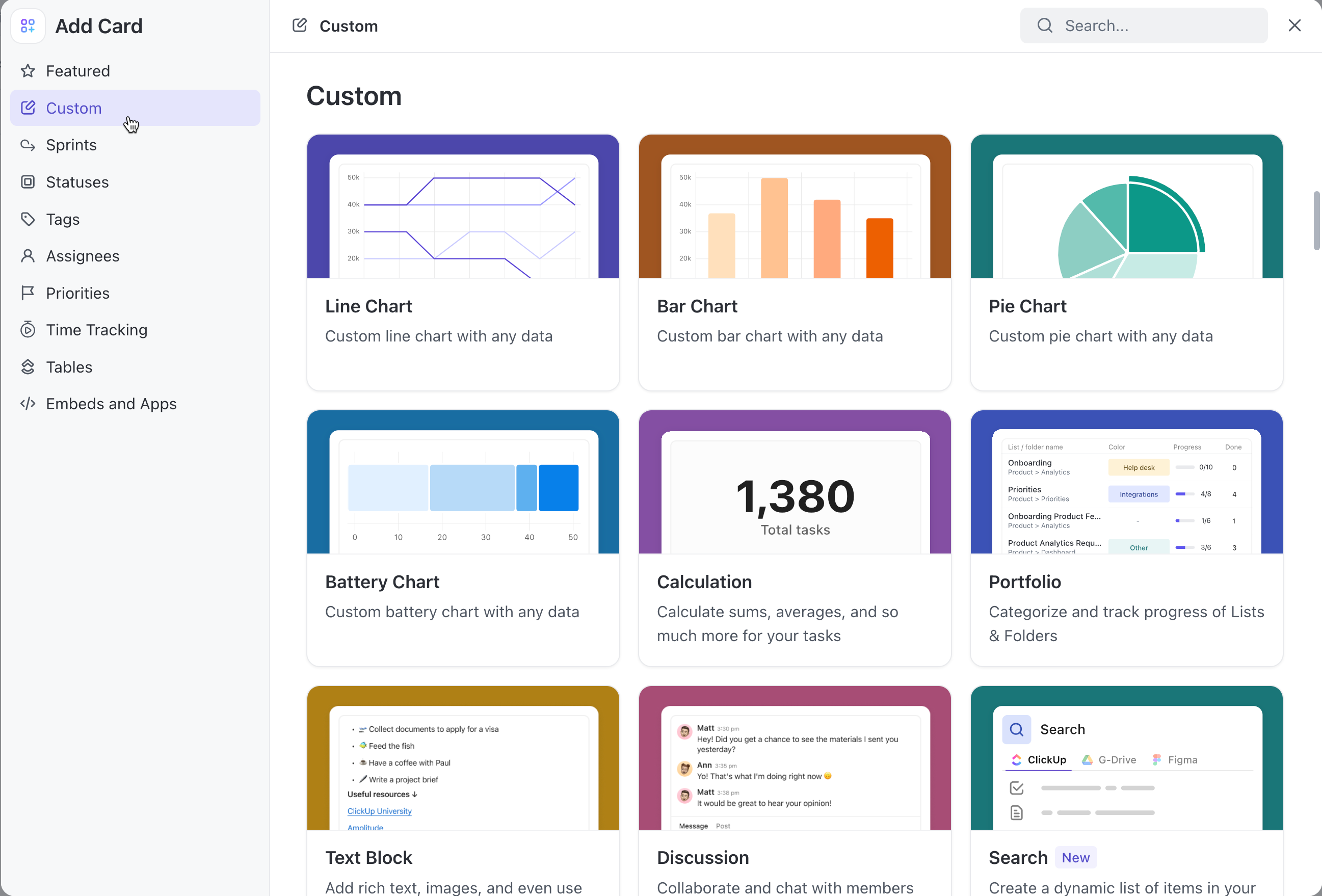
Key Features
-
Several different views (List, Board, Calendar, Gantt).
-
Inbuilt documentation, chat, and goals.
-
Workload management and time tracking.
-
Setting up recurring tasks and automation.
-
Custom dashboards and fields.
Pros
-
Rich and adaptable with extreme features.
-
Offers a generous free plan
Cons
-
The interface can feel crowded
-
Sometimes there are delays in performance with major projects.
Pricing: Free plan; Unlimited plan beginning at $7/user/month (paid annually).
4. Wrike – “Powerful Project Management For Every Team.”
Wrike is a powerful team management application that is oriented toward large teams with complicated working cycles. It is concerned with visibility, accountability, and reporting, and makes it suitable for enterprises and professional service providers. Wrike boasts a superior level of project analytics and automation.
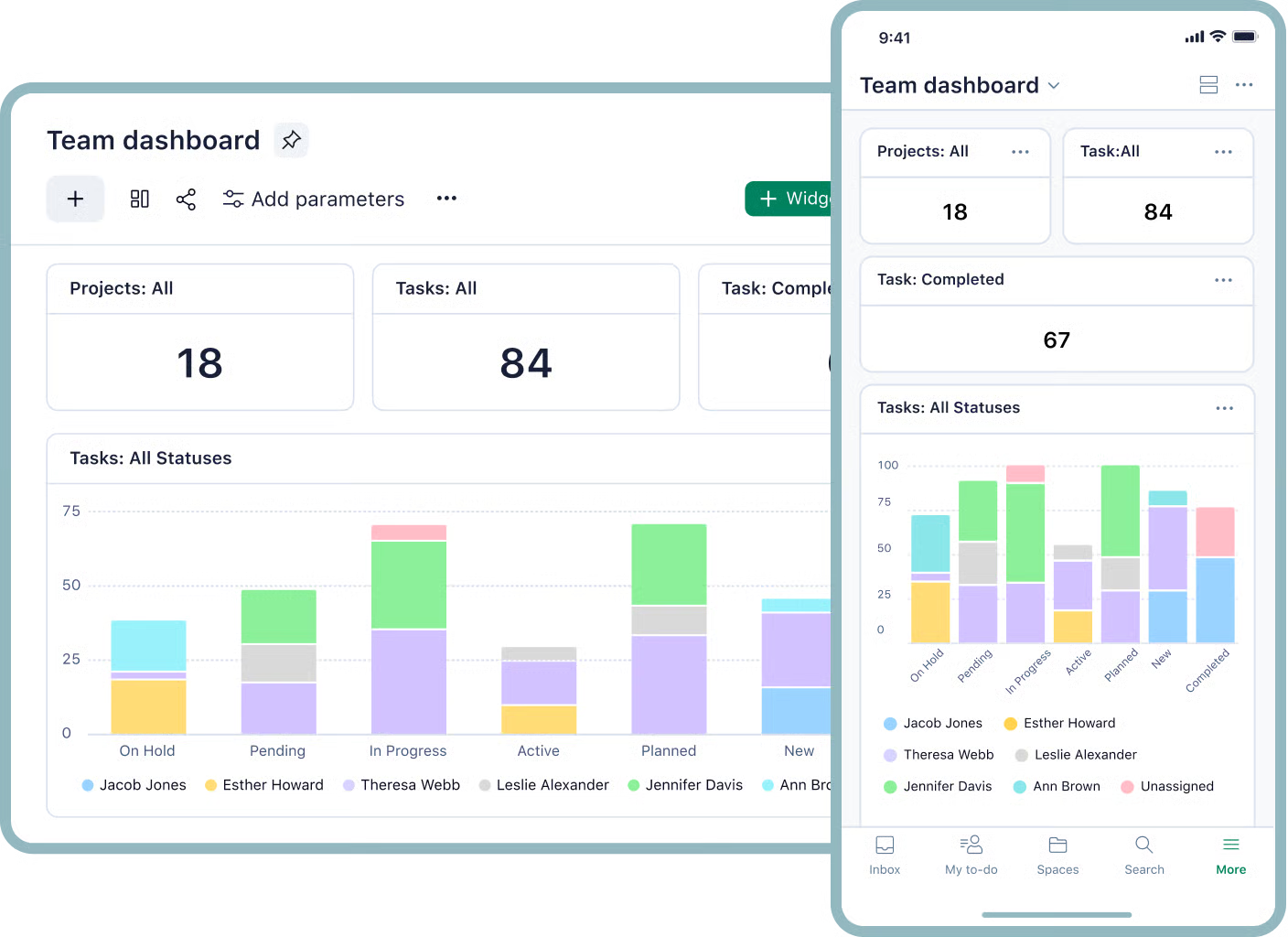
Key Features
-
Real-time workload charts and dashboards.
-
Priorities and status of tasks.
-
Vision control files sharing.
-
Specific workflows and templates.
-
Intrinsic reporting and analytics.
Pros
-
Excellent when working with large scale and multi-team projects.
-
First-rate reporting and insight technologies.
Cons
-
Steeper learning curve
-
Increased cost levels of superior features.
Pricing: Free plan; Team plan: beginning with $10/user per month (annually).
5. Trello – “Visual Collaboration Made Simple.”
Trello is an easy, effective, and visual collaboration tool that is based on Kanban boards. It is ideal for teams that desire to handle tasks fast and graphically without any unwarranted complexity. Trello is best suited to freelancers and small teams, as well as for people who enjoy a drag-and-drop concept of productivity.
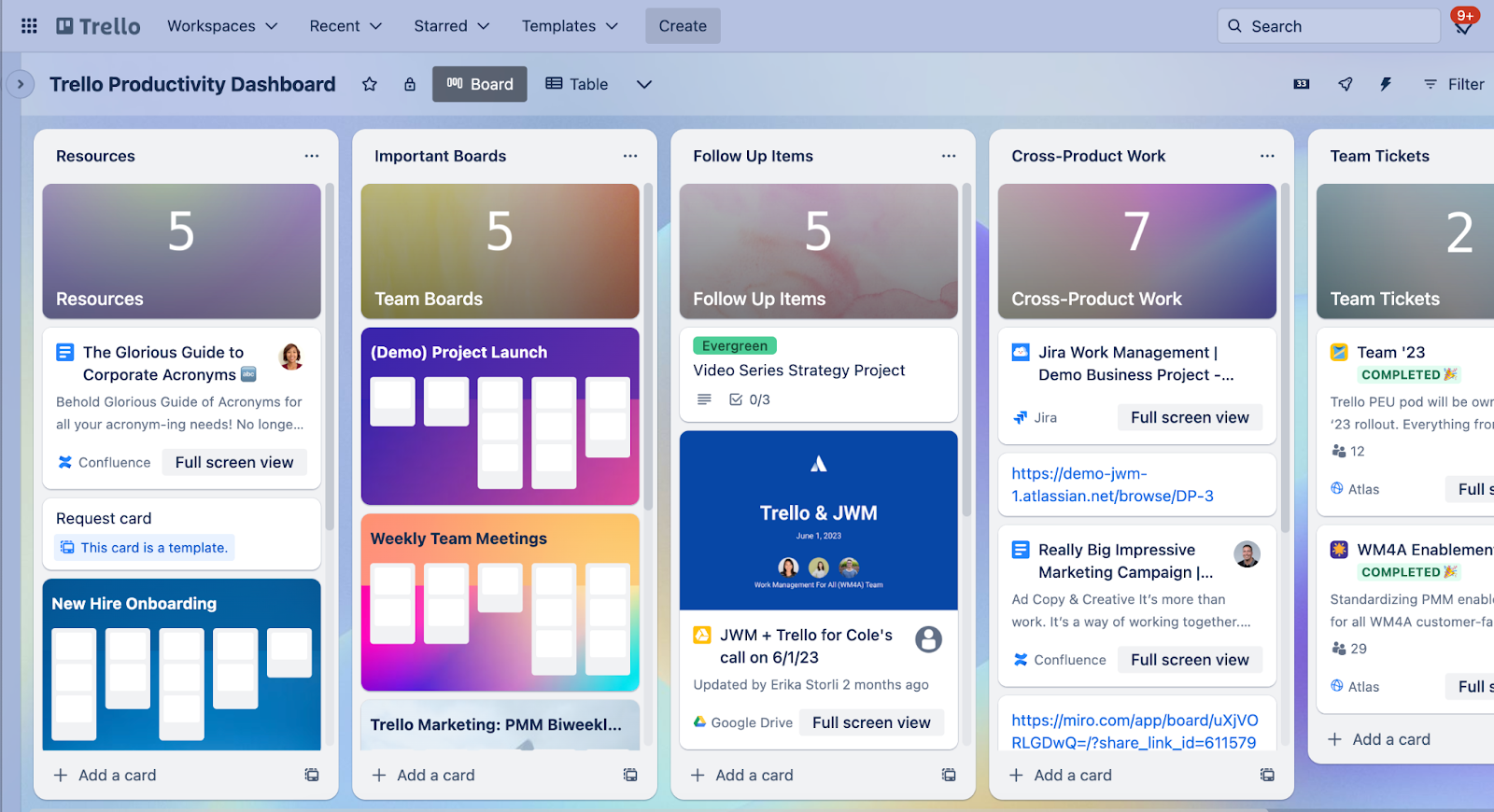
Key Features
-
Task boards and lists that can be dragged and dropped.
-
Power-Ups: Customizable workflows.
-
Teamwork and discussion applications.
-
Calendar and timeline views
-
Support for Slack, Google Drive, and others.
Pros
-
Simple, intuitive interface
-
Easy to use and light task management.
Cons
-
Poor reporting facilities.
-
Not suitable in terms of complex projects or large-scale projects.
Pricing: Free plan; Standard plan begins with $5/user monthly (yearly).
8. Key Trends In Marketing For Team Management Software
Team management software is a product that operates in a rapidly changing marketing environment. With the transition of teams to digital collaboration and hybrid work, software companies have begun to take a different approach to marketing to their audience. The following are some of the trends that are influencing this market today:
1. Target Remote and Hybrid Work Solutions.
Marketing has now emphasized flexibility and real-time collaboration because remote work has become the new norm. Brands advertise the functionality of their tools to keep the teams in touch, to organize time zones and updates, and share them smoothly. This trend indicates the increasing need for software that can support an in office and a remote team.
2. User Experience and Simplicity.
The customers are no longer seeking complicated systems but simple systems that are easy to use and clean. The marketing campaigns are based on visual simplicity and seamless onboarding. Powerful selling points are being made on the use of clear demos, quick-start guides, and user-friendly dashboards.
3. Interaction with Other business tools.
Contemporary marketing emphasizes the integration with such tools as Slack, Google Workspace, and CRM systems. This allows users to observe the previously existing workflow of the software and allows it to fit there. It does not only matter about features but also compatibility and convenience.
4. Artificial Intelligence and Marketing Messages Automation.
AI is turning into a significant subject of campaigning. Businesses demonstrate how automation is time-saving, performance tracking, and helps make smarter decisions. AI-powered illustrations that marketers rely on to reach tech-conscious audiences include automated reminders of tasks and data-driven ideas.
5. Social and Community Proof Marketing.
Today, marketers put more emphasis on actual customer stories and case studies. The testimonials, online communities and social discussions create trust in the potential buyers. User success stories are currently one of the most successful methods of attracting new users.
6. Freemium and Trials Promotions.
Limited-time trials and complimentary plans are now important marketing instruments. They give the user the opportunity to search for features without payment. This practical nature works in favor of the businesses, turning users into loyal customers after they realize the value themselves.
9. Conclusion
Team Management Software is a necessary application when one wants to become a better team player, boost his/her productivity and coordinate projects. It unites communication, task management and teamwork- assists teams to be connected and organized to work at work wherever they are or even in the office. To new users, it is often easier to begin with a simple and easy-to-use tool, such as Trello or Asana, and then upgrade to a more complex platform, such as ClickUp or Monday.com, depending on the requirements of your team, the features you like, and your budget. Used correctly, Team Management Software can not only improve efficiency, but also create a sense of responsibility and fewer headaches, not to mention the fact that this software is a highly important skill for any person entering the modern collaborative digital working environment.
