
Best Remote Work Software in
Are you looking for Remote Work Software for your Business in ? SaaS Adviser brings you the best Remote Work Software to ease your worries. In order to make your work smooth and swift, SaaS Adviser has compiled a list of the best software available. Compare the Best software features, pricing, free demo, and trial to select the best Remote Work Software for your organization.
 Researched and Written by Divyesh Sureja
Top 3 Featured Softwares


List of Top Remote Work Software

Get Free Consultation


Mitel

Powering the Connections that Power Your World


Traqq
Ethical time tracking powered by AIPrivacy-first time tracking software for remote and hybrid teams with AI-powered productivity insights and no intrusive monitoring.
View Profile

Remote Team
Talk, track tasks, and run projects remotelyRemote team is a secure team collaboration platform that combines an encrypted business chat, task planner, and activity analytics in a unified interface. The service allows you to...
View Profile
Iperius Remote
By EnterCheck How Iperius Remote can help to automate Indian Business. SaaSAdviser provide their list of features, pricing, Free demo and Comparison with the best alternative
View Profile

Remote Utilities
By Remote UtilitiesCheck How Remote Utilities can help to automate Indian Business. SaaSAdviser provide their list of features, pricing, Free demo and Comparison with the best alternative
View Profile

Laplink
Don't Wait
Laplink Everywhere is a remote access and support platform designed to help individuals and organizations connect securely to computers from any location. It enables real-time remo...
View Profile

Table of Content
Remote work software permits companies to control entire teams, assess productivity, and ensure smooth communication. Such tools help in video calls, document sharing, and even collaboration to ensure that every worker remains connected no matter where they are.
Work resources that are important for the employee's productivity can be accessed remotely on the cloud. Companies achieve uninterrupted workflows, monitoring of projects in real-time, and comprehensive management of duties which facilitates coordination of remote teams.
Integration of these tools into business management software also assists in reducing the interruptions that occur and enhances the effectiveness of operations. Considering the fact that remote working is becoming mainstream, proper investment in these types of software assists in enabling better teamwork, remote engagement, and productivity.
1. Conclusion
Investing in suitable remote work software boosts collaboration, optimizes security, and enhances overall business operations. SaaSAdviser allows businesses to make the right choice as they provide comparison features like reviews, pricing, and other testimonials. Check rated tools to enable your remote teams with the technology they need for proper communication and maximum efficiency. Visit Saas Adviser to know more about the SaaS world!
2. What to Look for in Remote Work Software
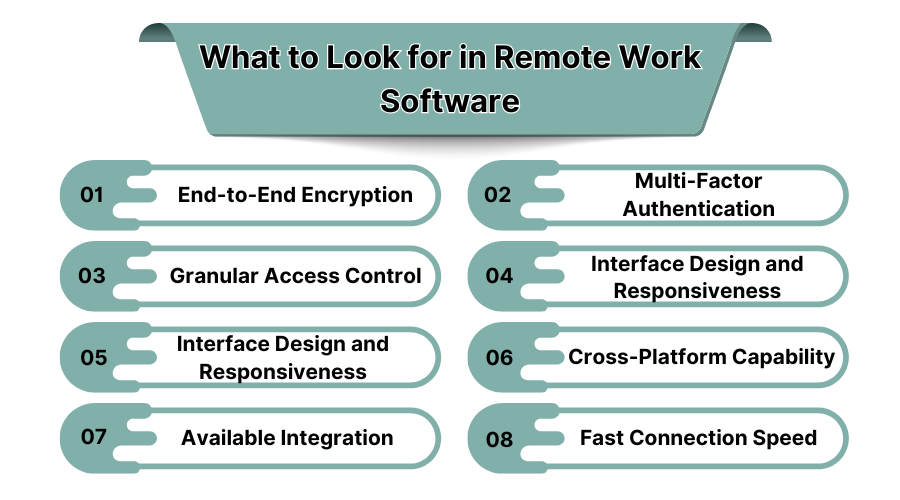
1. End-to-End Encryption
All remote work tools should have end-to-end encryption capabilities to safeguard sensitive corporate information from cyber threats. Cyber encryption facilitates the protection of messages, and communications. It ensures that no internal or external interaction over these mediums is intercepted, thereby protecting privacy.
2. Multi-Factor Authentication
An extra layer of protection is provided by requiring a user to confirm their identity via multiple credentials. Multi factor authentication (MFA) is what this is referred to. Remote logins are prevented, thereby reducing the chances of data breaches and increasing security for remote personnel accessing company systems. You can also implement computer security software to ensure the data remains protected.
3. Granular Access Control
Business owners should be able to set different permission levels for different users tailored to their functions within the organization. Granting access control to that level ensures that employees only have access to data that is relevant and necessary for their functions. This reduces cases of security breaches and data leaks, either deliberate or accidental.
4. Interface Design and Responsiveness
Minimal learning curve combined with ease of accessing the tools makes remote teams productive, helps to overcome frustration encountered during facilitation of remote collaboration, telescopes technical challenges, and augments task execution during remote work.
5. Interface Design and Responsiveness
So that remote teams may operate without problems, the software should have an ergonomically designed interface. Effortless navigation, absence of steep learning curves, and simple access all help productivity while minimizing aggravation and technical difficulties associated with remote collaboration.
6. Cross-Platform Capability
Remote work applications should be functional on desktop and laptop computers as well as tablets and smartphones. Devices utilized by employees should not impact their work capabilities thanks to cross-platform compatibility supporting all devices and operating systems.
7. Available Integration
An optimum remote work application must integrate with commonly used tools such as project management software, customer relationship management systems, cloud storage, and communication software. Application interoperability prevents unproductive multitasking which is prompted by application hopping.
8. Fast Connection Speed
Real time video conferencing and file sharing require a responsive connection with low latency. Remote work solutions must ensure smooth performance by providing optimized servers, cloud-based solutions, and efficient bandwidth utilization regardless of network conditions.
3. What is Remote Work Software?
Globally, 16% of companies are fully remote. Yes, they do need some technical assistance for making the workflow perfect. Remote work software refers to a system that helps manage a company and its employees who do not work in the same location.
It encompasses communication, project planning, activity scheduling, files security and many other tools. It eliminates the boundaries of a physical workplace and makes it possible for contemporaneous work, file sharing, and productivity monitoring with these tools.
Remote work management software does not only provide virtual meetings, time monitoring, and work automation systems, but also integrates with remote servers to offer employees secure access to work documents anytime, anywhere. By remote work software, a business is able to remain effective, collaborative, and efficient in work performance.
4. Key Benefits to Look for in Remote Work Tools
Let’s check the core benefits of the remote work software in USA:
1. Flexibility
The use of remote work software enables employees to operate from any geographical location, allowing businesses to function properly throughout different time zones. Flexible work arrangements promote adaptability and satisfaction on both sides, both for employees and employers.
2. Cost Saving
In-house businesses cut down on office space, utilities, and general infrastructure. The adoption of remote work tools eliminates costs related to travel and physical workstations, which helps facilitate more cost-effective business operations.
3. Time Saving
There can be workflow automation, tasks can be assigned digitally, and collaboration can take a virtual form. All these improvements minimize the time spent coordinating both manually and physically, resulting in better work efficiency. Employees perform tasks without delays due to meetings and commuting.
4. Work-Life Balance
Remote work software allows employees to better adjust their schedules which reduces stress and burnout. Less time spent commuting and better control over time enables workers to fulfill their professional responsibilities while having sufficient time for personal pursuits.
5. Accessibility
Remote work tools that operate on the cloud enable all members of a team to access important work files and projects, as well as communication systems from any location. This guarantees cooperation even when employees are in different locations or are frequently traveling.
5. Best Remote Work Solution
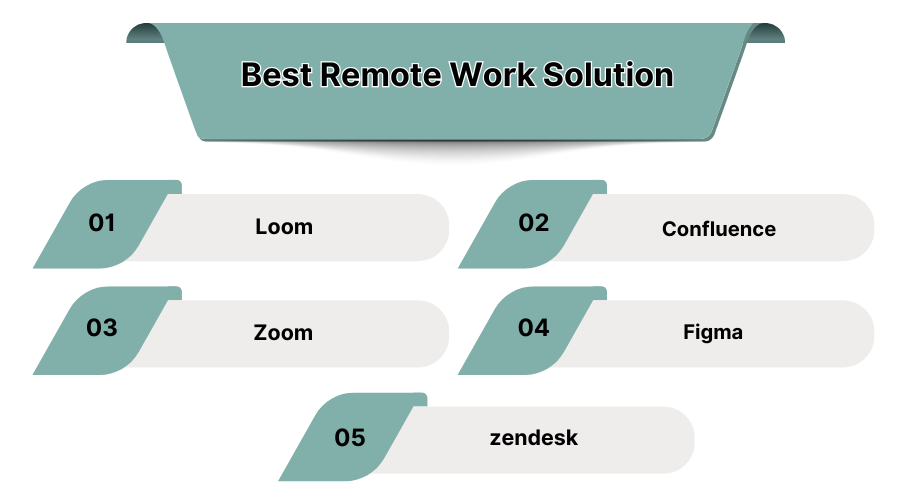
1. Loom – Best for Asynchronous Video Communication
Remote teams use Loom to eliminate scheduling conflicts. Loom is a video message tool specially tailored for remote teams enabling effective communication without necessitating live meetings. The app allows recording of screen, webcam and voice messages. This makes it easier to provide updates, feedback, and even comments asynchronously. It reduces long and elaborate emails or meetings. Videos are stored in the cloud, so they can be shared instantly, which enables smooth collaboration for remote teams.
Features:
- Screen and webcam recording
- Instant video sharing with cloud storage
- Video transcription and captions
- Integration with Slack, Gmail, and Trello
Pros:
- Simplifies asynchronous communication
- Saves time by reducing unnecessary meetings
- Easy-to-use interface and quick sharing
Cons:
- Limited editing features in the free plan
- Storage restrictions for free users
Pricing:
- Free plan available
- Business plan starts at $8/user per month
2. Confluence – Best for Remote Documentation and Team Collaboration
Remote teams use confluence to centralize information, to ensure everyone stays updated. Confluence is a remote collaboration tool designed for creating, and sharing project documents. It helps teams store meeting notes, and manage company knowledge efficiently. It supports real-time editing, reducing miscommunication and keeping documentation structured.
Features:
- Real-time collaborative editing and commenting
- Integration with Jira, Slack, and Trello
- Customizable templates for project documentation
- Secure cloud storage for knowledge sharing
Pros:
- Centralized knowledge base for remote teams
- Easy collaboration with structured documentation
- Strong integration with project management tools
Cons:
- Requires training for new users
- Advanced features available only in premium plans
Pricing:
- Free plan for up to 10 users
- Standard plan starts at $5.75/user per month
3. Zoom – Best for Virtual Meetings and Video Conferencing
Zoom is one of the most widely used remote work tools for video conferencing, and team collaboration. It offers high-quality video calls, and screen sharing to make it essential for businesses with remote employees. Zoom enables real-time communication, to help teams conduct meetings, and client interactions smoothly.
Features:
- HD video conferencing and virtual backgrounds
- Screen sharing and recording options
- Breakout rooms for team discussions
- Chat and webinar hosting capabilities
Pros:
- Reliable and scalable for businesses of all sizes
- High-quality video and audio for seamless meetings
- Easy integration with third-party apps
Cons:
- Free plan has a 40-minute limit on group meetings
- Requires strong internet connection for optimal performance
Pricing:
- Free plan available
- Pro plan starts at $14.99/user per month
4. Figma – Best for Remote Design Collaboration
Figma is a collaborative online tool for UI and UX design. The software allows for real-time collaboration by providing a cloud space where product designers, developers and other product teams can interact. Figma aids creativity further by allowing for feedback on the designs and controlling the versions at the same time.
Features:
- Real-time collaborative design editing
- Cloud-based access with auto-save functionality
- Prototyping and developer handoff tools
- Integration with Slack, Notion, and Jira
Pros:
- Ideal for remote design teams and agencies
- Cloud-based access allows work from anywhere
- Interactive feedback for better team collaboration
Cons:
- Offline editing is limited
- Performance slows with complex designs on large projects
Pricing:
- Free plan available
- Professional plan starts at $12/user per month
5..Zendesk – Best for Remote Customer Support
Zendesk is an application tailored to give assistance while classifying questions and tickets remotely. Remote teams can easily keep track of inquiries and tickets and efficiently manage customer interaction with Zendesk. It helps in serving clients through diverse channels such as emails, chats, phone calls, and social networks. It seeks to serve customers effectively and efficiently resolve issues.
Features:
- Ticketing system for managing customer queries
- Live chat and AI-powered chatbots
- Multi-channel support integration
- Performance analytics and reporting
Pros:
- Scalable for businesses of all sizes
- Streamlines customer support processes
- AI-powered automation for faster responses
Cons:
- Higher-tier plans can be expensive
- Customization requires technical expertise
Pricing:
-
Basic plan starts at $19/user per month
6. Why Do You Need Remote Working Software?
There are many reasons but some major benefits of remote working software are as follows:
- Supports better communication among team members using real-time platforms.
- Enhances productivity using automated processes and tracking systems.
- Reduces overhead costs by removing office-related expenditures.
- Guarantees protected data access using cloud storage systems.
- Facilitates remote surveillance and performance evaluation of employees.
- Allows for e-meetings and aids in smooth workflow integration.
- Improves employee morale through flexible scheduling.
7. Categories of Remote Work Software
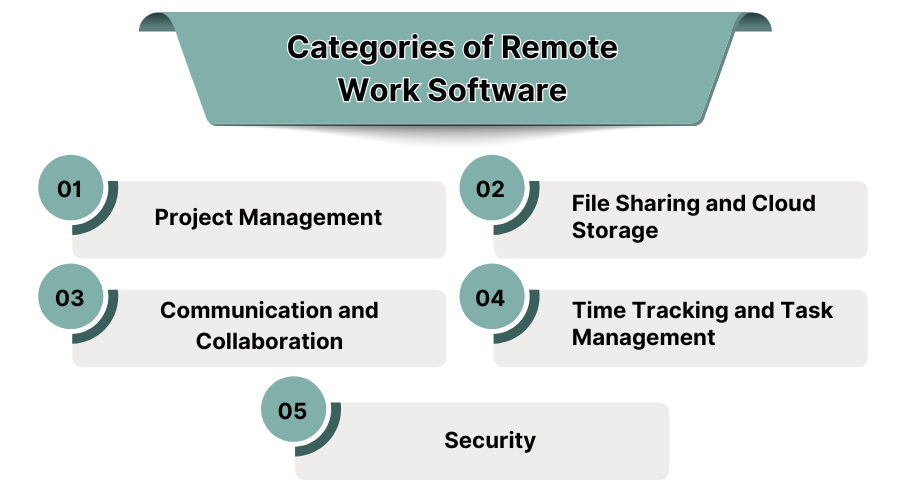
1. Project Management
Tools for project management allow remote teams to plan, assign and track tasks with high efficiency. Features such as task boards, milestone tracking, and workflow automation enable collaboration so that deadlines are met. It enhances productivity even in different locations.
2. File Sharing and Cloud Storage
Documents can now be shared instantly by remote teams due to the security enabled by cloud-based storage solutions. These tools remove the bottleneck of manual transfers, data loss or duplication since they ensure data synchronization, version control, and real-time collaboration.
3. Communication and Collaboration
Remote Teams can communicate through instant video calls, and virtual meetings. Coordination is enhanced through screen sharing, and team chat channels. These tools ensure that employees are connected regardless of their geographical location. You can also use cloud communication platforms to ensure a seamless collaboration.
4. Time Tracking and Task Management
Monitoring productivity becomes more efficient when work hours are recorded using time tracking software. Reports generated on task completion also enable organized remote workflow. Increased accountability and improved efficiency makes it easier for managers to oversee workload distribution.
5. Security
Company data is protected against unauthorized access and cyber threats using remote work security software. Encryption and VPNs ensure secure file transfers and compliant communication, alongside multi-factor authentication, data breaches and threats are also prevented.
