
Best Network Monitoring Software in
Are you looking for Network Monitoring Software for your Business in ? SaaS Adviser brings you the best Network Monitoring Software to ease your worries. In order to make your work smooth and swift, SaaS Adviser has compiled a list of the best software available. Compare the Best software features, pricing, free demo, and trial to select the best Network Monitoring Software for your organization.
 Researched and Written by Nikita Rao
Top 3 Featured Softwares

List of Top Network Monitoring Software

Get Free Consultation


ManageEngine OpManager

Gain Comprehensive Visibility and Actionable Insights to Optimize Your Network Performance
 4.5
4.5
ManageEngine OpManager is a network monitoring software that provides real-time visibility into device health, availability, and performance.
View Profile
ManageEngine Site24x7 is a SaaS based, AI-powered observability platform for DevOps and IT operations. The cloud-based platform’s broad capabilities help predict, analyze, and tr...
View Profile

What is Freshdesk? Freshdesk is a cloud-based helpdesk and customer support solution created by Freshworks that enables businesses to manage customer inquiries, complaints, and ...
View Profile

Auvik
By Auvik
Auvik is cloud-based network management software that helps you see the big network picture, narrow down possible devices to investigate, and zoom in to get the info you need. With...
View Profile

ManageEngine OpManager MSP
Your go-to network monitoring MSP Software
ManageEngine OpManager MSP is an effective multi-client network monitoring and management tool that assists service providers worldwide in monitoring and managing their client's ne...
View Profile

Paessler
By Paessler
Check How PRTG Enterprise Monitor can help to automate Indian Business. SaaSAdviser provide their list of features, pricing, Free demo and Comparison with the best alternative
View Profile

Nagios Network Analyzer
By Nagios Network Analyzer
Network Analyzer is a tool that allows system admins to quickly gather high-level information regarding the health of the network as well as highly granular data for complete and...
View Profile

SolarWinds Network Performance Monitor
By SolarWinds Network Performance Monitor
NPM provides you with built-in dashboards and tools for real-time network performance monitoring, network bandwidth analysis, and network configuration management. SolarWinds Ne...
View Profile

ManageEngine OpManager Plus
Achieve holistic IT infrastructure monitoring with OpManager Plus, an AI-powered full-stack observability solution.
OpManager Plus, is a comprehensive IT infrastructure management solution that can monitor networks, servers, IPs, and switch ports. Streamline bandwidth management, configurations,...
View Profile

This is a cloud-based application monitoring tool for infrastructure, event logs, and applications. It helps users search, collect and analyse traces across fully distributed platf...
View Profile

SolarWinds RMM is a remote management software that helps you monitor network operational tasks through the use of probes and monitors. The software facilitates proper network in...
View Profile

SolarWinds Engineer's Toolset
By SolarWinds Engineer's Toolset
Instead of manually testing connections and adjusting IP traffic, deploy SolarWinds Engineer's Toolset WAN Killer to automatically generate the desired network load. SolarWinds E...
View Profile

Zabbix is a network monitoring software that allows real-time network performance monitoring and management. It can monitor internet usage, bandwidth, IP address, uptime, server et...
View Profile

What is Atera?Atera is an all-in-one remote monitoring and management (RMM) platform designed for IT professionals and managed service providers. It integrates essential to...
View Profile

SolarWinds ipMonitor
By SolarWinds ipMonitor
SolarWinds ipMonitor is an online-based Network Monitoring Software that offers an automated discovery and alert configuration process with out-of-the-box recommendations. You ca...
View Profile

LogicMonitor
Effortless monitoring. Seamless troubleshooting. From infrastructure to applicationsAt LogicMonitor, we’re devoted to expanding what’s viable for businesses by advancing their era. After all, monitoring shouldn’t just assist companies to see what’s in ...
View Profile

Checkmk
By Checkmk
Checkmk is the best infrastructure and application monitoring system that helps you stay up and running from simple to the most complex environments. It is suitable for all size of...
View Profile

WhatsUp Gold
By Progress SoftwareCheck How WhatsUp Gold can help to automate Indian Business. SaaSAdviser provide their list of features, pricing, Free demo and Comparison with the best alternative
View Profile

Obkio
By Obkio
Obkio is a comprehensive network monitoring software that helps companies to monitor their network performance, by providing adequate tools for IT Professionals to troubleshoot ind...
View Profile
OpenNMS
By OpenNMS
OpenNMS is an enterprise-grade, integrated, open-source platform designed to build network monitoring solutions. Its goals include accelerating time to production by supporting ind...
View Profile

Table of Content
What is the Best Network Monitoring Software?
The best network monitoring software is a tool that analyzes a networks infrastructure on a continuing basis watching for performance, uptime, and security threats. These monitoring network tools assist IT departments in recognizing bottlenecks, optimizing bandwidth utilization, and stopping cybersecurity breaches. This system remembers data from all network connected devices, applications, and connectivity, which is useful for maintaining high standards in the business. By 2025, advanced network monitoring platforms provide AI driven analytics, automation, and cloud integrations which enhance network management. Businesses rely on network monitoring tools in an effort to reduce downtime, identify security threats, and ensure seamless connectivity from the cloud to on premise environments.
1. Potential Issues with Network Monitoring Software
1. Dealing with Data Overload
One challenge that multi network monitoring tools pose are that they limit the ease of detection due to the excessive data produced. Driven filters powered by AI give priority to alerts which helps in reducing noise and preventing fatigue on the IT teams.
2. Dynamic Environments
Due to the growing network infrastructures, expansion is required to adapt to tools for scaling, and ensuring visibility, security, and efficiency across cloud, IoT, and hybrid environments.
3. Balancing Costs and Security Needs
Larger enterprises are experiencing a dilemma of where to set the threshold for affordability versus security, and are settling on powerful and economical network monitoring solutions that offer networks high levels of protection at lower prices.
2. Conclusion
Selecting the appropriate Network monitoring software is essential in guaranteeing the continuity and effectiveness of any IT infrastructure. AI-powered analytics, real time alerts as well as automation gives businesses the opportunity to avert losses, improve security and enhance performance. Most of the top solutions come with free demos which can help companies to be the best network monitoring platform for them. To explore and evaluate these software solutions, check out SaaS Adviser for valuable information and recommendations.
3. What are the Benefits of the Best Network Monitoring Software?
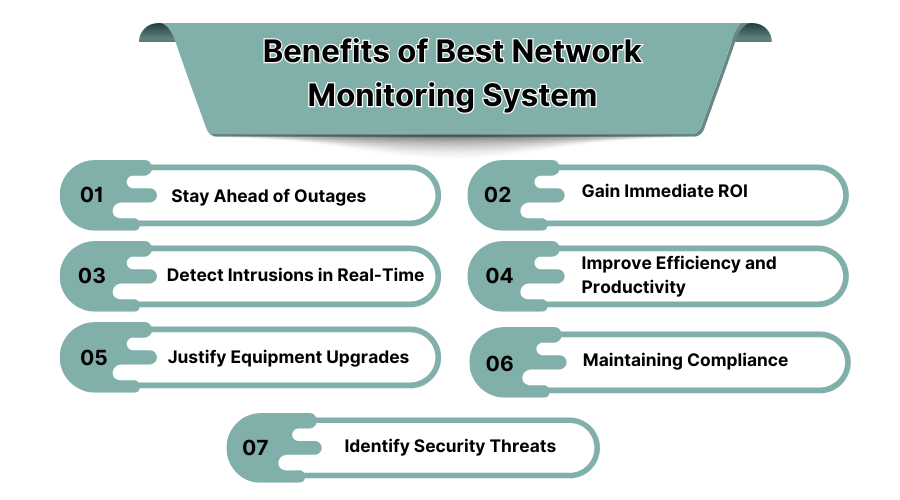
1. Stay Ahead of Outages
The right monitoring system is the backbone of any business as they enable an organization to resolve problems before they worsen into bigger issues which helps in service outages. Unmonitored networks often lead to significant losses, and a well thought off monitoring system can help mitigate these conditions. Continuous monitoring of network resources can enable the company to take counteracting measures before the issue at hand worsens so the company is able to provide seamless services.
2. Gain immediate ROI
It's possible to reduce operational costs while maximizing productivity through optimized network performance and minimal downtime. The right network monitoring platform instantly pays for itself through improved operational efficiency. Having real-time visibility into infrastructure health enables businesses to preemptively act against small problems that have the potential to lead to costly failures, thereby improving return on investment (ROI).
3. Detect Intrusions in Real-Time
Businesses can proactively mitigate cybersecurity risks by identifying unauthorized access attempts through security-centric network monitoring programs. With these tools, cyber attacks have the potential to be mitigated before they manifest a data breach. You can use AI-driven alerts and automated responses to eliminate cyber threats and achieve high-level security.
4. Improve Efficiency and Productivity
IT operations become less labor-intensive due to automated monitoring tools, which leads to greatly improved efficiency. Network monitoring tools grant visibility on demand, allowing IT staff to focus their efforts on higher value strategic initiatives rather than spending time troubleshooting issues. This increases IT staff productivity as the employees do not have to diagnose an ever-expanding list of network problems.
5. Justify Equipment Upgrades
Investments in network infrastructure are enhanced by analyzing data strides. It enables the business to determine from the performance metrics recognized, if further resources or new hardware is required. This investment is critical for companies as it helps them identify components of the network that are obsolete or not performing to the desired level.
6. Maintaining Compliance
The monitoring network tools assist systems ensure compliance with standards and regulations. These technologies will help you monitor and report compliance for regulations such as GDPR and HIPAA. Such compliance is important as it reduces the legal and financial liability of the business.
7. Identify Security Threats
Advanced network monitoring registers malware, unwarranted entry, and any suspicious movement which might be sectioned as a possible cyber threat. With constant monitoring of logs, IT teams can act quickly during a security incident. Constant scanning of the network helps ensure that all attacks directed towards sensitive information and vital business operations are neutralized.
4. What are the Features of Network Monitoring Software in the USA?
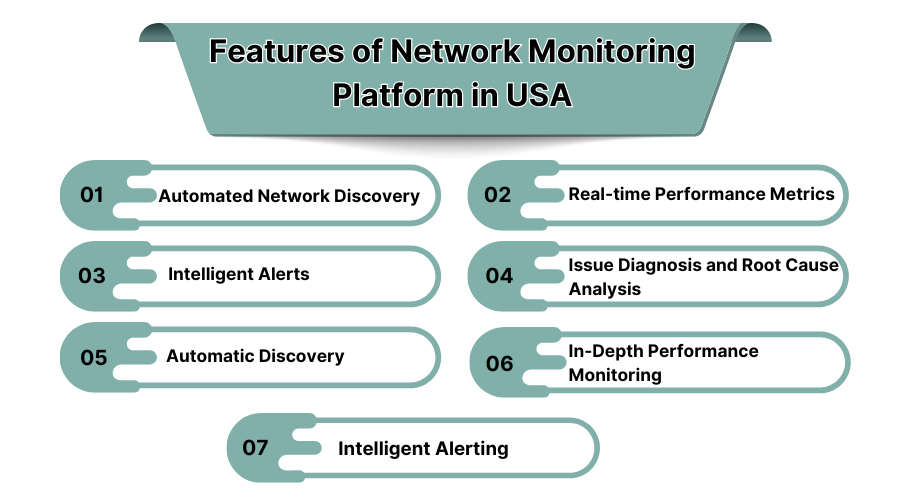
1. Automated Network Discovery
The system automatically discovers each and every device connected to its network. Having this feature enables clients to ensure that their business networks keep an up-to-date account of its components without requiring their intervention.
2. Real-Time Performance Metrics
Aspects such as traffic, bandwidth, and latency are monitored in real time allowing instant decision making, broadening the scope of technologies that analyze performance. IT staff can continue tracking performance metrics and address potential bottlenecks long before they adversely influence end user experiences.
3. Intelligent Alerts
Alerts of security threats and performance degradation are instantly communicated. IT staff will spend less time dealing with false alarms and concentrate on resolving actual alerts increasing organizational efficiency. You can also cherish the best network monitoring software for Mac to get intelligent alerts.
4. Issue Diagnosis and Root Cause Analysis
Reduces the time needed to resolve problems within a network by identifying the source of the issue. By understanding the actual causes, IT personnel do not waste effort in performing extensive exploration manually.
5. Automatic Discovery
Seamless detection and integration of new devices into the network monitoring system. Through the use of automatic discovery, network additions are instantly visible and monitored thereby preventing blind spots.
6. In-Depth Performance Monitoring
Firms monitor specific policy performance in detail for long term network health evaluation. Companies can identify patterns over an extended period and tailor their IT approaches.
7. Intelligent Alerting
AI-powered algorithms help in damping unnecessary alerts while giving utmost importance to critically arising issues. With smart notification systems, critical problems with the network get flagged to the IT team and low-impact changes can be resigned to.
5. Top Best Network Monitoring Software
1. Auvik
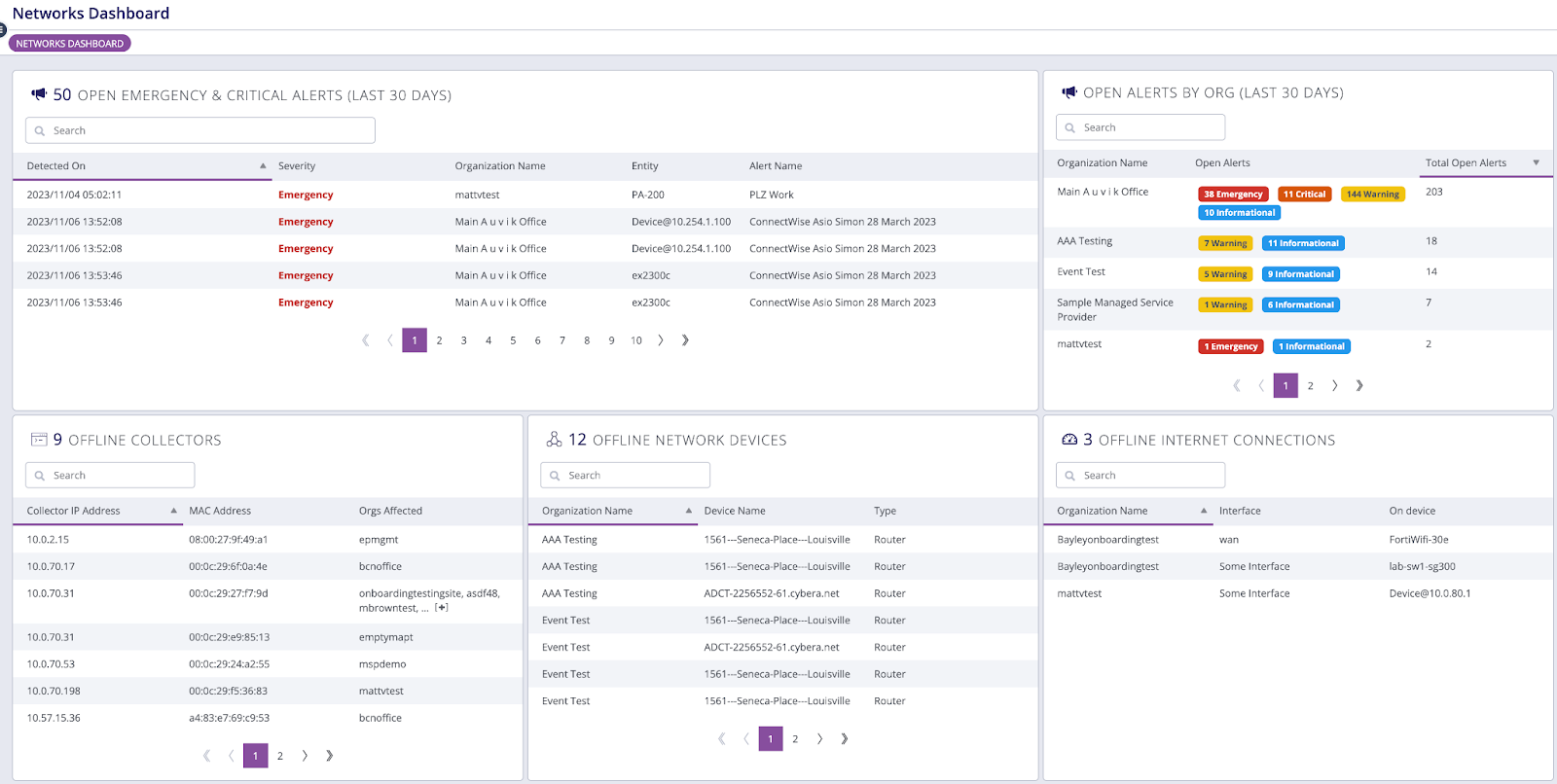
Auvik offers a cloud-based solution for network monitoring for MSPs. It integrates automated network mapping along with real-time performance monitoring to ensure proactive management of the IT infrastructure. With Auvik, IT teams can easily troubleshoot issues using step-by-step topology maps. Also, there are automated alerts for prompt issue identification and resolution. Because of its user-friendly platform, businesses can enhance security and reliability while improving network performance.
Pros:
-
Easy setup with a cloud-based architecture while reducing hardware dependency.
-
Intuitive dashboard with clear network visualization and insights.
-
Automated network discovery and mapping for quick infrastructure analysis.
-
Real-time monitoring enables proactive issue resolution.
-
Strong security features help protect against unauthorized access.
Cons:
-
Limited custom reporting options for advanced analytics.
-
Higher starting price may not be suitable for small businesses.
-
Requires continuous internet access for full cloud-based functionality.
-
Some features may require additional configuration for customization.
-
Free trial period is relatively short for in-depth testing.
Pricing: Starts at $150/month.
2. NinjaOne
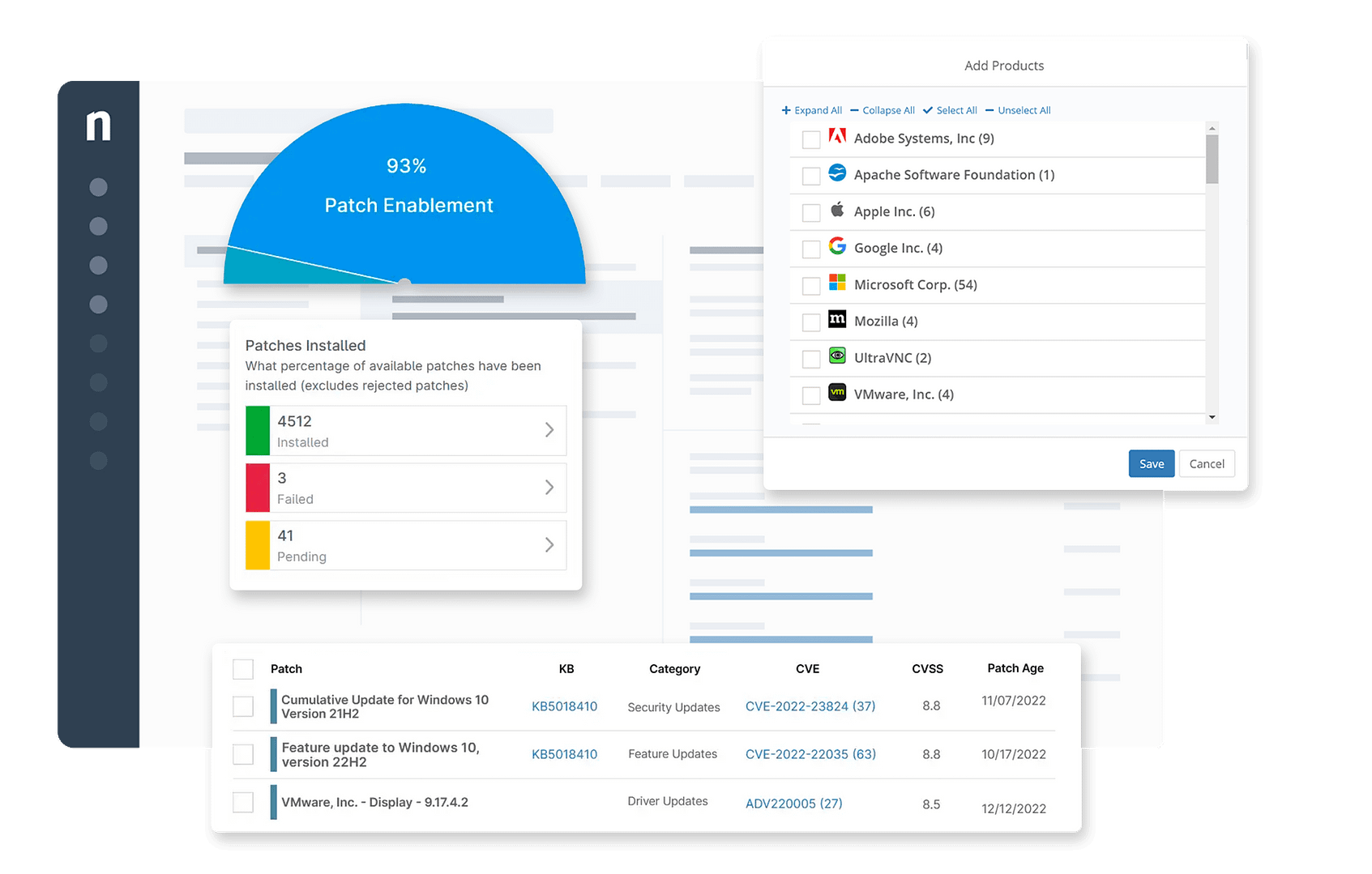
NinjaOne is a remote monitoring and management platform, tailored for use by IT professionals and MSPs. It includes features such as live network monitoring, automated patch updates, managed endpoints, and remote control. Also, it will help you streamline IT workflow automation while decreasing downtimes. Besides that, it enhances security with preemptive monitoring and maintenance.
 Pros:
Pros:
-
User-friendly interface with a minimal learning curve.
-
Strong automation capabilities improve IT efficiency.
-
Remote monitoring and patch management reduce security vulnerabilities.
-
Centralized dashboard simplifies device and endpoint tracking.
-
Supports multi-platform management for Windows, macOS, and Linux.
Cons:
-
Limited third-party integrations compared to competitors.
-
Advanced reporting and analytics require additional setup.
-
Custom pricing can make cost estimation difficult for new users.
-
No free version is available, only a trial.
-
Lacks built-in log management compared to dedicated security solutions.
Pricing: Custom pricing based on requirements.
3. Logit.io
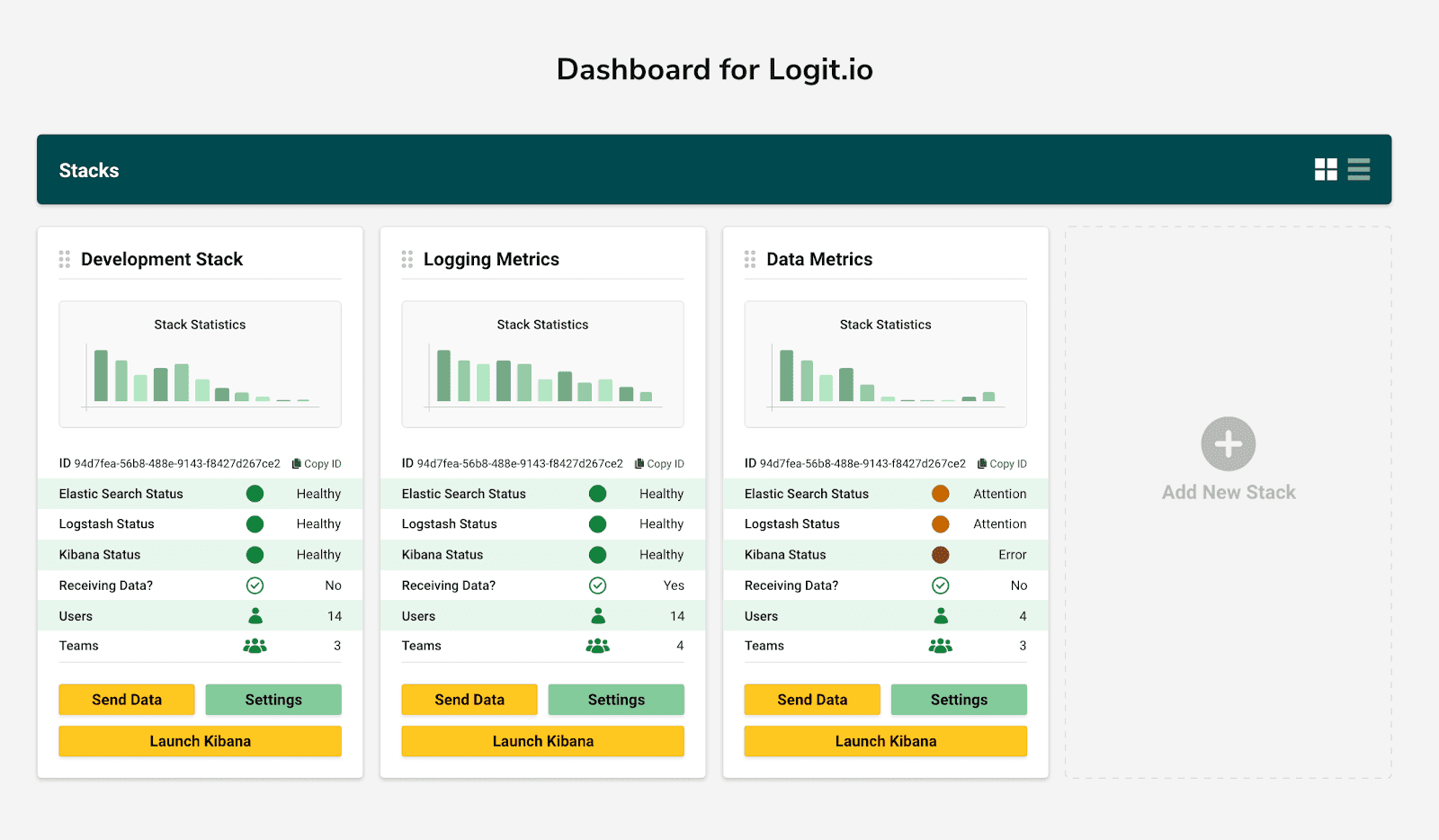
Logit.io helps companies monitor logs using cloud-based log monitoring. It allows users to track and visualize logs for better operational insights. It is a suitable solution for companies that require advanced log analysis and compliance reporting because of its customizable dashboards and compliance management features.
 Pros:
Pros:
-
Excellent for compliance management with GDPR, HIPAA, and SOC 2 support.
-
Strong log monitoring capabilities help detect security threats in real time.
-
Cloud-based dashboards provide accessible and centralized log management.
-
Scalable solution for small businesses and enterprises.
-
Integration with popular security and IT platforms.
Cons:
-
Slight learning curve for beginners unfamiliar with log monitoring.
-
Higher pricing compared to some open-source alternatives.
-
Customization options may require technical expertise.
-
Some integrations require additional API configurations.
-
Free plan has limited features and storage capacity.
Pricing: Starts at $99/month.
4. Zipy
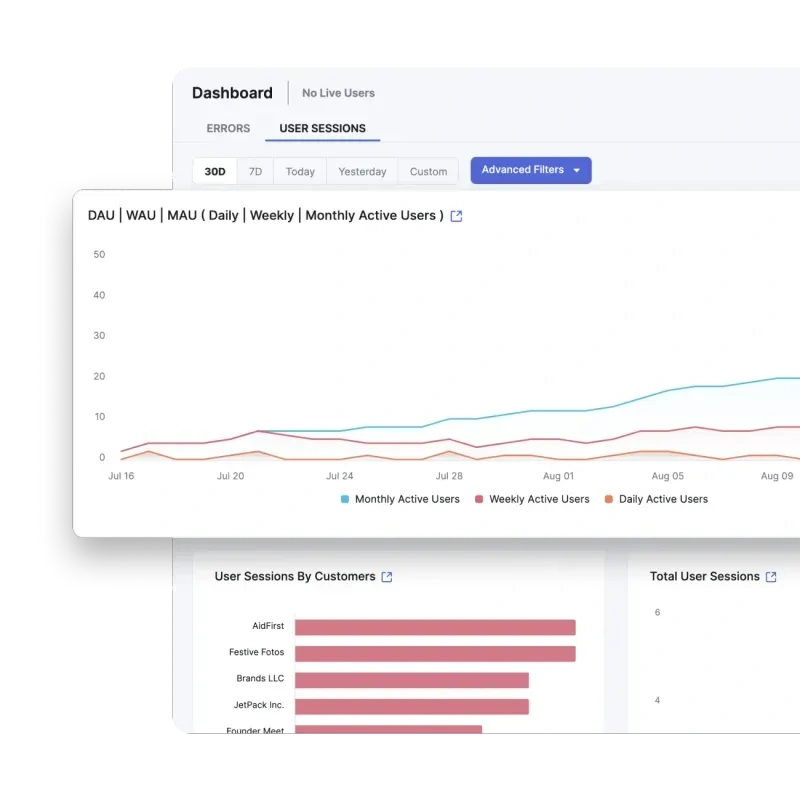
Zipy focuses on autonomous issue identification and problem solving. Also, it will help you enhance system stability through automated network monitoring powered by AI in real time. It applies machine learning algorithms to forecast imminent network outages and enhance system efficiency. Zipy is a suitable choice for enterprises needing proactive IT surveillance. It mitigates the network downtime expense while increasing the uptime for systems.
Pros:
-
Scalable solution suitable for growing businesses.
-
AI-driven monitoring enhances proactive troubleshooting.
-
Automated issue detection reduces network downtime.
-
Real-time analytics improve system performance tracking.
-
Customizable alerts help prioritize critical network events.
Cons:
-
Requires training for full optimization of AI-driven features.
-
Custom pricing models can make cost comparisons difficult.
-
Some automation features may require additional configuration.
-
Limited public documentation on advanced functionalities.
-
AI-based alerts can generate occasional false positives.
Pricing: Custom pricing available on request.
5. Zabbix
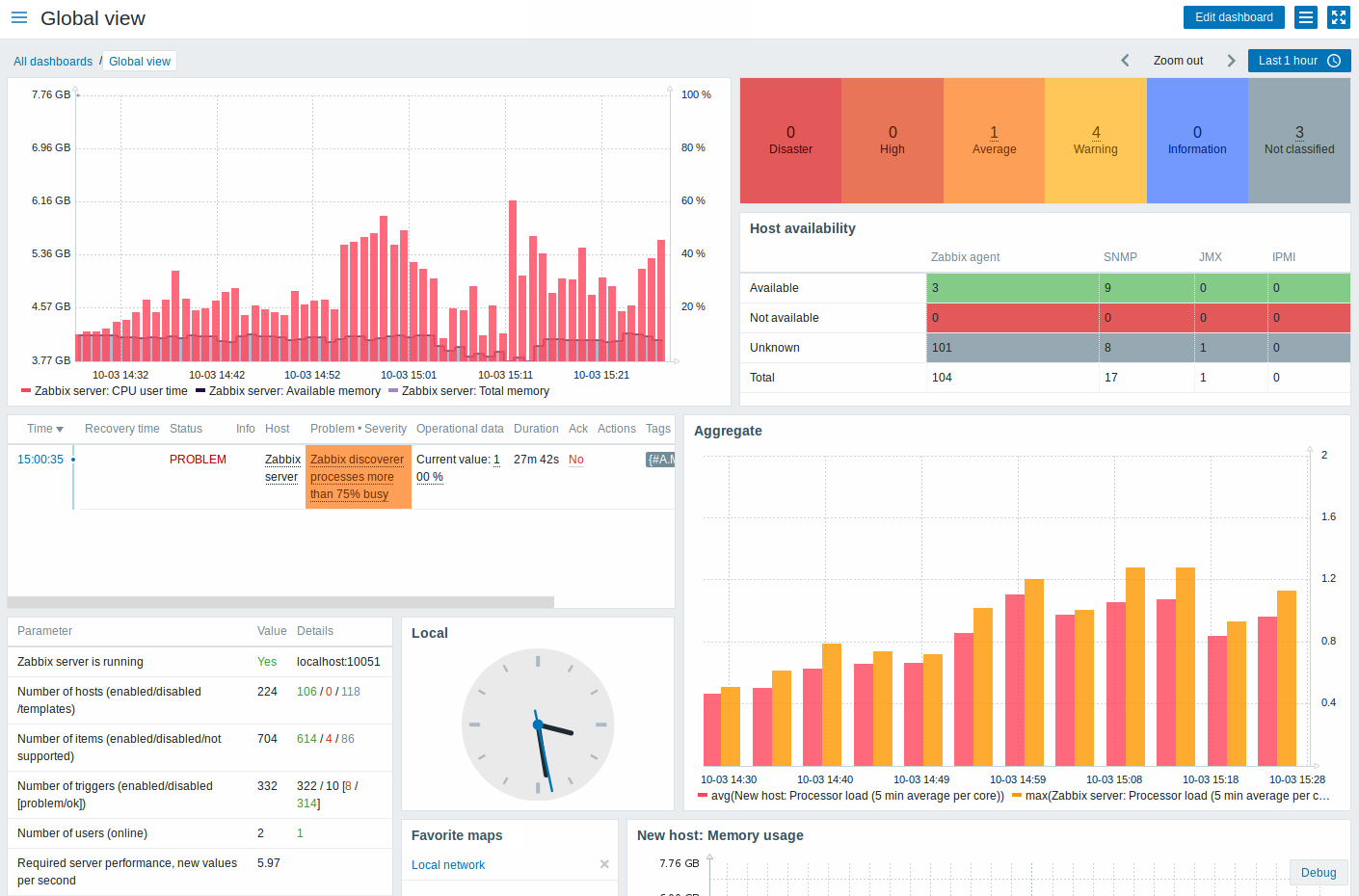
Zabbix is a scalable platform for real-time network monitoring. There are customizable dashboards and tracking features. This platform is particularly popular in monitoring servers and applications. Zabbix is suited for almost any organization's deep system monitoring needs due to its extensive customization capability flexibility.
 Pros:
Pros:
-
Free open-source version makes it cost-effective for startups.
-
Highly customizable with extensive monitoring options.
-
Supports real-time tracking for servers, databases, and network devices.
-
Scalable for both small businesses and large enterprises.
-
Extensive community support and documentation.
Cons:
-
Requires technical expertise for setup and maintenance.
-
Lacks built-in customer support unless using enterprise plans.
-
UI is less modern compared to cloud-based alternatives.
-
Some integrations require manual configuration.
-
High resource consumption for large-scale monitoring.
Pricing: Free (open-source), paid enterprise options available.
If you’re seeking completely free subscriptions, we suggest you cherish the best free network monitoring softwares. Don’t worry about your budget and performance, these free softwares will not let you down!
6. What are the Latest Market Trends in Best Network Monitoring Software?
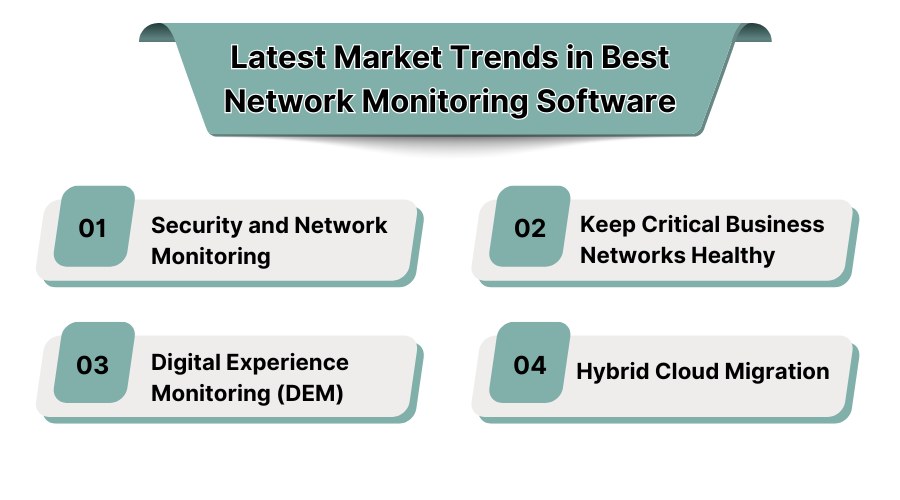
1. Security and Network Monitoring
A business entity combines a network monitoring system with security tools to remediate the unauthentic entry and malware incursion in real time.
2. Keep Critical Business Networks Healthy
Real time network monitoring services are very useful in identifying latency problems, bandwidth congestions, and malfunctions of hardware which facilitates minimal downtime and much more efficiency.
3. Digital Experience Monitoring (DEM)
These are tools that measure the experience of an end user, identify problems with the network, and confirm workload performance within cloud and remote applications. If you want to keep a check on employee workload, we suggest you check out the best employee performance softwares.
4. Hybrid Cloud Migration
The multi-cloud approach gives comprehensive coverage of cloud management by monitoring the data flow, utilization of resources, movements, and ensuring security within the multi cloud environment.
7. Why You Need Network Monitoring Software?
Selecting the right small business network monitoring software cannot be problematic for small business operators. The following are some points worth considering:
-
Scalability: The software needs to adapt and grow with the business.
-
Ease of Use: The software needs to have a clean, self-explanatory interface for the IT team, which may have limited resources.
-
Real-Time Alerts: The software must provide instant notifications regarding observed network complications.
-
Security Features: The software must provide safeguards for possible cyber vulnerabilities.
-
Integration: The software must work with the current IT setup.
-
Pricing: It should offer value for money and not exceed the budget.
