
Best Email Archiving Software in
Are you looking for Email Archiving Software for your Business in ? SaaS Adviser brings you the best Email Archiving Software to ease your worries. In order to make your work smooth and swift, SaaS Adviser has compiled a list of the best software available. Compare the Best software features, pricing, free demo, and trial to select the best Email Archiving Software for your organization.
 Researched and Written by Akash Patel
Top 3 Featured Softwares


List of Top Email Archiving Software
Get Free Consultation


Brevo

Grow with our Email Marketing Platform & CRM suite
Brevo, formerly known as Sendinblue, is a cloud-based marketing and customer relationship management (CRM) platform designed to streamline business communications and drive gro...
View Profile

Moosend is an all-in-one email marketing automation software designed to help businesses create, manage, and optimize their email campaigns efficiently. It provides a user-friendly...
View Profile

iContact is a powerful email marketing software designed to help businesses create, automate, and optimize email campaigns. It provides user-friendly tools for designing em...
View Profile

Freshmarketer is a powerful marketing tool that helps businesses keep up with their ever-changing needs. With Freshmarketer, businesses can run a variety of experiments on their si...
View Profile

Web.com
AI-POWERED WEBSITE BUILDER
Web.Com is an all-in-one website-constructing and business management platform for entrepreneurs, small agencies, and eCommerce proprietors. It affords a smooth-to-use internet sit...
View Profile

WhiteVision BV is a Dutch software company specializing in automation solutions to streamline and simplify invoice and document management processes. Founded in 2005, the company h...
View Profile
MailStore Server
By MailStore SoftwareCheck How MailStore Server can help to automate Indian Business. SaaSAdviser provide their list of features, pricing, Free demo and Comparison with the best alternative
View Profile

Wrike is a powerful cloud-based project management and collaboration software designed to streamline workflows, improve team productivity, and enhance visibility across project...
View Profile

Barracuda CloudGen Firewall
By Barracuda NetworksCheck How Barracuda CloudGen Firewall can help to automate Indian Business. SaaSAdviser provide their list of features, pricing, Free demo and Comparison with the best alternative
View Profile

Mimecast Cloud Archive
By MimeCastCheck How Mimecast Cloud Archive can help to automate Indian Business. SaaSAdviser provide their list of features, pricing, Free demo and Comparison with the best alternative
View Profile
Cryoserver
By Forensic and Compliance SystemsCheck How Cryoserver can help to automate Indian Business. SaaSAdviser provide their list of features, pricing, Free demo and Comparison with the best alternative
View Profile
Mail Assure
By N-ableCheck How Mail Assure can help to automate Indian Business. SaaSAdviser provide their list of features, pricing, Free demo and Comparison with the best alternative
View Profile

Xendy
Create and send newsletters in an instant.
Xendy is a user-friendly email marketing platform designed to help businesses create, manage, and optimize their email campaigns efficiently. It offers a seamless experien...
View Profile

Google Vault
cloud-based archiving, retention, and eDiscovery solution built for organizations
Google Vault is an integrated cloud-based archiving, retention, and eDiscovery solution built for organizations using Google Workspace. Designed for legal, compliance, and gove...
View Profile

Email Archiving
By IntradynCheck How Email Archiving can help to automate Indian Business. SaaSAdviser provide their list of features, pricing, Free demo and Comparison with the best alternative
View Profile

Avast Business CloudCare
By Avast
Check How Avast Business CloudCare can help to automate Indian Business. SaaSAdviser provide their list of features, pricing, Free demo and Comparison with the best alternative
View Profile
Global Relay Archive
By Global Relay CommunicationsWhat is Global Relay Archive? Global Relay Archive is a cloud-based communication archiving platform designed to securely store and manage business messages across email, chat, ...
View Profile
ArcTitan Email Archiving
By TitanHQCheck How ArcTitan Email Archiving can help to automate Indian Business. SaaSAdviser provide their list of features, pricing, Free demo and Comparison with the best alternative
View Profile

Dropsuite Email Archiving
By DropsuiteCheck How Dropsuite Email Archiving can help to automate Indian Business. SaaSAdviser provide their list of features, pricing, Free demo and Comparison with the best alternative
View Profile

Jatheon Archiving Suite
By Jatheon TechnologiesCheck How Jatheon Archiving Suite can help to automate Indian Business. SaaSAdviser provide their list of features, pricing, Free demo and Comparison with the best alternative
View Profile

Table of Content
What is Email Archiving Software?
Email Archiving Software automatically journals, secures, stores, and indexes emails so that organizations have a full record of their communications. These solutions journal (save) messages and attachments in a secure and often immutable storage accessible for legal, compliance, or discovery purposes.
For expanding businesses, a data archiving solution protects intellectual property and reduces data loss. For instance, it keeps valuable messages from being permanently deleted when a user deletes emails. Email archiving Software frees up primary mailboxes with old mail moved to an archive, speeding up the service and reducing storage costs. To conclude, email archiving software is critical for business continuity, regulatory compliance, and operational effectiveness.
1. Conclusion
Email archiving is now a business requirement. The appropriate solution protects communications, manages compliance, and keeps data discoverable and lightweight on live systems. The crucial part is determining if the solution provides the capabilities that fit your needs. Also, determining the volume of email, your compliance requirements, and the deployment options available will all help to determine the best email archive that can provide efficiency, security, and peace of mind.
2. How to Choose the Right Email Archiving Software for Business?
Picking an email archiving solution involves comparing its functionalities with your organization's requirements. Have a look at the following guidelines.
1. Assess your Needs
1.1 Determine Email Volume
- Begin by evaluating your Transactional email Software. Estimate your email traffic (daily send/receive rates, projected growth) and data size, since this will determine storage needs.
1.2 Identify Compliance Obligations
- Laws or discovery demands are on you. Identify whether you require archiving solely for email or in addition to IM/chat, files, or social material.
1.3 Evaluate your Existing Email Infrastructure
- Check your current email environment. Are you on Microsoft 365, Google Workspace, an on-prem Exchange, or a hybrid? Make sure any archiving product you look at fully supports your environment.
2. Evaluate Solution Features
2.1 Comprehensive Archiving
- Your email archiving system must grow with your company. The majority of contemporary archives use cloud or hybrid deployment that can scale elastically. Make sure the vendor is capable of supporting anticipated data growth without expensive upgrades.
2.2 Advanced Search
- Evaluate rapid full-text search and advanced eDiscovery. Audit logging and tamper-evident architecture are also important compliance requirements. Check for SOC 2 or ISO 27001 vendor compliance for security.
2.3 Data Security and Integrity
- Make certain the solution has strong encryption and immutable storage to ensure you will not lose or corrupt your data. It must enforce these rules automatically. Audit reports on what gets retained or deleted are also provided by some platforms.
3. Consider Deployment Options
3.1 Cloud-based
- Cloud email archiving solutions (SaaS) generally have quicker setup, reduced capital expenditures, and on-demand scaling of email archiving strategy, suitable for SMBs or multi-site organizations.
3.2 On-premise
- Evaluate the interface’s ease of use and speed. Some organizations or regulated industries prefer on-premises or specialty appliances for physical control of data.
3.3 Hybrid
- Determine if a cloud-based, on-premises, or hybrid option is best for you. Also compare two or more finalists to see which one better fits your workflow. Hybrid offerings blend the two.
4. Financial considerations
Compare pricing structures closely. Typical structures include per-user/month, per-mailbox, or tiered flat rates. Watch for sneaky fees such as storage overages that incur additional charges or chargeable migrations.
5. Vendor Reputation and Support
Investigate vendor track records. Identify recognized leaders and check user reviews. Inspect whether the vendor regularly updates its product to combat new threats or regulations. Expert Insights and other analysts frequently reference particular vendor support experiences.
6. Testing and Trials
Use demos or pilot programs before you buy; many archiving services provide free trial periods or offer proof-of-concept implementations. Test them in the real world. Archived a set of emails? Ran a search? Simulate a restore or an export?
3. List of Best Email Archiving Software in 2025
The market provides numerous archiving solutions. Email services are smooth, and employees enjoy quick search access to archival emails. The email archiving software market was valued at USD 7 billion in 2024, and it is projected to reach USD 14.3 billion by 2032 with a CAGR of 18.2% from 2026 to 2032.
1. Best Cloud-Based Email Archiving Solutions:
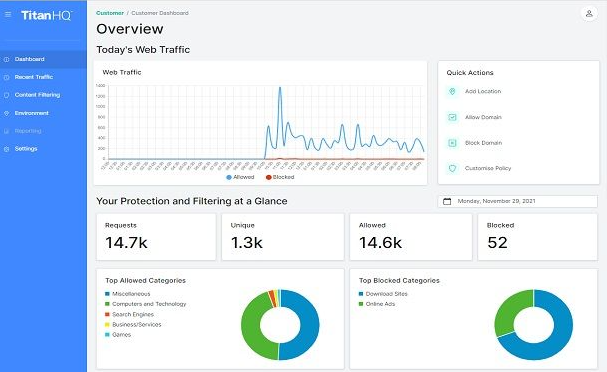
A cloud email archiving solution (named ArcTitan) that integrates seamlessly with Office 365. It encrypts emails and stores them in an immutable archive to provide good security and compliance. TitanHQ is commended for its rapid deployment and scalability. It can be deployed within a few minutes with no hardware and follows pay-as-you-go charges.
Features
-
Its archive engine deduplicates and compresses email (up to 75% storage savings) and provides lightning-fast search/eDiscovery.
-
TitanHQ's solution is mobile accessible, supports multiple mailbox quotas, has flexible retention policies, and complies with regulations such as GDPR and HIPAA.
-
It also offers per-user cloud pricing, which is economical for SMBs and MSPs.
Pros:
-
Lightning-fast search with Microsoft 365 and Office 365 integration.
-
Highly cost-effective with strong encryption and scalable storage.
Cons:
-
Primarily cloud-first, less ideal for those needing on-premise options.
-
Lacks some advanced compliance analytics found in enterprise-tier products.
Pricing: Visit the Website for detailed pricing.
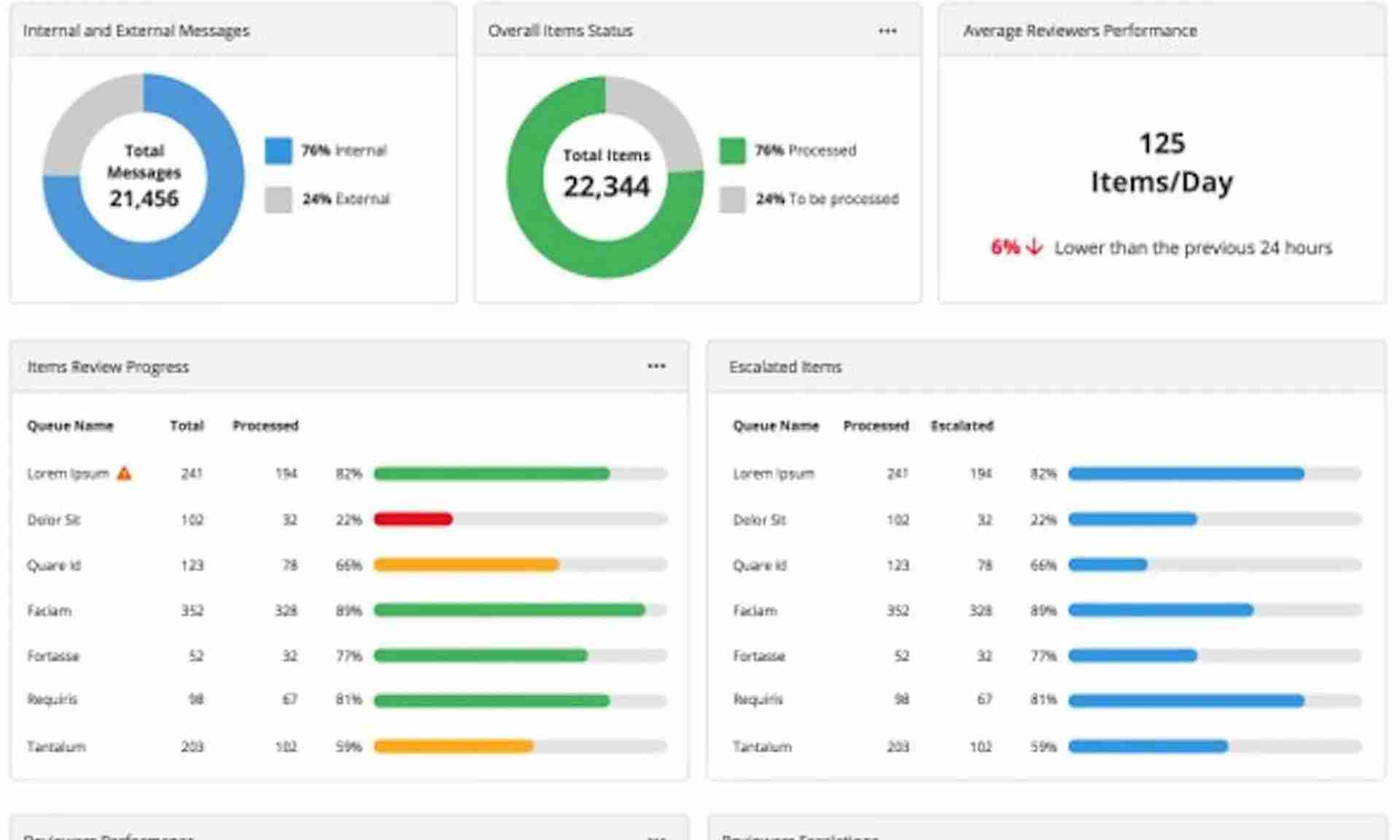
Mimecast's premier archiving product is a cloud-native service based on its secure platform. It provides an end-of-mailbox, i.e., no limit on archive space, while eliminating the requirement for any on-premises infrastructure.
Features
-
Mimecast focuses on compliance and uptime; it enables organizations to archive all email.
-
Communications to address regulatory requirements and grant instant access to any archived email.
-
The solution features robust search with an SLA guarantee and in-depth retention policy control.
Pros:
-
Secure with AES encryption and geographically dispersed storage copies.
-
Fast search and a unified admin console simplify e-discovery and retention.
Cons:
-
Pricing isn't publicly listed it requires contacting sales, which can delay evaluations.
-
May be pricey for small teams; estimates start from USD 100–500 per month, though exact terms are quote-based.
Pricing: For detailed pricing, visit the website.
1.3 Trustifi Cloud Email Archive
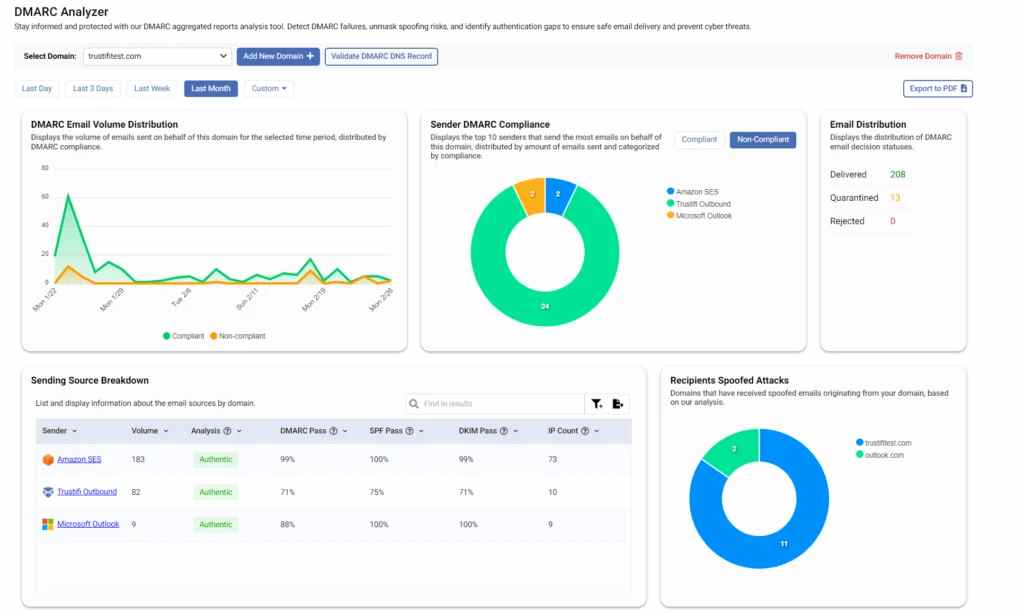
Trustifi is an AI-powered email security cloud and archiving vendor. Its Cloud Email Archive is a Microsoft 365 integrated archiving service that combines retention with advanced threat protection. Trustifi’s archive offers real-time monitoring and enforcement.
Features
-
It employs AES encryption and stores information in redundant data centers for resiliency.
-
Features for compliance include in-depth audit reports and flexible retention policies.
-
Trustifi also has an easy-to-use admin console where compliance officers can place holds and export archived emails in multiple formats.
Pros:
-
Integrates AI-powered threat protection, DLP, and archiving in one platform.
-
Real-time compliance with audit reports and layered encryption.
Cons:
-
Pricing details are not publicly disclosed; you must contact Trustifi for quotes.
-
May be overkill for businesses that only need basic archiving without advanced security.
Pricing: For detailed pricing, visit the website.
2. Google Workspace-Specific Solutions
2.1 Google Vault
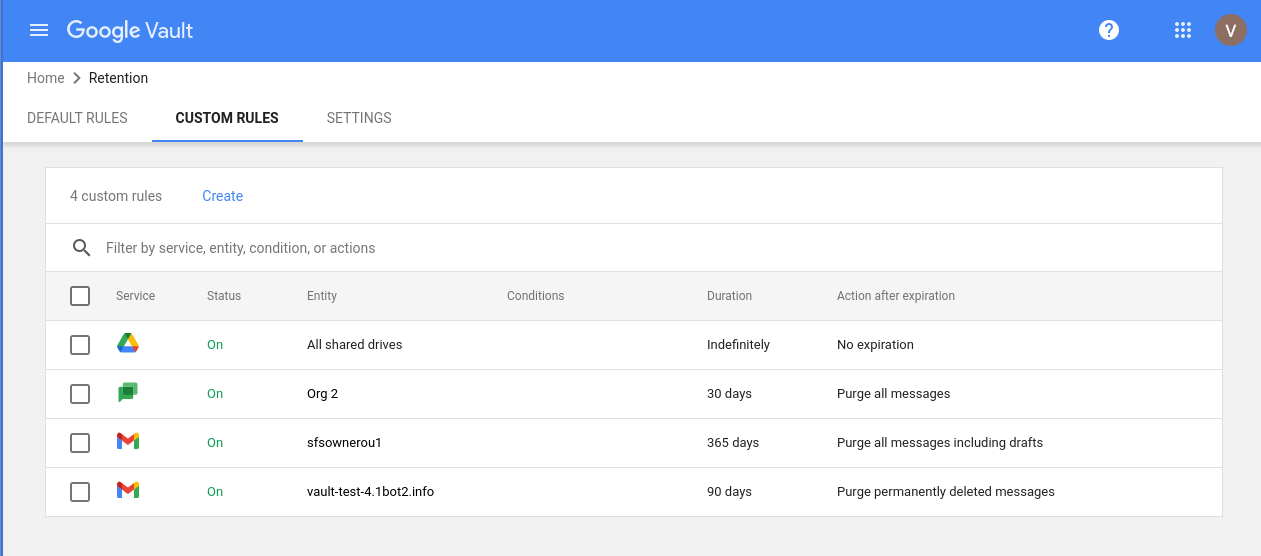
Google Vault is the native archiving and eDiscovery application of Google Workspace. It comes with most Workspace plans. Vault enables admins to retain, hold, search, and export Gmail and other Workspace content for users.
Features
-
Vault does not need to store data separately in hardware; it enforces retention policies on Google's backend.
-
Through legal discovery, Vault offers a search of Gmail and can export emails for examination.
-
Vault can place accounts or groups on legal hold to save data indefinitely.
Pros:
-
Seamlessly integrated within Google Workspace Business and Enterprise at no extra cost if included.
-
Offers essential retention, hold, search, and export capabilities for Gmail and other Workspace data.
Cons:
-
Not included in all Workspace editions; may require a paid add-on license per user.
-
Lacks in-depth analytics or advanced multi-platform support like third-party archives.
Pricing: For detailed pricing, visit the website.
2.2 Intradyn Email Archiving
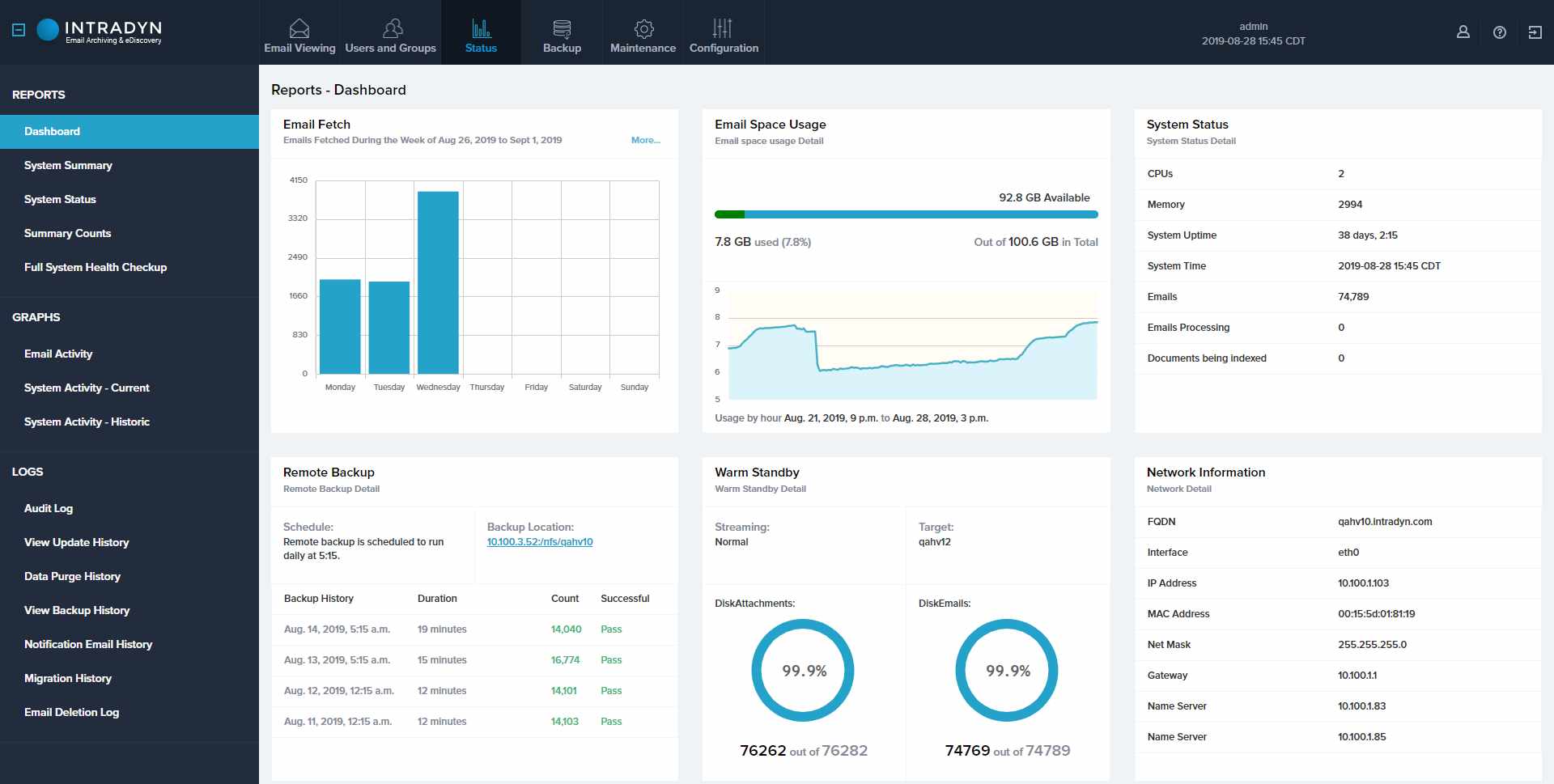
Intradyn is an adaptable email archive service compatible with Google Workspace as well as other platforms. It captures emails in real time (through SMTP, POP3, or journaling) and indexes them for immediate eDiscovery.
Features
-
Intradyn's solution offers unlimited cloud storage on AWS and enables granular retention policies by user, department, or domain.
-
It integrates with AD/LDAP, SAML/MFA, and common identity providers (Okta, Azure AD).
-
Companies that desire more flexibility than Google Vault use Intradyn.
Pros:
-
Powerful multi-channel archiving—supports email, social media, SMS, and message indexing.
-
Flexible deployments: virtual appliance or hardware, with granular storage tiers.
Cons:
-
On-premise options can carry substantial upfront costs.
-
Compact cloud pricing may require quoting complex pricing tiers based on storage and users.
Pricing: For detailed pricing, visit the website.
3. Other Email Archiving Software Solutions
3.1 Archive360
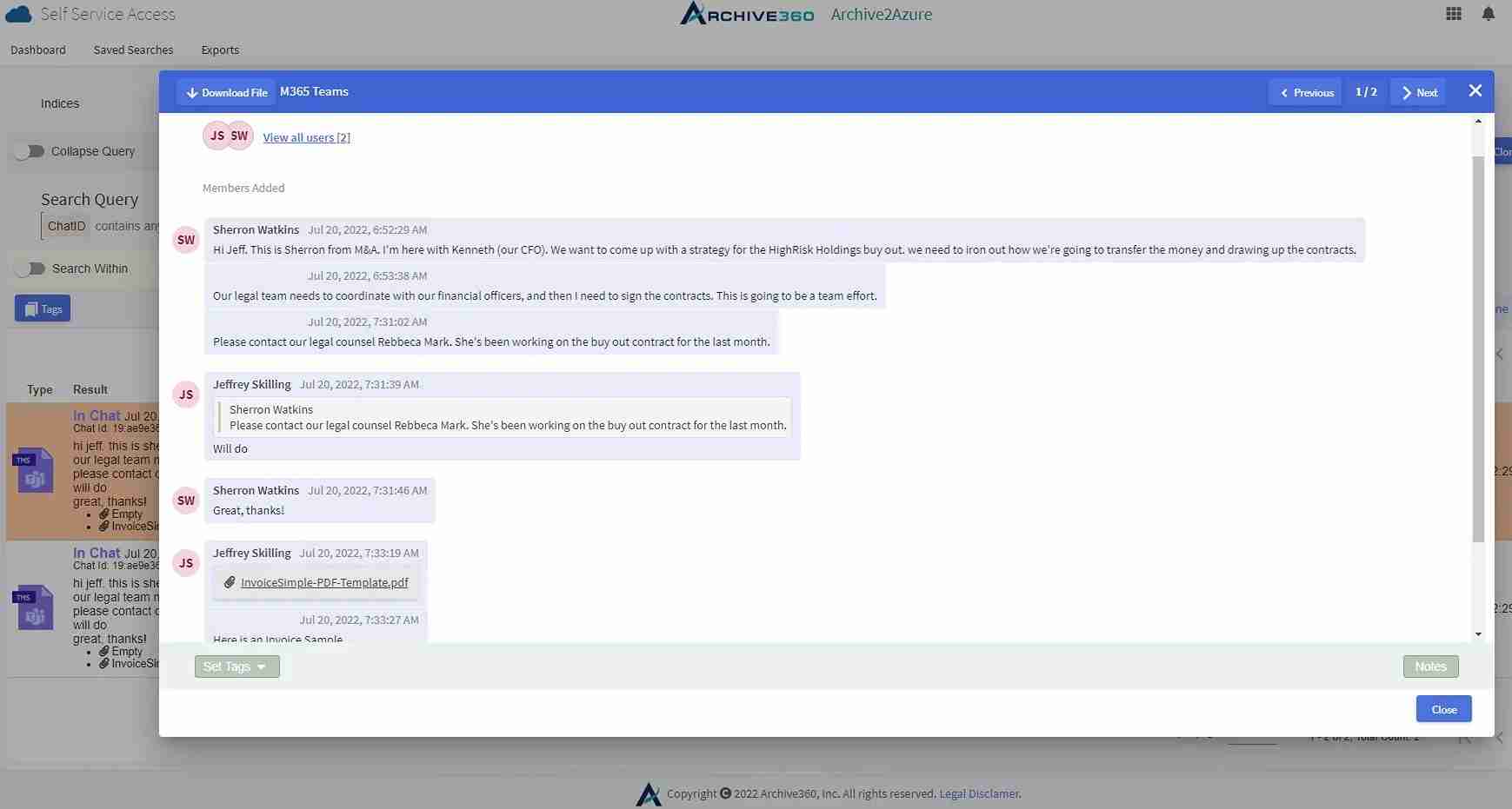
Archive360 is a cloud based email archiving platform renowned for its open-architecture solution. It is a cloud-native data governance Software that archives emails as well as files, social media, and other electronic communications.
Features
-
Archive360 highlights flexibility. Organizations can customize retention policies and data workflows according to their requirements.
-
Its interface offers advanced analytics on the archive and powerful data management capabilities.
-
It supports most email platforms, so no matter the platform, users have the same archive experience.
Pros:
-
Cloud-native, data governance-focused solution using Azure PaaS for secure, compliant archiving.
-
Helps simplify data collection from siloed systems with APIs and integrations.
Cons:
-
Pricing starts between USD 100 and 500 monthly, but specifics require a quote.
-
Likely suited for larger organizations with complex data governance needs.
Pricing: Starts at USD 100–500/month.
3.2 Cryoserver
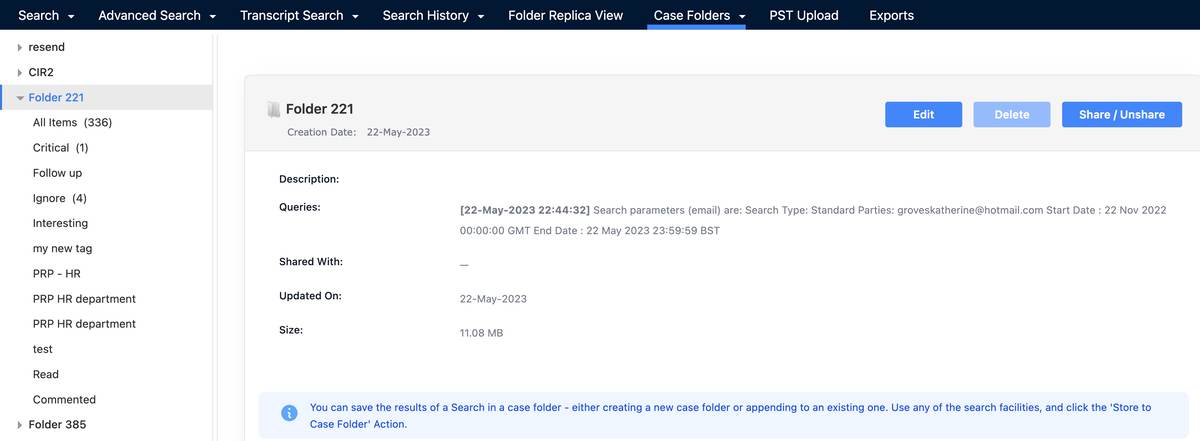
Cryoserver is an on-premises or cloud based email archiving solutions that meets many of the requirements for forensic search and compliance. It is capable of journaling all email, producing a tamper-evident, GDPR-compliant archive.
Features
-
Cryoserver is also acclaimed for its ultra-fast search speed: users have been known to locate emails in milliseconds.
-
Interestingly, Cryoserver integrates well with Office 365 and other systems, meaning that it can be placed in front of current mail servers.
-
Making it a good fit for legal departments or highly regulated organizations that require exacting search functionality.
Pros:
-
Removes tampering risk with a secure, legally compliant, immutable archive.
-
Pay-as-you-go cloud model with per-GB pricing.
Cons:
-
Per-GB cost can scale up in smaller environments if archive size is limited.
-
Pricing is cloud-focused; on deployment, it may require even more investment.
Pricing: Starts at USD 0.10/GB/month at scale
3.3 Veritas Enterprise Vault
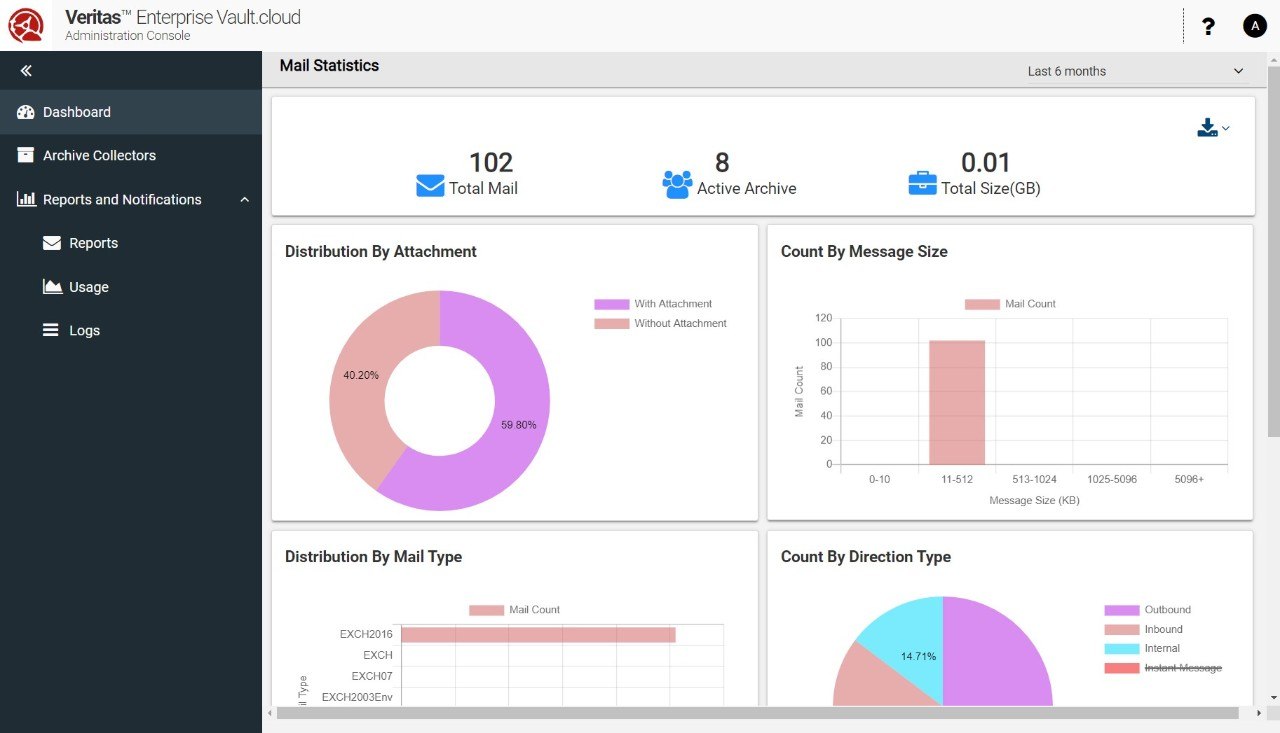
Veritas Enterprise Vault is one of the longest-standing and most popular enterprise archiving solutions. It is famous for its deep information governance capabilities. It provides granular policy control, seamless integration with Microsoft environments.
Features
-
Veritas is well-suited for big business with complex compliance requirements and legacy investments in Veritas infrastructure.
-
It's a grown, scalable solution commonly employed in finance, legal, and government environments that require secure, centralized archiving.
-
Enterprise Vault is not only able to archive email but also files, SharePoint information, and so on.
Pros:
-
Established, mature platform offering broad information governance and multi-archive support.
-
E-discovery, retention tagging, and strong compliance tools built in.
Cons:
-
Complex licensing: the basic e-discovery version can cost about USD 83.99 per user/year; this is just one component.
-
Primarily on-premise, which may not suit teams seeking agility or cloud-first models.
Pricing: Starts at USD 83.99/year.
4. Benefits of Email Archive Software in USA:
A good email archive program should be able to ingest legacy PST files and other legacy archives during deployment, so historical information is not abandoned. Advantages of Email Archiving Software. Installing an email archiving product brings numerous real-world advantages in the areas of compliance, data management, security, and business continuity.
1. Compliance and eDiscovery
Newer archiving systems assist firms in complying with legal and regulatory mandates by maintaining a full history of emails. This means that if the firm is audited or sued, it can rapidly generate the applicable messages.
1.1 Ensures Regulatory Compliance
- Archiving retains emails in compliance with HIPAA, FINRA, SOX, GDPR, and other compliance requirements. The solutions retain each message for the prescribed period of time even if end users delete them from their mailboxes.
1.2 Streamlines eDiscovery Processes
- Powerful search capabilities make the eDiscovery process significantly easier. Rather than sifting through mailboxes manually, legal and compliance professionals can perform focused searches on the archive and recover corresponding emails in seconds.
1.3 Supports Legal Holds
- When litigation or investigations arise, administrators have the option to impose legal holds on applicable email accounts or specific messages. A high-quality archiving solution ensures that held emails are saved unaltered until the hold is removed.
2. Improved Data Management
Centralizing email management software storage within an intelligent archive makes organizations better manage their data. This function drastically reduces the time and expense of responding to discovery requests.
2.1 Automated Storage and Retrieval
- Archiving solutions consume emails automatically, avoiding the need for users to save duplicates or for admins to periodically back up mailboxes manually. They also automate retention and deletion, minimizing IT overhead.
2.2 Easier Access to Historical Emails
- Even extremely old or archived messages are still immediately available. Workers and investigators can scan or search the archive to locate years-old emails, instead of using local PST files or old backups.
2.3 Enhanced Search Capabilities
- Unlike native mailboxes, archives are optimized for search. They tend to support full-text and even attachment search over huge datasets. Saved queries, wildcard search, and proximity search features enable highly targeted lookups.
3. Enhanced Security
Email archives not only assist compliance but also improve data security. This facility dramatically accelerates any task that involves looking up historical communications, from audit to customer response.
3.1 Data Encryption
- Most enterprise-class archiving solutions encrypt emails while at rest and when in motion. This means that even if intercepted or taken, the information would be unusable without the keys.
3.2 Access Controls
- There is strong control by administrators on who can look at or restore archived emails. Role-based access permissions allow only designated staff members to view sensitive archives. Most systems also offer granular audit logs of archive accesses to detect any unauthorized activity.
3.3 Safeguards Against Tampering
- Incidents of records kept in compliance storage must be tamper-free; archiving software does not allow you to backdate and does not allow you to change records either. Auditability and integrity protection mean that once an email is archived, it cannot be changed.
4. Business Continuity and Productivity
Email archiving explicitly benefits from seamless operations and efficiency. This eases workflows: for instance, a sales representative can quickly bring up previous communication with a customer, or a tech support representative can find an ancient troubleshooting session. When paired with Email Tracking Tools, archiving becomes even more powerful, offering visibility into message engagement alongside historical records.
4.1 Supports Disaster Recovery
- By hosting all email offsite or in redundant sites, archiving is a failsafe in case of a primary email system failure. During a cyberattack or system crash, emails in the archive can be readily searched and retrieved, reducing downtime.
4.2 Preserves Corporate Knowledge
- The archive is a corporate memory. When staff move on or projects conclude, their email records remain retrievable. Retained knowledge assists incoming staff in catching up and prevents institutional knowledge from being lost with staff exiting.
4.3 Improves Employee Productivity
- With archiving, users are able to delete old emails from their active mailboxes without risk of losing them. To search the archive, however, is typically quicker than sifting through a messy mailbox. The result is less time spent on manual searching and more time spent being productive.
5. How Email Archiving Software Help Growing Businesses?
Growing companies send and receive more mail daily, with an average of workers exchanging more than 100 messages each day. As email traffic increases, archiving solutions become necessary for data loss prevention software and risk protection. Archiving, by recording all emails in real time, avoids the loss of valuable communications.
Data archival tools are dedicated data archiving solutions that record all the emails sent and received by an organization and store them in a centralized, searchable repository. The features are as follows:
-
Unlike conventional backups, an archiving system continuously consumes emails and keeps them even when users delete messages from their mailboxes. This provides a communications history for auditability.
-
Central features encompass automated capture of email, compression of data, and indexing. As applied, stored emails are compressed and hosted on a secure server for quick search and retrieval—capabilities often integrated within modern email campaign software to ensure compliance and accessibility.
-
By clearing out old messages from active mailboxes, email archiving software also accelerates routine email operations and lessens server storage requirements.
-
Notably, most archiving solutions accommodate powerful eDiscovery tools and email testing platforms that users can rapidly search full-text content as well as metadata in millions of messages, making it easy to identify particular emails by keyword, date, or sender.
-
Companies use email archiving solutions for a number of critical reasons. First, most industries have regulations that mandate the retention of all email communications for a specified period.
-
Archiving safeguards business continuity. When an employee deletes important emails by mistake or a mailbox is lost, the archived copy still exists.
An effective archiving solution solves this with fast search and retrieval. Users can easily find messages by keyword, date range, sender, or attachment without having to dig through mail folders manually.
6. Key Features of Best Email Archiving Software:
Key Features of Best Email Archiving Solutions Leading email archiving software has a common array of features intended to protect all messages safely stored, readily accessed, and securely managed. Key features to consider include
1. Robust Search and Retrieval Capabilities
Powerful searching is a core necessity. Top-tier archivers implement full-text search, metadata tagging, and email checker software or eDiscovery tools so users can locate emails in an instant. They accommodate sophisticated searches and may permit filtering by date, sender, or message. This means it can take only seconds to find the correct one, even with millions of archived emails.
2. Compliance and Security
The best email archive solution imposes strict security and compliance management software. They have data at rest and in transit encryption (AES-256 or equivalent) so that archives can't be read in case of breach. Such functionality significantly reduces the time spent searching for information and avoids business slowness.
3. Storage Management
They also have immutable storage. Archived emails cannot be edited or deleted without permission. Role-based access and audit logs record all user activity on the archive. Significantly, archiving platforms enable granular retention policies and legal hold messages that meet specific conditions to be retained forever, with others expiring automatically
4. Data Backup
An email archiving service, by its default nature, offers a backup of email. All sent and received email is automatically duplicated to the archive, so nothing is ever lost (even if it is deleted by the user). This backup pushes through retention way beyond the normal limits of email servers.
5. Customizable Retention Policies
Companies vary in terms of their retention needs. Top-tier archivers, often integrated with Email Encryption Software, allow admins to create retention policies based on user, department, date range, or content labels. Automated policies supplant manual cleanup and enforce compliance by design. In many cases, these policies can be automatically applied to archived data without any user action.
6. User Access and Experience
An intuitive interface is crucial. The leading solutions offer web-based consoles or email client add-ons so that end-users and investigators can query the archive independently. Saved searches, email previews, and restoring messages to an inbox enhance usability. Mobile access is a benefit for remote employees.
7. Disaster Recovery
The archive should be readily available even when the primary email system fails. Check for features such as instant messaging recovery (re-delivering stored emails back into mailboxes) and multiple redundant data centers for failover. Some software has inherent disaster recovery capabilities or direct integration with backup software.
8. Integration with Existing Systems
The email archive solutions needs to integrate with your email infrastructure and other collaboration platforms. API or journal-based capture support from the above systems is a requirement. It should further complement directory services for authentication as well as user administration.
