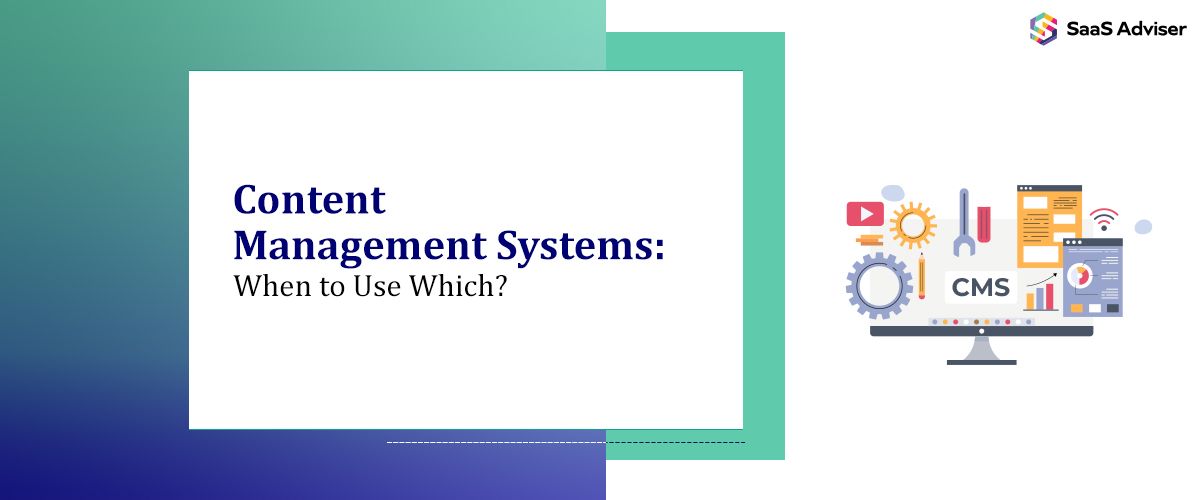
Choosing a Content Management Systems isn’t about picking the most popular platform; it’s about matching your growth model, security needs, content velocity, and team skills. If you’re honest about how content moves through your org—from draft to approval to distribution—you’ll avoid costly rebuilds and choose a stack that holds up under real traffic and real deadlines.
Trends this year changed the equation. Core Web Vitals now punish slow client-side bloat, AI-assisted authoring is normal, and multi-channel publishing is the default expectation. You need a CMS that supports structured content, clean APIs, and an editorial workflow that doesn’t force marketing to ping engineering for every tweak.

When a Traditional CMS Makes the Most Sense (WordPress and similar)
Traditional, monolithic CMSs still shine when speed-to-publish and a rich plugin market matter more than absolute performance. If your content model is straightforward, your team lives in the editor daily, and your stack doesn’t need complex orchestration, a well-hardened WordPress build can be the shortest path to results.
The trick is restraint—plugins add convenience and risk, so you set rules and keep the stack lean. With that discipline, you get a fast launch, predictable costs, and a huge talent pool.
-
A familiar editor, reusable blocks, and polished preview tools let you ship on tight timelines. You cut cycle time by standardizing patterns and enforcing a lightweight plugin policy.
-
Server-side render by default, cache aggressively, and use modern themes built for INP and LCP. Keep third-party scripts under control and you’ll clear performance thresholds.
-
If you need strict content modeling, multi-brand governance, or atomic permissions, monoliths can feel brittle. At that point, you either over-customize or graduate to a headless approach.
When a Hosted Visual CMS Wins
If you’ve ever wondered what is Webflow and why it’s redefining how teams ship content, here's why a visual CMS model matters. (Webflow class)
Visual CMSs earn their keep when brand control, rapid iteration, and design integrity are non‑negotiable. You get a unified design system, clean HTML/CSS, and a visual canvas that matches what ships. With native hosting and global CDN, you remove a whole layer of DevOps. For marketing sites and content hubs that change frequently, this model reduces coordination costs and minimizes handoff friction.
Design Fidelity and Fewer Rewrites
The interface mirrors front-end reality, so designers create components that survive contact with production. You avoid the usual Figma‑to‑code drift and keep campaigns moving.
Safe for Editors, Strict for Devs
Collections, custom fields, and role‑based permissions keep content structured while developers gatekeep advanced logic via controlled embeds and integrations.
When Headless/Composable Is the Right Call (Contentful, Sanity, Strapi, etc.)
Headless pays off when you publish to many surfaces—web, mobile, in‑app, email, and beyond—and when content is a product, not just a page. You model entities, version content, and deliver via APIs, letting any front end render the same source of truth.
This approach demands engineering discipline but returns scale, performance, and future‑proofing. If your roadmap includes apps, personalization, and localization, composable content reduces rework.
Model Once, Publish Everywhere: Define content types with relationships and validation rules. Editors work inside guardrails, and distribution channels consume the same canonIf you need massive programmatic content, deep app logic, or multi‑region data residency, you’ll hit the edges. At that point, pair a visual CMS with a headless backend, or move upmarket.
ical data.
Performance and Security by Design
Static or server‑side rendering plus edge caching cut TTFB, and API keys live server‑side. You ship faster front ends with fewer public attack surfaces.
Simple blogs and landing pages don’t justify orchestration overhead. If marketing can’t ship without developers, morale drops. Only choose headless when the content graph needs it.

When Commerce‑First CMSs Carry the Load (Shopify, BigCommerce, etc.)
If your primary KPI is revenue per session, an ecommerce‑native CMS will outpace a generic stack with bolt‑on carts. You get product models, variants, taxes, payments, and fulfillment out of the box.
With modern storefront APIs and edge rendering, you can still achieve brand-grade experiences without reinventing the checkout process. Most teams win by starting native and only going headless for storefronts once merchandising complexity demands it.
Built‑in inventory, returns, and tax logic remove risk. Your team spends time on merchandising and CRO, not table‑stakes plumbing.
Performance With Personalization
Modern storefront APIs support SSR/ISR at the edge, so you can meet Core Web Vitals while running A/B tests and tailored recommendations.
If your catalog is a graph (bundles, nested kits, multi‑brand), or your content strategy dwarfs product pages, you’ll want a composable core with commerce as a service.
When You’re an Enterprise With Heavy Governance (Adobe/Experience Manager, Sitecore, or Composable Suites)
Enterprises carry additional burdens: complex permissions, regional compliance, and integrations with PIMs, CRMs, and CDPs. Here, the CMS must orchestrate dozens of systems and users without creating bottlenecks.
A suite or a composable setup with strong auth, audit logs, and workflows handles this. You invest more upfront, but you get traceability, policy controls, and the ability to retire legacy tools cleanly.
-
Granular roles, review chains, and non‑production environments safeguard brand and legal risk. Content moves forward without side‑channel approvals.
-
Prebuilt connectors and stable APIs reduce long‑term maintenance. Your CMS becomes the router between PIM, DAM, CDP, and analytics.
-
Over‑engineering kills speed. If your use case is a marketing site with predictable scale, enterprise suites are expensive and slow to iterate.
How to Decide: A Practical Decision Path
Start from outcomes, not platforms. What must the next 12 months of publishing, campaigns, and product updates look like, and who needs to do the work?
If design agility and campaign tempo are crucial, a visual CMS wins. If content must feed many surfaces and teams, headless earns its keep. If sales run through a cart, commerce‑native is safer. Only reach for enterprise controls when governance risk outweighs velocity.
A Simple Heuristic You Can Use Today
If you ship weekly, have one primary channel, and don’t need complex permissions, go traditional or visual. If you ship to three or more channels or need strict modeling, go headless. If your revenue is checkout‑led—go commerce‑first.
2025 Realities You Can’t Ignore
INP replaced FID, so interaction costs matter; cut client‑side noise and choose server‑first rendering. AI editors are useful, but you still need structured fields, versioning, and approval flows to avoid chaos. Privacy rules keep tightening, so store less in browsers and do more at the edge and Premier Dissertations.
Opinionated Take
Too many teams jump headless to feel modern. Unless you publish to multiple surfaces or need granular modeling, a disciplined traditional or visual CMS delivers faster ROI with fewer moving parts.
Implementation Tips That Save Time and Budget
A good CMS choice still fails without guardrails. Define roles, codify the content model, and automate checks so your stack stays fast and compliant.
-
Treat performance budgets and third‑party scripts as real constraints. Small decisions early—like forbidding random plugins or mandating image optimization—compound into stability.
-
Use templates with locked design tokens and component libraries. Provide inline guidance, previews, and scheduled publishing so content owners ship confidently without developer intervention.
Guardrails for Developers
Automate schema validation, linting, and visual regression testing. Enforce CI/CD checks for INP, LCP, and CLS, and fail builds that exceed thresholds.
Data, Compliance, and Observability
Ensure audit logs, role‑based access, and regional data controls. Wire analytics and error tracking from day one so you can prove impact and find regressions early.
Migration Without the Meltdown
A migration is less about moving pages and more about preserving meaning: redirects, canonical rules, content types, and UX patterns. Inventory what exists, design the target model, and stage changes. Freeze new features, migrate content in batches, and measure before/after on traffic, speed, and conversion. The only bad migration is the one without a rollback plan.
-
Map every legacy URL to a permanent destination before cutting over. Protect top‑earning pages and maintain query params where needed.
-
Normalize fields, relationships, and taxonomies so future features don’t require rewrites. Only then import content.
-
Benchmark INP/LCP, crawl for errors, and validate schema. If numbers slip, roll back and address root causes instead of shipping “fixes” in production.
A CMS decision today also shapes your long-term flexibility. The rise of AI-powered assistants, dynamic rendering, and schema-based optimization means your platform should not just manage content but prepare it for LLM visibility and structured search.
Think beyond editing convenience—invest in a CMS that supports semantic tagging, vector embeddings, and API-first logic to future-proof how your brand is found and consumed.
Conclusion
Your choice of CMS should reflect your risk profile and growth plan. If you need campaign agility with design precision, a hosted visual CMS is efficient. If you need omnichannel distribution with rigorous modeling, headless pays off. If revenue depends on checkout, commerce‑first avoids costly detours.
Be strict about guardrails and honest about needs. Respect Core Web Vitals and privacy constraints, treat AI as an assistant—not a crutch—and build workflows that keep marketing productive without creating security gaps. Make the smallest, most powerful choice that gets you through the next year without re‑platforming.