

We still open spreadsheets every day, but in 2025 Excel skills are anything but basic. Recruiters now mention the software in 83 percent of clerical job ads, and certified users pocket about 12 percent higher pay. That makes choosing the right training course feel less like an expense and more like a mini-investment.
In this guide we’ll compare six popular online programs—GoSkills, Udemy, Coursera, LinkedIn Learning and edX—through one unforgiving lens: return on investment. We’ll weigh what each course costs in dollars and hours against the salary bumps, promotions or daily time-savings it can realistically unlock.
Our goal is simple. By the end, you’ll know which option matches your budget, your schedule and your career ambitions, so you can start turning spreadsheet savvy into measurable income sooner rather than later.
Why Excel still pays off in 2025
Scroll any job board and the data is clear: according to GoSkills and Lambham, Excel appears in 83 percent of clerical postings and 11 percent of all U.S. listings, ahead of newer buzzwords such as “machine learning.”
Learning leaders feel it, too. In edX’s 2025 manager survey, 72 percent said they are actively upskilling staff, with data wrangling, AI-powered tools, and Excel topping the wish list.
According to SEO Sandwitch, Microsoft 365 Copilot can now draft formulas in plain English, saving early testers an average of 21 minutes a day—nearly two workweeks each year.
Automation magnifies those gains. Data Entry Ninja reports that one accounting firm trimmed monthly reporting from 40 hours to 4 by replacing manual steps with a single VBA macro—a 90 percent efficiency jump.
According to GoSkills, employees who add an Excel certificate earn about 12 percent more than peers without formal proof of skill.
Bottom line: whether you prompt Copilot, run a macro, or share a new certificate, Excel continues to turn keystrokes into career return.
GoSkills: A one-stop path from rookie to power-user
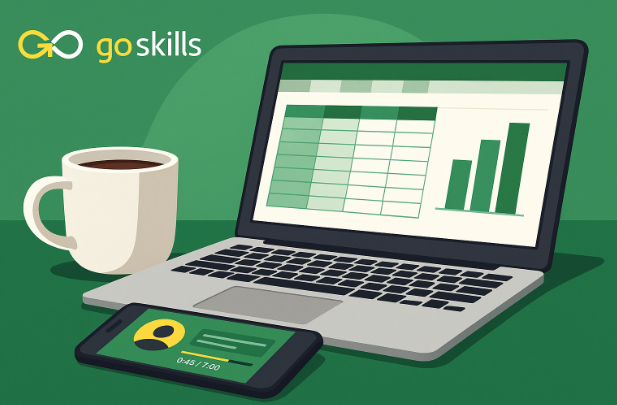
GoSkills Excel Course packages Excel mastery into 61 bite-sized lessons (each under seven minutes), so you can level up during coffee breaks instead of blocking whole weekends.
Cost-to-competence math
-
A month-to-month plan costs $39 and unlocks all 110-plus GoSkills courses. Most learners finish the Excel track in about four weeks, which turns that first payment into a full certificate.
Third-party proof
-
4.7-star average from more than 2,800 public reviews on the course page
-
CPD-UK accredited, meaning the curriculum meets industry-wide continuing-education standards
-
Taught by Microsoft MVP instructors such as Ken Puls and Deborah Ashby, adding expert credibility
Why the ROI lands fast
Each micro-lesson ends with a quiz and a downloadable worksheet, so you practice instead of passively watching. Finish the final assessment, download the certificate, and add it to LinkedIn the same day, giving hiring managers a verifiable skills signal before your next status meeting.
Bottom line: If you want structured pacing and accredited proof without a multi-month slog, GoSkills bundles a full Excel skill set (plus a résumé-ready badge) into one low-risk billing cycle.
Udemy: Big-screen buffet for bargain hunters
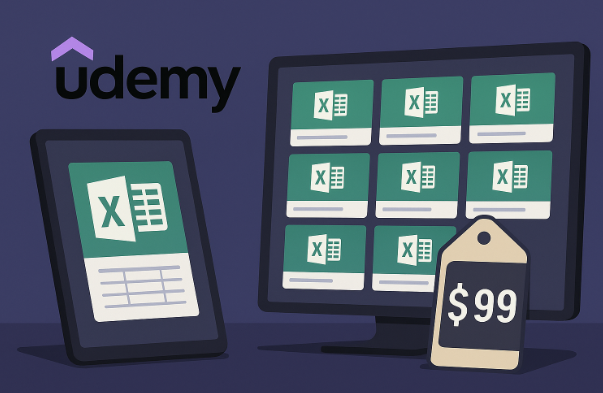
Udemy sells Excel lessons the way Netflix sells movies: one click and they are yours for life. Its best-seller, “Microsoft Excel – Excel from Beginner to Advanced,” offers 18 hours of video, 190 downloadable files, and a 4.7-star rating from 330,000 students, according to Coursesity. Watch a single XLOOKUP demo, or stream the whole playlist over a long weekend.
Cost-to-competence math
-
List price: $129.99
-
Udemy Deals Program floor: $9.99 in the United States, with typical sale discounts of 90 percent or more
One payment provides lifetime access, so the course doubles as a searchable reference when Monday’s spreadsheet emergency hits.
Learning experience
Support is limited to a public Q&A board. Deadlines do not exist, so you set the pace. A completion certificate prints automatically, but it is a “nice-to-have,” not a university-grade credential.
ROI snapshot
If you stay disciplined and catch a sale, the cost per training hour drops below one dollar, a figure that is tough to match for self-directed learners who value depth over hand-holding.
Bottom line: Udemy shines at volume for value. Buy once, learn forever, and bookmark the lectures you will revisit whenever a new Excel puzzle lands on your desk.
Coursera: University rigor on your own clock
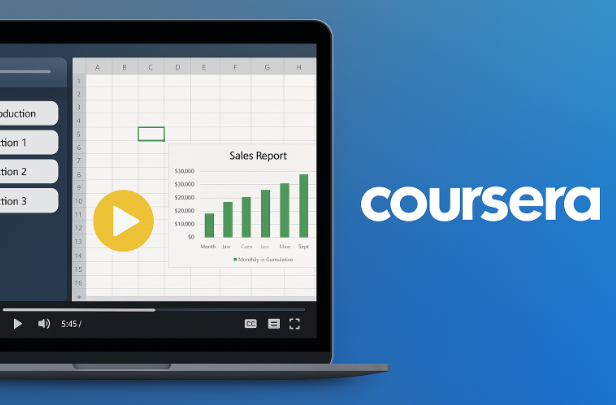
Coursera’s Excel Skills for Business Specialization from Macquarie University feels more like a mini-semester than a weekend tutorial. Four sequential courses (Essentials, Intermediate I, Intermediate II, and an Advanced capstone) each end with graded projects, so you demonstrate skills instead of merely watching them.
Cost-to-competence math
-
Subscription: $49 per month
-
Guided pace: Coursera estimates 3 months at 10 hours a week to complete the series, bringing the typical cost to about $147. Finish faster and each saved month keeps $49 in your wallet.
Credibility signals
The shareable certificate carries Macquarie University’s seal, and the program holds a 4.9-star rating from more than 47,000 reviews with over 600,000 enrollments to date. Recruiters recognize the university logo, and the capstone project doubles as a portfolio piece you can link directly in applications.
Fit check
Choose Coursera if you prefer structured deadlines, peer discussion boards, and academic weight; consider it part-time grad school for spreadsheets, billed monthly instead of by semester.
Bottom line: Carve out steady study blocks and Coursera turns that time into a university-stamped credential plus a project you can showcase on day one of your next analytics interview.
LinkedIn Learning: A lunch-break lifeline
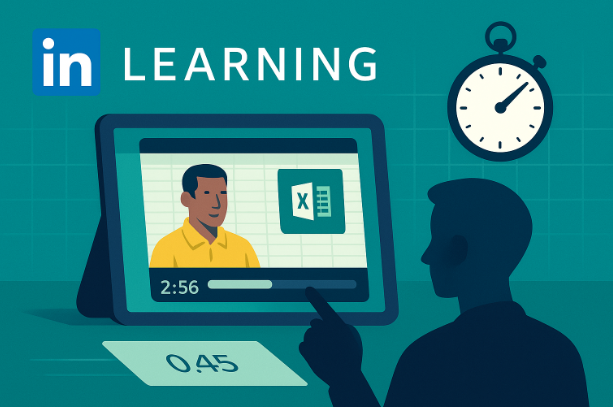
Need a fast tune-up before the weekly reporting call? Excel Essential Training (Microsoft 365) runs 2 hours 56 minutes and covers navigation, formulas, PivotTables, and a quick tour of Copilot AI, according to LinkedIn Learning. Two lunch breaks and you are done.
Cost snapshot
-
Free trial: one month for new subscribers
-
Subscription: $29.99 per month, or $19.99 per month when billed annually
Because many employers reimburse LinkedIn Premium, your out-of-pocket can be zero.
Why it works
High-quality videos and short quizzes reinforce muscle memory, and the completion certificate slides onto your LinkedIn profile in one click, subtly improving recruiter visibility. The course holds a 4.7-star average across thousands of reviews.
Limitations
The curriculum tops out at intermediate. Advanced analytics, Power Query, and VBA sit in separate courses, so treat this as espresso, not a full breakfast.
Bottom line: When you need a quick confidence boost and a visible badge without opening your wallet, LinkedIn Learning’s essentials class delivers more productivity per minute than any other option on this list.
edX: Premium credential for data-driven ambitions
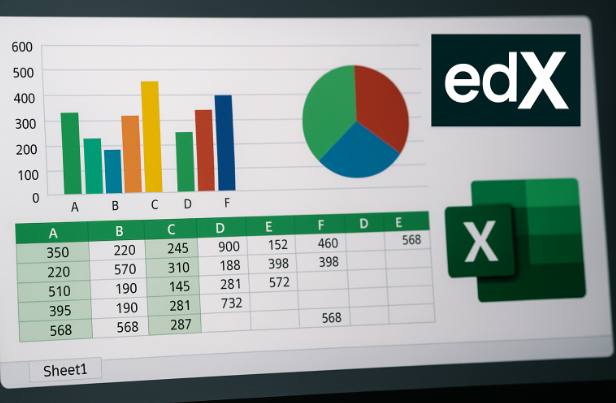
The Excel for Everyone Professional Certificate (UBCx) treats spreadsheets as a springboard to analytics. Three stacked courses (Core Foundations, Data Management, and Data Analysis Fundamentals) move you from keyboard shortcuts to statistical modeling and a showcase-ready capstone project.
Cost-to-competence math
-
Verified track: $189 per course, or $510.30 for the full certificate during the current bundle sale (list $567)
-
Audit track: videos are free to view; pay only when you want graded assignments and the certificate
-
Time commitment: 5 months at 3–5 hours a week, about 60–100 study hours in total
Why it stands out
The certificate bears the University of British Columbia seal, a respected brand in finance, BI, and entry-level data-science roles - and the skills translate seamlessly when you later build a custom financial dashboard for your team.Each course includes peer-graded projects, so you finish with a tangible portfolio piece rather than just completed quizzes.
Who should enroll
Choose edX when you are pivoting from Excel reporting to deeper analytics and need a university-backed credential to prove it. The upfront cost is higher than other platforms, yet the academic credit and data-centric syllabus can open doors that shorter, cheaper courses miss.
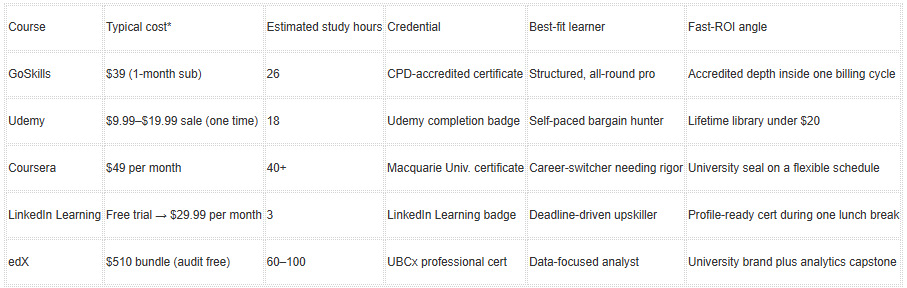
ROI at a glance
Sale prices and trials change frequently; check each platform before enrolling.
Finish what you start. A $10 course abandoned at lesson three returns zero value, while a pricier program you complete, then apply, can pay for itself in weeks and turbo-charge your Excel for career advancement.
Which course delivers the best ROI?
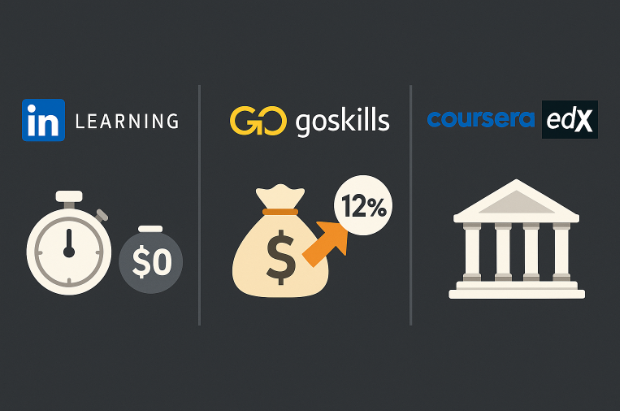
ROI depends on your goal and constraints. Below are three common scenarios backed by current data.
-
Fastest payoff for under $20
-
LinkedIn Learning: Complete the 2 h 56 m Excel Essential Training (Microsoft 365) course during the one-month free trial, add the 4.7-star certificate to your profile the same day, and walk into Monday’s meeting with sharper formulas. Time: one weekend, cost: $0.
2. Biggest dollar-for-dollar career lift
-
GoSkills: Finish its 26-hour track within one $39 billing cycle and earn a CPD-accredited certificate. Certified Excel users report an average 12 percent salary bump over peers without formal proof of skill.
3. Academic prestige for analyst roles
-
Coursera versus edX: Both provide university seals, but Coursera’s Macquarie specialization costs about $147 if finished in three months, roughly 70 percent less than edX’s $510 bundle. If cost efficiency matters, Coursera wins; if you need deeper analytics content and can invest more time (about five months) and money, edX delivers extra heft.
Bottom line: Choose LinkedIn Learning for an immediate confidence boost, GoSkills for the highest salary lift per dollar, or Coursera/edX for university-level credentials. Match the option to your timeline and target outcome, and Excel will start paying you back in real workweeks, not hypothetical ones.
Conclusion
Excel mastery is not a line item on a to-do list; it is a career asset that compounds. The right course accelerates that compounding by turning scattered tips into a structured, verifiable skill set.
So choose the path that matches your moment. Whatever you pick, finish it. Apply the shortcuts, automate the reports, and share the certificate with the people who sign bonuses. When you do, you will see why spreadsheet knowledge still delivers some of the highest ROI in the modern workplace.
Now open a new workbook—the next tab of your career is ready for data.
Absolutely. Structured training closes skill gaps faster than piecemeal YouTube sessions and leaves you with proof you can show recruiters. Certified learners report productivity jumps within weeks, which often translate into raises or new responsibilities.
Give yourself a weekend for the basics, a month of evening study for solid intermediate chops, and three focused months if you want advanced analytics plus a university-style credential. The timeline shrinks or stretches with the course you choose and the hours you commit.
Employers value recognized brands. University-backed badges from Coursera or edX sit near the top, Microsoft-partner certificates like GoSkills follow close behind, and platform-only completions from Udemy or LinkedIn Learning still show initiative even if they rank lower on formality. Pair any certificate with a live demo of your skills and you will stand out.
Yes. Specifically the GoSkills Excel Course covers all the blueprint topics. Finish the lessons, drill practice exams, then schedule the MOS test when your practice scores hover above ninety percent. The combo of a course certificate and a Microsoft badge is résumé rocket fuel.

.jpg "Navigating Lab Management Software Trends in the USA")
.jpg "Security Matters: How E-Commerce Platforms Are Protecting USA Consumers' Data")