Did you know that 76% of online consumers prefer to buy products with information in their native language? Or that 40% will never buy from websites in other languages, even if they're fluent? That’s why to succeed in new markets, you have to speak your customers' language.
But for many companies, the localization process is a messy, manual process, full of spreadsheets and email chains. Localization software can transform that chaos into an automated and collaborative process. Let’s try to choose the best localization software according to your business needs.
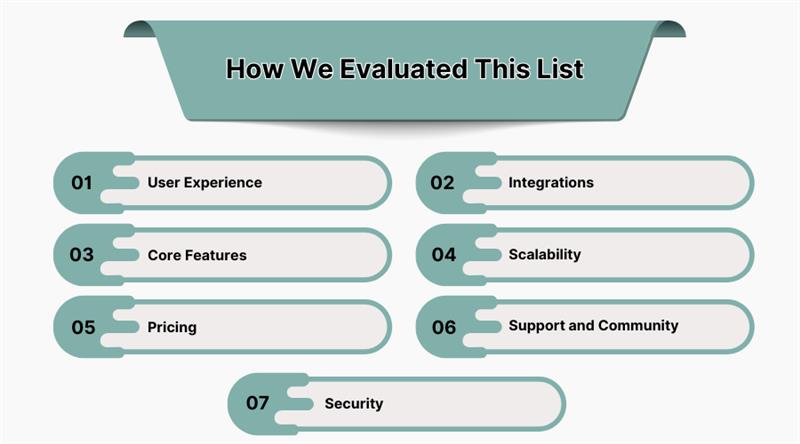
How We Evaluated This List
When creating a list like this, it's easy to just pick five big names, and that’s it. But that's not helpful. We wanted to find the platforms that really make a difference.
Our evaluation focused on what matters to a business. We didn't just look at who had the most features; we looked at how those features worked in practice. Here's what we focused on:
1. User Experience
How simple is the platform? Can a new team member jump in and start contributing quickly? Or does it require a week of training?
2. Integrations
A localization software shouldn't be isolated. We looked for platforms that connect with the tools you may already be using (popular CMSs, Git repos, e-Commerce services). The more a software has integrations, the more it will automate your workflow.
3. Core Features
We made sure each platform included in this list has the basic features. We checked for translation memory, machine translation, and glossary. Does this platform provide AI translations?
4. Scalability
Is the system a great choice for a small startup with a single project? Or does it work better for a large enterprise with content in dozens of languages?
5. Pricing
We checked for pricing that is easy to understand, with no hidden fees. So you can be sure that you will pay exactly what you need, with no surprises.
6. Support and Community
What is the quality of customer support? Are there any knowledge bases or community forums? A good support team can help quickly resolve issues and answer all your questions.
7. Security
In 2025, one translation/localization tool was hacked and lost all the users' data. So it’s very important how seriously the platform cares about security questions.
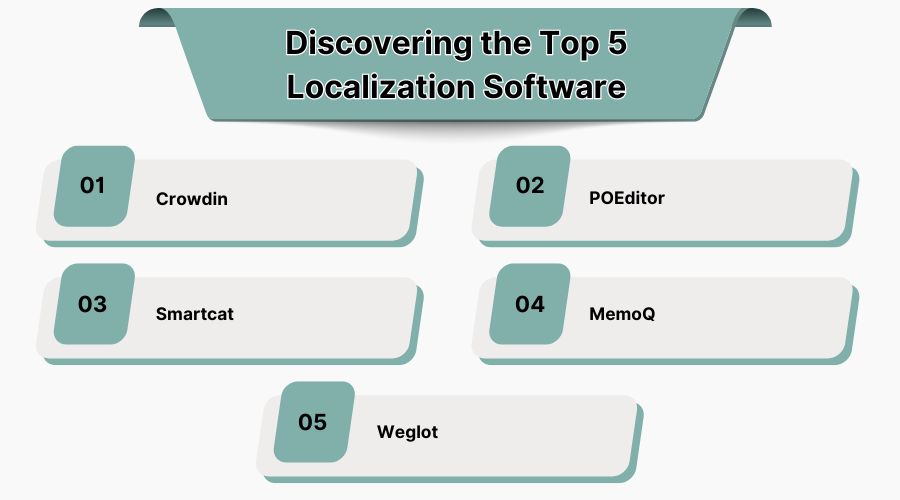
The Top 5 Localization Software Together!
1. Crowdin
Crowdin's localization software is built for continuous localization, meaning it works smoothly with your development process. When a developer pushes a new code update with some text changes, Crowdin automatically grabs those new phrases for translation. Once the translations are done, it sends them right back, making the whole process automated. It's a bridge between your code and your content.
Crowdin supports more than 100 file formats. Translations are easy: you can translate with AI and find proofreaders on their vendor's store. If you are dealing with sensitive content, you can invite your own team of translators.
Best for: Small- to Enterprise-level business, tech companies, agile development teams, and product managers who are constantly updating their software, apps, or websites.
Why it's a winner:
-
The Number of Integrations – over 700 apps, including GitHub, GitLab, HubSpot, Salesforce, Braze, MailChimp, etc.
-
The Full Package with a Translation Memory, a Glossary for consistent terms, and it works with multiple Machine Translation (MT) engines.
-
AI That Works for You with pre-translate and AI-powered QA checks. The AI helps maintain consistency by suggesting corrections based on your project's glossary and style guide.
-
Designed for teams, the platform allows multiple users to work on the same project. You can use features like in-app commenting and tagging to communicate with translators and proofreaders.
-
In-context editor shows translators exactly where a piece of text will appear in the final product. This simple feature helps to avoid layout issues.
-
Developer-focused automation allows you to create custom workflows and automate how content is pulled from and pushed back to your codebase.
-
Flexible pricing is based on hosted words, not per user, which means you can have an unlimited number of translators. Offering a free version with up to 60k words.
-
Advanced security with AWS databases, 2FA, granular access control, and role-based permissions. Crowdin is ISO/IEC 27001 certified and HIPAA compliant.
Heads Up:
-
It can feel a bit overwhelming if you're a beginner because of the large number of features.
Why it made the list: For software localization, Crowdin is the gold standard. Its focus on automation and developer-centric features makes it a must-have for any tech company expanding globally.
2. POEditor
POEditor is designed to be simple and intuitive without cutting corners on key features. POEditor's clean interface is easy to use. Anyone can pick it up, no matter if you’re a translator or a content manager.
It's especially popular for localizing mobile apps and small-sized projects. It supports the main file formats and connects with code repositories like GitHub and GitLab.
Best for: Small teams, startups, and developers who want a straightforward, affordable, and easy-to-use TMS.
Why choose it:
-
Budget-friendly pricing makes POEditor one of the most affordable options on the market, with a clear pricing model based on the number of strings you translate.
-
User Interface is clean and easy to navigate. It won't take your team more than a few minutes to figure out how to use it.
-
Core Tools include Translation Memory and Glossary, along with integrations for machine translation.
-
You can integrate AI models like ChatGPT and Gemini directly into the platform to get instant translations or even have them proofread human translations.
Cons:
-
It might not have all the complex project management features that a larger company would need.
-
Probably not the best fit for large and complex projects.
Why it made the list: POEditor is the perfect starting point for professional localization. It proves you don't need a huge budget or a team of experts to get your product translated.
3. Smartcat
Smartcat combines a translation management system with a marketplace of translators. If you don't have an in-house translation team, this platform gives you all the tools and all the people you need in one place.
You can post a project, and the system will find, hire, and manage the linguists for you. You can make all the payments inside the platform. Smartcat has all the standard TMS features.
Best for: Businesses that need to find and manage translators, and companies with high-volume projects.
Why It's a Strong Tool:
-
Smartcat is a CAT tool with a Translation Memory, Glossary, and advanced workflows. But its main advantage is having a big translator marketplace built right in. This saves you from having to use separate tools to find and hire talent.
-
A very helpful feature is its automated payment system. It handles all the financial work of paying multiple freelance translators with a single invoice.
-
The platform provides a single dashboard to manage every part of a project, from assigning tasks to tracking progress. This is great for visibility and control.
Points to Consider:
-
The platform offers a free version, but the plans for businesses can be a big investment (costs starting in the thousands of dollars a year).
-
The quality of the translators in the marketplace can vary. It’s important to carefully choose the professionals you hire.
Why It Made the List: Smartcat is a good choice for any business that wants a fast and easy way to go global. It takes the pain out of hiring and managing translators, making it a unique tool in the TMS market.
4. MemoQ
memoQ has a strong foundation in powerful desktop software and server-based solutions. It’s a tool for serious translation work, giving you a high level of control over your projects.
Best for: Professional translators, translation agencies, and large corporate teams who need powerful, customizable tools for complex projects.
Why It's a Good Option:
-
Unlike some of the newer cloud-only tools, memoQ offers a highly-regarded desktop client. This gives you a lot of power right on your computer. When you use the server version, it becomes a centralized hub for all your work, which is great for collaboration.
-
It has Translation Memory and Terminology Management systems. Its unique LiveDocs feature is a huge time-saver, as it lets you reuse entire documents as a resource for new translations.
-
Translators can set up their own personal shortcuts and settings to make the work fit their style.
-
MemoQ has its own AI-powered tools and connects to many machine translation engines. It has a separate platform for big clients who want to train their own custom AI models with their unique data.
Points to Consider:
-
It’s an Investment: This is a professional tool with a price tag to match. The cost for server solutions and team licenses can be high, which makes it a better fit for businesses with a dedicated budget for localization.
-
A Learning Curve: Because it’s so powerful and has so many features, it can take some time to learn how to use it fully. It's a lot more complex than some of the other, simpler tools on this list.
-
Desktop-First: While it does have a web version, the desktop client is where its real power lies. This might not work for teams that do all their work in a browser.
Why It Made the List: MemoQ is a go-to tool for high-end translation work. It provides a level of power and control that is hard to find elsewhere.
5. Weglot
Weglot is an interesting option because it doesn't work like a typical TMS. Instead of focusing on source files, it's designed for website translation. It’s a user-friendly solution that can make your entire site multilingual quickly.
The process is quite simple: you add the Weglot plugin to your website (it integrates with platforms like WordPress and Shopify), and it automatically detects and translates all your content. After that, you can use the dashboard to make manual adjustments or hire professional translators directly through the platform if you need to.
Best for: Teams and businesses that want a fast and simple way to translate their website without needing a developer.
Why It's a Strong Choice:
-
The setup is simple, so you can have a live, translated website in just a few minutes. This is a big benefit for marketers and business owners who don't have technical support.
-
It uses AI to provide a solid first draft of your translations. You can also customize an AI model to learn from your brand's style and a glossary of terms, which helps your translations sound more consistent over time.
-
You can edit your translations on a live preview of your website. This is a useful feature because it lets you see exactly how the translated text will look on the page.
-
It handles the technical side of multilingual SEO automatically. It creates language-specific URLs and adds the correct tags for the search engines.
Points to Consider:
-
The pricing is based on a word count, so it could get pricey if your website has a lot of content and you need many different languages.
-
Only for website translations.
Why It Made the List: When you need to translate a website quickly, Weglot is one of the most practical tools available.
Conclusion
If you are reading this article, you are probably “done” with translating in spreadsheets. A localization software can solve all your troubles, but you need to spend some time choosing the right one.
We recommend you take a free trial and test all these platforms. Create a small project and check all the features. Contact their customer support and sales team, and review the video guides. You will see in practice whether the platform fits you.
We hope this guide will help you pick the best software for your business localization needs.
Localization software is a tool that helps businesses translate and adapt content, websites, apps, and documents for different languages and cultures. It ensures that text, images, formats, and context align with local preferences, making global communication smoother and more effective.
Companies need localization tools to expand globally without language barriers. These tools streamline translations, maintain accuracy, and ensure cultural relevance. They reduce manual errors, save time, and create consistent messaging across websites, apps, and marketing campaigns, ultimately improving customer experience and brand trust in international markets.
Industries like e-commerce, SaaS, gaming, education, travel, and media benefit most from localization software. By adapting content into multiple languages, they reach larger audiences, increase engagement, and improve sales worldwide. These tools are especially valuable for businesses that regularly serve customers in multiple regions.
To choose the best localization software, focus on features like translation memory, machine translation support, cloud integrations, scalability, and collaboration tools. Consider pricing, ease of use, and industry-specific needs. The right tool should fit both your current workflow and long-term international growth goals.