
What we'll cover
Share with your community!


Get Free Consultation


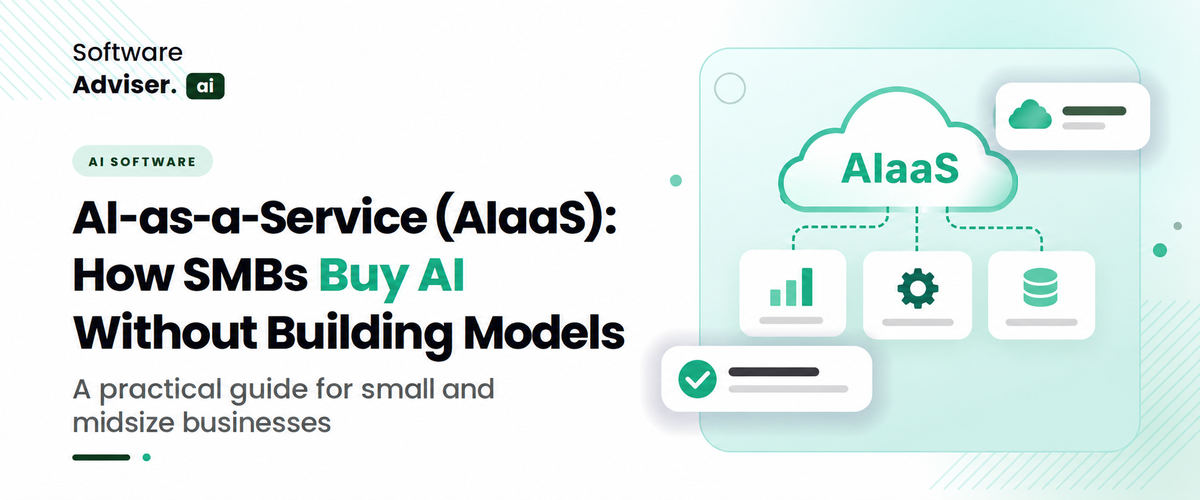
AI-as-a-Service (AIaaS): How SMBs Buy AI Without Building Models
 Dokas mile
A ten-person logistics company wants an assistant that drafts shipment updates and flags late deliveries. Hiring machine learning engineers is out of the question, and training a model from raw data would take longer than the problem is worth. This is the situation AI-as-a-Service (AIaaS) was built for. AIaaS lets a business rent finished AI capabilities from a vendor and pay through a subscription or usage fee, instead of building and hosting models itself. This guide explains what small and midsize businesses (SMBs) can actually buy, how the main product categories differ, what current U.S. adoption data shows, and where the risks sit, from vendor lock-in to data exposure. It also flags the cases where buying AI is the wrong move.
What AIaaS Actually Includes
AIaaS is a delivery model, not a single product, much as SaaS turned installed programs into subscriptions. The vendor trains, hosts, and updates the models. The customer connects through an API, a browser dashboard, or an app embedded in tools the team already uses.
In practice, offerings fall into three tiers. The lowest tier sells raw capability: language, vision, speech, and forecasting models reached through an API and billed per request or per token. The middle tier sells configurable building blocks such as agent builders, workflow engines, and managed notebooks. The top tier sells finished applications, like a support assistant or an invoice-coding tool, where the AI is invisible and the buyer sees only the outcome.
Most SMBs get better results by starting higher in that stack. Each step down adds control and also adds engineering work.
Managed AI machine learning software sits in the lower and middle tiers. It covers hosted model training, prediction endpoints, and monitoring, so a team can fit a demand-forecasting or churn model to its own records without maintaining servers.
Why Most SMBs Should Buy Before Building
The U.S. Census Bureau's Business Trends and Outlook Survey offers the clearest view of adoption so far. In its AI supplement covering November 2025 to January 2026, 18% of firms reported using AI in a business function. By early May 2026 the national rate stood at 19.8%. Larger firms lead: 37% of those with at least 250 employees used AI, while fewer than 20% of firms with four or fewer employees did.
Two other findings matter to buyers. Among firms using AI, 57% apply it in three or fewer business functions, and Sales and Marketing is the most common at 52%. Census researchers also found that 66% of firms use AI only to augment tasks rather than replace them.
A caution on the figures: Census broadened the survey question in November 2025, so comparisons with earlier readings are unreliable. Treat today's numbers as a baseline, not a growth curve.
The economics follow from that pattern. Building a model means gathering clean data, hiring specialists, paying for compute, and retraining as the data drifts. A narrow use case at a 25-person company seldom justifies that overhead.
The Main Categories SMBs Can Buy
AI Agent Platform and AI Agent Builders Software
An AI agent differs from a chatbot because it takes actions: it looks up an order, updates a CRM record, or sends a follow-up. An AI agent platform supplies the runtime for that behavior, including model access, tool connections, memory, permissions, and activity logs. The vendor handles hosting and orchestration. The business defines what the agent is allowed to do.
AI agent builders software sits closer to the user. These are visual or prompt-based editors that let a non-developer assemble an agent by writing instructions, connecting data sources, and setting guardrails. The trade-off is flexibility. Builders are quick for support triage or lead qualification, but complex logic tends to hit the editor's limits, and moving an agent from one tool to another is rarely simple.
A useful test: if a process has clear steps and an obvious right answer, an agent can probably handle it. If staff themselves disagree about the right call, keep a person in the loop.
Workflow Tools With an AI Step
Rule-based automation moves data between apps when a trigger fires. AI workflow automation software adds a model step in the middle, so the flow can read an unstructured email, classify it, pull out the fields, and route it. Accounts payable is the textbook case. Invoices arrive as PDFs in assorted layouts, the model extracts vendor, amount, and due date, and the workflow posts a draft entry to the accounting system for approval.
This category often pays back fastest because the task is bounded and the output is easy to check. It also fails quietly. If the model misreads one invoice in fifty, nobody notices unless uncertain results are sent to a human. Ask any vendor how confidence thresholds and exception queues work before signing.
AI Inside the Tools You Already Own
Many accounting, CRM, HR, and project tools now ship with AI features. AI business management software of this kind, such as a CRM that drafts follow-ups or a project tool that summarizes status, is usually the lowest-friction entry point because the data already lives there. There is no integration project and no new vendor review.
The limit is scope. Embedded AI works inside its host product and sees only that product's data, a limit that applies to every AI business management software suite. It cannot reason across accounting, support, and inventory unless the vendor connects them. Teams that want cross-system behavior usually add an agent or workflow layer on top; AI business management software already in use is often the safest first step.
Keeping Track of AI Spend
Once a company runs several AI services, a new question appears: what does each one cost? An AI cloud management platform tracks usage, spending, access rights, and performance across providers. For an SMB with one chatbot, it is unnecessary. For a company using three model providers and two hosted notebooks, it prevents surprise invoices and shows which team consumes what.
Major cloud providers already bundle basic dashboards and budget alerts, so a separate AI cloud management platform makes sense mainly when spending spans multiple vendors.
Data Science Without a Data Science Team
Some SMBs need answers rather than agents: which customers are likely to cancel, which products will run out, which campaigns pay back. AI data science tools, mostly managed AutoML and notebook services, address this by testing several model types on uploaded data and ranking them by accuracy.
Automation does not repair bad inputs. If customer records are duplicated or sales history has gaps, the top-ranked model will be confidently wrong. Plan to clean the data before purchase, and have someone who understands the business judge whether predictions make sense. AI data science works best when the question is specific and the history goes back at least a year.

Pro-tip
Run a 30-day paid pilot using 50 to 100 real records, such as past invoices or support tickets. Compare the AI output with what your staff produced, and measure the error rate before committing to an annual contract.
Where Open Source Fits
Open-weight and open-source models let a company run AI on its own servers or in a private cloud account. A self-hosted model server or workflow engine is an AI open source tool with no per-seat license, and the data stays under the company's control. That appeals to firms handling confidential or regulated records.
The cost shows up elsewhere: setup, security patching, GPU capacity, and staff time. Licenses also differ, and some open models limit commercial use or very large deployments, so the terms deserve a careful read. A reasonable middle path is a managed host that runs an open model on your behalf, which keeps portability without the maintenance load. Any AI open source tool still needs a named owner who will look after it once the pilot ends.
Buy, Self-Host, or Build: A Quick Comparison
|
Factor |
Buy (AIaaS) |
Self-host open source |
Build custom |
|
Best for |
Common tasks, small teams |
Privacy-sensitive work, technical teams |
Unique capability at the core of the product |
|
Setup time |
Days to weeks |
Weeks to months |
Months |
|
Control |
Limited to vendor settings |
High |
Full |
|
Ongoing work |
Vendor maintains models |
Your team patches and monitors |
Your team owns everything |
|
Main risk |
Lock-in and data exposure |
Maintenance burden |
Cost and scarce talent |
What AIaaS Costs and Where Budgets Slip
Pricing models vary. Per-seat subscriptions are predictable. Usage-based billing, whether by token, API call, or agent run, scales with activity and can climb fast when an agent loops or a workflow fires more often than planned. Hosted Machine learning is the subset of AI often bills training hours and prediction endpoints separately.
Before committing, run a test month to estimate volume, set a spending cap, and ask what happens when the cap is reached. Caps are easier to enforce when an AI cloud management platform or the provider's own budget tools watch usage. Budget for the less visible items too: staff time for reviewing outputs, integration work, and training.
Security and Governance Questions to Settle First
Buying AI does not transfer responsibility for the data sent to it. Before connecting customer or employee records, confirm in the contract whether the vendor trains on your inputs, how long data is retained, where it is stored, and which subprocessors touch it. Ask for an independent attestation such as a SOC 2 report. Self-hosting an AI open source tool moves these duties in-house, so the same questions apply to your own team.
For a structured approach, NIST publishes the AI Risk Management Framework, voluntary guidance organized around four functions: govern, map, measure, and manage. Its Generative AI Profile (NIST AI 600-1, released July 2024) describes 12 risk categories specific to generative AI. An SMB does not need to adopt it formally, but its questions make a sound checklist: who owns this system, what could go wrong, and how will errors be caught?
Mistakes That Show Up After the Pilot
The most common error is starting with the most ambitious use case. A first project should be narrow, measurable, and low-risk, such as sorting inbound support email with AI workflow automation software.
Another is skipping a test on real company data. Demos use clean samples; production data is messier, which hurts AI data science projects most. A third is leaving exit terms unexamined. Ask how prompts, workflows, and data can be exported if the vendor raises prices or shuts down. Finally, many teams never assign an owner, and a tool without one slowly drifts out of use.
Do You Know?
The Census Bureau's AI supplement now asks about AI use across 15 business functions, including finance, HR, and customer service.
When AIaaS Is the Wrong Call
Some situations argue against it. Data may be so tightly regulated that no vendor meets the contractual terms. A process may be too rare or inconsistent to automate. A task may carry a high cost for wrong answers, leaving review as slow as the original work. And if AI is the product itself, depending on someone else's model is a strategic weakness.
Conclusion
AIaaS gives SMBs capabilities that once required a research team, but the benefit depends on matching the product category to the problem. Start with one bounded process, such as invoice intake through AI workflow automation software, run a paid pilot on real data, assign an owner, and set a review date. Expand only after the results hold up.
FAQ's
SaaS delivers a finished application. AIaaS delivers AI capability, either as a finished application, as building blocks such as AI machine learning software, or as raw model access, with the vendor running the models behind it.
Not always. Finished applications, no-code AI agent builders software, and a hosted AI agent platform need little or none. API access and custom integrations do require engineering skills.
It depends on the pricing model. Per-seat plans are fixed, while usage-based plans vary with volume.
That depends on the contract and plan. Business tiers often exclude customer data from training, but confirm it in writing and check retention terms.
Yes, though effort varies. Workflows and agents built inside a proprietary editor are the hardest to move, so ask about export options before buying.
Adobe Illustrator gives an error when users try to open .AI files for which “Adobe Illustrator” is not installed on the PC. An AI file conve [...]

David N. Wilks
In 2026, relying purely on manual strategy and legacy workflows in digital marketing is no longer sustainable. The rapid rise of hyper-personalized au [...]
David N. Wilks
In the US, hospital management software using AI is revolutionising the healthcare sphere, removing administrative friction for patients and medical s [...]