
What we'll cover
Share with your community!


Get Free Consultation
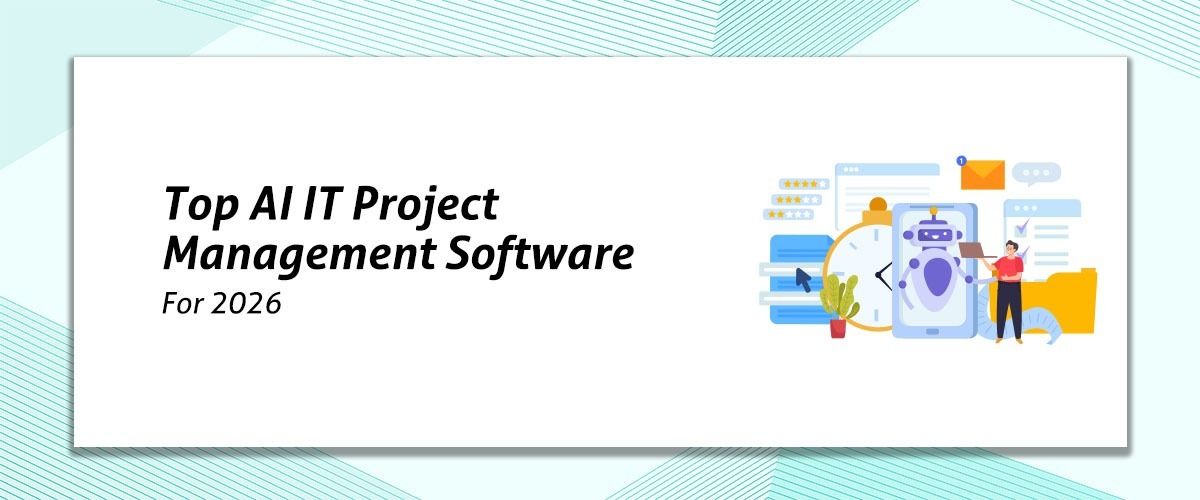
Top AI IT Project Management Software for 2026
 David N. Wilks
We have passed over the threshold into AI driven IT project management changing the way technical teams ship software and manage infrastructure, moving from a mere task manager to an intelligent workflow engine that will predict your deployment bottle necks, automate your sprint backlog creation, and dynamically balance your developer workload to prevent burnout. Your traditional project manager's administrative tracking will be replaced with your automated risk forecast, and agentic code to ticket generation, thus allowing your technical project manager to step out of tracking tasks and into the realm of architectural strategy, velocity optimization, and continuous delivery.
What Is AI IT Project Management Software?
Project Management Software is a type of technology that uses AI to assist with managing projects through the use of predictive analytics, Machine Learning, and Natural Language Processing. This type of software goes beyond just tracking your progress on a project; it also uses Machine Learning to interpret and analyze information from your developers’ code repositories, communications channels, and server logs as part of managing your projects. This type of software will not just track the velocity of your project, it will also create a map of the many layers of engineering dependencies and continuously adjust the timeline of your project to ensure that software is delivered to the client according to schedule without human intervention.
The demand for this type of software has rapidly evolved from a nice-to-have to a must-have for modern businesses. The United States has one of the highest densities of large technology firms and sophisticated development and operations (DevOps) environments. Companies in the U.S. have also begun to implement AI project management software to solve some of their largest engineering pain points, including predicting budget overruns and dynamically reallocating cloud resources. With an increase in budget constraints on technology and the demand for increased operational efficiency, U.S. companies are using these types of systems to help mitigate delivery risk, reduce developer burnout, and replace manual reporting processes with automated, meaningful, and strategic managerial information.
Why Do US Businesses Need AI IT Project Management Software in 2026?
The main reason that U.S. companies are using AI-based IT project management tools is that there is significant macroeconomic pressure to increase engineering productivity in a time of large-scale tech industry restructuring. Many technology companies are experiencing large-scale work-force reductions; in the first five months of 2023 there were over 92,000 people laid off within the tech sector. As the workforce decreases, engineering departments need to work in much leaner teams whilst maintaining their previous production levels. It is not feasible for U.S. companies to continue to rely on simple task checklists; they need to rely on enterprise-level tools that provide direct integration pipeline processes to automatically automate most routine management overhead tasks. Companies are remaining on AI employee scheduling with critical software releases by using predictive AI for automating documentation and managing cadence shipment schedules (i.e., when will the next version of a software be ready to ship) without overwhelming their remaining technical resources.
The complexity and scale of the U.S. technology ecosystem demand very sophisticated strategic alignment from the top down, which cannot be achieved through traditional manual governance. U.S. companies are currently managing multi-million dollar software portfolios, and if a single dependency bottleneck or cloud infrastructure misconfiguration occurs, it is possible that millions of dollars in project budget will be lost. AI-rated platforms can minimize these visibility gaps by identifying historical codebase patterns, monitoring developers' work metrics, and providing current and future risk forecasting. These platforms will change project management offices from simply being administrative support organizations to being organizations with full accountability for delivering business value through the projects they manage.
What Features Should You Look for in AI IT Project Management Software?
When choosing an engineering and infrastructure workflow platform, consider whether its software has the following six essential capabilities:
1. Predictive Risk Forecasting: Analysis of completed work and source code is done to identify hidden sprint bottlenecks and likely missed deadlines
2. Automated Resource Balancing: It continually monitors real-time workload of developers across different projects to prevent burnout and automatically reassigns tasks
3. Native DevOps and Git Integration: It automatic updating of tickets, summarizing pull requests and logging release AI document management through direct connection to pipelines such as GitHub & GitLab
4. Intelligent Backlog Grooming: Automatically triages new incoming bugs, helps prioritize technical debt and tags tickets based on their context by making use of Machine Learning
5. Natural Language Querying (NLQ): Managers can produce numerous complex workflow views (e.g., JQL filters, executive status reports) using ordinary English commands
6. Dynamic Schedule Optimization: Dynamically reorganizes task dependency and calendar timing when things change (e.g., priorities or engineering scope).
How Does AI IT Project Management Software Improve Team Productivity?
The use of AI-driven Project Management Software (PMS) for IT teams reduces the admin workload for engineers and managers and allows a team to spend all their time focusing on delivering their core technical work. Here are five big benefits of how AI will directly impact productivity:
1. Eliminates Manual Status Updates: With integrations to tools the AI will automatically update tickets, track pull requests, and log progress without a team of developers manually filling out cards or time sheets.
2. Greatly Reduce Meeting Overhead: Natural Language Processing will analyze daily activity across code repos and Slack, which allows AI to self-generate clear standup summaries and velocity reports, thereby cutting back on status alignment meeting time.
3. Speed Up Creation Of Tickets & Documentation: By using brief conversational notes, the AI can instantly draft context appropriate user stories, technical specifications, and release notes instead of having to write detailed issue descriptions or project plans from scratch.
4. Prevent Workflow Stagnation & Bottlenecks: AI acts as a live traffic controller and will instantly notify when a pull request is blocked or when a team member has too many tasks, so that work can be rerouted and move efficiently through the pipeline.
5. Automates Intelligent Bug Triaging: Incoming QA and user reported bug Issue tickets are automatically classified, prioritized, assigned, and routed to the appropriate developer based on the developer's historical project data and current workload.
Which AI IT Project Management Software Is Best for Small US Businesses?
1. Monday.com
Using Monday.com to manage your company’s projects is easy, simple, and affordable for small businesses in America. By utilizing its integrations with Monday AI, users can quickly and easily create elaborate project management plans, condense lengthy board histories into summaries and produce detailed task lists in simple language. For smaller teams without an established project manager, it acts like a force multiplier by developing cross-functional automation recipes without requiring code. It connects high-level IT visibility to executing specific daily tasks with its AI-assisted dashboards.
2. Zoho Projects
With the abundance of features for an affordable price, Zoho Projects serves as a cost-effective, all-in-one project management solution for small businesses that are new or busy. A key feature is Zoho’s AI Subject Matter Expert (Zia) that monitors productivity by measuring raw data, flagging problems because of changes in historical trends, and producing visual charts that can help a project manager quickly evaluate team progress. Zia also produces custom generated job views through chat, uses memo generation; and provides repetitive data entry at slow pace but when necessary. This is a great tool for small-business owners that use/used other programs in the Zoho ecosystem and seek an affordable and effective project management system using AI.
3. Quickbase
Offering unique enterprise-grade low-code development solutions, Quickbase stands out among its competitors in that it is fully customizable. While traditional project management tools use specific timelines, milestones, calendars, resource allocation, spreadsheets etc.; Quickbase provides clients with unlimited visual options that can represent anything a client may desire in the form of work-in-progress. This varies from creating detailed Gantt charts to building templates using multiple databases to Zia, using Zia’s advanced algorithms to create trade dependencies. Quickbase enables flexibility and rapid execution of “real-time” assistance without needing to write code, making it easily usable by non-technical staff members. Using the Quickbase platform is affordable compared to similar solutions in the project management market.
How Secure Is AI IT Project Management Software for IT Teams?
When your company transitions to an AI-powered project management platform that requires sharing your repository of code, deployment pipelines and internal communications, security becomes the number one operational risk rather than a simple IT checklist. These tools will typically require significant integration into your core infrastructure to run effectively, therefore their security architecture needs to be assessed across three critical levels.
1. Core Infrastructure & Compliance Baseline
- A given AI project management platform that is targeted at the US IT community will require compliance with strict standards. AT A MINIMUM, you should check for SOC 2 Type II certification, verifying that an independent auditor validated their data security over an extended period of time.
- All data must be encrypted while being transferred from your environment's economic stagnation to that of the project management platform using TLS 1.3 and while sitting idle on the platform's servers using AES-256.
- Look for very strong SSO capabilities via Single-Sign-On and various methods for Multi-Factor Authentication (MFA) to keep individuals from gaining unauthorized access to your project space.
2. AI Trust Boundary & LLM Data Governance
- The primary security issue associated with AI tools is leakage of sensitive information. If an employee pastes their proprietary or intellectual property code into the tool, it is essential to know where the information will go next.
3. API Security & Integration
- All platforms that connect through your DevOps environment are located in direct connection with the enterprise, which means they are being viewed as a high priority for the purpose of carrying out supply chain attacks.
- The platform should require the minimum amount of permission needed to complete the task by way of requiring only enough permission to do so (example: Read access only to commit history vs having full administrative rights over the repo).
- Ensure the platform is using OAuth v2.0 security protocols vs having to have codes with long expiration dates that would be saved and have potential exposure during an attack.
How Do You Successfully Implement AI IT Project Management Software?
1. Identifying Core Workflow Friction
Figure out what is the biggest Engineering Bottleneck; don't try to automate everything at once; determine whether you will be primarily using AI to:
- Fix Incorrect Sprint Estimations
- Eliminate Administrative Chores of Manual Status Update
- Provide Better Visibility for Leadership Regarding Resources Over-Allocated
2. Setting up Data Governance and Hygiene
AI systems use clean data to generate accurate and valid predictions. Cleaning your legacy backlog: close stale tickets; standardize task labels; and establish explicit data privacy boundaries so that your Intellectual Property and Source Code are segregated from all Public Training Sets.
3. Mapping Native DevOps Pipelines
Building the Software directly into your live DevOps Ecosystem (i.e., GitHub, GitLab, CI/CD Pipelines); creating Webhook integrations so that the AI can automatically read commit history, pull request states, and deployment logs to update project charts/Metrics w/o Developer Input.
4. Launch a Low-Stakes Pilot Cycle
Introduce the tool to a single, isolated development squad running on a traditional sprint cycle. Use this time to test if the automated capabilities of the software—such as generating natural language-based tickets and providing machine learning-related risk events—are valid against your historical baseline to determine whether they were executed correctly.
5. Refine the AI Training Feedback Loop
Have a structured internal review process set up where project managers can accept, reject or modify the recommendations made by the software in terms of automated scheduling. The oversight provided by these reviews will help train the underlying algorithms to better understand your specific technical velocity over time.
Conclusion
The way in which IT project managers operate has gone from the manual management of resources to the automated orchestration of engineering processes. The integration of AI platforms into your DevOps pipeline is no longer purely about checking a box; it has become an essential competitive strategy in navigating complex deployments and lean technical environments. When evaluating machine learning analytics against dynamic calendar optimization, selecting an automated scheduling solution that is compliant with your proprietary systems architecture and security boundary considerations will be critical. For an in-depth analysis of the market, please visit softwareadviser.ai—the most trusted source for engineering teams to find, compare, and safely obtain their purchased business software solutions within the application software category.
FAQ's
It analyzes historical team velocity and codebase data to predict exactly how long future technical tasks will take.
Yes, they connect directly to code repositories to automatically advance ticket statuses based on live pull requests and commits.
It is safe provided you secure enterprise-tier agreements that legally enforce strict data isolation and zero data retention policies.
It monitors cross-project workloads in real time and automatically flags or reassigns tasks when an engineer becomes over-allocated.
Yes, users can type natural language questions into the platform to instantly generate data charts and comprehensive executive updates.
Customer acquisition charges (CAC) for Software-as-a-Service (SaaS) companies are higher than ever, making retention and pipeline pace critical vector [...]
David N. Wilks
Contracts run through every part of a business: sales agreements, vendor deals, employment offers, partnership terms. When the process behind them is [...]
David N. Wilks
We have passed over the threshold into AI driven IT project management changing the way technical teams ship software and manage infrastructure, movin [...]