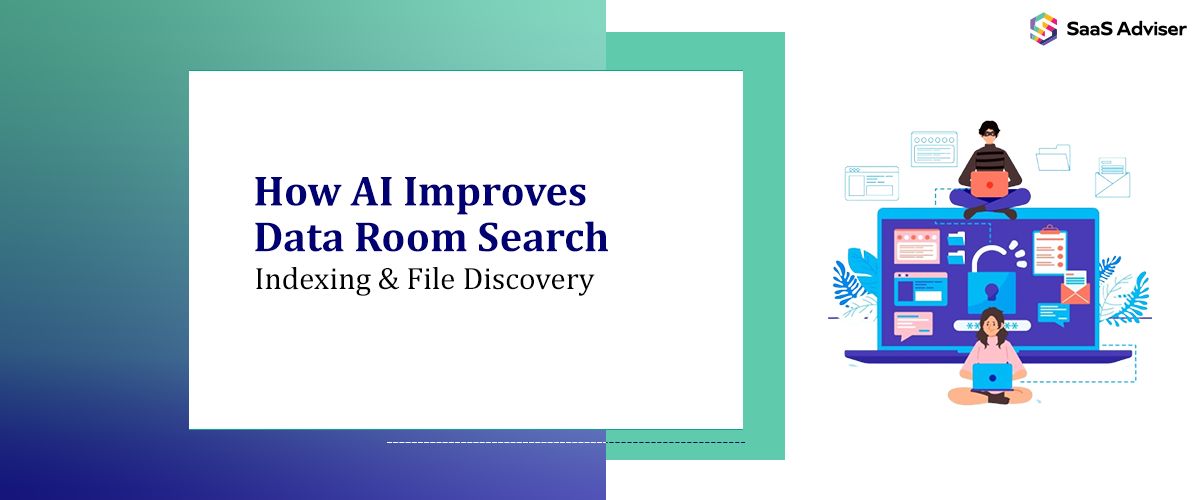
Deal teams move fast. Documents do not. AI closes that gap. This article explains how AI lifts search, indexing, and file discovery inside a virtual data room. You will learn how modern retrieval works, what to prepare before rollout, and how to measure results. You will see tools and controls that fit M&A, legal, and finance work. If you worry about missed files, slow diligence cycles, or audit risk, this guide is for you.
The Shift From Keyword Search to AI Search
Traditional search matches words. That fails when files use varied terms or have scans with poor quality. AI search reads context. It links meaning across versions, formats, and languages. It keeps your security model intact while it expands recall.
Key advantages include:
-
Semantic understanding. The system finds documents that answer a question, not only those that match a word.
-
Robust OCR. AI recognizes text in scans and images. It detects tables, stamps, and handwriting with better accuracy.
-
Entity awareness. It identifies names, companies, jurisdictions, and clauses. It lets you filter by these items.
-
Language support. It can connect English, French, and other languages. That matters for cross-border deals.
-
Version intelligence. It maps duplicates and lineage. You see the right version in seconds.
In M&A, speed and accuracy decide outcomes. AI search reduces time to insight. It reduces the risk of missing a material file. It supports a clean audit trail.
Data Preparation and Governance Basics in the Data Room
Strong search starts with clean data. It also needs a clear governance plan. You should address the following before you switch on any AI feature.
OCR and Normalization
Many VDR files are scans. Some are exports from ERP, HRIS, or project systems. Normalize these files to a common, machine-readable form.
-
Run high-accuracy OCR over images and scanned PDFs.
-
Detect layout. Capture tables, headers, footers, and stamps.
-
Extract embedded text from CAD, PPTX, XLSX, and email files.
-
Record confidence scores so reviewers can flag weak zones.
Tools to consider include AWS Textract, Google Document AI, and Azure Form Recognizer. All integrate well with common VDR architectures.
Entity Extraction and Classification
Metadata fuels discovery. AI can label documents by type and sensitivity. It can also extract key fields.
-
Classify by document type. Examples are NDA, SSA, MSA, lease, license, or policy.
-
Extract parties, dates, values, terms, renewal windows, and governing law.
-
Assign sensitivity levels. Examples are public, internal, confidential, personal, or regulated.
Consider Microsoft Purview for sensitivity labeling. Consider AWS Comprehend or spaCy for entity extraction. These tools improve with feedback. Build a review step to confirm high impact fields.

Indexing That Understands Context
Once the data is clean, build indexes that handle both keywords and meaning. Use a hybrid approach. Keep inverted indexes for exact filters. Add vector indexes for semantic search.
Vector Embeddings and Retrieval
Embeddings convert text into numeric vectors. Similar meanings sit close in that vector space. This supports semantic queries like “find change of control clause” even if the clause uses other words.
-
Use domain-tuned models for legal and finance text.
-
Chunk long files into sections. Store vectors for each section.
-
Add citations. Return the exact page and snippet for review.
Common engines include Azure Cognitive Search, Elastic with vector fields, and OpenSearch. You can also pair a vector database with your VDR. Pinecone and Milvus are examples. Keep your security filters at query time. Apply row-level and attribute-level controls before results display.
De-Duplication and Version Lineage
Deals create many copies. Some have small edits. Some are email attachments. AI can cluster near-duplicates. It can map the lineage across versions. It can surface the latest approved file to the reviewer by default. It can still allow access to prior versions when needed. This clears noise and reduces review fatigue.
Handling sensitive data and PII
Privacy rules apply in most deals. AI helps identify personal data, trade secrets, and regulated content. Use detection for PII, PCI, PHI, and export control items. Auto-apply watermarks. Mask sensitive fields during Q&A if user rights are limited. Tools like Google Cloud DLP, Microsoft Purview, and OneTrust help enforce policy at scale.
File Discovery That Fits M&A
Discovery should mirror the way deal teams work. AI can structure a path through the content. It can align with the request list and diligence plan.
Core M&A Discovery Use Cases
-
Request list acceleration. Match inbound requests to exact files and sections.
-
Clause hunting. Pull change of control, assignment, indemnity, and termination terms.
-
Compliance sweep. Flag missing consents or expired certificates.
-
Synergy mapping. Find overlapping vendors and systems by spend and function.
-
Carve-out readiness. Locate shared IP, shared services, and intercompany agreements.
Practical Workflows
-
Load the request list as questions. Map each item to an AI search profile.
-
Run the search. Capture citations, page numbers, and confidence scores.
-
Send results to reviewers by topic. Add a simple approve or correct choice.
-
Store final answers as a response pack. Link each answer back to source pages.
-
Track gaps and follow-ups in Q&A. Auto-suggest likely sources for missing items.
Measurable Outcomes and Business Case
Leaders want proof. You can measure outcomes in a clear way. Focus on time saved, accuracy gains, and risk reduction. A well tuned AI search can cut hours of manual triage. It can catch files that would be missed by keywords. It can improve reviewer satisfaction.
On macro impact, McKinsey’s 2023 generative AI analysis estimates an annual uplift between 2.6 and 4.4 trillion dollars across the global economy. Your data room will only capture a slice of that value. Yet even small gains matter in a deal timeline. A week saved can be material.
Implementation Roadmap For a VDR
Rollout should be simple and safe. Use an iterative plan with a fast pilot and clear checkpoints.
-
Define success. Pick two or three KPIs. Examples are median time to first relevant document, recall on a standard test set, and reviewer satisfaction.
-
Select a pilot data set. Include contracts, policies, and board docs. Add scans and native files. Keep scope small and realistic.
-
Set up pipelines. OCR, normalize, classify, and embed. Keep logs for each step.
-
Configure security. Honor groups and watermarks. Test PII masking.
-
Run head-to-head tests. Compare keyword search to AI search with blind reviewers.
-
Tune and retrain. Add feedback loops. Improve prompts and recall filters.
-
Go live in phases. Start with read-only teams. Expand to Q&A.
-
Monitor and govern. Track drift in accuracy. Rotate models if needed.
Tooling Landscape and Examples
Your stack can use vendor-native functions or external services. Many teams choose a mix. Here are examples without endorsement.
-
Microsoft Purview and Microsoft Search. Labeling, DLP, and eDiscovery.
-
RelativityOne. Legal search and review with AI features.
-
iManage Insight. Knowledge search for legal content.
-
Azure Cognitive Search. Hybrid keyword and vector retrieval.
-
Elastic. Full text search with vector support.
-
AWS Comprehend and Textract. Entity extraction and OCR.
-
Google Vertex AI Search and Document AI. Search and doc processing.
-
Onna and Egnyte. Connectors, governance, and retention.
-
Box Shield. Classification and controls for content in the cloud.
Risk, Controls, and Standards
AI must respect legal and privacy duties. Use clear controls. Keep your models inside your data boundary when possible. Limit prompts to necessary context. Record actions for audit.
-
Security. Encrypt at rest and in transit. Use customer managed keys when possible.
-
Access. Apply least privilege. Respect redaction and masking in every index.
-
Quality. Track precision and recall. Review low-confidence hits.
-
Governance. Set policy for training data, retention, and model changes.
For governance guidance, see the NIST AI Risk Management Framework. It helps align your controls with business risk. It also helps when you brief internal audit and counsel.
Canadian Context and Evaluation
Canadian teams often work in both English and French. AI search reduces friction across languages. It aids compliance with provincial privacy laws. It supports structured disclosures in regulated sectors.
Choosing among data room providers requires reviewing user feedback and comparing features carefully to ensure the platform fits your deal structure, security needs, and timeline.

How to Keep Users in Control
AI should assist. It should not replace expert judgment. Set up your user experience to build trust.
-
Show your work. Always display the source snippet and page.
-
Make feedback simple. Approve, reject, or edit results in one click.
-
Flag uncertainty. Use confidence bars and reason codes.
-
Keep a switch. Allow users to fall back to keyword search when needed.
Q&A Workflow Enhancements
Q&A is where deals can slow down. AI helps reduce latency and duplicate work.
-
Auto-route new questions to the right folder owners.
-
Suggest answers based on prior responses and linked sources.
-
Mask sensitive details when the asker has limited rights.
-
Prevent duplicates. Detect similar questions and merge threads.
-
Summarize the thread for senior reviewers.
Measuring Success
Set targets that are easy to verify. Then track them by week.
-
Time to first relevant document. Aim for minutes, not hours.
-
Reviewer satisfaction. Use a simple five-point score after each session.
-
Recall on a test suite. Build a fixed set of 50 to 100 items. Evaluate quarterly.
-
Compliance findings. Track PII and sensitive term detection rates.
-
Cycle time. Measure days from request to answer pack.
Cost and ROI
AI features add cost. They also reduce manual hours. They can reduce outside counsel spend. Start with a small pilot. Track time saved in a shared spreadsheet. Include avoided rework and missed document risk. Add any benefit from faster signing or integration. Show the math in simple terms. Keep the model costs transparent. Include storage and inference.
Operating Model and Ownership
Assign clear owners. Use a joint squad from IT, legal, finance, and the deal team. Keep roles tight.
-
Product owner. Defines requirements and KPIs.
-
Data steward. Manages classification and retention.
-
Security lead. Sets access and monitors logs.
-
Search engineer. Tunes relevance and models.
-
Reviewer lead. Trains users and gathers feedback.
Training and Change Management
Short training wins. Use ten-minute videos and job aids. Show before and after examples. Hold office hours in the first month. Reward power users who submit useful feedback. Track adoption by team and by folder. Remove friction as you find it.
Conclusion
AI makes VDR search faster and more reliable. It cuts noise and reveals context. It helps teams answer complex requests with confidence. Success depends on clean data, strong governance, and a simple user flow. Start small. Prove value with clear metrics. Then scale across your portfolio. With the right setup, your team will find the right files at the right time. That is the edge you need in a tight deal timeline.
Yes. Many vendors now support in-place indexing. You can deploy search and embeddings in the same tenant. You can keep encryption and access controls. Ask for a data flow diagram before you approve.
Enforce policy at query time. Apply role checks before a result appears. Mask or summarize fields that the user cannot see. Log every access. Review logs weekly during active diligence.
Expect strong recall and good precision after tuning. Plan for human review on high value clauses. Track false positives and false negatives. Retrain models with your own documents to improve fit.
No. Keep both. Use keyword for exact filters and known terms. Use AI search for concepts and variants. Offer a hybrid view so users can switch fast.