
What we'll cover
Share with your community!


Get Free Consultation


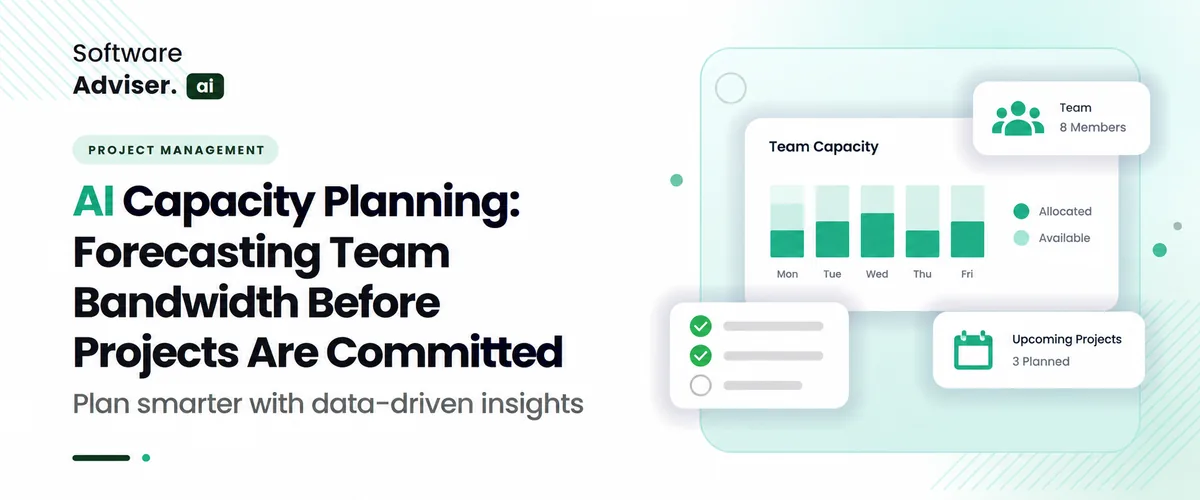
AI Capacity Planning: Forecasting Team Bandwidth Before Projects Are Committed
 Dokas mile
AI capacity planning changes how a team handles day-to-day work. Instead of letting time pass and then making a rough guess, it uses what happened before to estimate what comes next. It also looks at task size and at how fast the same kind of work was finished in the past. With that, the team can set a delivery date with less risk. They can tell how much work fits in the window before they commit. This is not just a simple status view. It pulls in repeat trends from prior runs, how responsibilities are spread across people, and where problems usually appear. The point is to find real limits on workload, not just the neat view you get from a basic sheet. When the team can see those limits, leaders in engineering and operations can spot strain earlier. They can start work earlier. They can also match the schedule with more certainty before the final approval on what will be provided.
What is AI Capacity Planning, and why does it matter for software teams?
Capacity planning in software work often leans on AI machine learning. The system reads patterns from how your team handled work before. It also pulls in what code changes look like, what the sprints show, and any limits that are live today. The aim is to guess how much engineering time will likely be open. Not every group does it this way. Some rely on gut feel or simple spreadsheets. That setup can miss things that hit day to day. Planned time away, switching between tasks, and tech debt can slip past a static view. A model that learns can check several signals in the same run. Then it gives a more solid estimate of what the team can handle.
When the forecast is in place, managers and product leads can see team availability more clearly. This can help them shape scope sooner. It also makes it easier to talk with stakeholders about what is realistic. For US software teams, this can be especially important when deadlines are tight. Market pressure and launch dates push teams to move quickly. Planning that is tighter can help keep costs under control and lower the risk of burnout. It can also cut down on churn that shows up when too much work is pulled in. When leaders align team time with the roadmap, deliveries have a better chance to land on time. It may also reduce late mid sprint problems and make handoffs inside the delivery flow smoother.
How does AI Capacity Planning help you Forecast team bandwidth before committing to Projects?
The AI workforce planning by estimating team bandwidth based on old delivery records It does not depend on manual guesses or optimistic numbers. The system uses models to review real throughput, how long tickets take to close, and the usual maintenance load, like bug work and tech debt. From those past results, it builds a practical starting point for how much deep work the team can handle in a set period. After that, it checks what is coming up and matches the work to the people who will be available.
It also accounts for time off, major public holidays, and the cost of switching between tasks on different projects. It considers each person’s skills too. This helps point out where the gaps will likely show up ahead of time. The technology can forecast outcomes, which helps leaders choose what to commit to. Engineering managers can test different paths using what-if runs on the backlog. For example, they can see how adding a new enterprise feature, or changing roadmap priorities, could move expected delivery dates. Then leaders can talk about scope and staffing, and also change the order of the work. Because the numbers come from the forecasts, they rely less on guesses and more on facts. That means the work starts with timelines that are more likely to be met.
What strategy makes AI Capacity Planning work best for growing software companies?
- Link live tool signals to your planning setup: Attach your AI models so the model pulls current project details. Use real pull request cycle times, real commit counts, and up-to-date backlog views. This gives a better read on how fast work actually moves, not on guesses.
- Account for the work that is not coding: Have the AI include time for tech debt cleanup, urgent hotfixes, meetings across teams, and ongoing maintenance. Many fast-growing teams hit a wall when they assume every hour an engineer has is spent on new features. The model should compare deep work time with this everyday overhead.
- Adjust for past pace across teams: Teach the capacity logic that output looks different from one squad to another. Story points and delivery rates do not match up cleanly between groups. With shared historical velocity input, the AI can judge capacity in a more even way when it shifts people to urgent roadmap items.
- Try quick what-if runs before you finalize the plan: Run moving simulations to see what changes when a senior engineer is out, when a nasty bug wave shows up, or when priorities shift during the quarter. This helps leaders spot risks early and adjust promises before it gets late.
- Measure the cost of switching tasks between work streams: Set the system to estimate how much mental load people take on when they juggle several projects or codebases. When developers are splitting time, the estimates should drop a bit. Keep the delivery window more focused for the hard parts.
How accurate is AI Capacity Planning when Predicting Future Workloads?
- Lots of Planning Teams hear the same Claim: they can put 80 to 90 percent of their time into real delivery. But when work is logged by hand, the share is often lower, around 40 to 60 percent. You can spot it in quick notes in a spreadsheet. You can also spot it in plans that were made from early guesses and rough point totals.
- It can look Steady: For one sprint, or even two, the team may keep a good pace. Then things usually slow down. The rhythm feels less even. The AI applicant tracking model also adds items that are not true delivery time, like paid time off, the pull of tech debt, and the carryover from what happened in the last few sprints.
- Pattern Shifts: Around the three to six month point, the fit often begins to drift. The plan may not cope well when the wider market changes fast. It may also break when scope shifts a lot, when leaders push in new requests, or when team members exit with short notice.
- AI Forecasts do not act the same for every Team: A lot of it depends on two simple things. First, how good the existing material is. Second, how much of it you have. If you can feed the system around six months of steady work, or use pull request notes, it usually misses fewer cases. By contrast, a model trained on smaller or messier records tends to do worse.
- The output also tends to be less Warped: People often develop habits over time. They may predict a task will finish early and then miss the real effort. Or they expand the work once they feel they still have slack. AI can reduce these repeated slips, so the dates it suggests line up more with what the data is actually saying.
- The results can get Better: Many planning systems run a cycle where new facts update earlier guesses. They review past estimates, compare them with what happened in later sprints, and then adjust what comes next. Some groups use scores like Mean Absolute Percentage Error to see how far off the forecasts.
Can AI Capacity Planning reduce the risk of overcommitting your team?
- Turns Guesses into Numbers: The system looks at past delivery speed, real cycle times, and commit records. It does not rely on shiny best-case stories. That helps teams avoid pledging work that cannot fit the calendar.
- Shows the work Nobody likes to Count: It includes non-coding tasks such as fixing tech debt, reviewing pull requests, handling bugs, and taking part in status and planning meetings. These items can take about 20% to 30% of a developer week.
- Reflects Real Time off and Ramp-up: The system uses the actual schedule limits, including personal PTO, public holidays, and time spent getting new people up to speed. This removes the old mistake of treating everyone like they have 40 hours a week for deep work.
- Accounts for the hit from Task Switching: When people work on several projects at once, AI weighs the mental cost of moving between tasks. It then lowers the total available time to match that cost.
- Lets teams test Cases: Engineering managers can explore the effect of a new feature or a change in priorities before they sign off. You can see early whether the added work causes a delay or turns into a missed due date.
- Shows where the real skill gaps are: AI checks capacity by specialty area such as DevOps, frontend, or security. It does not rely only on headcount. This helps avoid a common case where the team seems free overall but gets stuck in one part of the work.
Which tools support AI Capacity Planning for US-based software teams?
- Jira Plans and Rovo AI: Since it lives in the Atlassian tools, Jira’s AI features and related add-ons, including Capacity Insights by Tempo, pull in past sprint velocity, issue timelines, and the open tickets. Then it forecasts team capacity right in Jira.
- Linear with AI Agents: Made for teams that ship fast, Linear runs on steady cycles instead of relying on set sprint meetings. It ties pull request work to automated triage agents, so developers can see bandwidth as things change.
- Forecast.app: This AI-first project and resourcing tool links how work gets done to planning. It estimates how long tasks may take, spots places where specific skills slow progress, and alerts managers when teams are taking on too much.
- Monday AI Workspace: It pairs board-based planning with workload agents that keep checking engineering availability. As capacity shifts, it moves tasks around to help avoid burnout.
How do you Measure Success with AI Capacity Planning over Time?
Do a quick audit of your capacity plan and match it to the real outcome. Pull up what you expected and line it up with what you actually shipped. See how the difference evolves over each day. Start with the variance. Use the values from your earlier estimate, like story points, planned hours, or feature counts. Next, gather the numbers from the work that made it into the release. Finally, compare the finished totals to the original plan and note where they diverge.
As you feed the system more past sprint results, the error between planned capacity and real capacity should shrink. A common way to track this is Mean Absolute Percentage Error, or MAPE. Ideally, the big ups and downs in delivery fade, and your release timing starts to look steady instead of erratic. After that, look beyond just prediction error. Over a longer window, you want better day-to-day operation and healthier teams. When capacity planning is solid, sprint rollover should happen less often.
You should also see fewer costs from frequent context switches. In many cases, teams should avoid last-minute changes in the middle of a quarter. That matters because heavy late work can burn people out. If the workload stays more even, you are more likely to see fewer people leave and higher marks on engineering satisfaction. The payoff shows up in delivery trust and how fast you can adapt. Success looks like product and leadership teams hitting roadmap targets they promised.
It also means doing so without trading away code quality. You should not see extra tech debt piling up because delivery pressure keeps rising. When this goes well, AI planning helps engineering run in a more reliable way. Then leadership can talk about new features with more confidence. They can also commit to enterprise SLAs and choose headcount using numbers, not guesswork.
Conclusion
Working on AI capacity planning can help engineering leads pick roadmap dates with less uncertainty. It replaces gut feel with numbers that teams already have. Teams can compare past output, account for daily overhead, and check who is truly available. Once that is clear, leaders can move people and time to where it matters most. The result is less constant pressure on the team. As the system keeps updating, the estimates usually improve. Over time, the release pace feels more stable. It also handles increased demand more smoothly. To find AI capacity tools that match your setup, check softwareadviser.ai. You can scan options, compare tools, and select one that fits your needs.
FAQ's
AI capacity planning uses machine learning to analyze historical velocity, code commits, and project overhead to accurately forecast developer bandwidth before roadmap commitments are locked in.
Unlike manual spreadsheets that rely on optimistic best-case assumptions, AI models automatically account for non-coding operational drag, PTO, context-switching penalties, and technical debt.
AI capacity planning generally achieves 80% to 90%+ accuracy over short horizons (1 to 2 sprints) by continuously refining its predictive models against real delivery data.
Yes, by exposing true net bandwidth and surfacing hidden workloads, AI stops engineering managers from overcommitting their teams to unrealistic scope and tight deadlines.
Most AI capacity platforms integrate natively with project management tools like Jira and version control platforms like GitHub or GitLab to aggregate performance metrics automatically.

The manner people plan their private vacations and employer journeys goes thru a big trade right now. Nobody wants to spend hours searching through in [...]

David N. Wilks
Every founder hits the same wall eventually. A handful of tools connect collectively, a to-do list with the intention to not prevent development, and [...]
David N. Wilks
Email marketing maintains to yield one of the maximum returns on funding (ROI) across all digital channels. However, executing it successfully at scal [...]